FUJI NXT Programming Manual QD004-18.pdf - 第202页
6. Editing Jobs on the Machine (MEdit) QD004-18 192 NXT Programming Manual 6.9.1 Procedure 1. Transmit the job with the vision data to be tested to the machine and wait for the main screen to displa y on all of the opera…

QD004-18 6. Editing Jobs on the Machine (MEdit)
NXT Programming Manual 191
6.9 Testing Vision Processing (from NXT V4.10: H01
head and OF head)
The vision processing test function is used to perform the following procedures.
• Adjust the vision processing height at the machine (for the side light camera).
• Check vision processing results.
• Check and edit the job.
Caution: Perform a pickup test to determine the correct pickup position before performing a vision
processing test.
Restrictions
• Only original slots can be selected for a vision processing test.
• It is possible to begin a vision processing test even if all of the nozzles that are
specified in the job are not set in the nozzle station. Nozzles that are not
specified in the job are used. As a result, the nozzles used when performing
automatic operation and the nozzles used when performing the vision
processing test may differ.
• The parts used when testing vision processing are not included in the used parts
count. As a result, there will be a discrepancy in the remaining parts count in
Fujitrax Verifier.
• When the claw is being used, even if the pickup position XY is incorrect, an
offset may be used when the part is picked up. In such a case, if the part that
was picked up is returned to the tray, the part may not fit properly into the tray
cavity. For this reason, the pickup test should be performed and pickup XY
position adjusted before performing a vision processing test.
6. Editing Jobs on the Machine (MEdit) QD004-18
192 NXT Programming Manual
6.9.1 Procedure
1. Transmit the job with the vision data to be tested to the machine and wait for the main
screen to display on all of the operation panels for the modules.
2. Start MEdit and log on if necessary.
3. Select [Open Current Job] from the [File] menu. The [Acquire current production job]
dialog box displays.
4. Double-click the line with the machine to be tested and then double-click the machine
name to display the modules. Select the module on which the pickup positions is to be
tested. The name of the job in the module is automatically displayed in the [JOB] group
box.
5. If necessary, select the lane from which to test the data.
6. Click [OK] and the specified data from the job is opened.
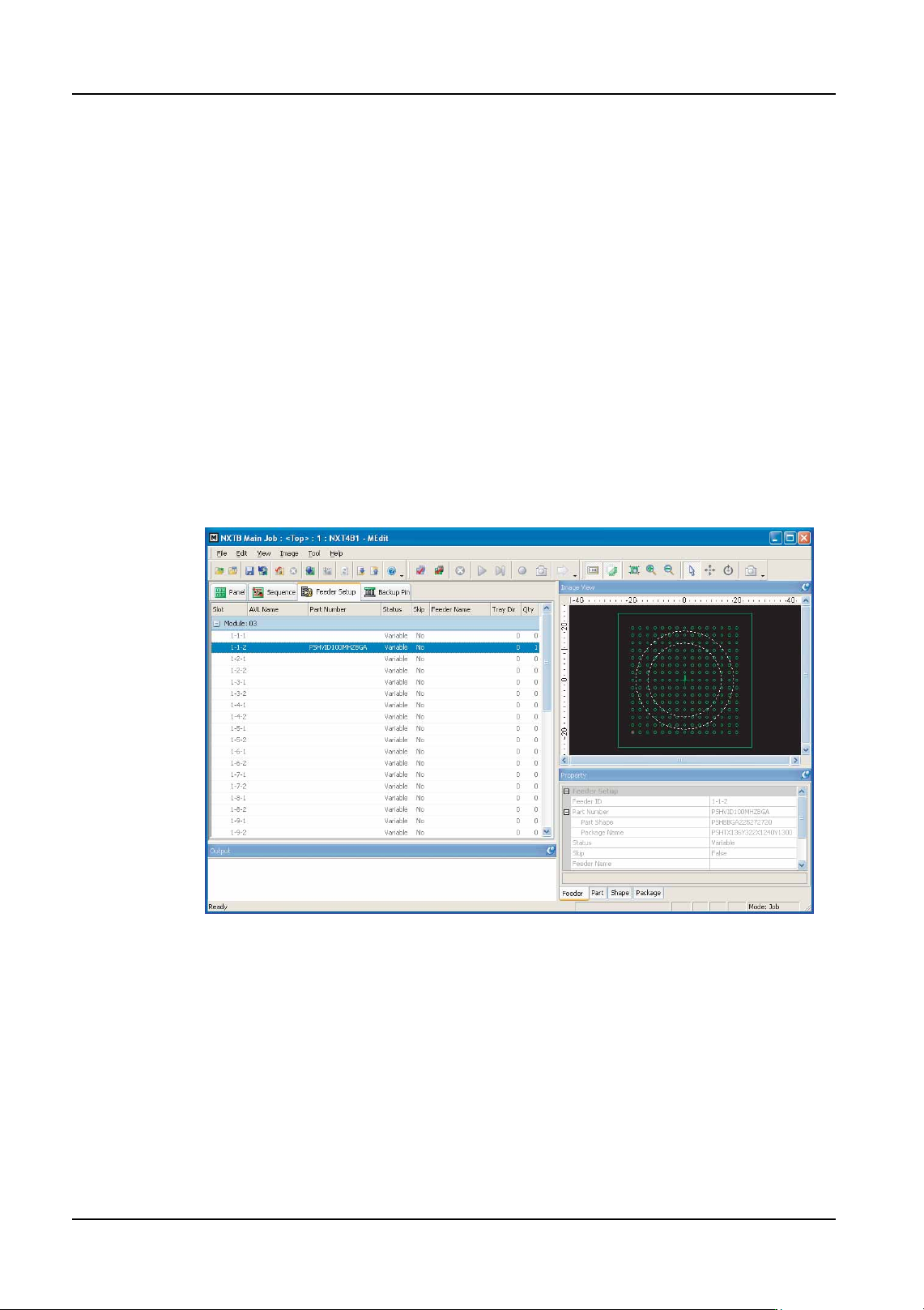
7. Select the [Feeder Setup] tab.
8. Select the slot for which vision processing test is to be performed.
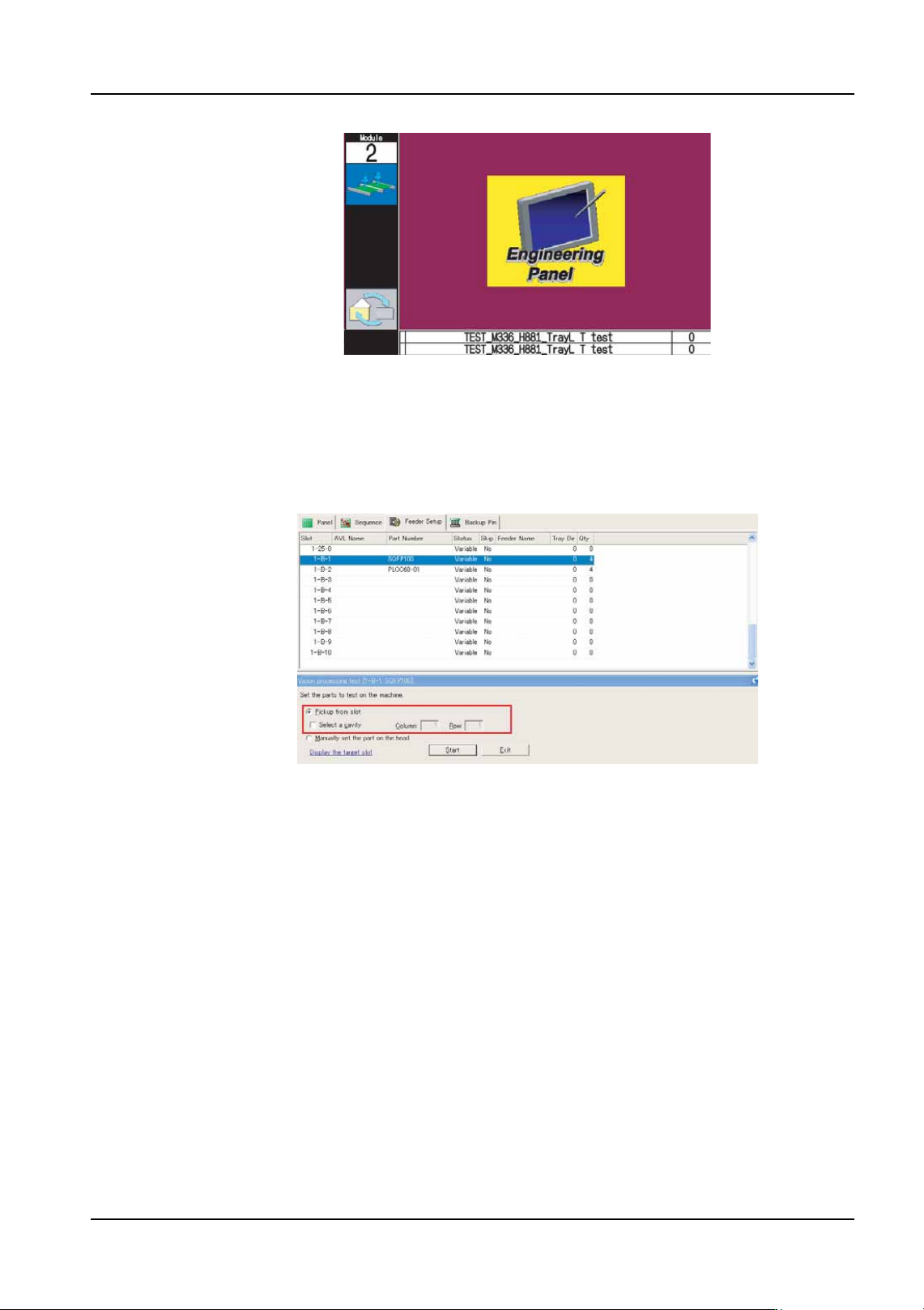
9. Select [Job Test] - [Vision Procesing test] from the [Tool] menu. The background color
of the operation panel for the module in question turns violet to indicate that the module
is in a test mode.
01PRG-0031Ea
QD004-18 6. Editing Jobs on the Machine (MEdit)
NXT Programming Manual 193
Performing Vision Processing
10.If the part to be vision tested is to be picked from a feeder or tray, then follow the
substeps below. If the part is to be placed on the head manually, then proceed to the
next step.
a. Select the [Pickup from slot] option.
b. If the part is a tray part and a specific cavity is to be specified, then select the [Select
a cavity] check box and then specify the pickup position in the [Column] and [Row]
text boxes.
Note: If picking from a tray and the [Select a cavity] check box is not selected, the first pickup
position is automatically determined.
c. Click [Start] and the automatically determined nozzle (claw) is picked and then the
selected part is picked up and vision processed.
11.If the part to be vision tested is to be placed on the head manually, then follow the
substeps below.
a. Select the [Manually set the part on the head] option.
01PRG-0032
NXTEJM029E