FUJI NXT Programming Manual QD004-18.pdf - 第207页
QD004-18 6. Editing Jobs on the Machine (MEdit) NXT Programming Manual 197 b. Push EMERGENCY on the module and remove the part from the head by hand. c. Once the part has been removed, close the door and relea se the EME…
6. Editing Jobs on the Machine (MEdit) QD004-18
196 NXT Programming Manual
d. Check the vision processing result.
e. Repeat a to d until the vision processing height is correct.
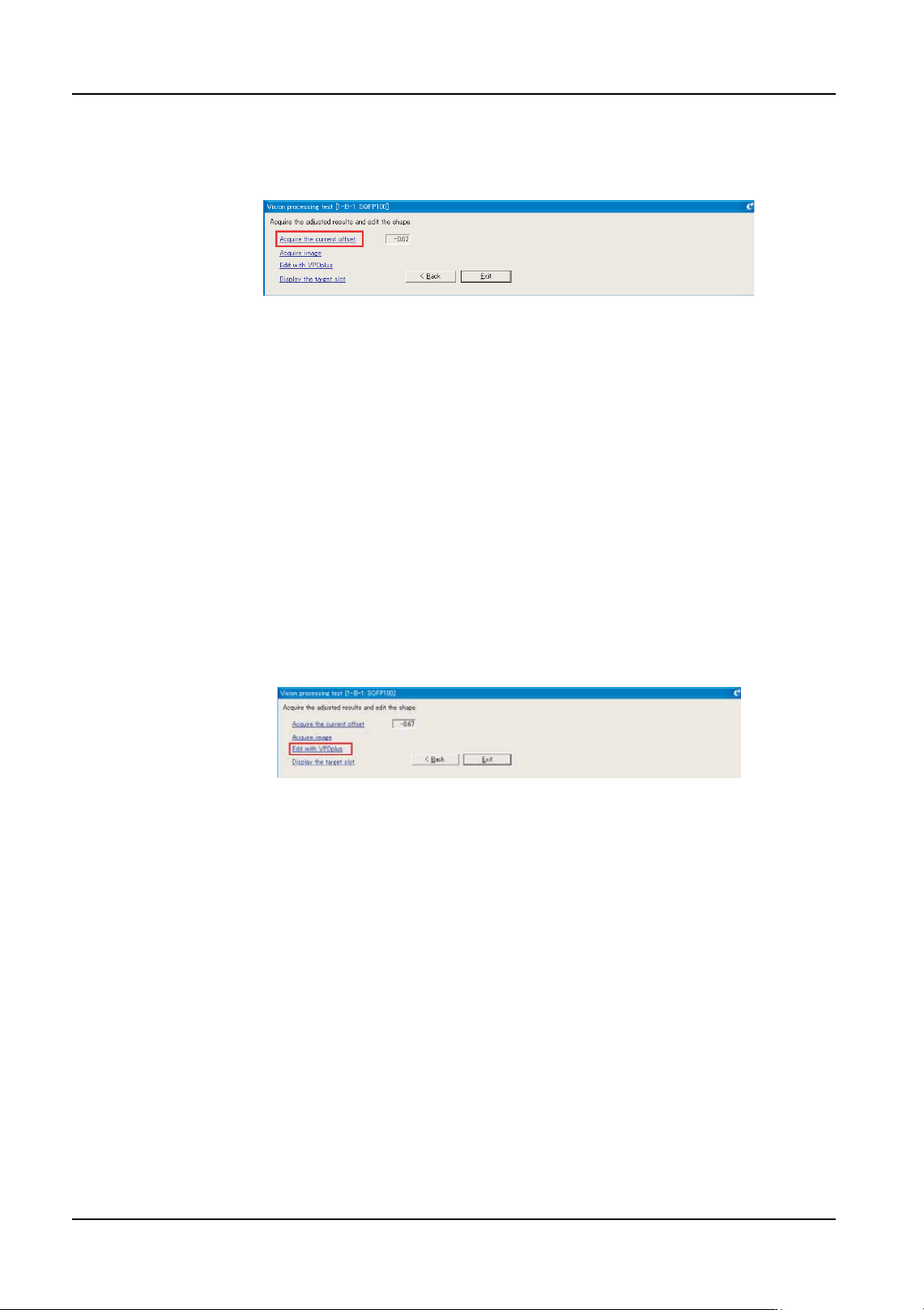
f. Click [Acquire the current offset] in MEdit and the value set at the module is displayed
in MEdit.
Note: There is no need to manually enter the value as this is acquired from the machine.
g. Ensure that the acquired setting is correct.
Editing Vision Processing Data in Shape Data with VPDplus
15.If it is necessary to edit vision data due to the results of the vision processing test, open
the data in VPDplus by following the substeps below and use VPDplus to edit the
necessary items.
a. If the image has not yet been saved, perform steps 11 and 12 and then perform the
next step.
b. Click [Edit with VPDplus] and the saved image is opened with VPDplus and the vision
data can then be edited. Edit the necessary items and then update the shape data
with the changes.
Finishing Vision Processing of the Picked Part
16.If the part was automatically picked by the machine, follow the substeps below. If the
part was set on the head by hand, then proceed to the next step.
a. Click [Exit] and the picked part is automatically rejected to the position specified in
the job.
Note: When the pickup tray is specified as the reject location, even if the safety door of the tray
unit has been opened, the part is returned to the tray from which pickup was performed. If
it is not desired to return the part to the tray, then the part should be removed by hand.
17.If the part was set on the head by hand then follow the substeps below. If the part was
picked automatically then the substeps from the previous step are used to finish vision
testing.
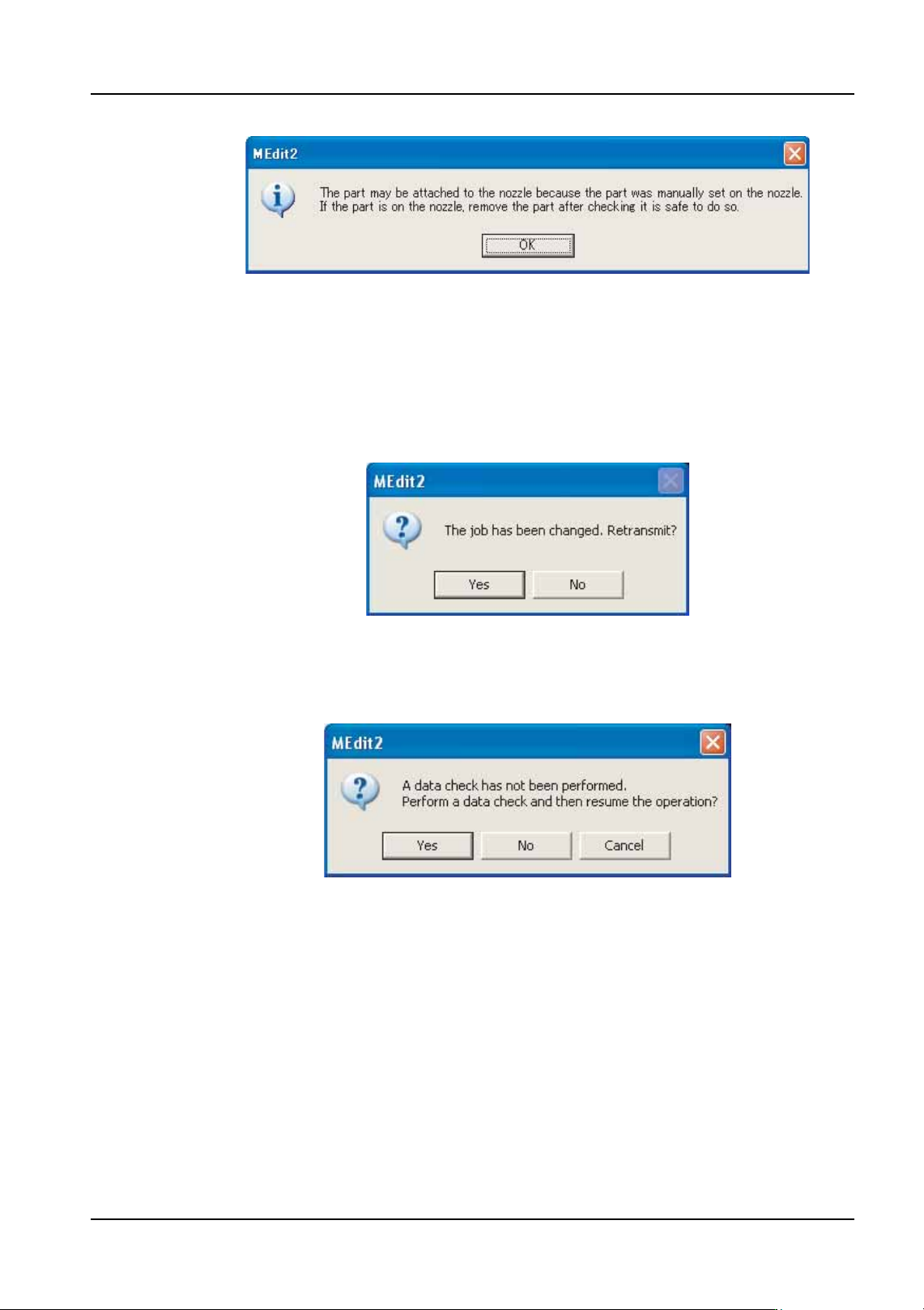
a. Click [Exit] and the dialog box shown below is displayed.
NXTEJM035E
NXTEJM036E
QD004-18 6. Editing Jobs on the Machine (MEdit)
NXT Programming Manual 197
b. Push EMERGENCY on the module and remove the part from the head by hand.
c. Once the part has been removed, close the door and release the EMERGENCY
button.
d. Click [OK] in the dialog box above.
Reflecting Changes to the Machine
18.The dialog box shown above is displayed, click [Yes] to send the changes in the job back
to the machine. When [Yes] is clicked, a dialog box asking if a data check should be
performed is displayed.
19.Click [Yes] to perform a data check of the data. The data check is completed and then
the [Retransmit Job] dialog box is displayed.
20.Select the module(s) for which the edited data is to be reflected and click [OK]. If the
edited data affects multiple modules, select all of the affected modules and click [OK].
NXTEJM037E
NXTEJM038Ea
NXTEJM039Ea

6. Editing Jobs on the Machine (MEdit) QD004-18
198 NXT Programming Manual
MEMO: