FUJI NXT Programming Manual QD004-18.pdf - 第149页
QD004-18 4. Part Data Settings NXT Programming Manual 139 Figure 10 Example of a part with the white area size nearly the same as the body size. The size, not the area. NXTVPP033Ea Figure 1 1 Example part with lead-like …
4. Part Data Settings QD004-18
138 NXT Programming Manual
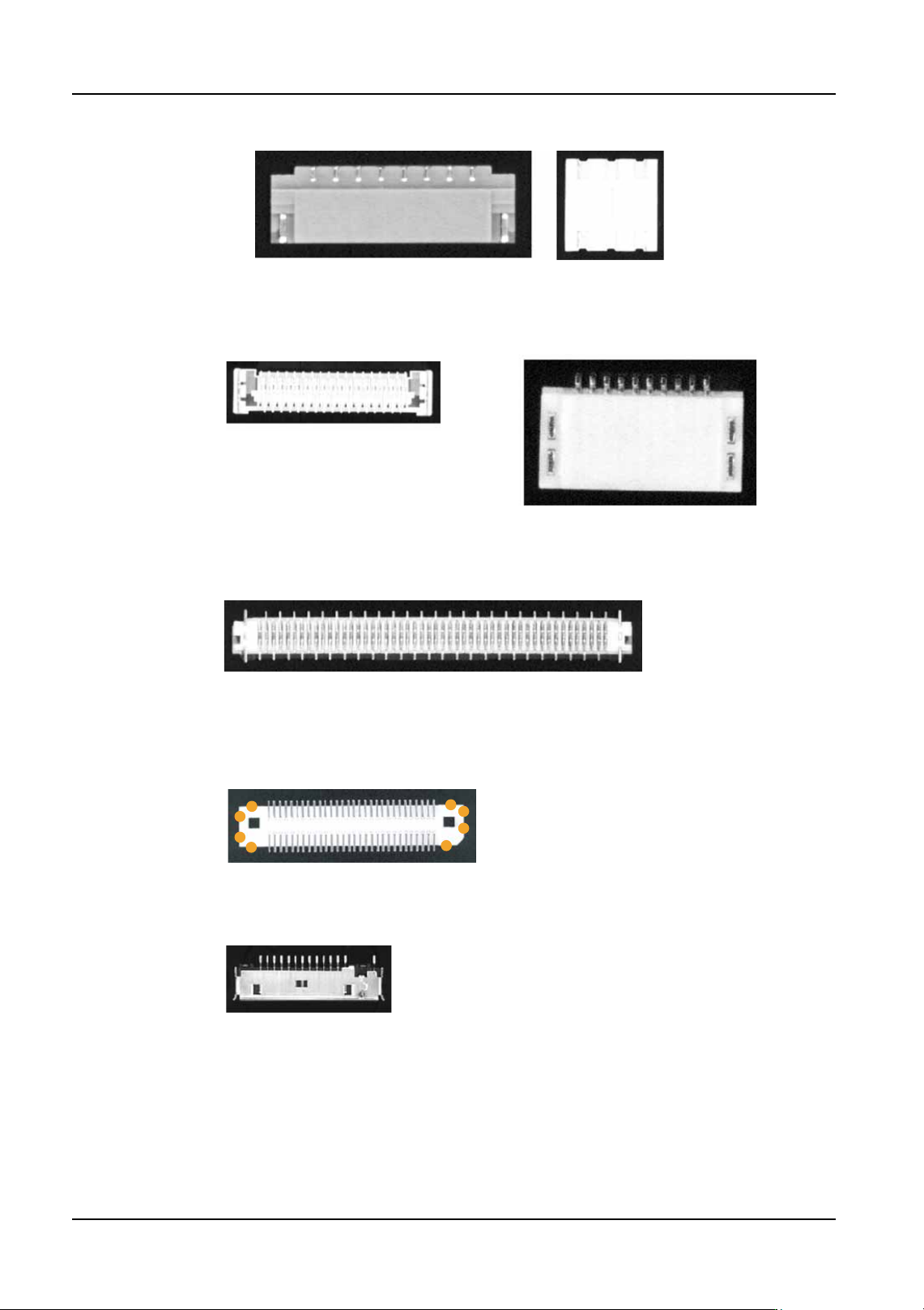
Figure 5 Parts that have leads in the white body area.
NXTVPP028Ea
Figure 6
Poor lead shape (The leads are too short) Including parts with leads that have
poor lead image definition.
NXTVPP029E
Figure 7
Example part with no more than 1 mm of body edge with no leads
or other items
NXTVPP030Ea
Figure 8
There should be at least one side with 2 body detection points, or there should be
at least two sides with one body detection point each.
(This part has 4 sides with 2 detection points each.)
NXTVPP031Ea
Figure 9
Example part with leads not connected to the white areas
To determine whether or not the leads and white area are
connected, observe the part and imagine how the lead will
be seen by the parts camera. Refer to the picture on the left.
The gull-wing leads made shadows around the lead bases.
We see the leads and white area as being separated. The
gold leads are bright and easily seen. The gull wing angle or
lead width makes the lead base appear dark. If VPDPlus and
the camera stand are available, use that to acquire an image
of the part. That is the easiest way to see how the machine
will see the part.
NXTVPP032Ea
QD004-18 4. Part Data Settings
NXT Programming Manual 139
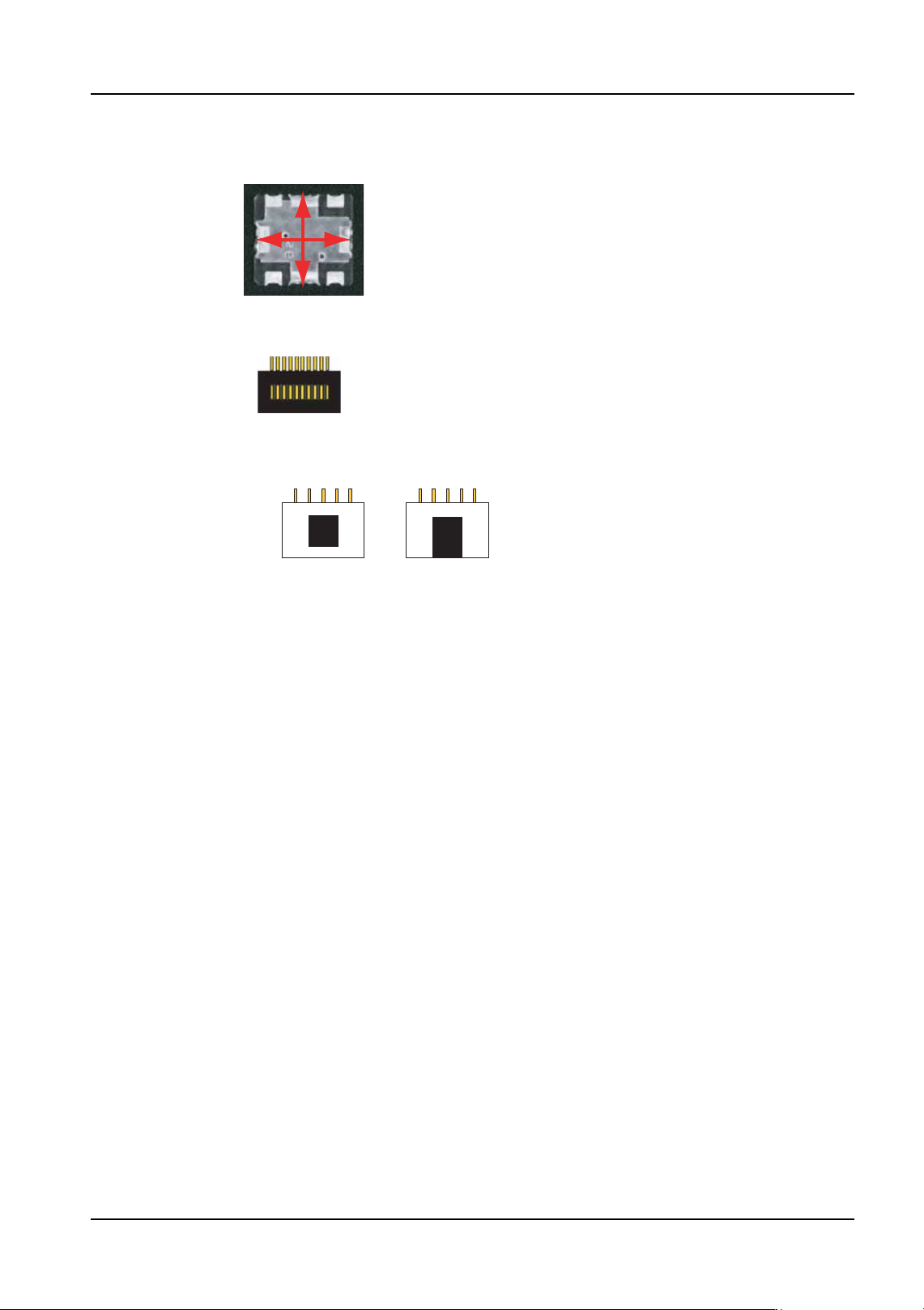
Figure 10
Example of a part with the white area size nearly
the same as the body size.
The size, not the area.
NXTVPP033Ea
Figure 11
Example part with lead-like shapes in the body of the part.
NXTVPP034Ea
Figure 12
Example of when the black area is surrounded
by white body and example when it is not.
NXTVPP035Ea

4. Part Data Settings QD004-18
140 NXT Programming Manual
4.7 Compatibility with Existing Part Data
4.7.1 Background
Previous Fuji machines support both backlight and frontlight systems, however, the NXT
machines support frontlight only. As a result, it is necessary to convert existing part data
created for used with a backlight system to enable the part to be processed using a
frontlight system. The NXT machines are equipped with a feature that enables automatic
conversion of part data created for backlight systems, however, there are cases whereby it
is necessary to make settings in the "Override" field in Fuji Flexa for the part data of certain
parts. This section provides a compatibility table for the part data of existing machines and
the NXT machines, as well as details of limitations relating to the part data conversion
process.
It is important to point out that when making new part data, use the old vision type and p
patterns if the data is to be used on other Fuji machines. If the data is never to be used on
older Fuji machines (only NXTs are present), then use the NXT vision types and the
frontlight p_patterns.