FUJI NXT Programming Manual QD004-18.pdf - 第73页
QD004-18 3. Job Builder NXT Programming Manual 63 How to specify settings Specify the value for the maximum pan el warpage for a job with either soft placement, simple pressure control, or Packag e-on-Pack age placement.…
3. Job Builder QD004-18
62 NXT Programming Manual
3.4.9 Adjusting placement due to panel warp function (from NXT
V5.15)
This function improves productivity by adjusting placement based on the state of warpage
of the panel. Throughput is improved by changing the speed change height of the placing
head for the previously fixed soft placement, simple pressure control, and Package-on-
Package placement.
Required items
Unit
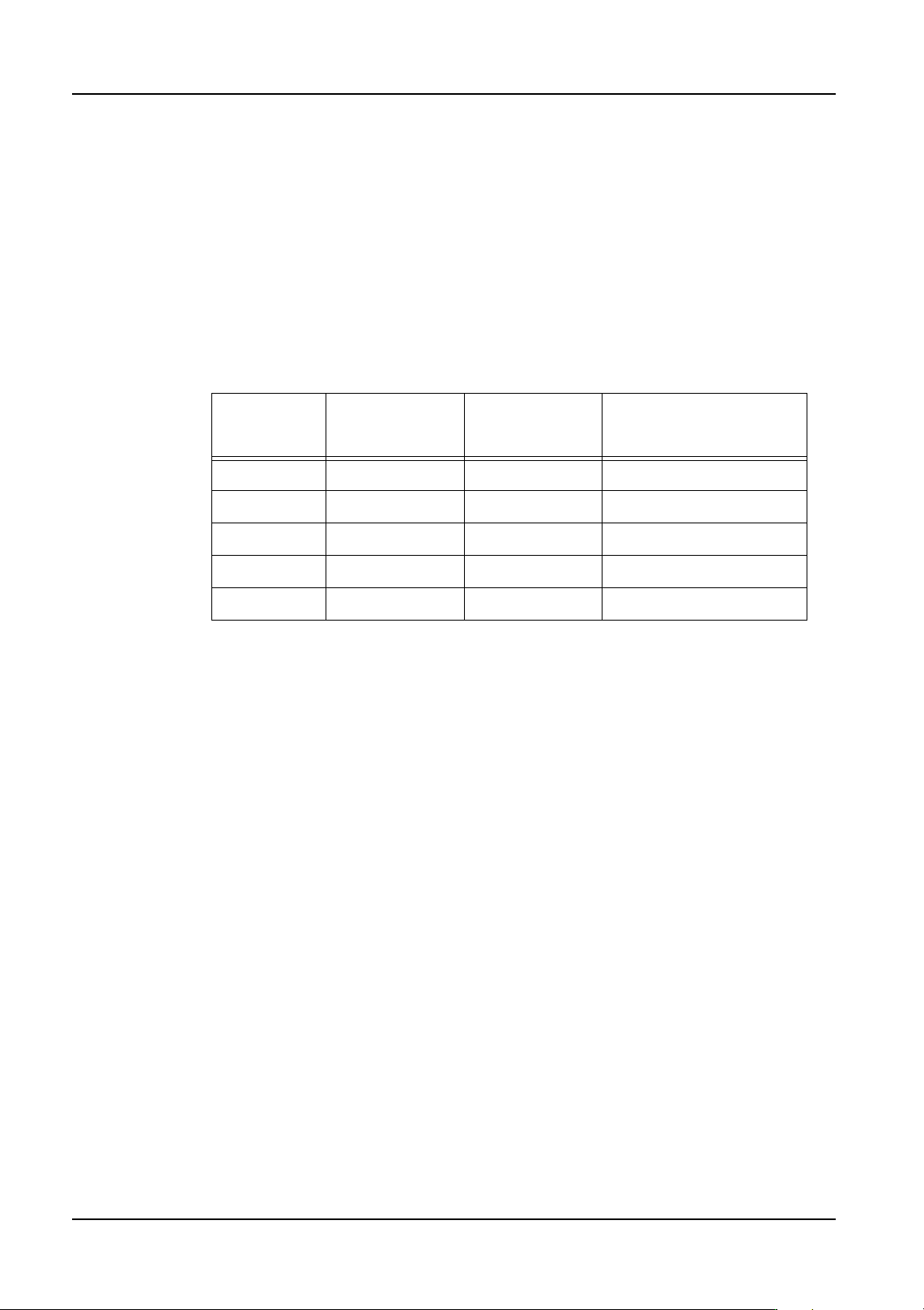
A head supporting either soft placement, simple pressure control, or Package-on-Package
placement
Software
• NXT application (V5.15 or higher)
• Fuji Flexa (V5.0.0 or higher)
• MEdit (V5.15.0 or higher)
Soft placement Simple
pressure
control
Packgage-on-package
H01 Supported Supported Supported
H02 Supported Supported Supported
H04 Supported - -
G04 Supported Supported Supported
OF Supported - -
QD004-18 3. Job Builder
NXT Programming Manual 63
How to specify settings
Specify the value for the maximum panel warpage for a job with either soft placement,
simple pressure control, or Package-on-Package placement. This section explains two
methods for specifying the value, one in Fuji Flexa Job Builder and one in MEdit.
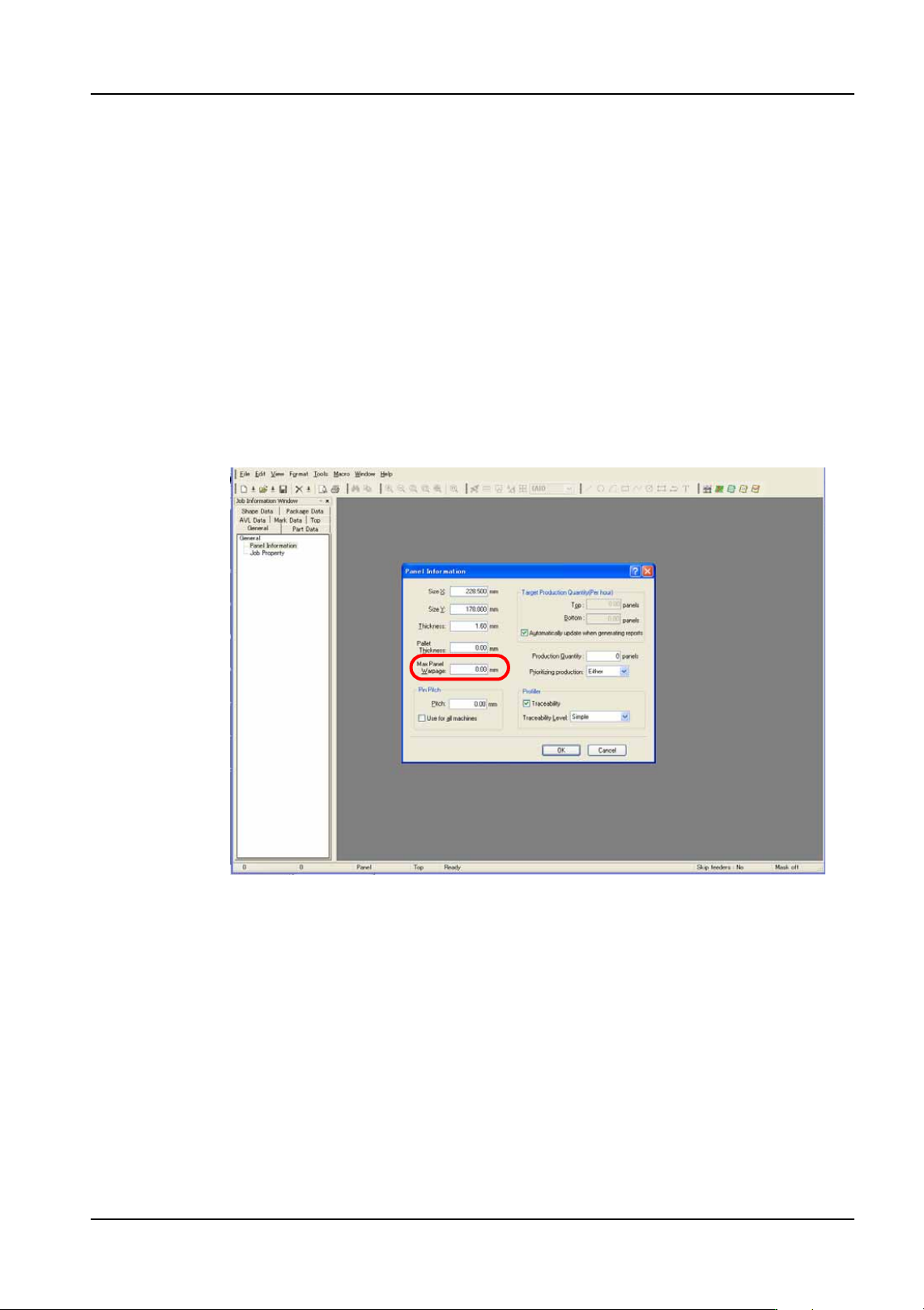
Specifying in Fuji Flexa Job Builder
1. Open the job in Fuji Flexa.
2. Select the [General] tab, on the job information bar in Job Builder.
3. Double click [Panel Information].
4. Enter the value for maximum panel warpage in the [Max. Panel Warpage] field of the
[Panel Information] dialog box.
• Setting range: 0.00 to 2.00 mm, default value: 0.00 mm (placement movement is not
changed)
01PRG-0116E
3. Job Builder QD004-18
64 NXT Programming Manual
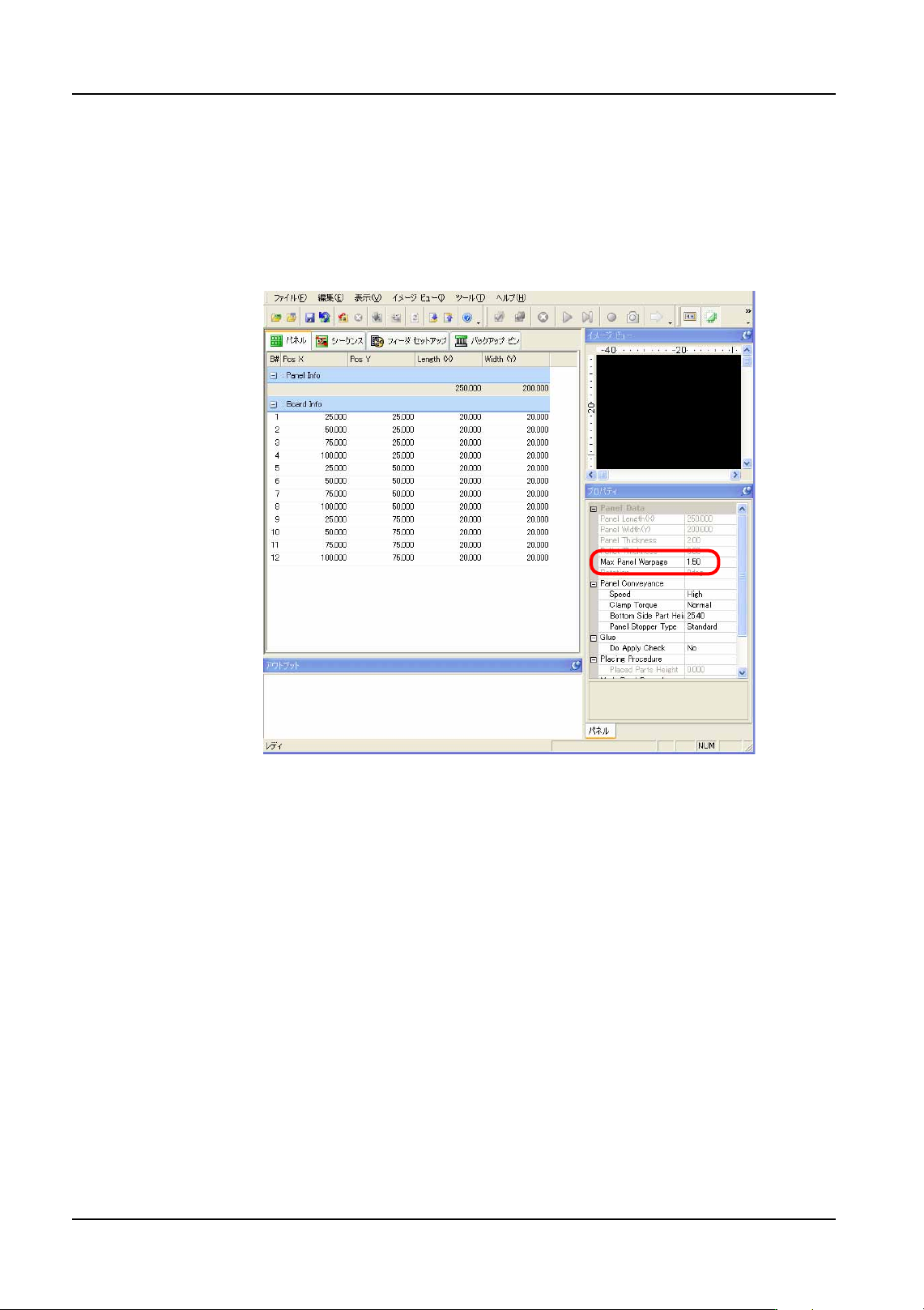
Specifying in MEdit
1. Open the job in MEdit. (Refer to "5. Editing Jobs on the Machine (MEdit)" for details.)
2. Select the [Panel] tab. Input the maximum warpage in the [Max Panel Warpage] field of
the [Properties] pane.
• Setting range: 0.00 to 2.00 mm, default value: 0.00 mm (placement movement is not
changed)
Important points
• There are cases in which placement may not occur properly if the warpage set
in the job is less than the actual warpage.
• Even when also using the panel height detection function, the result from that
function does not influence head speed change height here.
01PRG-0117J