FUJI NXT Programming Manual QD004-18.pdf - 第201页
QD004-18 6. Editing Jobs on the Machine (MEdit) NXT Programming Manual 191 6.9 Testing Vision Processing (from NXT V4.10: H01 head and OF head) The vision processing test function is us ed to perform the follo wing proce…
6. Editing Jobs on the Machine (MEdit) QD004-18
190 NXT Programming Manual
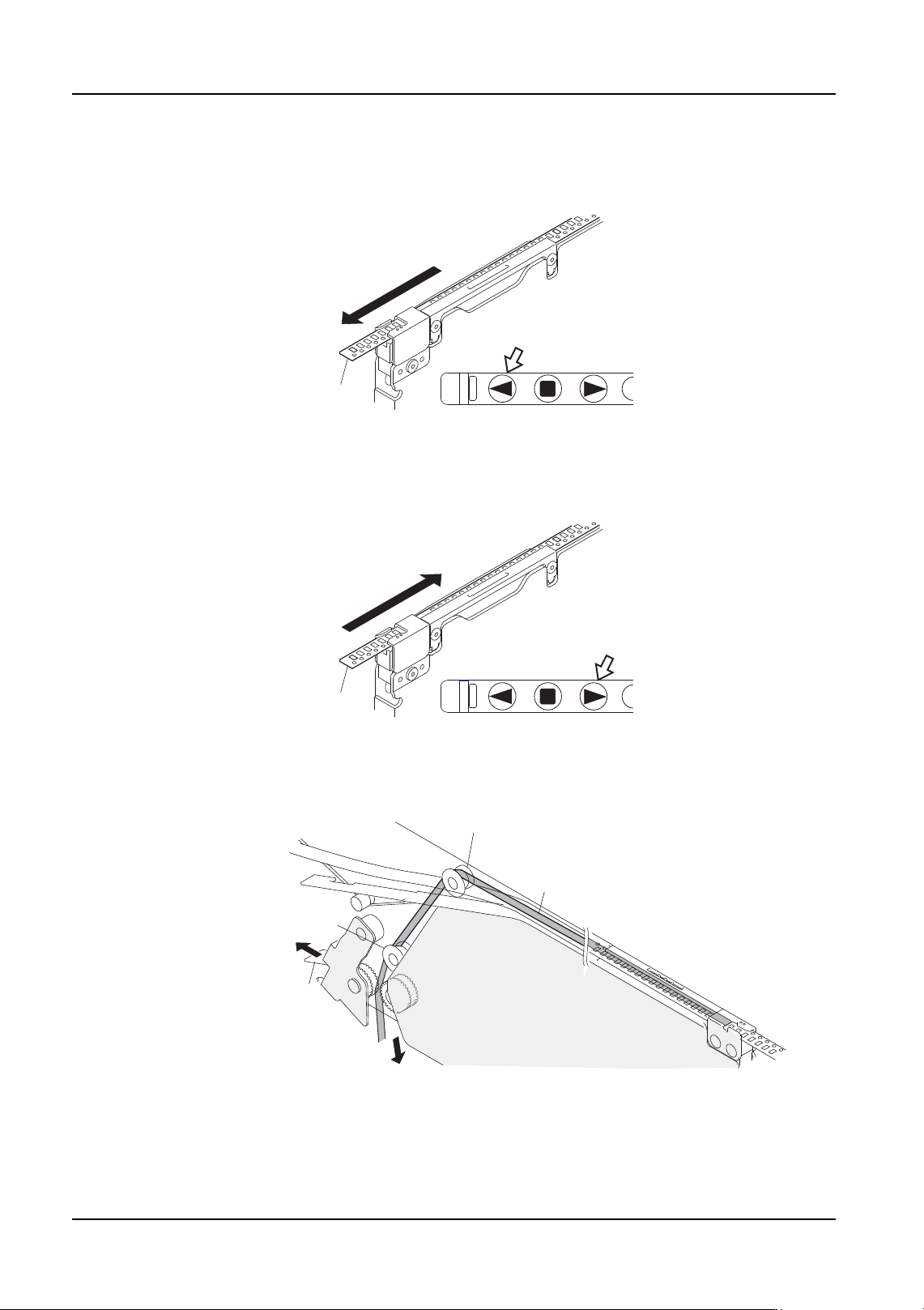
Indexing the tape
Check the chart and push the index button the number of times required to index the part
forward.
Returning the tape
Check the part and index the part back the number of times it was indexed forward by
pushing the back button the same number of times.
Note: The take-up lever is designed to prevent looseness in the top film when rotated correctly
(i.e., the tape is indexed forward). When rotated in the opposite direction, looseness in the
top film develops. Eliminate this looseness manually by opening the take-up lever and
gently pulling on the top film and then returning the take-up lever.
Carrier tape
ERR
PWR
1
2
4
NXTFDR006
Carrier tape
ERR
PWR
1
2
4
NXTFDR181
Top film
Take-up lever
Roller (upper side)
Roller (lower side)
NXTFDR008

QD004-18 6. Editing Jobs on the Machine (MEdit)
NXT Programming Manual 191
6.9 Testing Vision Processing (from NXT V4.10: H01
head and OF head)
The vision processing test function is used to perform the following procedures.
• Adjust the vision processing height at the machine (for the side light camera).
• Check vision processing results.
• Check and edit the job.
Caution: Perform a pickup test to determine the correct pickup position before performing a vision
processing test.
Restrictions
• Only original slots can be selected for a vision processing test.
• It is possible to begin a vision processing test even if all of the nozzles that are
specified in the job are not set in the nozzle station. Nozzles that are not
specified in the job are used. As a result, the nozzles used when performing
automatic operation and the nozzles used when performing the vision
processing test may differ.
• The parts used when testing vision processing are not included in the used parts
count. As a result, there will be a discrepancy in the remaining parts count in
Fujitrax Verifier.
• When the claw is being used, even if the pickup position XY is incorrect, an
offset may be used when the part is picked up. In such a case, if the part that
was picked up is returned to the tray, the part may not fit properly into the tray
cavity. For this reason, the pickup test should be performed and pickup XY
position adjusted before performing a vision processing test.
6. Editing Jobs on the Machine (MEdit) QD004-18
192 NXT Programming Manual
6.9.1 Procedure
1. Transmit the job with the vision data to be tested to the machine and wait for the main
screen to display on all of the operation panels for the modules.
2. Start MEdit and log on if necessary.
3. Select [Open Current Job] from the [File] menu. The [Acquire current production job]
dialog box displays.
4. Double-click the line with the machine to be tested and then double-click the machine
name to display the modules. Select the module on which the pickup positions is to be
tested. The name of the job in the module is automatically displayed in the [JOB] group
box.
5. If necessary, select the lane from which to test the data.
6. Click [OK] and the specified data from the job is opened.
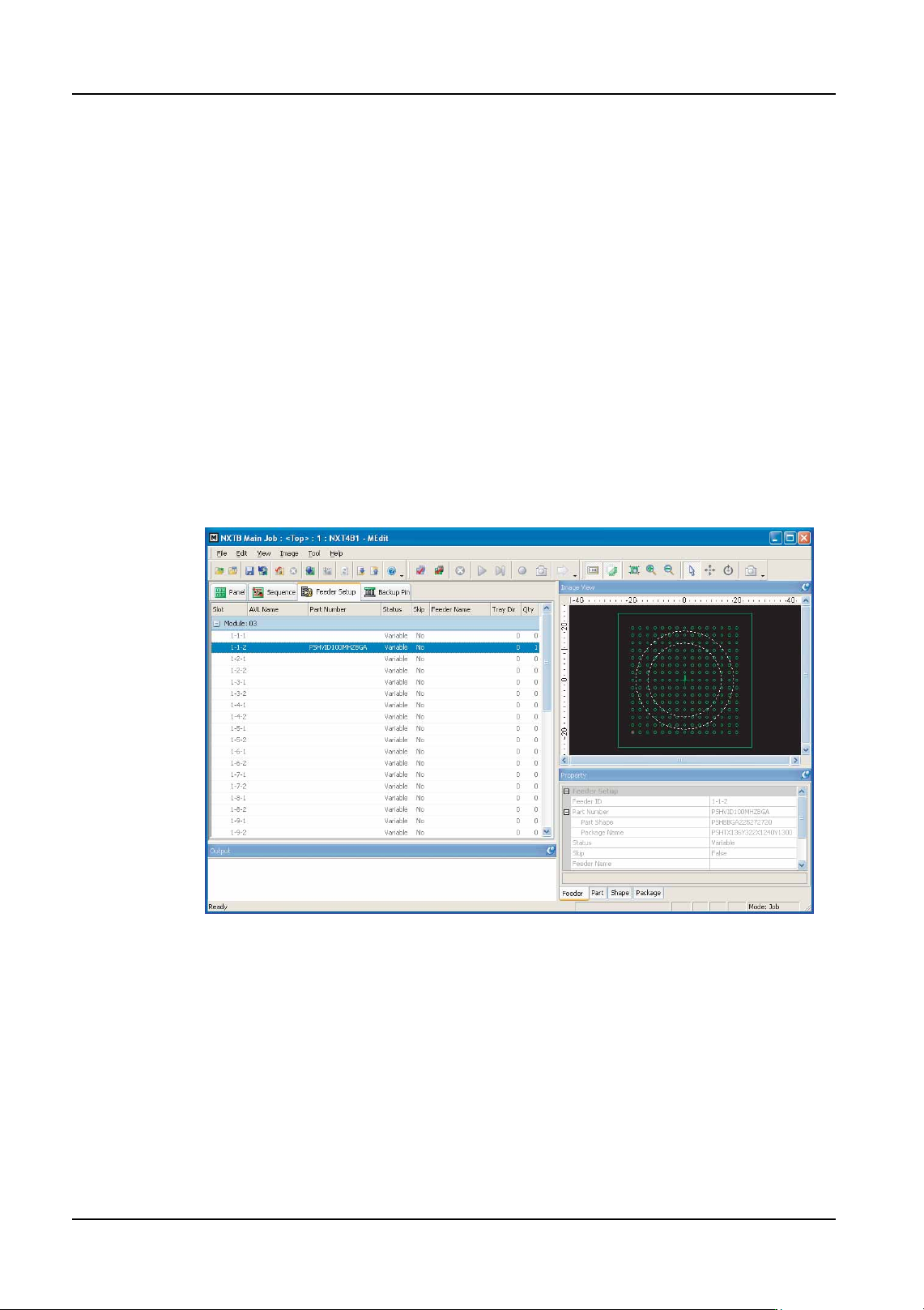
7. Select the [Feeder Setup] tab.
8. Select the slot for which vision processing test is to be performed.
9. Select [Job Test] - [Vision Procesing test] from the [Tool] menu. The background color
of the operation panel for the module in question turns violet to indicate that the module
is in a test mode.
01PRG-0031Ea