FUJI NXT Programming Manual QD004-18.pdf - 第61页
QD004-18 3. Job Builder NXT Programming Manual 51 3. Select the [Feeder Setu p] tab and then check that all the requ ired slots are allocated to magazine A. Note: The screenshot shown below is for a tray unit-LT . 4. Spe…
3. Job Builder QD004-18
50 NXT Programming Manual
Mode 2: Producing with minimized downtime during parts resupply
Features
• The job is set up to produce while using each magazine separately. Up to 12
slots can be used (24 when using both subslots on the tray unit-LT).
• This mode minimizes downtime by allowing a magazine to continue production
when a recovery limit is reached at the other magazine. The magazine that
reached the recovery limit is then replenished with parts.
• Partially used trays occur easily because the magazine is exchanged at each
recovery limit.
Job settings
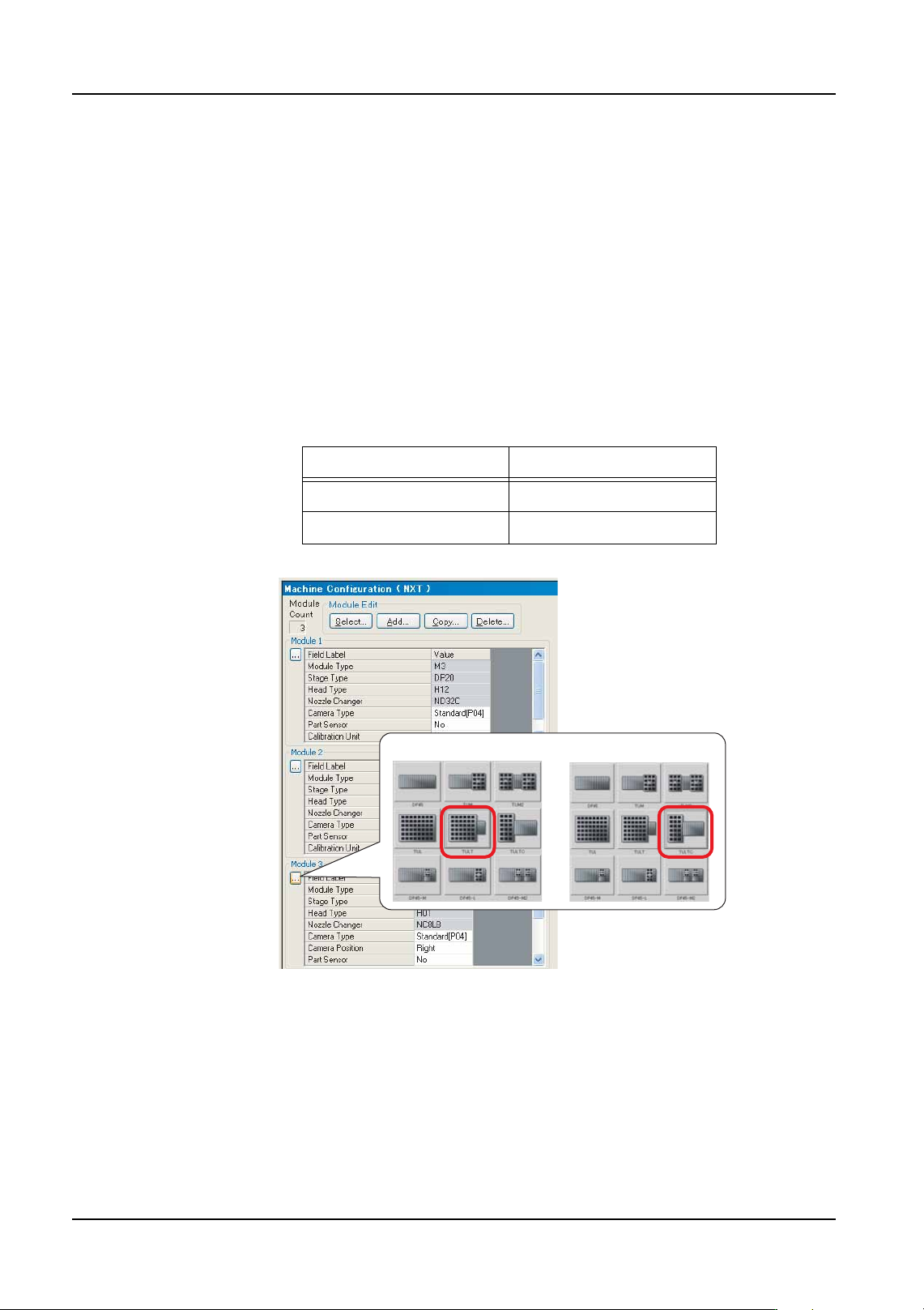
1. At the [Machine Configuration - Modules] tab, select the [Stage Type] for the module
where the tray unit is located. Refer to "3.3.3 Configuring an NXT machine" for details.
2. Optimize the job. (Refer to "3.6 Optimizing" for details.)
Unit Listed name
Tray unit-LT TULT
Tray unit-LTC TULTC
01PRG-0126E
Tray unit-LT Tray unit-LTC
QD004-18 3. Job Builder
NXT Programming Manual 51
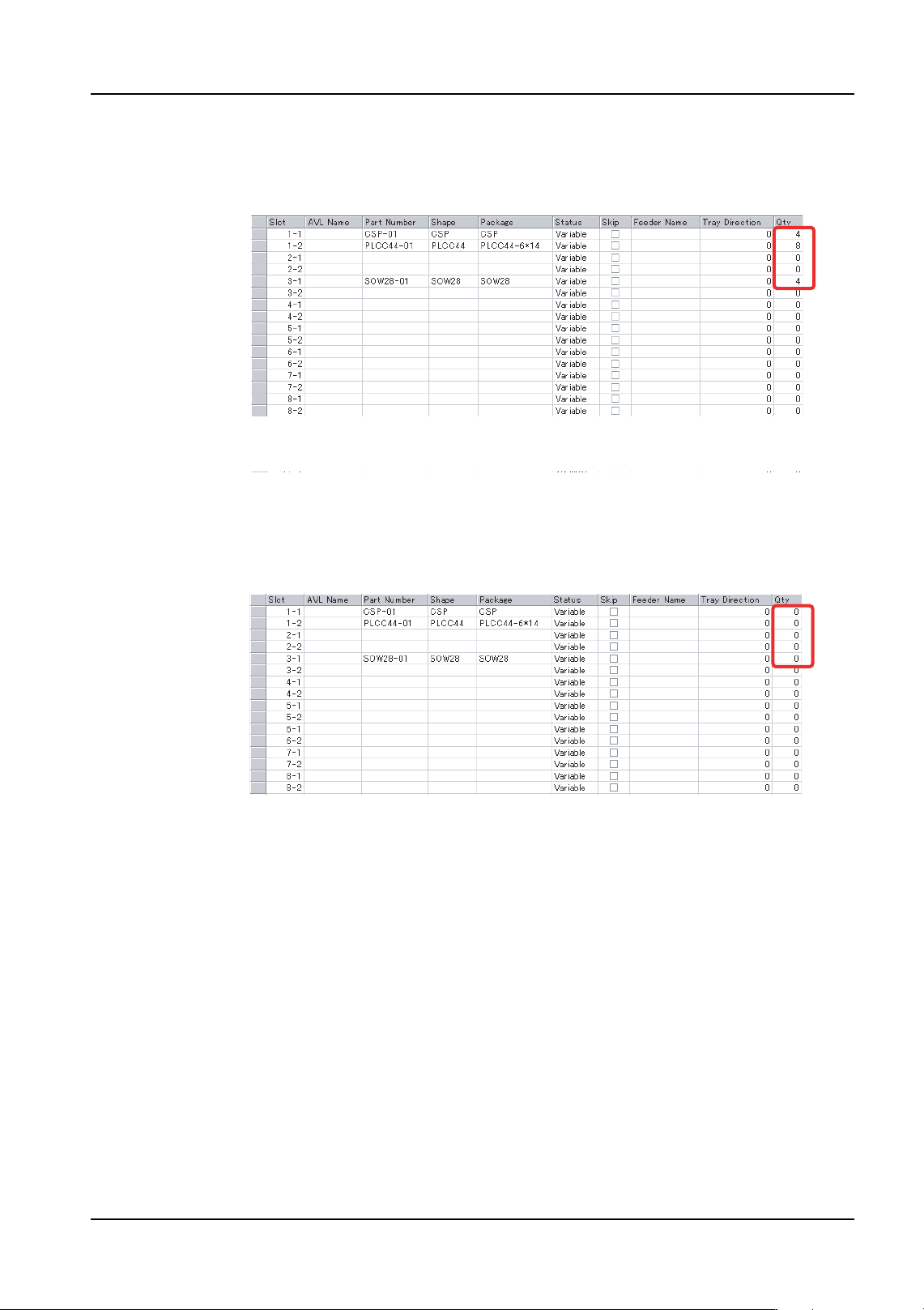
3. Select the [Feeder Setup] tab and then check that all the required slots are allocated to
magazine A.
Note: The screenshot shown below is for a tray unit-LT.
4. Specify alternate trays at magazine B for all original trays in magazine A. (Refer to
"3.3.5 Assigning an alternate feeder" for details.)
Note: Alternate trays must be specified for all original slots in magazine A. Furthermore, do not
move original trays from magazine A.
5. Send the job to the machine.
01PRG-0127
01PRG-0128
3. Job Builder QD004-18
52 NXT Programming Manual
Mode 3: Producing while reducing the changeover time
Features
• NXT Multi Job Line Balancer in Fuji Flexa is used to optimize tray allocation in
the job. Therefore, job changes and work involving tray exchange during
changeover is reduced.
• Operation is possible using both magazines or just one of the magazines.
• When using just one of the magazines, the other magazine is retracted and can
be used to prepare for the next production.
• When using just one of the magazines, downtime occurs because parts need to
be resupplied when the recovery limit is reached.
Job settings
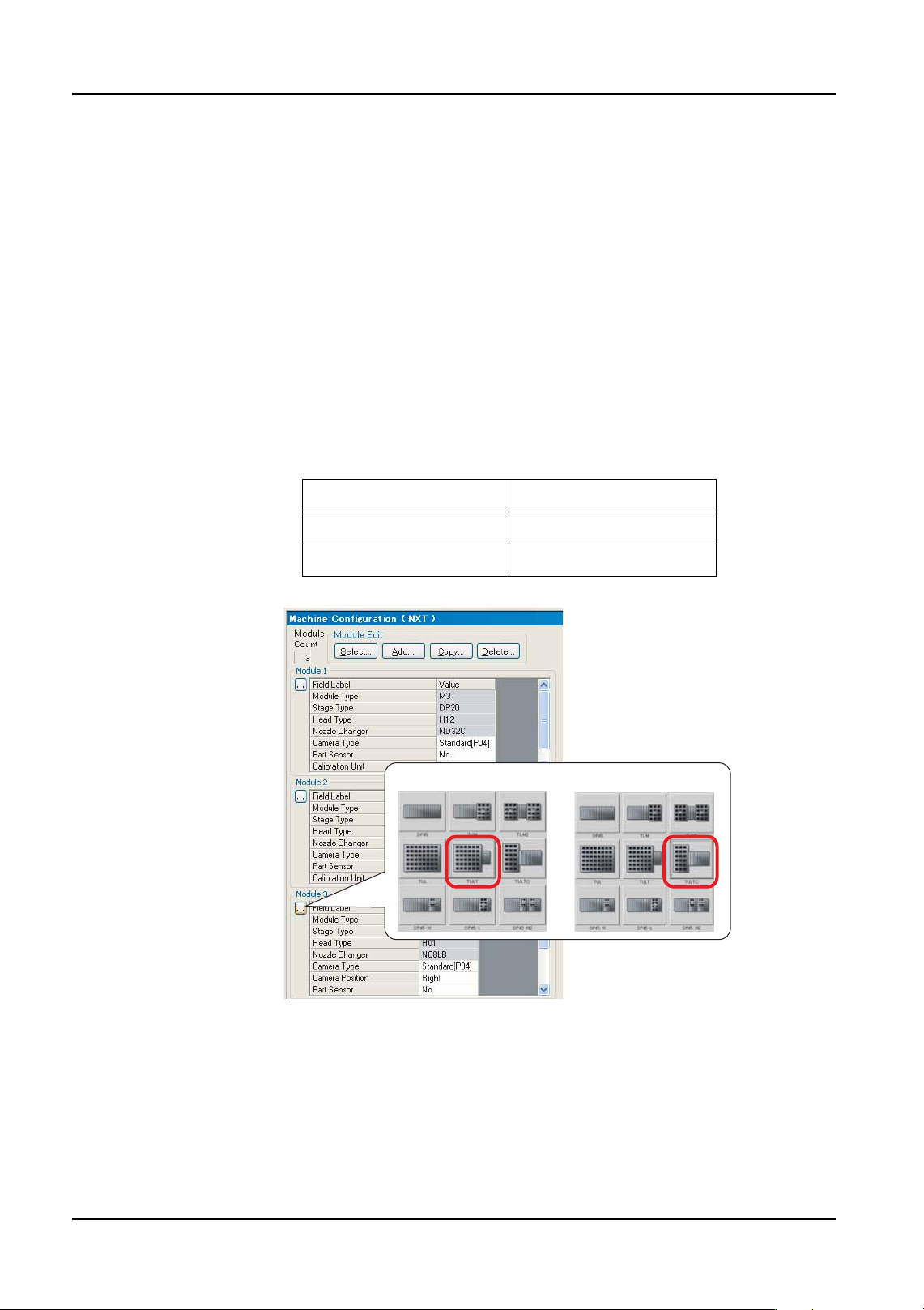
1. At the [Machine Configuration - Modules] tab, select the [Stage Type] for the module
where the tray unit is located. Refer to "3.3.3 Configuring an NXT machine" for details.
2. Optimize the job. (Refer to "3.6 Optimizing" for details.)
3. Create several jobs based on the production plan.
4. Use Multi Job Line Balancer from Fuji Flexa to optimize the tray allocation. (Refer to
"3.5.2 NXT Multi Job Line Balancer (option)" for details.)
5. Send the job to the machine.
Unit Listed name
Tray unit-LT TULT
Tray unit-LTC TULTC
01PRG-0126E
Tray unit-LT Tray unit-LTC