FUJI NXT Programming Manual QD004-18.pdf - 第175页
QD004-18 6. Editing Jobs on the Machine (MEdit) NXT Programming Manual 165 6.6 Skipping Items on the NXT 6.6.1 Skipping boards (from NXT V3.10) If always a particular board in a pan el production lot needs to be skipp ed…

6. Editing Jobs on the Machine (MEdit) QD004-18
164 NXT Programming Manual
11.Click [Start Test] and the results of the test display in red.
12.If skip marks are misidentified, check the result number and then click [Quit] to close the
dialog box and then edit the data in MEdit based on the test results.
13.Retransmit the job back to the machine and then run the test read again. Repeat until
the skip marks are correctly identified.

QD004-18 6. Editing Jobs on the Machine (MEdit)
NXT Programming Manual 165
6.6 Skipping Items on the NXT
6.6.1 Skipping boards (from NXT V3.10)
If always a particular board in a panel production lot needs to be skipped for some reason,
it is easy to specify a skip for this board for the production lot. There are a few important
points that should be addressed when using this function.
• When the board to be skipped is specified for the first module, that board is
skipped in all modules after the first module.
• The skip setting is only applied to new panels which means that the setting is
not applied to any panels already loaded.
• Job board skip settings and board skips due to skip marks cannot be overridden
by this function.
• Enable the machine configuration settings related to the skip function (the
procedure is listed below.) Panel conveyance time is lengthened by around 300
ms when these configuration settings are enabled.
• If a certain board is to always be skipped for all production lots, then skip the
board in the job with Fuji Flexa.
• If the boards to be skipped are not set (changes from panel to panel), then use
skip marks to skip the required boards.
Specifying the machine configuration setting to enable this function.
1. Start Accessory Software and click the name of the machine for which to change the
setting in Floor Monitor.
2. If necessary, specify a user ID from the drop-down list and enter a password for the
specified user and click [Log on]. The machine accessories page is displayed.
3. Click [Machine Configuration] in the [Menu] pane. Accessory Software connects to the
machine and receives the machine information. When completed, the settings page is
displayed.
4. Select [Skip boards at the machine setting] from the [Category] drop-down list. The
settings for this category are then displayed.
5. Select the [ON] option for the [Skip boards at the machine] setting.
6. Click [Send to Machine] to send the new setting to the machine. The setting is enabled
once the completed message is displayed.
Skipping a board at the machine.
1. Before loading the panel belonging to the lot for which board skipping is to be performed,
verify that no panels exist inside the first module, and push CYCLE STOP to stop
production.
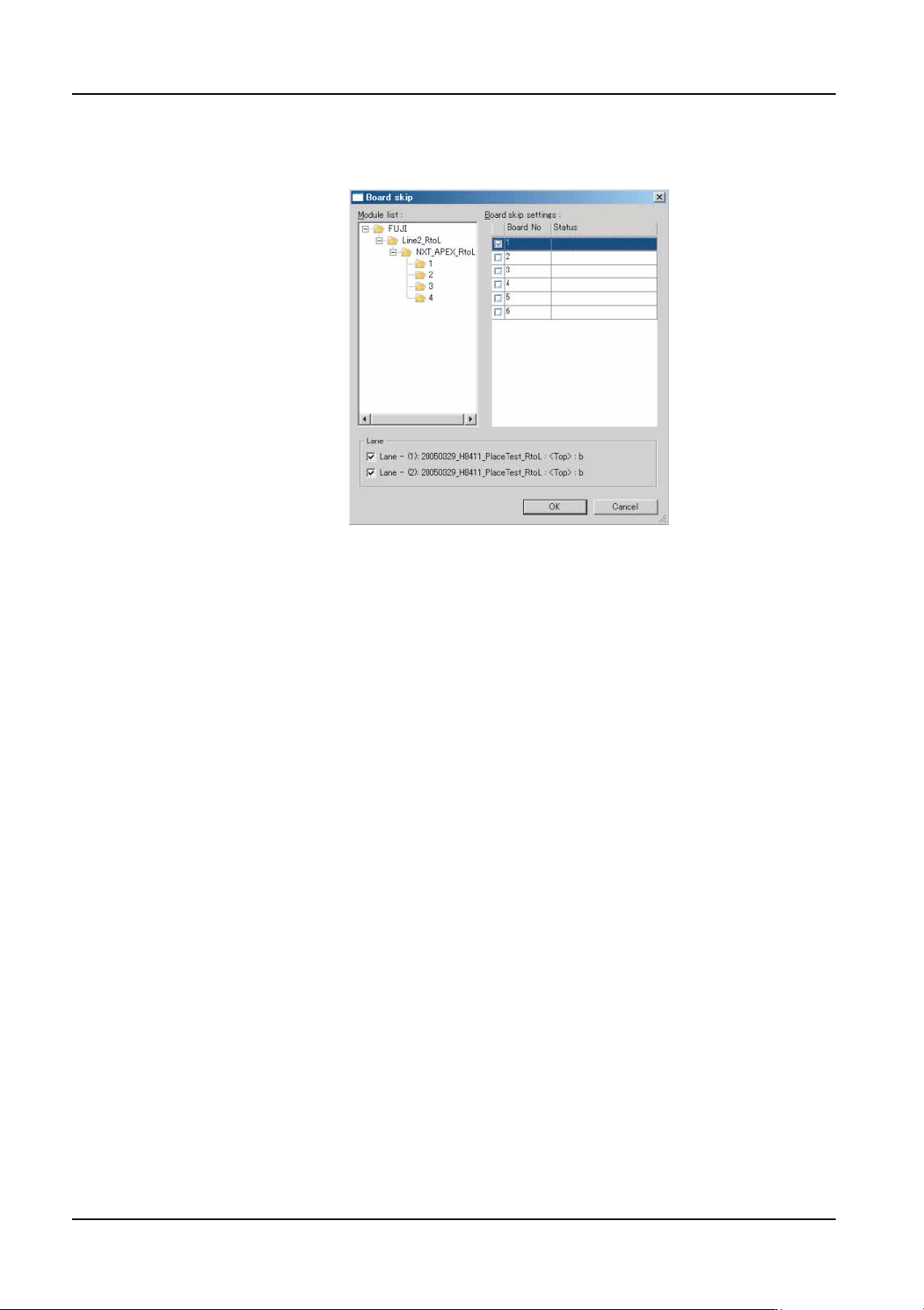
2. Start MEdit and select [Board skip] from the [Tool] menu. The [Board skip] dialog box
is displayed.
6. Editing Jobs on the Machine (MEdit) QD004-18
166 NXT Programming Manual
3. Select the factory, line, NXT machine and then first module in the [Module list]. A list of
the available boards and lanes is displayed in the [Board skip settings] list.
4. Select the check boxes for the lane and boards to be skipped.
Note: Check boxes for multiple boards can be selected by using the [Shift] or [Ctrl] key. First, hold
down the [Shift] or [Ctrl] key and left-click on the number of the desired boards to highlight
those boards. Then, release the [Shift] or [Ctrl] key and select the check box for any one of
the highlighted boards. This will automatically select the check boxes for all highlighted
boards.
5. Click [OK] to apply the skip settings and then close MEdit.
Note: The new skip setting is only applied to panels that are loaded in the module after this setting
is made.
6. Begin production and load the panels for which the board skip is to be applied.
When boards are specified to be skipped, the skipped boards are displayed in the operation
panels on the modules. Confirm that the boards to be skipped are correct. Be sure to
remove the skip setting when switching to a production lot in which the previously skipped
board is to be produced.
6.6.2 Skipping feeders (from NXT V2.95)
Use this function to skip all the parts from a feeder. This allows production to be completed
for panels when parts are no longer available for the parts that have run out. It is important
to note the following points about this function.
• When parts are skipped, the panel is completed without placing the skipped
parts.
• This function should only be used if it absolutely necessary to skip a part to
complete production such as when a certain part runs out and will be placed on
the panel at a later time once new parts are received.
• This function is designed to be used by line management personnel.
NXTEJM001E