FUJI NXT Programming Manual QD004-18.pdf - 第110页
4. Part Data Settings QD004-18 100 NXT Programming Manual Row Quantity Specify the number of rows for the tra y. Dump Pick Position X Specify the X- direction coor dinate of th e point where the vacuum pad should pick up…

QD004-18 4. Part Data Settings
NXT Programming Manual 99
4.4.3 Package Information details
Tape
Tape Width
Specify the width of the tape.
Feed Pitch
Specify the distance in millimeters from one cavity center to the next cavity center.
Indexing Speed
Specify the tape indexing speed.
Assign Feeder Indexing Settings
Set whether to specify the tape pitch and indexing speed in the job (On/Off).
Stick
Tape Width
Specify the width of the stick feeder. Select “16mm” for the 1S and 1L type stick feeders
(used for 18 mm wide or less sticks). Select “32mm” for the 2S and 2L type stick feeders
(used for 36 mm wide or less sticks).
Tape Depth
Set this to “0”. This value is fixed.
Tray
Tray Length (X)
Specify the tray size in the X-dimension.
Tray Width (Y)
Specify the tray size in the Y-dimension.
Tray Thickness
Specify the tray thickness.
First Pickup Position X
Specify the X-position at which the machine should pick up the first part from the lower right
corner of the tray.
First Pickup Position Y
Specify the Y-position at which the machine should pick up the first part from the lower right
corner of the tray.
Column Pitch
Specify the pitch between the columns for the tray.
Row Pitch
Specify the pitch between the rows for the tray.
Column Quantity
Specify the number of columns for the tray.

4. Part Data Settings QD004-18
100 NXT Programming Manual
Row Quantity
Specify the number of rows for the tray.
Dump Pick Position X
Specify the X-direction coordinate of the point where the vacuum pad should pick up an
empty tray for removal.
Dump Pick Position Y
Specify the Y-direction coordinate of the point where the vacuum pad should pick up an
empty tray for removal.
Dump Pick Position Z
Specify the height of the pickup point where the machine should perform the pickup action
when removing an empty tray.
QD004-18 4. Part Data Settings
NXT Programming Manual 101
4.4.4 Package Process details
Tape
None of the process settings that display when tape packaging is selected are used by the
NXT.
Reel Diameter
Specify the reel diameter if using feeders with reel holders so the optimizer can properly
allocate the feeders. This is only used by Fuji Flexa when determining and checking the
feeder setup. The machine does not actually use this setting.
Tray
Tray Type
Specify the type of tray being used.
Tray Cavity Information
Specify the cavity information (I.e. which cavities have parts and which do not) for trays.
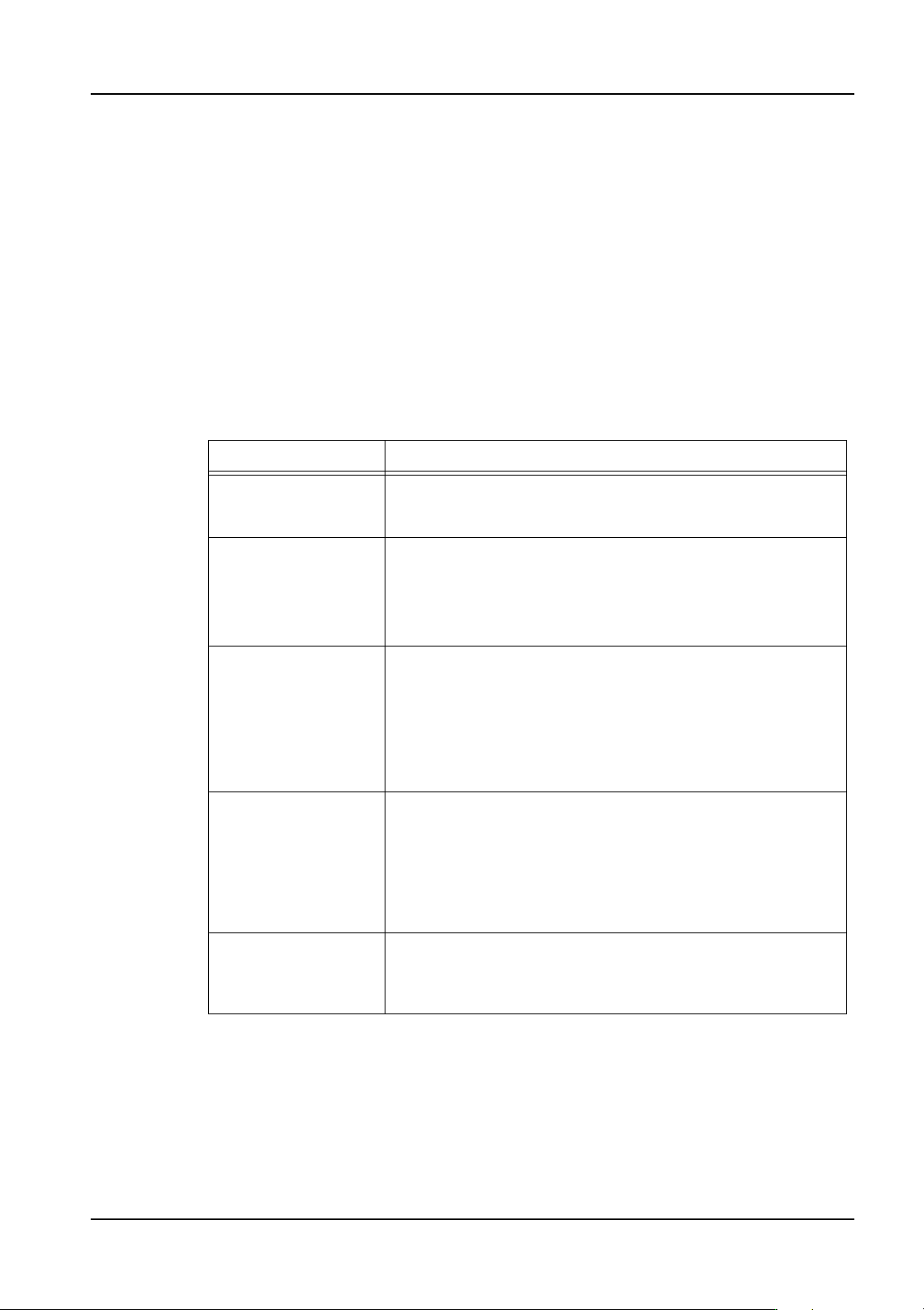
Setting Description
Matrix-Dump The tray type is processed as "No Matrix-Dump" if this is
selected. This setting is only used if a tray unit with a remover
is used.
No Matrix-Dump If the machine fails to pick-up a part, it will attempt to pick up
the part from the same position the specified number of
recovery times. If pick-up is still unsuccessful, the machine
proceeds to pick up parts from the next pick-up position.
This setting is only used if a tray unit with a remover is used.
No Matrix Automatic discharge of the tray is not performed. Aluminum or
other customer-specific trays that are heavier than normal
cannot be lifted by the remover's vacuum pad. Instead, this
mode is selected and the tray is changed by hand. If the
machine fails to pick-up a part, it will attempt to pick up the part
from the same position the specified number of recovery times.
If pick-up is still unsuccessful, the machine proceeds to pick up
parts from the next pick-up position.
Ref Cavity Info-Dump Specify this item to have settings made at Tray Cavity
Information used for pick-up information. If the machine fails to
pick-up a part, it will attempt to pick up the part from the same
position the specified number of recovery times. An error
occurs and the machine stops if it has not picked up the part
when the recovery limit is reached.
This setting is only used if a tray unit with a remover is used.
Ref Cavity Info Specify this item to have settings made at Tray Cavity
Information used for pick-up information. The tray is removed
by hand (as is the case when "No Matrix" is selected), when
parts run out.