FUJI NXT Programming Manual QD004-18.pdf - 第182页
6. Editing Jobs on the Machine (MEdit) QD004-18 172 NXT Programming Manual Checking part positions and direction . 8. Select the sequence to be checked from the lis t in MEdit and click the break point button (the roun d…
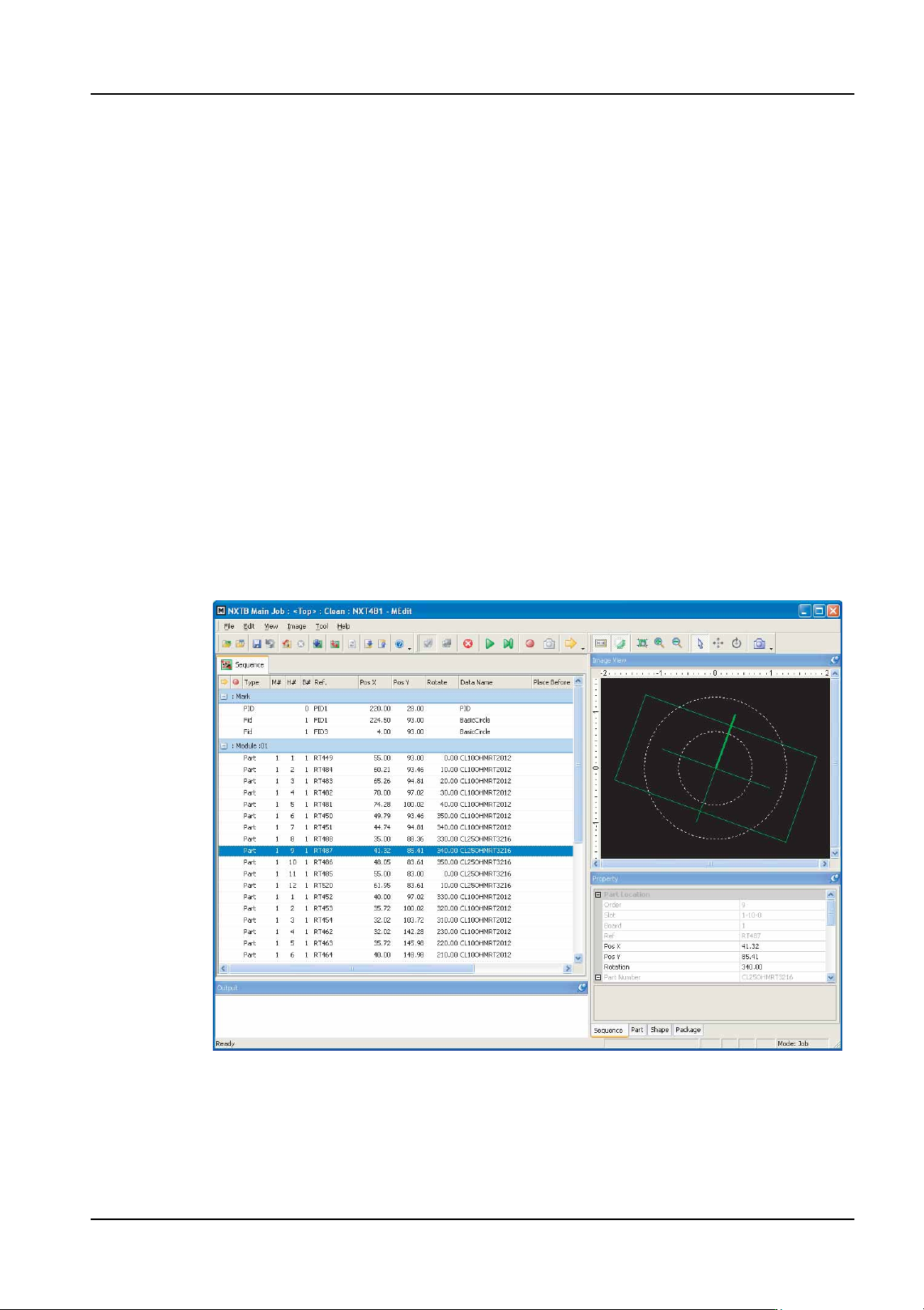
QD004-18 6. Editing Jobs on the Machine (MEdit)
NXT Programming Manual 171
6.7.2 Testing a job using simulation mode
Use this mode to perform a basic check of the part types, placing positions and orientation.
Starting simulation mode.
1. Transmit the job to be tested to the machine and wait for the main screen to display on
all of the operation panels for the modules.
2. Start MEdit and log on if necessary.
3. Click [Open Current Job] from the [File] menu. The [Acquire current production job]
dialog box displays.
4. Double-click the line with the machine for the job to be tested and then double-click the
machine name to display the modules. Select the module on which the job is to be
tested. The name of the job in the module is automatically displayed in the [Job] group
box.
5. If necessary, select the lane on the module with the job to be tested.
6. Click [OK] and the specified data from the job is opened.
7. Select [Job Test] - [Simulation] from the [Tool] menu. The background color of the
operation panel for the module in question turns violet to indicate that that module is in
a test mode.
01PRG-0029Ea
6. Editing Jobs on the Machine (MEdit) QD004-18
172 NXT Programming Manual
Checking part positions and direction.
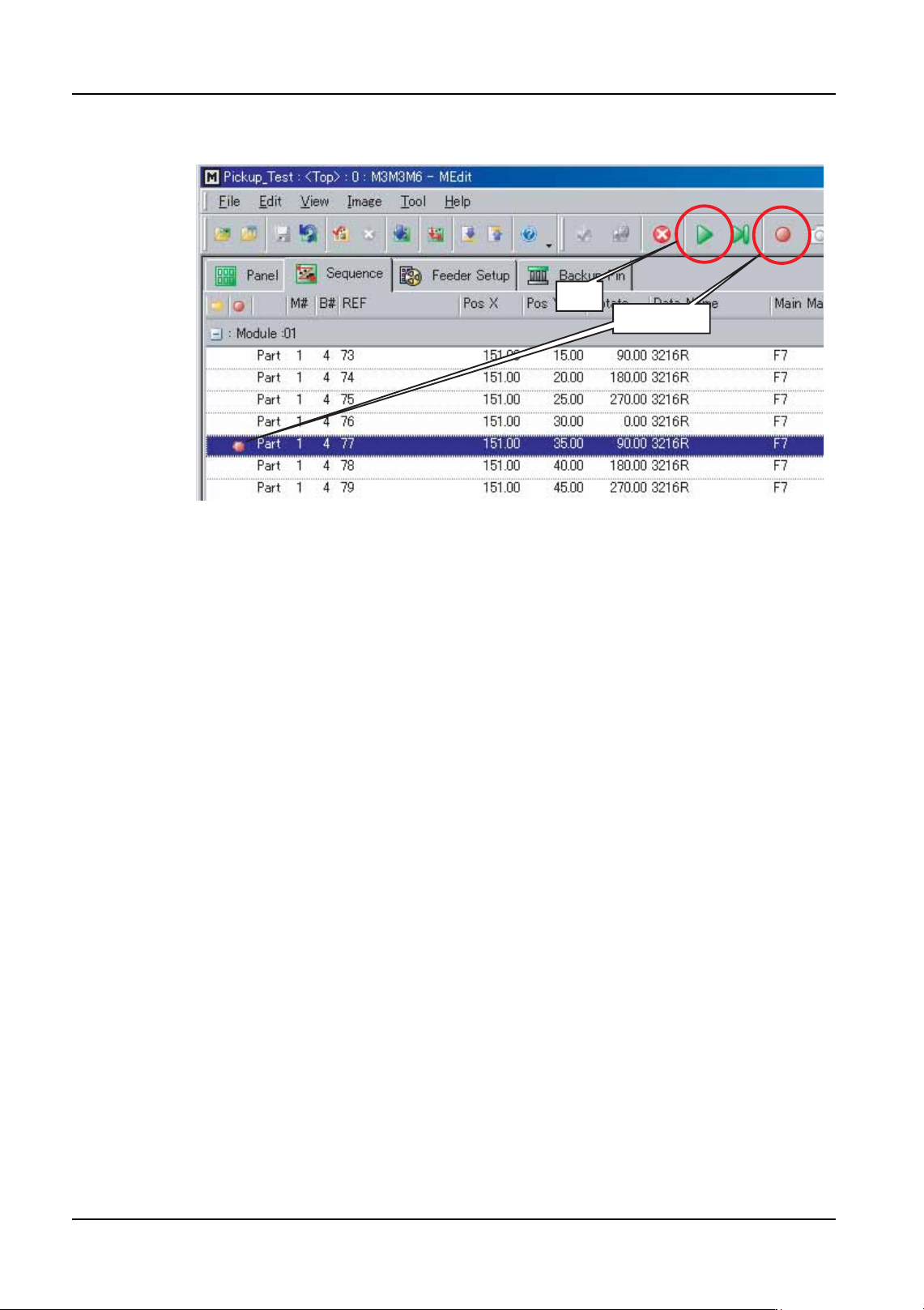
8. Select the sequence to be checked from the list in MEdit and click the break point button
(the round red button). This designates that the sequence is to be checked and the
sequence gets a red circle icon in the beginning column of that sequence.
Note: It is possible to specify multiple break points. The sequences with the break points are
stopped at and the captured image is sent to MEdit to be checked. The images for non-
break point sequences are not set to MEdit to be checked, unless the next sequence
command is being used.
9. If desired, specify a starting sequence for the check by selecting the sequence to start
the machine from and then click the start sequence button (the yellow arrow button).
When the check is started, this will be the sequence at which the check will start.
NXTEJM003E
Break point
Start
QD004-18 6. Editing Jobs on the Machine (MEdit)
NXT Programming Manual 173
10.Click the start button (the green triangle button pointing to the right) to start the check.
The machine starts the conveyor and once a panel is loaded, clamps it and starts the
check from the designated sequence. The machine uses the mark camera to acquire
images of the placing positions and these display on the operation panel. Once a break
sequence is reached, the machine acquires that position image, stops, and transmits
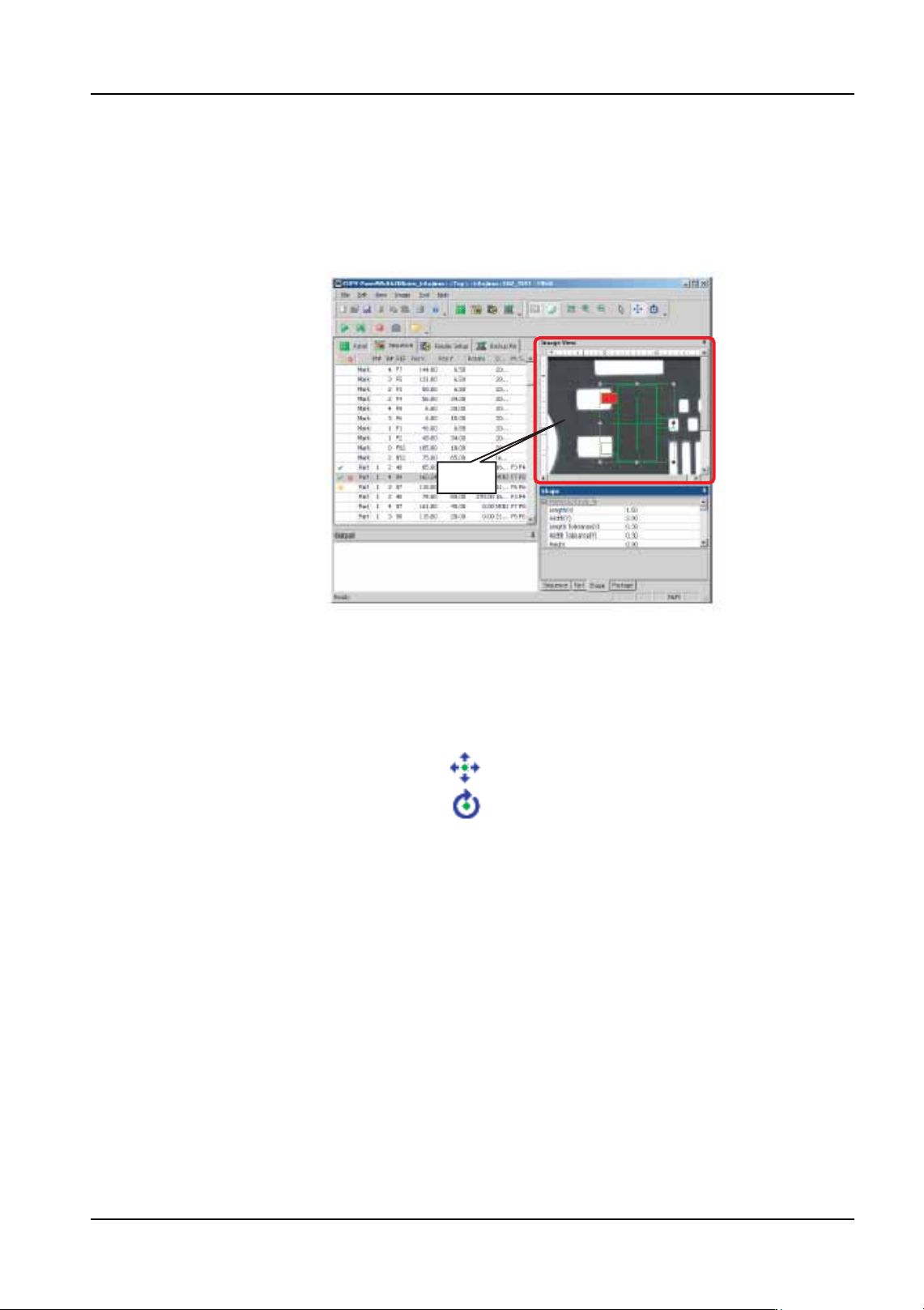
the image to MEdit. This image is then displayed in MEdit with a part graphic overlay.
11.Check the coordinates and angle of the part graphic in relation to the pads on the panel.
If it is necessary to change the X- or Y-position of the part, the coordinates can be
directly edited or click the positioning button (the button with the four arrows) and then
click and drag the graphic until it is positioned correctly. The direction can be changed
by clicking the rotation button (the button with the arrow shaped as a circle).
12.Once completed with any necessary adjustments for the displayed position, click the
start button to continue until the next break point or click the step button (the button with
the triangle pointing at a line) to check the next sequence (even if it does not have a
break point set).
13.Continue checking sequences until all desired sequences have been checked.
Note: There are times in which MEdit will ask if the changed job should be retransmitted back to
the machine. If the job has been retransmitted and there have been no further changes to
the job, then proceed to step 17. This is because the most current data is already in the
machine so it is not necessary to retransmit the job again. If not sure whether or not the
changes to the job have already been sent to the machine then, proceed to the next step.
There are no problems if the job is retransmitted to ensure that the current data is in the
machine.
NXTEJM005
Image
NXTEJM012E
Move button
Rotate button