FUJI NXT Programming Manual QD004-18.pdf - 第188页
6. Editing Jobs on the Machine (MEdit) QD004-18 178 NXT Programming Manual 8. Select [Pickup Check]-[Pick up Check] from the [Tool] menu. The background color of the operation panel for the module in qu estion tu rns vio…
QD004-18 6. Editing Jobs on the Machine (MEdit)
NXT Programming Manual 177
6.8 Testing Pickup Positions (from NXT V3.20)
6.8.1 Introduction
The pickup test function enables users to check and edit pickup positions in jobs on the
machine prior to starting production. By doing this, pickup errors that occur during the
beginning of production can be greatly reduced. There are two pickup items that can be
tested. The pickup X- and Y-positions can be checked and edited from NXT V3.20 and
later. The pickup height can be tested and edited for compatible heads from NXT V3.40
and later. Both of these items can be used for parts in feeders or trays. Tray pickup data
such as the pickup position and pitch data can also be edited by using this function for trays.
6.8.2 Testing pickup positions in a feeder
Use this to check and edit the X-, Y-, and Z-positions for picking parts in feeders.
Starting the pickup test.
1. Transmit the job with the pickup position to be tested to the machine and wait for the
main screen to display on all of the operation panels for the modules.
2. Start MEdit and log on if necessary.
3. Click [Open Current Job] from the [File] menu. The [Acquire current production job]
dialog box displays.
4. Double-click the line with the machine for the pickup positions to be tested and then
double-click the machine name to display the modules. Select the module on which the
pickup positions is to be tested. The name of the job in the module is automatically
displayed in the [Job] group box.
5. If necessary, select the lane from which to test the pickup position data.
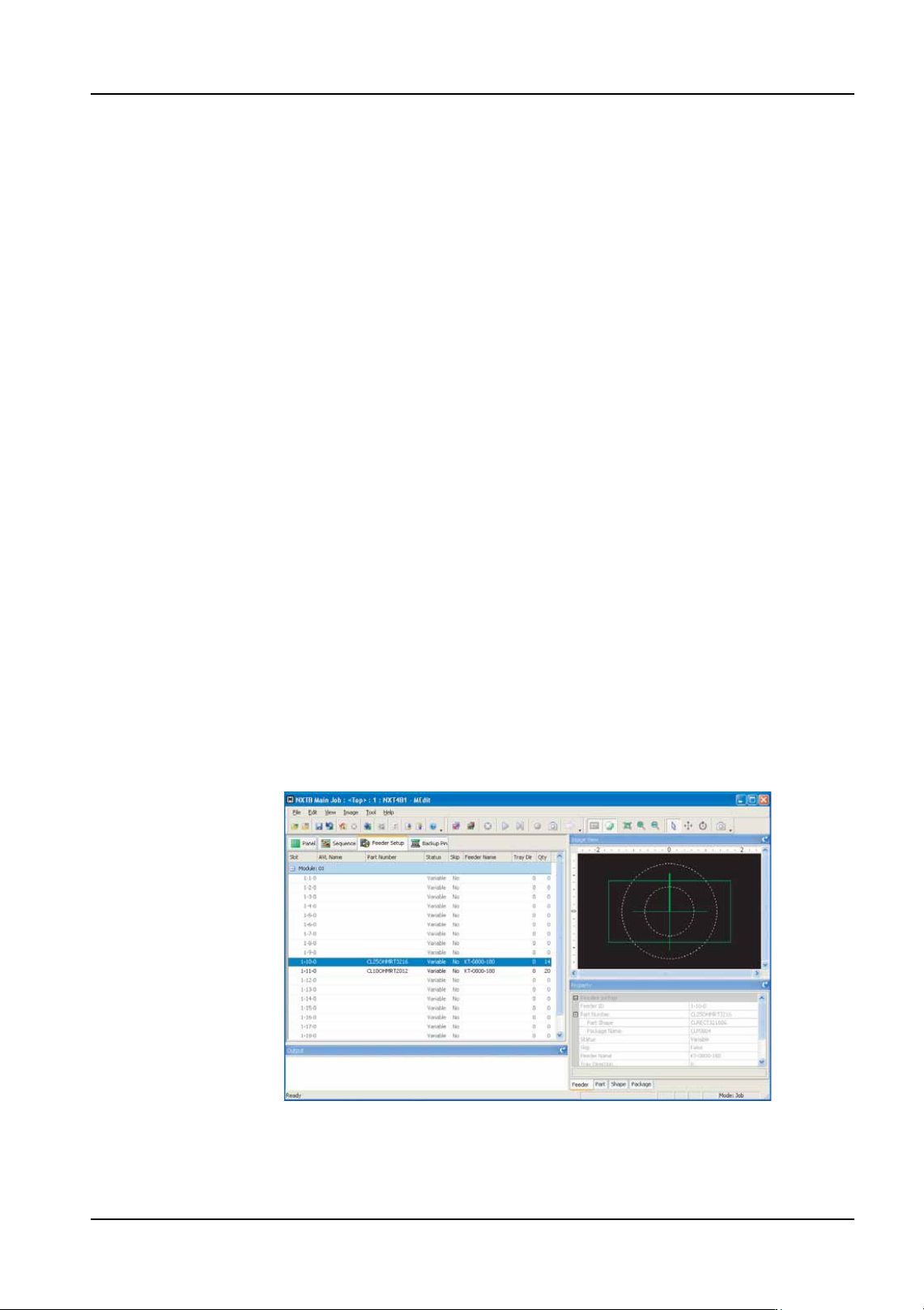
6. Select the [Feeder Setup] tab.
7. Select the slot for which the pickup test is to be performed.
01PRG-0030Ea
6. Editing Jobs on the Machine (MEdit) QD004-18
178 NXT Programming Manual
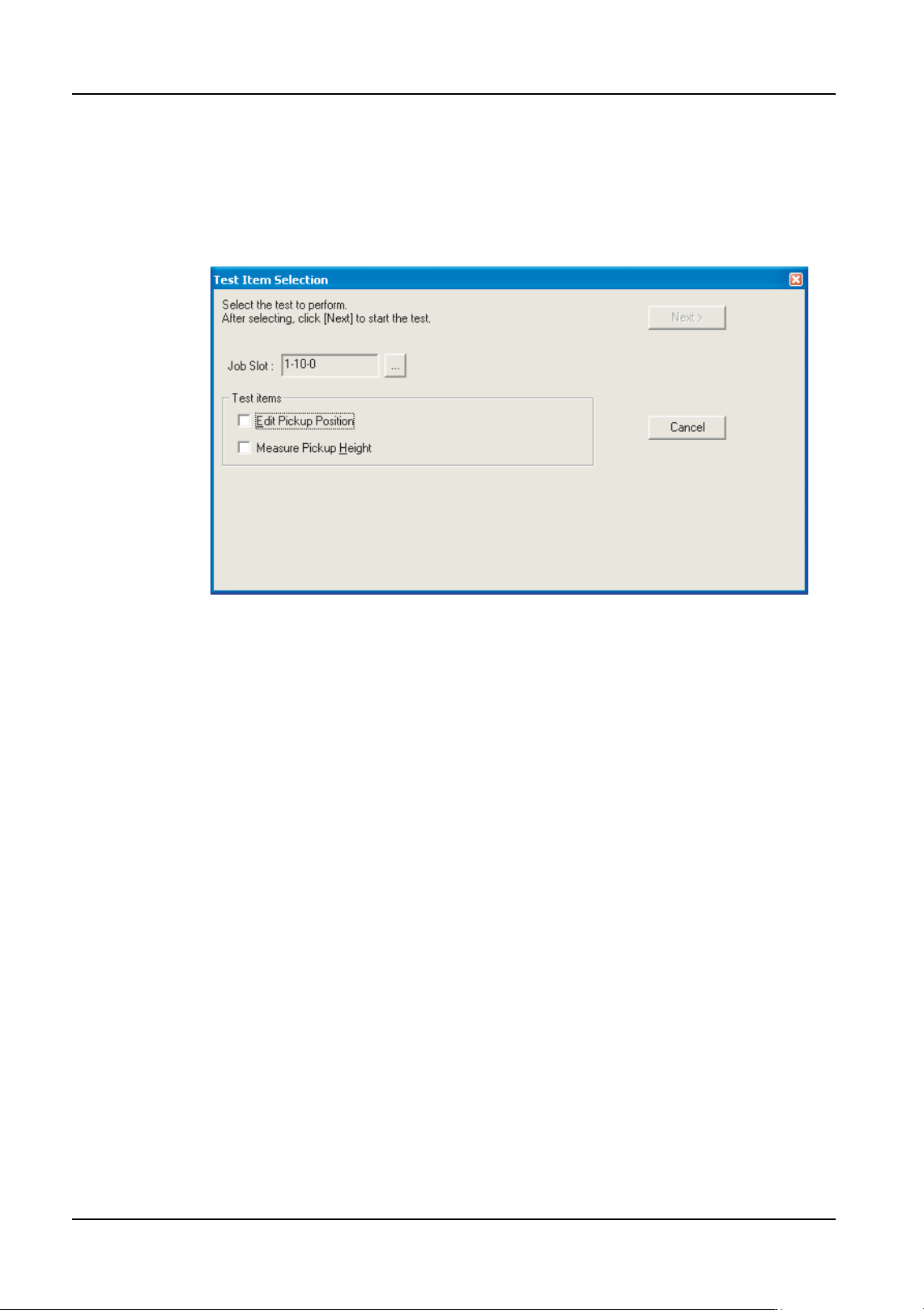
8. Select [Pickup Check]-[Pickup Check] from the [Tool] menu. The background color of
the operation panel for the module in question turns violet to indicate that that module is
in a test mode.
Note: Indexing is not performed automatically for feeders on which a pickup position test is
performed. Manually feed the parts to the pickup position. Furthermore, the feed count
differs depending on the feeder. Refer to section 6.8.4 "Feeder index count and tape return
method for pickup tests" for further details.
9. Select the type of tests which are to be performed in the newly displayed section. If the
[Edit Pickup Position] option is selected, proceed to the next step. If the [Measure
Pickup Height] option only is selected, then proceed to step 14.
Note: Because the pickup height measurement uses pickup pressure control, the height
measurement test is not possible using heads which have no pressure check sensor. In
such cases, the "Measure pickup Height" item cannot be selected.
NXTEJM013Ea
QD004-18 6. Editing Jobs on the Machine (MEdit)
NXT Programming Manual 179
Checking and editing the X- and Y-positions in the feeder.
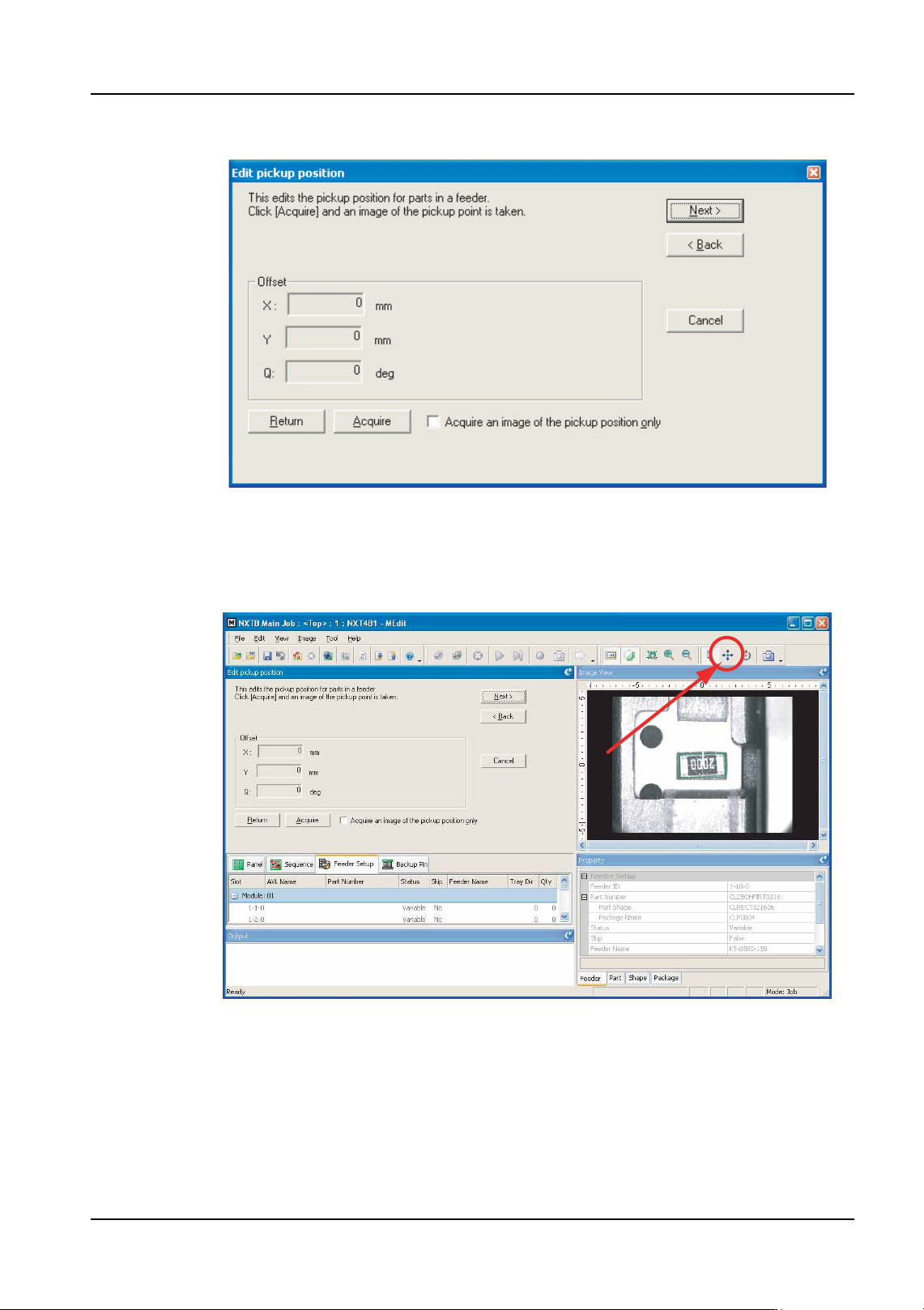
10.The [Edit pickup position] step is displayed. Ensure that the part has been advanced to
the proper position (refer to section 6.8.4 "Feeder index count and tape return method
for pickup tests") then click [Acquire] to take a picture of the part in the feeder. A picture
of the part is taken and displayed.
11.Check the pickup position in the X- and Y-direction using the displayed image. To move
the pickup position, click the positioning button (the button with the four arrows) and then
click in the image where the pickup should be performed.
12.When the pickup position for the part is correct, click [Next]. If the pickup height test is
not being performed, go to step 18.
NXTEJM014Eb
NXTEJM015Eb