FUJI NXT Programming Manual QD004-18.pdf - 第194页
6. Editing Jobs on the Machine (MEdit) QD004-18 184 NXT Programming Manual Checking and editing the tray pitch and X- and Y-positions. 11. If the [Calculate Tray Pitch] option is se lect ed, then spec ify two possible pi…
QD004-18 6. Editing Jobs on the Machine (MEdit)
NXT Programming Manual 183
9. Select [Pickup Check]-[Pickup Check] from the [Tool] menu. The background color of
the operation panel for the module in question turns violet to indicate that that module is
in a test mode.
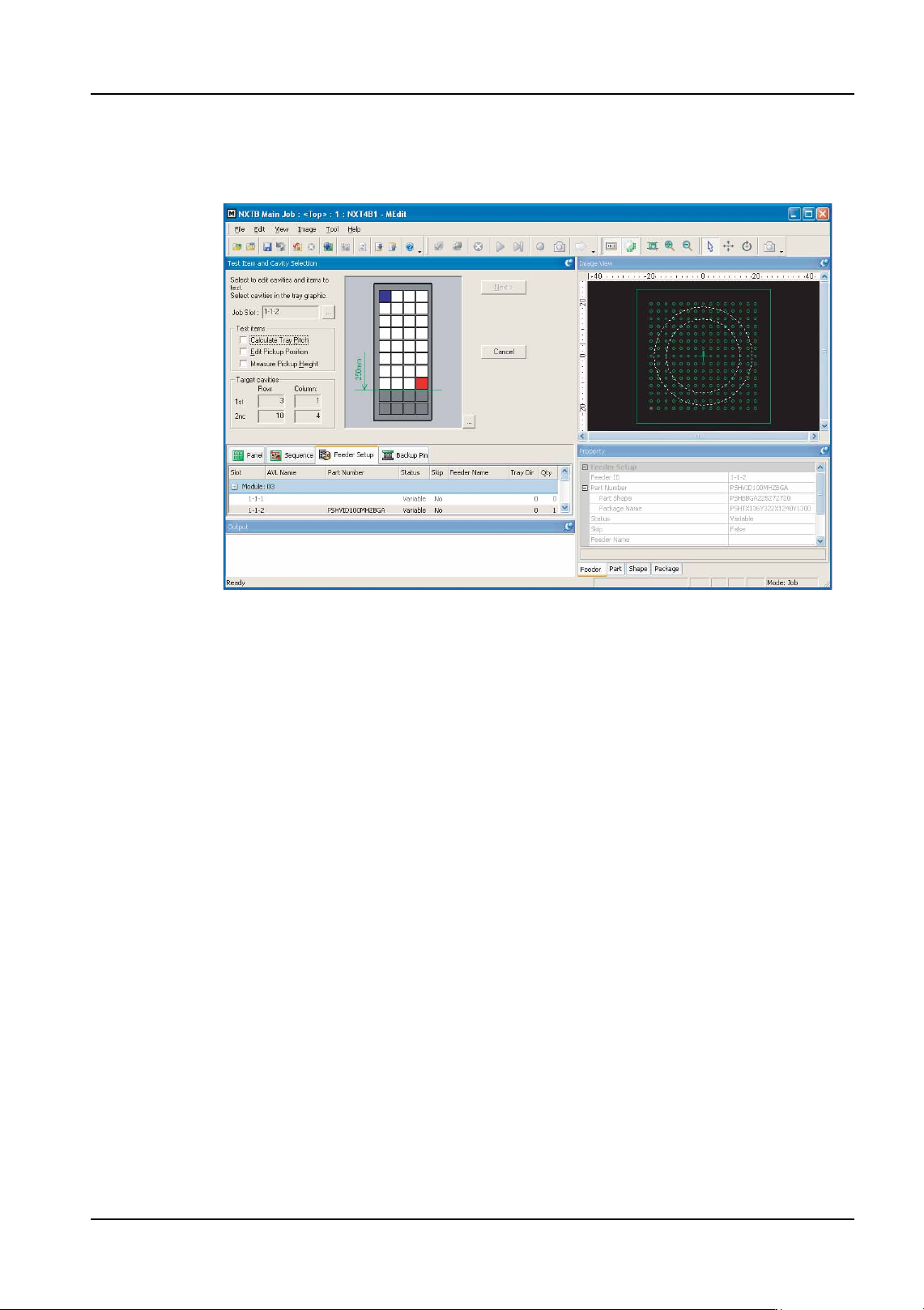
10.Select the type of tests which are to be performed in the newly displayed section. If the
[Calculate Tray Pitch] or [Edit Pickup Position] options are selected, proceed to the next
step. If the [Measure Pickup Height] option only is selected, then go to step 22.
Note: Because the pickup height measurement uses pickup pressure control, the height
measurement test is not possible using heads which have no pressure check sensor. In
such cases, the "Measure pickup Height" item cannot be selected.
NXTEJM021Ea
6. Editing Jobs on the Machine (MEdit) QD004-18
184 NXT Programming Manual
Checking and editing the tray pitch and X- and Y-positions.
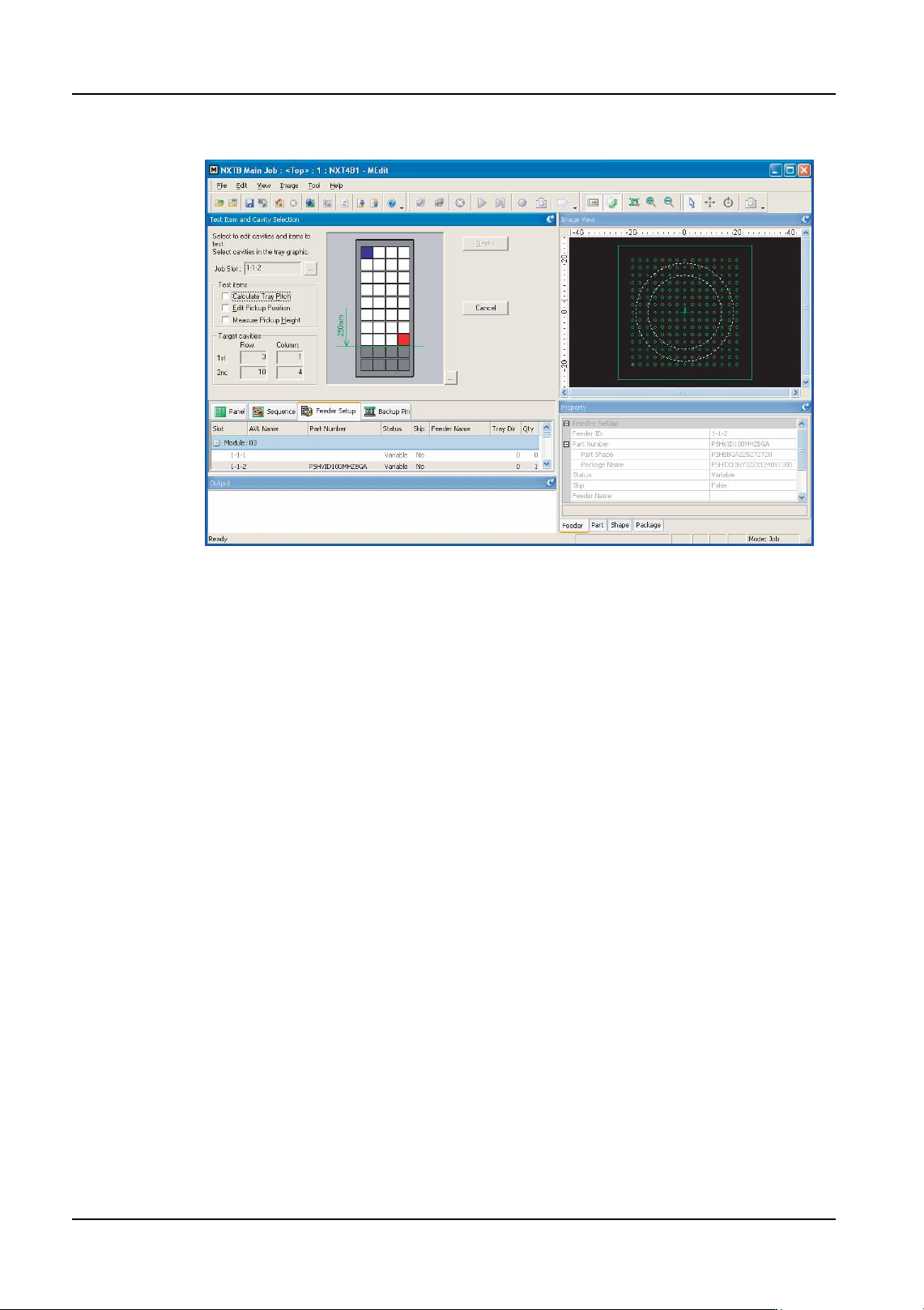
11.If the [Calculate Tray Pitch] option is selected, then specify two possible pick positions
in the tray. If the [Edit Pickup Position] is only selected, then select only one pickup
position. [Next] is not available until the required positions have been selected.
Note: It is not necessary to select the first and last pickup positions. Any position in the tray can
be selected. However, if measuring the tray pitch, the measured results will be better if the
two selected cavities are the furtherest from each other. Tray positions past the top 250
mm of the tray cannot be selected due to restrictions in the travel range of the mark camera.
12.Click [Next] and the [Edit First Cavity] step is displayed. If the tray pitch test is not being
performed and the edit pickup position is being performed, then go to step 19. If the first
pickup position data is not being edited and pickup height is being measured, then go to
step 22.
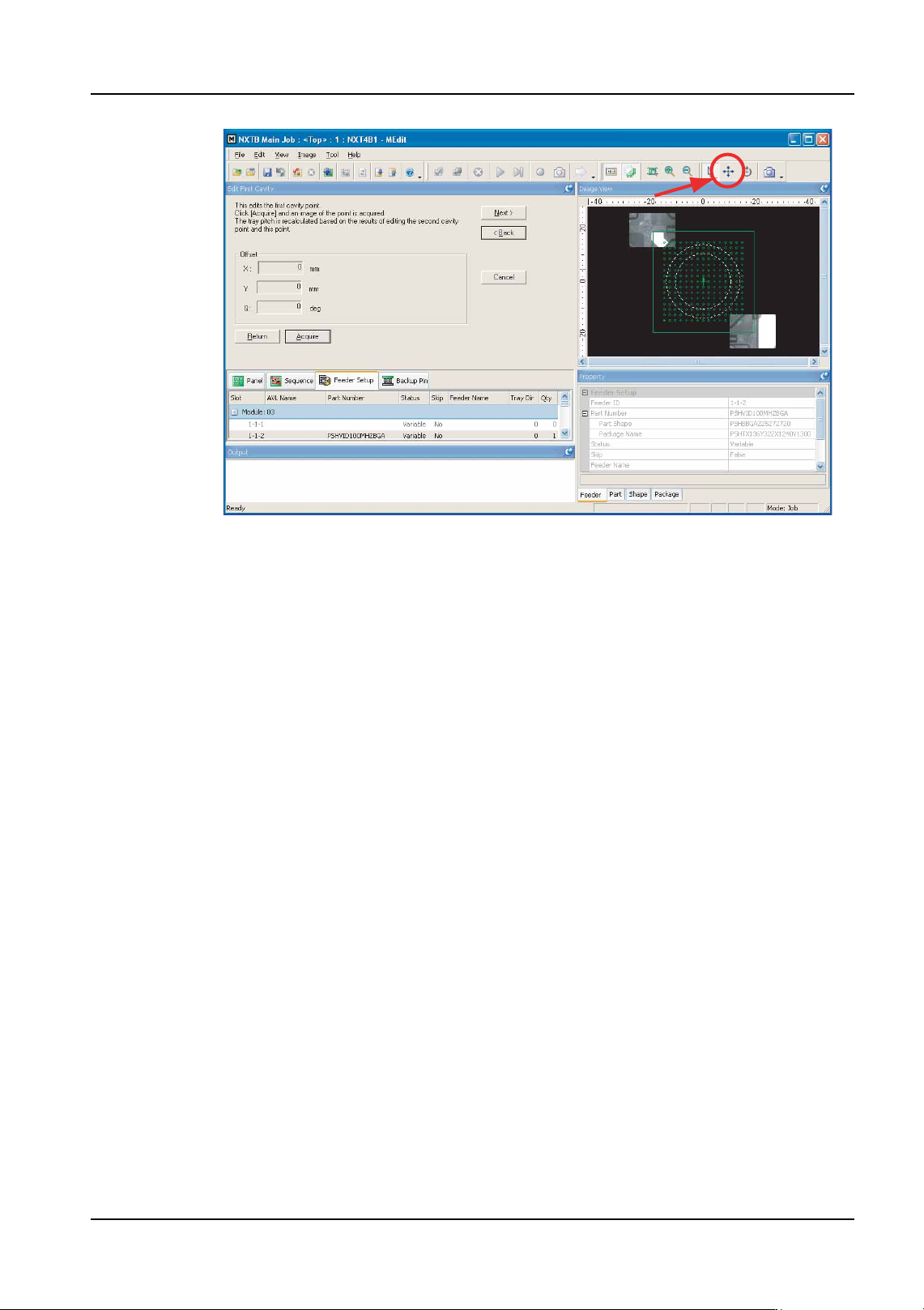
13.Click [Acquire] to take a picture of the part in the first specified slot in the tray. A picture
of the part is taken and displayed.
NXTEJM021Ea
QD004-18 6. Editing Jobs on the Machine (MEdit)
NXT Programming Manual 185
14.Check the pickup position in the X- and Y-direction using the displayed image. If the
pickup position needs to be moved, click the positioning button (the button with the four
arrows) and then click in the image of the graphic at which the pickup should be
performed (the [Offset] values are automatically changed).
15.When the pickup position for the part is correct, click [Next].
16.The step for the second specified cavity is displayed. Click [Acquire] to take a picture of
the part in the second specified cavity in the tray. A picture of the part is taken and
displayed.
17.Check the second pickup position in the X- and Y-direction using the displayed image.
If the pickup position needs to be moved, click the positioning button (the button with the
four arrows) and then click in the image of the graphic at which the pickup should be
performed (the [Offset] values are automatically changed).
18.When the pickup position for the part is correct, click [Next]. If the first pickup position
data is not being edited and pickup height is being measured, then go to step 22. If none
of these are being measured, then go to step 27.
Checking and editing the pickup position for a tray.
19.The step for editing the pickup position is displayed. Click [Acquire] to take a picture of
the part in the specified slot in the tray. A picture of the part is taken and displayed.
20.Check the pickup position in the X- and Y-direction using the displayed image. If the
pickup position needs to be moved, click the positioning button (the button with the four
arrows) and then click in the image of the graphic at which the pickup should be
performed (the [Offset] values are automatically changed).
21.When the pickup position for the part is correct, click [Next]. If the pickup height test is
not being performed, go to step 27.
NXTEJM022Eb