FUJI NXT Programming Manual QD004-18.pdf - 第33页
QD004-18 3. Job Builder NXT Programming Manual 23 Panel Conveyance Glue Backup Plate Setting Description Speed Specify the panel conveyance speed. High: This speed can convey panels with standard parts in a stable manner…
3. Job Builder QD004-18
22 NXT Programming Manual
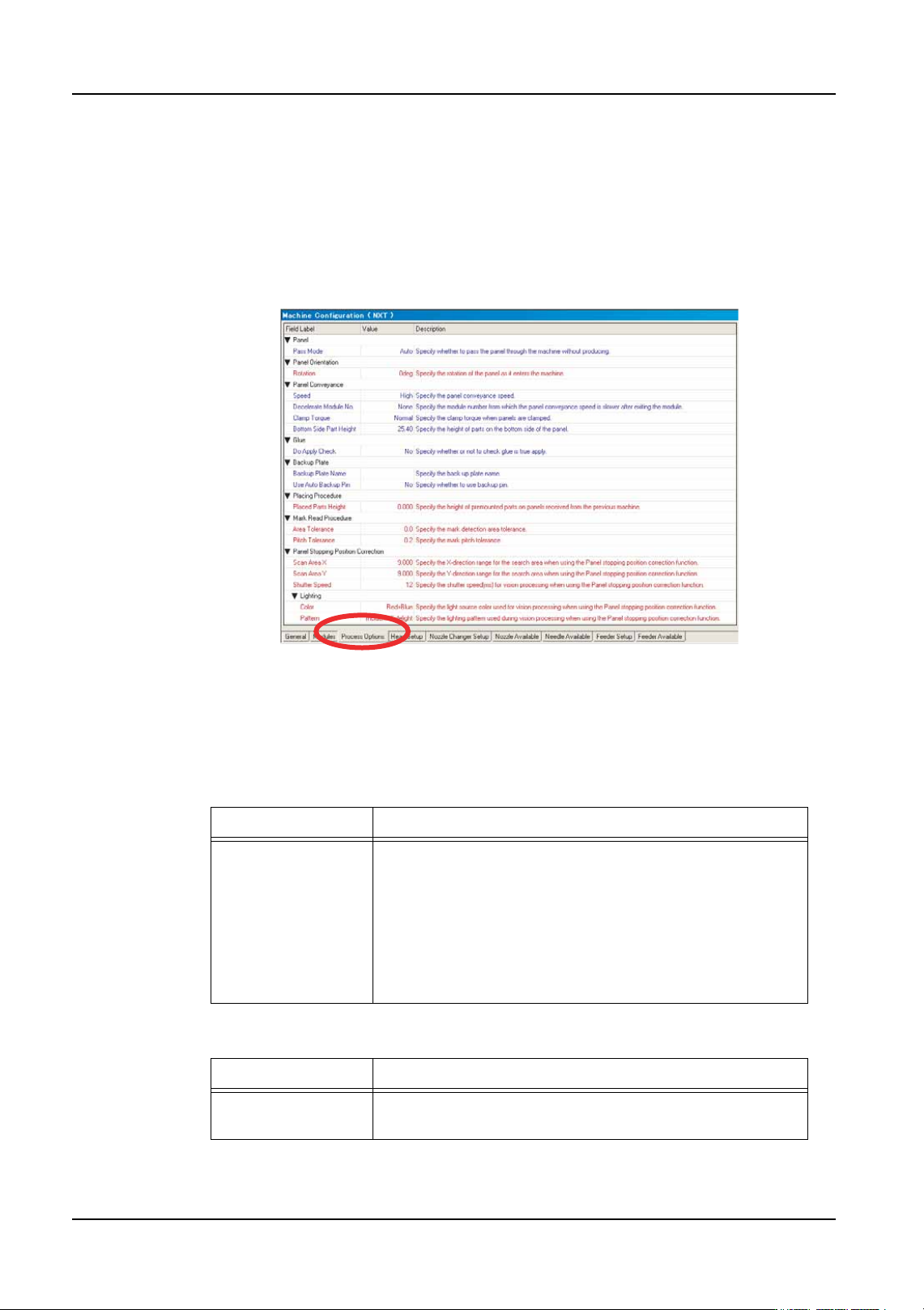
Specifying NXT machine processing options
Data about the processing of the job for the NXT machine must be entered. When a
machine with a certain name is added for the first time, the default process options are
used. This data must be checked and edited if it is not the correct processing options for
that machine.
1. There are several tabs at the bottom of the [Machine Configuration] pane. Select the
[Process Options] tab to display the available process options for the machine
2. Enter the appropriate process settings for the machine. There are multiple groupings of
data. Refer to the tables below for information on the settings. More information on
special settings that relate to options can be found in the appropriate “Job Settings for
Advanced Functions” section.
Panel
Panel Orientation
Setting Description
Pass Mode Specify whether the machine should operate in pass
mode. When operating in pass mode the machine does
not produce any boards, and acts instead as a conveyor.
On: Operate using pass mode
Off: Normal production is performed.
Auto: The pass mode decision is made automatically
based on part allocation.
Setting Description
Rotation Specify the orientation of the panel as it enters the
machine.
01PRG-0055Ea

QD004-18 3. Job Builder
NXT Programming Manual 23
Panel Conveyance
Glue
Backup Plate
Setting Description
Speed Specify the panel conveyance speed.
High: This speed can convey panels with standard parts in
a stable manner.
Middle: This conveys panels at 70% of the high speed.
Low: This conveys panels at 50% of the high speed.
ULow: This conveys panels at 30% of the high speed.
Decelerate Module
No.
Specify the module number from which the panel
conveyance speed is slower after exiting the module.
Speed After
Decelerate
Specify the panel conveyance speed for panels after they
exit the module from which the slower conveyance was
specified. This must be a slower setting than that specified
in [Speed].
Middle: This conveys panels at the same speed as the
Middle setting for Speed.
Low: This conveys panels at the same speed as the Low
setting for Speed.
ULow: This conveys panels at the same speed as the
ULow setting for Speed.
Clamp Torque Specify the clamp torque when panels are clamped. This
is only applicable for conveyors that use motors to clamp
the panel, such as the single conveyor S.
Normal: Normal torque
Soft: Light torque (Used when placing parts on fragile
panels.)
Bottom Side Part
Height
Specify the height of parts on the bottom side of the panel.
The transport speed can be increased for shorter parts.
Setting Description
Do Apply Check Specify whether or not to glue check sequences are
applied to check the glue condition.
Yes: Place glue check sequences and check
No: Do not check
Setting Description
Backup Plate Name Specify the back-up plate name. This is optional and is
used to indicate a specific backup plate when performing
changeover.

3. Job Builder QD004-18
24 NXT Programming Manual
Placing Procedure
Mark Read Procedure
Use Auto Backup
Pin
Specify whether or not to use auto backup pins.
Yes: Use auto backup pins.
No: Do not use auto backup pins.
Setting Description
Placed Parts Height Specify the height of premounted parts on panels received
from the previous machine.
Because the maximum allowable height varies depending
on the head types in NXT and AIM machines, the lowest
allowable height value for all of the modules/heads is used
for the entire machine.
Head type: Maximum allowable height
H01, H02, OF: 25.4 mm
H04: 9.5 mm
F04, G04: 6.5 mm
H08: 6.5 mm
H12, H12S: 3.0 mm
GL: 7.0 mm (Stroke Height: 12.0 mm), 3.0mm (Stroke
Height: 8.0mm), 0.0mm (Stroke Height: 6.0mm or less)
Setting Description
Area Tolerance When marks are read, the current and previous mark
reading results are compared to determine if an object was
incorrectly recognized as a mark. The width of the
deviation between the previous and current result for each
mark is calculated and compared.
Enter a tolerance value. If there is only deviation in the
panel loading position, most likely there will be little
deviation in width. If the tolerance is exceeded, the
machine determines that a mark has been incorrectly
recognized and an error occurs.
If the tolerance value is 0 mm, tolerance is not checked.
Pitch Tolerance When marks are read, the current and previous mark
reading results are compared to determine if an object was
incorrectly recognized as a mark. The distance between of
the previous and current result for each mark are
calculated and compared.
Enter a tolerance. As long as the panel is not extremely
deformed, most likely there will be little deviation in the
distance between marks. If the tolerance is exceeded, the
machine determines that a mark has been incorrectly
recognized and an error occurs.
If the tolerance value is 0 mm, tolerance is not checked.
Setting Description