XP Type II 工程师培训手册 (2.0).pdf.pdf - 第159页
FK-9F98-34 XP T ype II Series T raining T ext for Service Engineers Edition 2.0 XP242E – Chapter 6 Proper Data Mea surement s Page 4 of 30 4. Inch the mark camera until it is centered on the center dot in the image: 5. S…
FK-9F98-34 XP Type II Series Training Text for Service Engineers
Edition 2.0 XP242E – Chapter 6 Proper Data Measurements Page 3 of 30
4. Confirm that the two LED lights for A and B are ON:
A
B
5. With the mark camera centered on the color sample touch the screen to display a
brightness reading.
6. Adjust the camera gain so that the brightness becomes 120 +/-10.
6.2 Mark Camera Resolution
Equipment: Glass gage for mark camera resolution measurement (Z3502DFAJ0020).
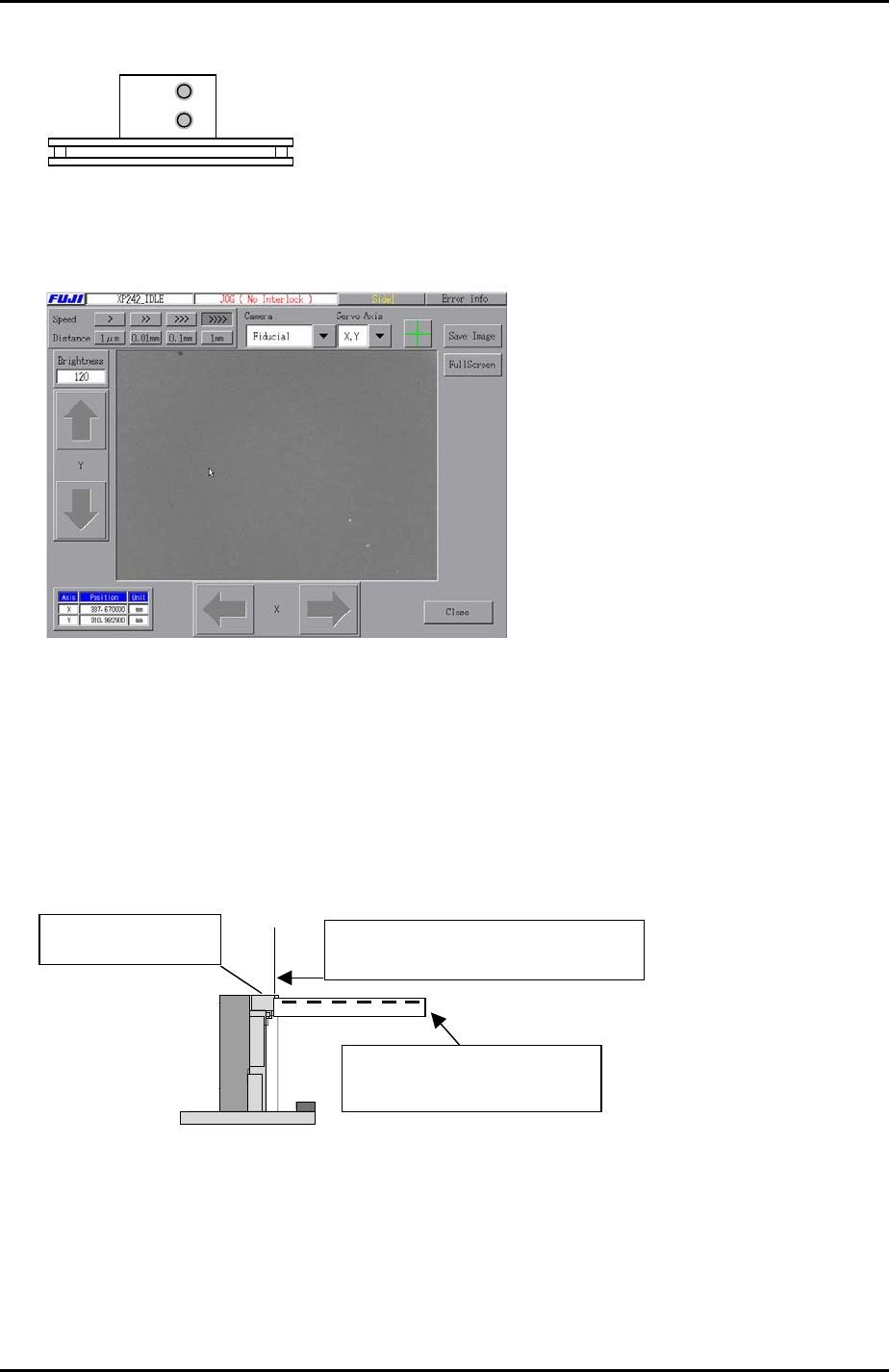
1. Clamp the glass gage in the main table. Ensure it is flush with the reference rail.
Push the glass gauge against the
reference rail and clamp the gauge.
The glass gauge should be
printed side up.
The reference rail
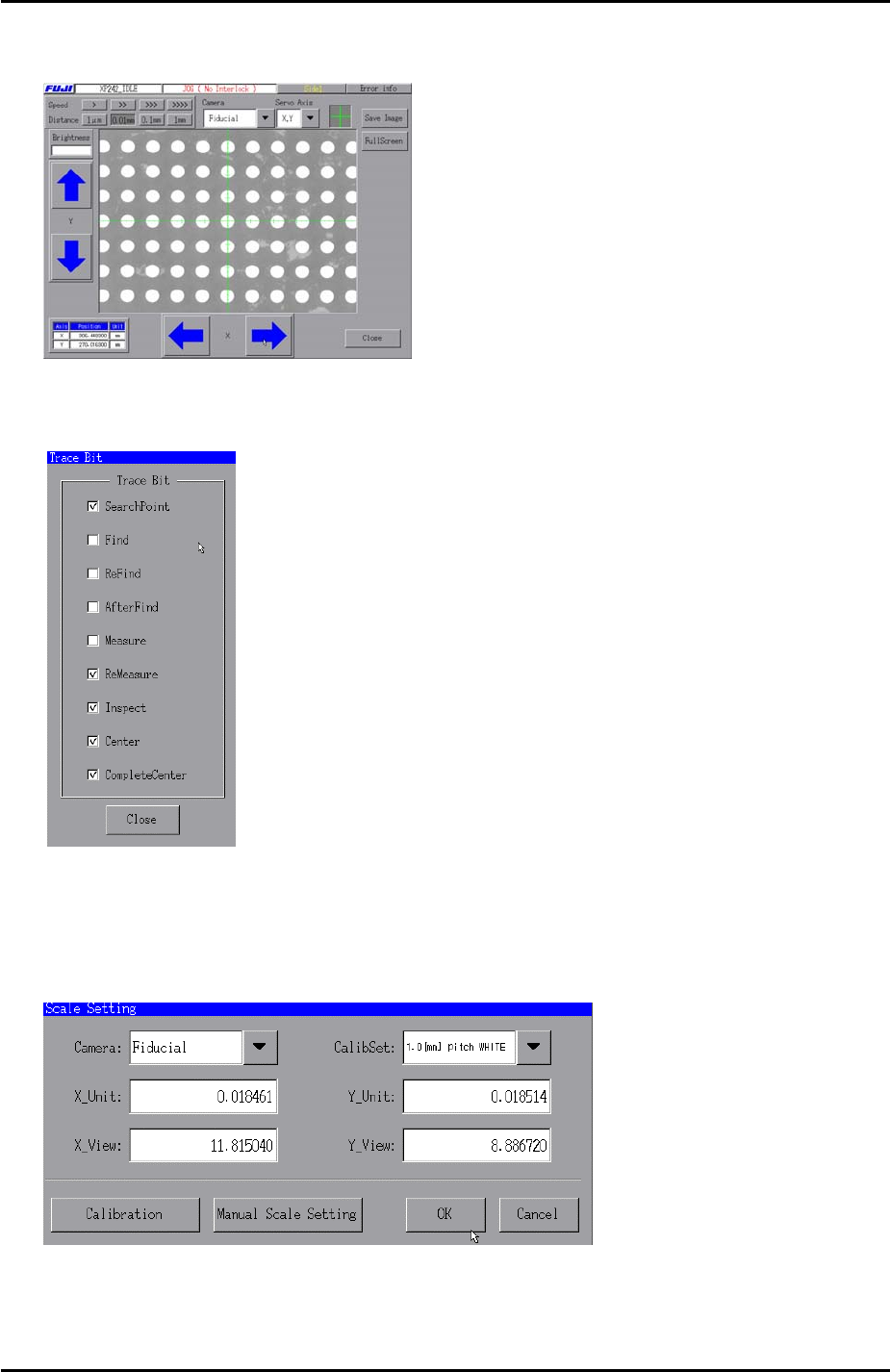
2. Select [Maintenance A] – [Jog] – [Fiducial] to display the mark camera live image.
3. Bring the mark camera above the center of the glass gage and select the cross
hairs.
Fuji Machine Mfg. Co., Ltd. Okazaki.
SMT Equipment Quality Assurance Dept.
6 – 3 CS Section
FK-9F98-34 XP Type II Series Training Text for Service Engineers
Edition 2.0 XP242E – Chapter 6 Proper Data Measurements Page 4 of 30
4. Inch the mark camera until it is centered on the center dot in the image:
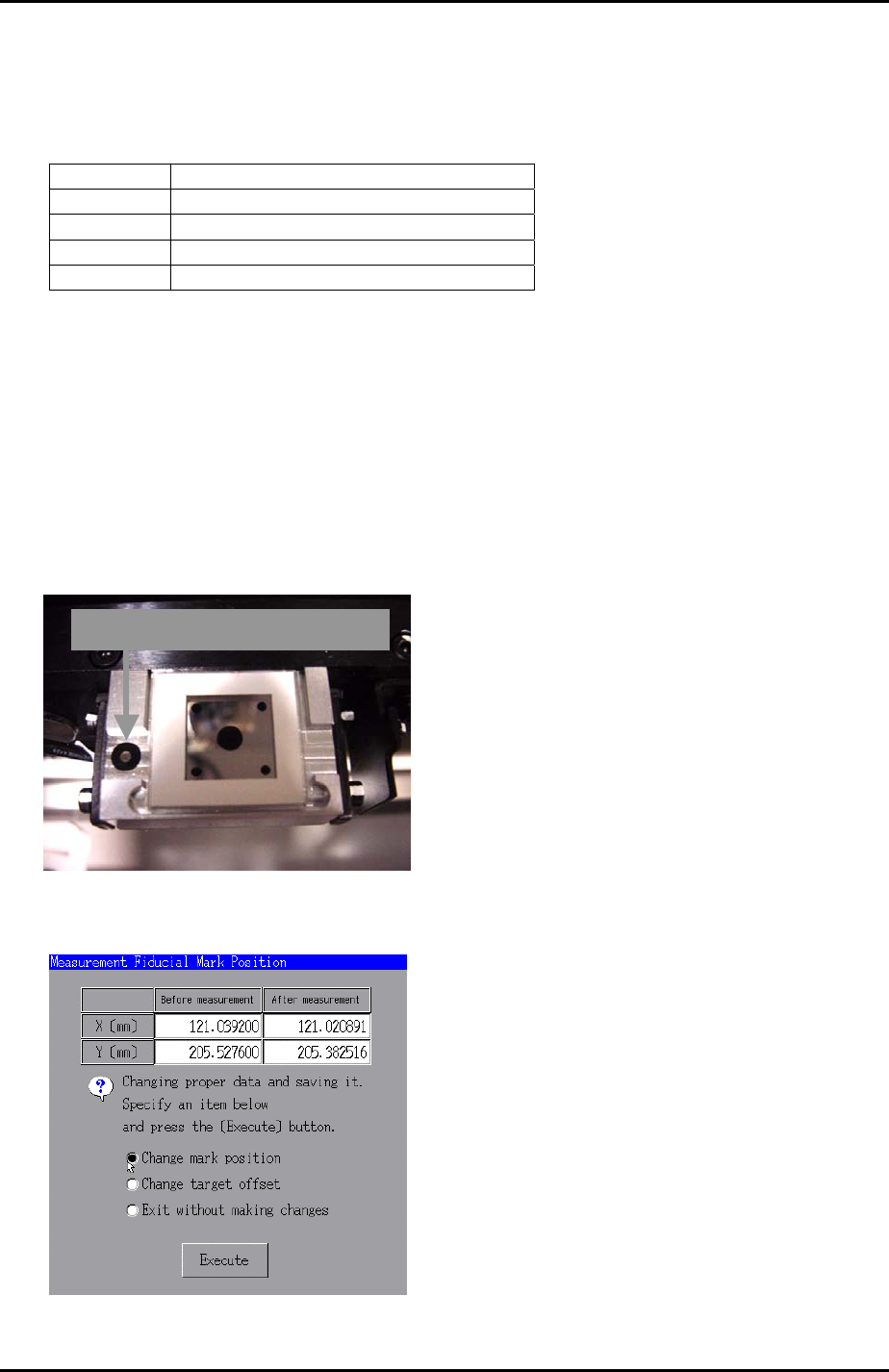
5. Select [Maintenance A] – [Trace Bit] and select “SearchPoint”, “ReMeasure”,
“Inspect”, “Center”, and “Complete Center”as shown below:
6. Press [Close] to return to the [Maintenance A] screen and select [Scale Setting].
7. Select “Fiducial” from the [Camera] drop down list and “1.0 [mm] pitch WHITE” from
the [CalibSet] drop down list as shown below:
8. Select [Calibration] and answer YES to the question “Set Center?” and the
resolution measurement will proceed.
Fuji Machine Mfg. Co., Ltd. Okazaki.
SMT Equipment Quality Assurance Dept.
6 – 4 CS Section
FK-9F98-34 XP Type II Series Training Text for Service Engineers
Edition 2.0 XP242E – Chapter 6 Proper Data Measurements Page 5 of 30
9. Answer NO to the question “Do you save calibration data to FD?”
10. To the next question “Save Calibration Data?” answer YES.
11. Confirm that the resolution results are within the tolerances shown below:
Mark camera resolution tolerance
X_Unit 0.0170 ~ 0.0189
X_View 10.9 ~ 12.1
Y_Unit 0.0170 ~ 0.0189
Y_View 8.16 ~ 9.07
12. The resolution calibration is now complete. Press [OK] to return to the
[Maintenance A] screen.
6.3 Mark Camera Orientation
1. Select [Maintenance A] – [JOG] – [Fiducial] and display the crosshairs on the
screen.
2. Inch the mark camera until it is centered on the fiducial mark on the left of the glass
gage station.
Glass gage station fiducial mark
3. Select [Maintenance C] – [Mark camera Measurement] – [FMarkPos Measure] –
[START] – [Change mark position] – [Execute] to save the fiducial mark position.
4. Select [Angle Measure] to measure the mark camera orientation.
Fuji Machine Mfg. Co., Ltd. Okazaki.
SMT Equipment Quality Assurance Dept.
6 – 5 CS Section