XP Type II 工程师培训手册 (2.0).pdf.pdf - 第187页
FK-9F98-34 XP T ype II Series T raining T ext for Service Engineers Edition 2.0 XP242E – Chapter 7 Checking Operation and Accuracy Page 1 of 6 Chapter 7 – Operation and Accuracy 7.1 Idle Operation 1. T ransmit the idle p…

C
C
h
h
a
a
p
p
t
t
e
e
r
r
7
7
O
O
p
p
e
e
r
r
a
a
t
t
i
i
o
o
n
n
a
a
n
n
d
d
A
A
c
c
c
c
u
u
r
r
a
a
c
c
y
y
FK-9F98-34 XP Type II Series Training Text for Service Engineers
Edition 2.0 XP242E – Chapter 7 Checking Operation and Accuracy Page 1 of 6
Chapter 7 – Operation and Accuracy
7.1 Idle Operation
1. Transmit the idle program “XP242_IDLE” to the machine.
2. Press [Production] – [Select Program] – [XP242_IDLE] – [Download] to bring the program
into the machine foreground.
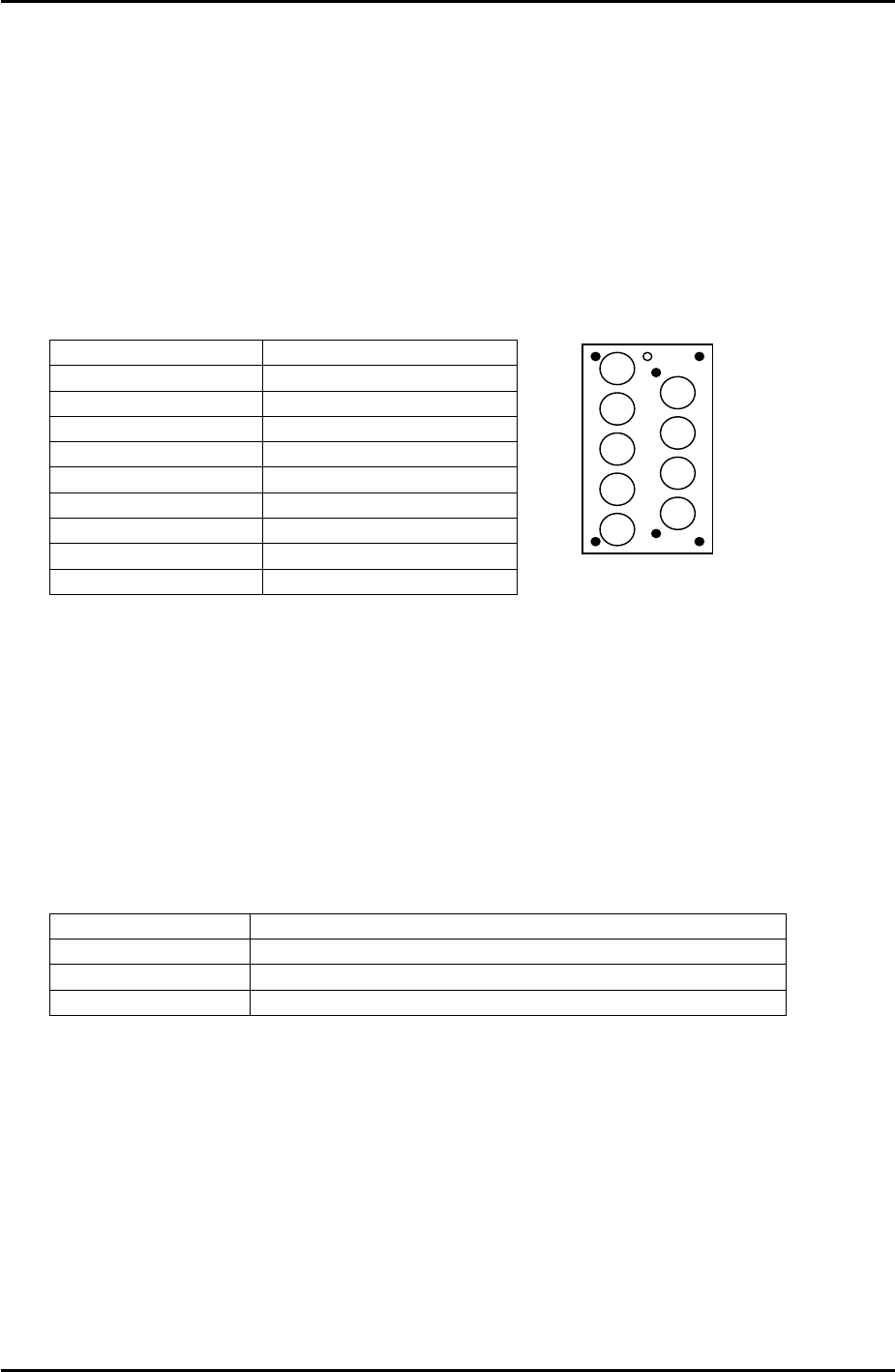
3. Press [Production] – [Nozzle Editor] and configure the nozzle editor entries as shown in
the following table:
Nozzle Number Nozzle Diameter (mm)
1 0.7
2 1.0
3 1.3
4 1.8
5 2.5
6 3.7
7 10
8 15
9 20
9
8
7
6
5
4
3
1
2
4. Arrange the nozzles in the nozzle station so that they match the nozzle editor
configuration.
5. Set the conveyor at its maximum width of 356mm.
6. Load empty trays in the MTU slots used in the program and set magnets on the trays to
block the tray height check sensor aperture. This has the effect of interrupting the
sensor, and thus allows idling to proceed.
7. Select [Maintenance A] – [Operation Settings] and set the mode as detailed in the
following table:
Operation Mode Idle1 (use Idle2 if any feeders are loaded in the MFU)
Production Mode Automatic
Error Handling Error Stop
Acceleration Rate 0.1
8. Check for any mechanical interference in the machine then select [Production] –
[Automatic] – [Start] to commence idling.
9. Check that there are no irregular noises or movements in the machine and then gradually
increase the acceleration rate up to the maximum of 1.
10. The machine should be run for at least 12 hours without stopping, and in total for at least
30 hours.
11. After idling is complete check the machine for any irregularities.
Fuji Machine Mfg. Co., Ltd. Okazaki
SMT Equipment Quality Assurance Dept.
7–1 CS Section
FK-9F98-34 XP Type II Series Training Text for Service Engineers
Edition 2.0 XP242E – Chapter 7 Checking Operation and Accuracy Page 2 of 6
7.2 Glass Parts PAM
Side 1
1. Equipment: glass board (Z9731DNPJ002*), glass parts (Z9731DNPJ364*), Pick up
platform jig (Z9734DNPJ123*).
2. Select [Production] – [Nozzle Center Measurement] – [Side1] – acceleration rate [1.0] –
[Rotate Center Measurement] to carry out rotate center measurement. Carry this out at
least three times prior to PAM measurement.
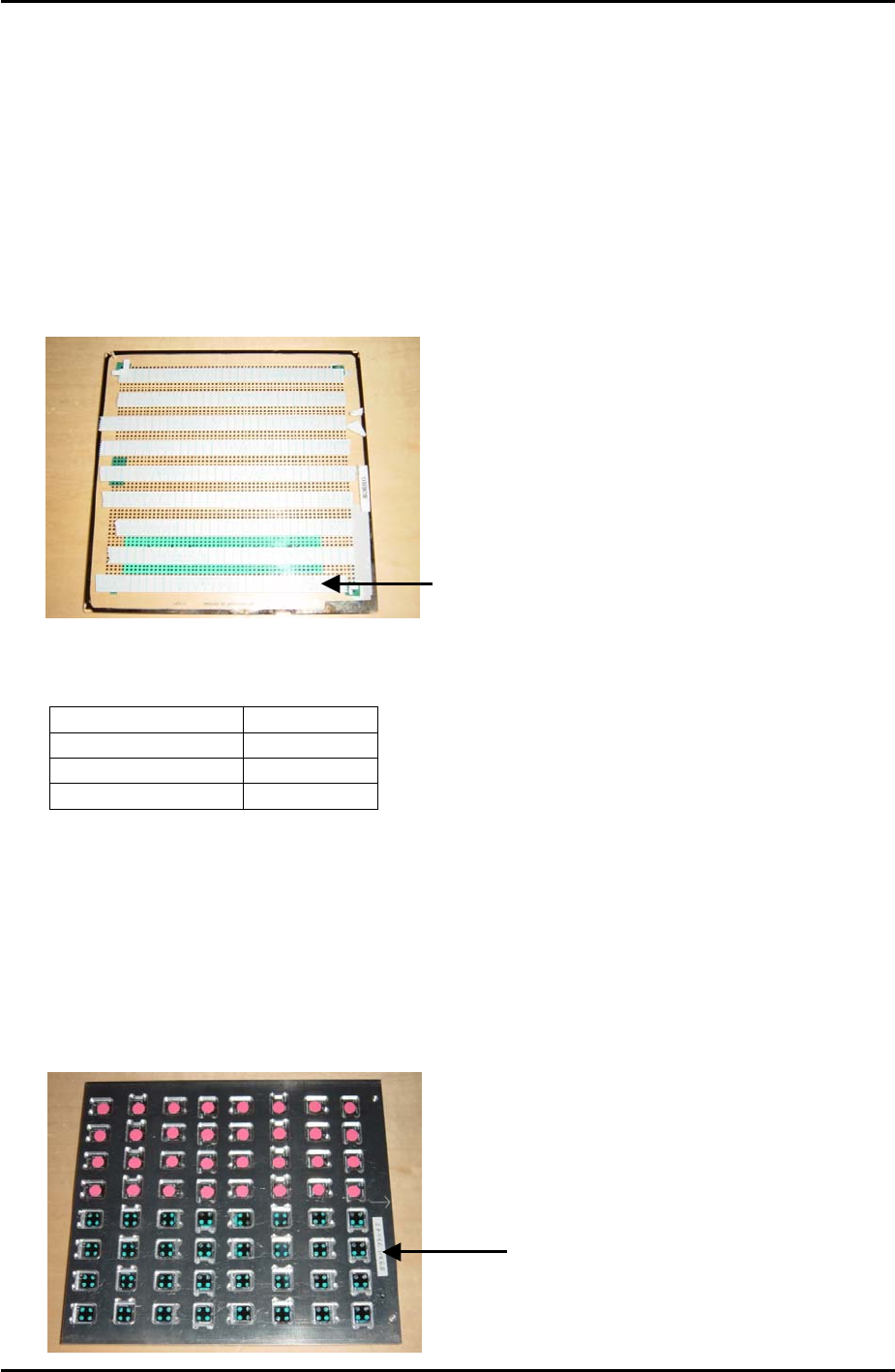
3. Put double sided tape on the board as shown in the photo below:
The tape should cover the first 4
rows of dots at the bottom of the
board, then there is a gap of 3
rows of dots before the next strip
of tape covers 4 rows of dots and
so on.
4. Select [Maintenance A] – [Operation Settings] – and make the following settings:
Operation Mode Production
Production Mode Automatic
Error handling Error Stop
Accel. Rate 1.00
5. Set the conveyor width to 178mm.
6. Set a 7mm diameter nozzle in slot number 1, and make sure that there is a 1.8mm
diameter nozzle and a 15mm diameter nozzle in the nozzle station. The 7mm nozzle is
used for pick up and placement; the other nozzles may be used if cycle steal occurs
before parts placement.
7. Load the glass parts in the front half of the pickup platform jig as shown in the photo
below:
Glass parts are picked
up from the front hal
f
of the pick up jig
Fuji Machine Mfg. Co., Ltd. Okazaki
SMT Equipment Quality Assurance Dept.
7–2 CS Section