XP Type II 工程师培训手册 (2.0).pdf.pdf - 第205页
FK-9F98-34 XP Series T ype II T raining T ext for Service Engineers Edition 2.0 XP242E – Chapter 8 T ype II MTU Adjustment Page 12 of 18 flashes]. 10. Block the sensor and press the dia l switch once. A number displays o…
FK-9F98-34 XP Series Type II Training Text for Service Engineers
Edition 2.0 XP242E – Chapter 8 Type II MTU Adjustment Page 11 of 18
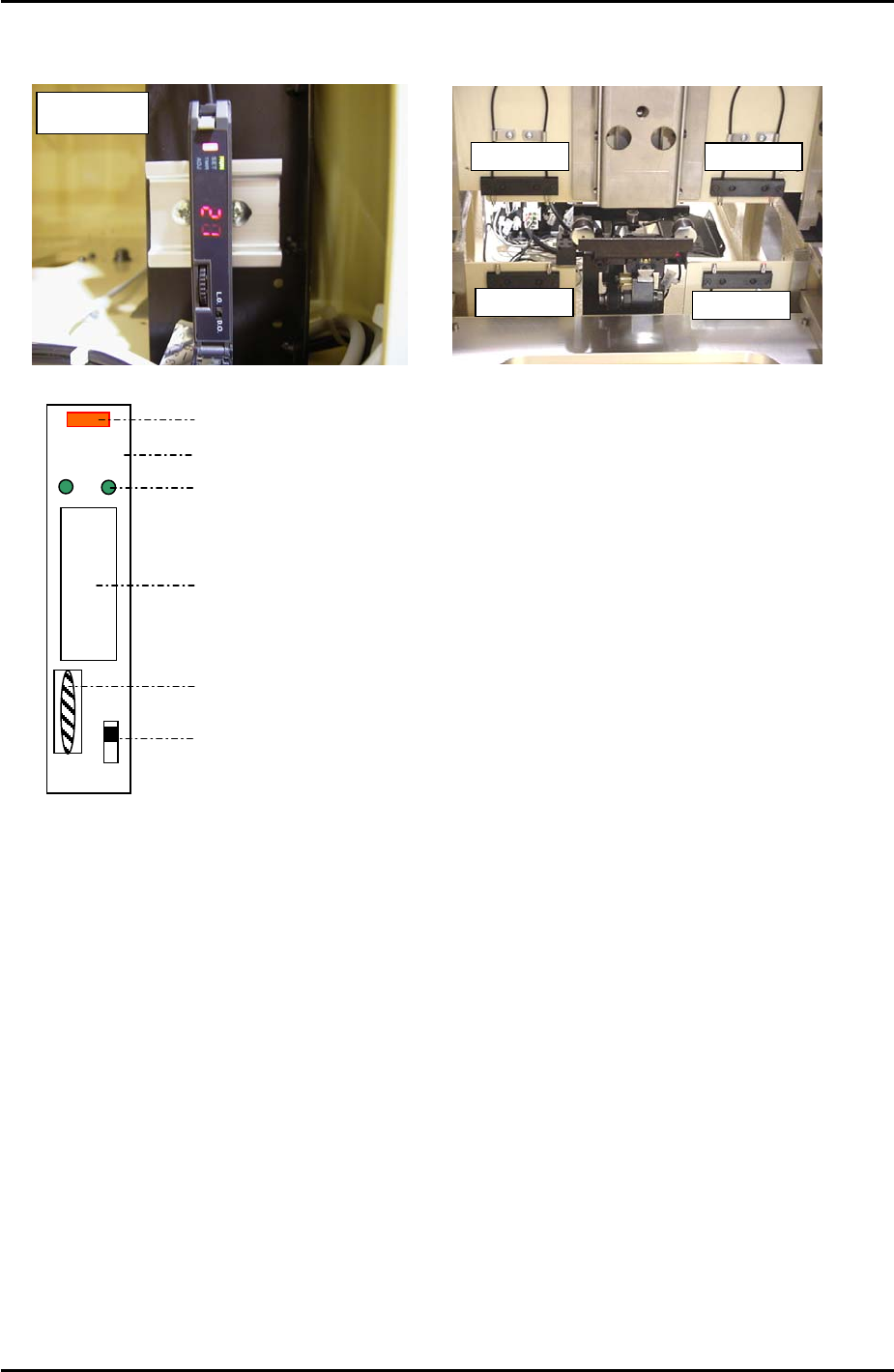
8.16 Tray Pallet Interference Check Sensor Amplifier Adjustment
A
mplifie
r
Sensors
Sensors
Sensors
Sensors
DO LO
RUN
SET
TMR
A
D
J
Digital Display
Operation Light
Mode Lights
Mode Display
Dial Switch
L-ON/D-ON Changeover Switch
1. Press the dial switch once [the RUN light in the Mode Display flashes and “AA” is
displayed on the Digital Display].
2. Turn the dial switch so that the Mode Display turns from RUN to SET.
3. Press and hold the dial switch for more than 3 seconds [HP displays on the Digital
Display and the Mode Lights come ON].
4. Press the dial switch once [SET in the Mode Display flashes and “2P” is displayed on the
Digital Display].
5. Press the dial switch once [“2P” displayed on the Digital Display flashes].
6. Keep turning the dial switch until numbers (0~100), are displayed on the Digital Display
and the Mode Lights come ON.
7. Confirm that the value displayed on the Digital Display is greater than 3.
8. Turn the dial switch until a flashing “2P” displays on the Digital Display.
9. Make sure the sensor is not blocked and press the dial switch once [the 2 in “2P”
Fuji Machine Mfg. Co., Ltd. Okazaki
SMT Equipment Quality Assurance Dept.
8 – 11 CS Section
FK-9F98-34 XP Series Type II Training Text for Service Engineers
Edition 2.0 XP242E – Chapter 8 Type II MTU Adjustment Page 12 of 18
flashes].
10. Block the sensor and press the dial switch once. A number displays on the Digital
Display. Confirm that this number is greater than 10.
11. Press the dial switch once [SET in the Mode Display flashes and “2P” is displayed on the
Digital Display].
12. Turn the dial switch until RUN flashes in the Mode Display and “AA” is displayed on the
Digital Display.
13. Press the dial switch once [RUN in the Mode Display stops flashing and a number
appears in the Digital Display].
14. The sensor amplifier adjustment is now complete, confirm that the changeover switch is
set to “LO”.
15. Confirm the sensor operation by I/O. The I/O output X03C TraySetChk should be OFF
when the sensor is interrupted and ON when there is no interruption.
Sensor Condition Output
Interrupted OFF
Uninterrupted ON
8.17 Tray Pitch Offset Measurement
1. Select [Manual Operation] – [Tray Operation] – [Tray height measurement].
2. After tray height measurement is completed select slot [11,12] – [Move Elevator] to go to
the tray transference position for that slot.
3. Measure the difference in height between the right hand of the slot and the U axis
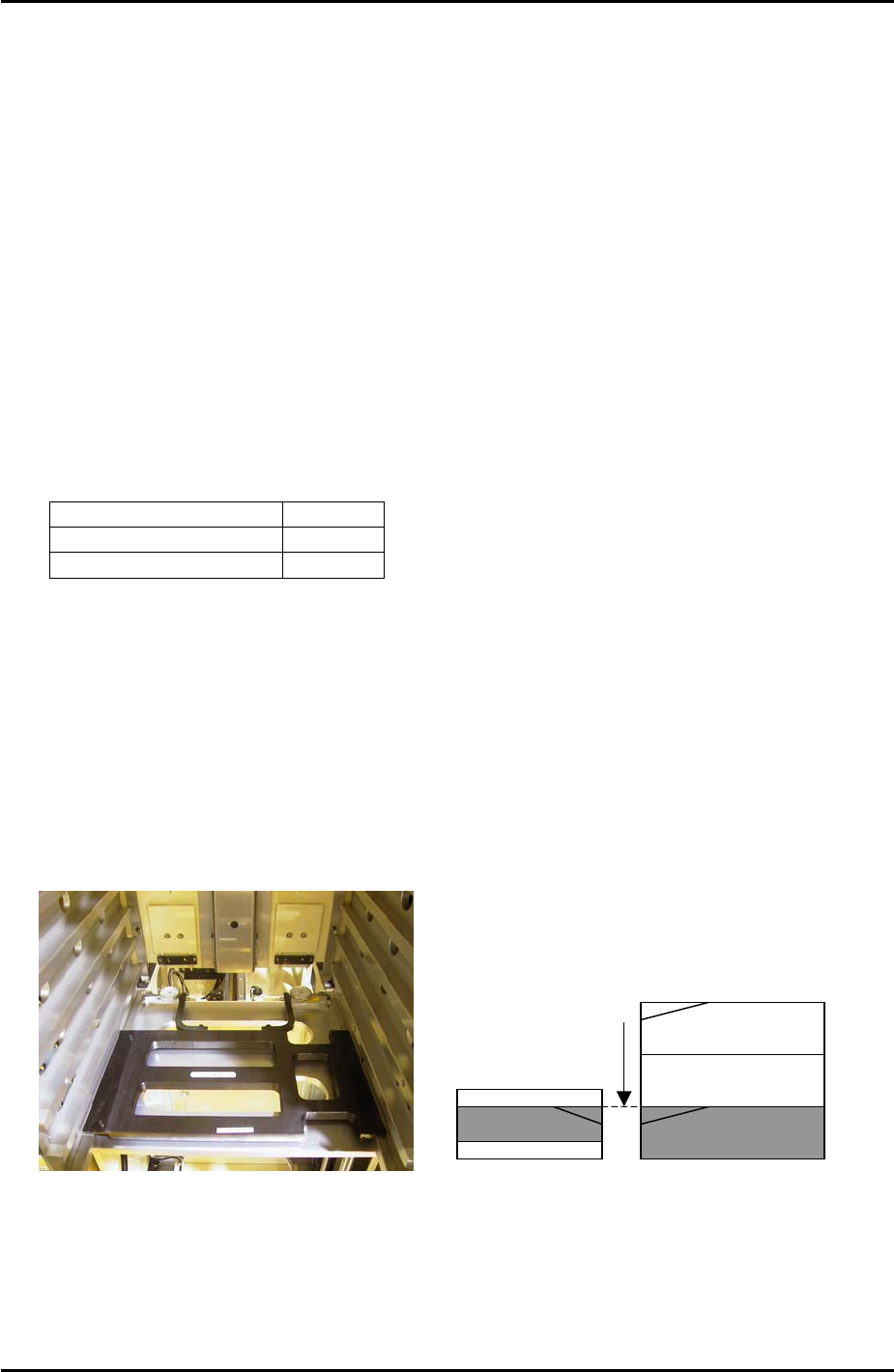
conveyor rail. Use two dial gages and the jig shown in the photo (Z9731ADEPJ8131):
U axis
Measure height of the
magazine slots relative
to the U axis and input
offsets in proper data.
Magazine [41,42]
4. At this position the right hand magazine slot should be 0.04mm higher than the U axis
conveyor rail. If this is not the case it is necessary to input an offset.
5. Select [Maintenance C] – [Proper Data Editor] – [Tray] – [_ElevatorOfst2] and input the
offset value as follows:
Fuji Machine Mfg. Co., Ltd. Okazaki
SMT Equipment Quality Assurance Dept.
8 – 12 CS Section
FK-9F98-34 XP Series Type II Training Text for Service Engineers
Edition 2.0 XP242E – Chapter 8 Type II MTU Adjustment Page 13 of 18
Measured Value Offset Value
+ 0.04mm 0.00
+ 0.03mm 0.01
+ 0.05mm -0.01
6. Repeat for all remaining slots:
Slot Offset
[11,12] _ElevatorOfst2
[21,22] _ElevatorOfst3
[31,32] _ElevatorOfst4
[41,42] _ElevatorOfst5
[51,52] _ElevatorOfst6
[61,62] _ElevatorOfst7
[71,72] _ElevatorOfst8
[81,82] _ElevatorOfst9
[91,92] _ElevatorOfst10
8.18 Tray Pickup Position Check Sensor Adjustment
1. Put a tray pallet in slot [01,02] and bring it to the tray transference position by selecting
[Manual Operation] – [Tray Operation] – [01,02] – [Move Elevator].
2. Select [Manual Operation] – [Tray Operation] – [Advance Shuttle] – to move the tray
pallet to its forward end.
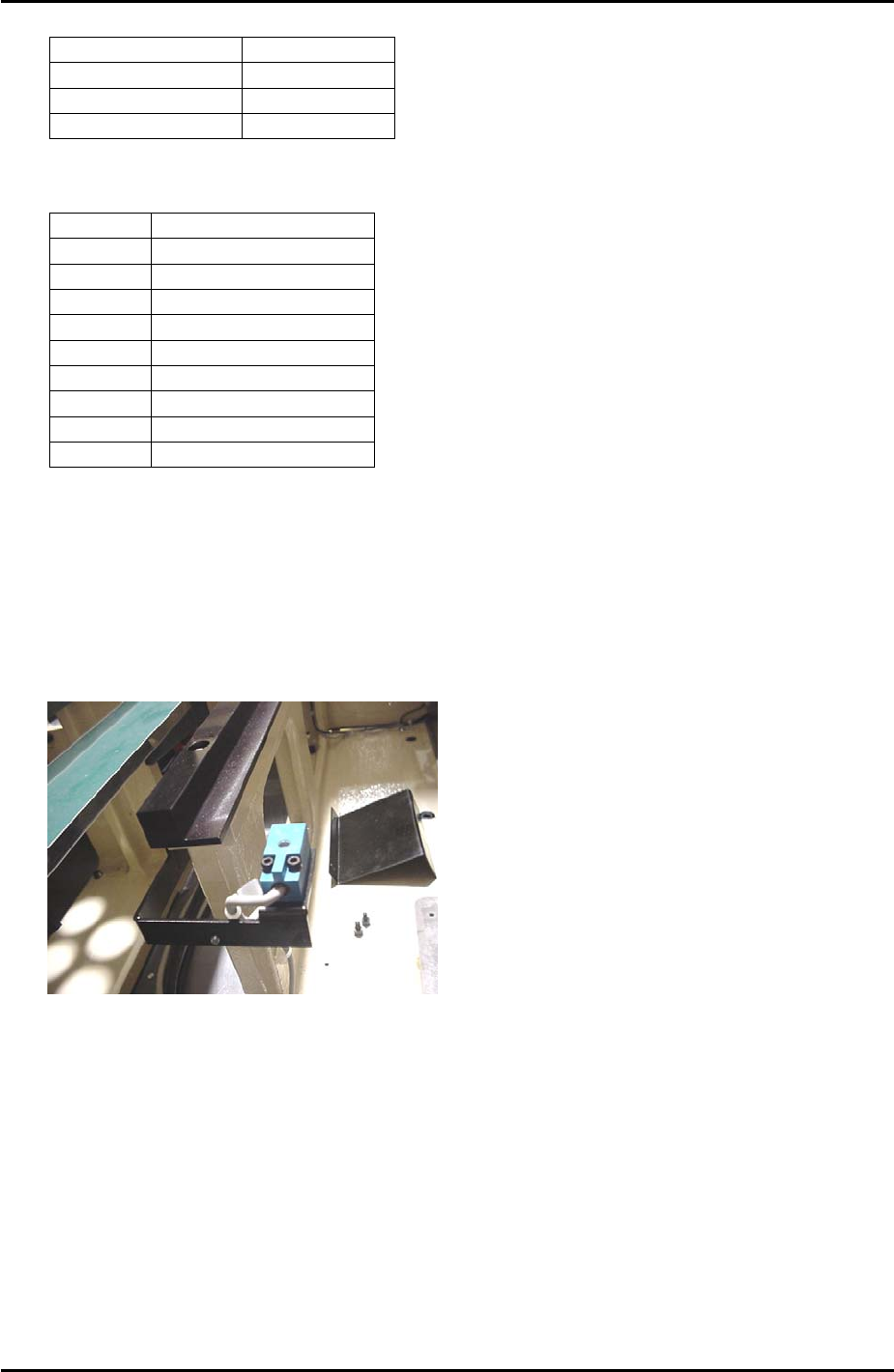
3. At this position set the height of the tray pickup position check sensor so that there is a
gap of 2.5mm between the top surface of the sensor and the bottom surface of the tray
pallet.
4. Select [Maintenance A] – [I/O Check] – [X039 P.PosTrayDetect] to monitor the sensor
signal. When the sensor is interrupted the I/O is OFF, but the LED is ON.
5. Adjust the position of the sensor in the Y direction so that the LED just comes ON and
then fix it 3mm further in that direction.
6. Check the sensor operation by I/O.
Fuji Machine Mfg. Co., Ltd. Okazaki
SMT Equipment Quality Assurance Dept.
8 – 13 CS Section