XP Type II 工程师培训手册 (2.0).pdf.pdf - 第223页
FK-9F98-34 XP T ype II Series T raining T ext for Service Engineers Edition 2.0 XP242E – Chapter 9 Options Page 1 1 of 12 12. Press [OK] to display the following window: 13. Now input the X_Unit value in the Y_Unit field…
FK-9F98-34 XP Type II Series Training Text for Service Engineers
Edition 2.0 XP242E – Chapter 9 Options Page 10 of 12
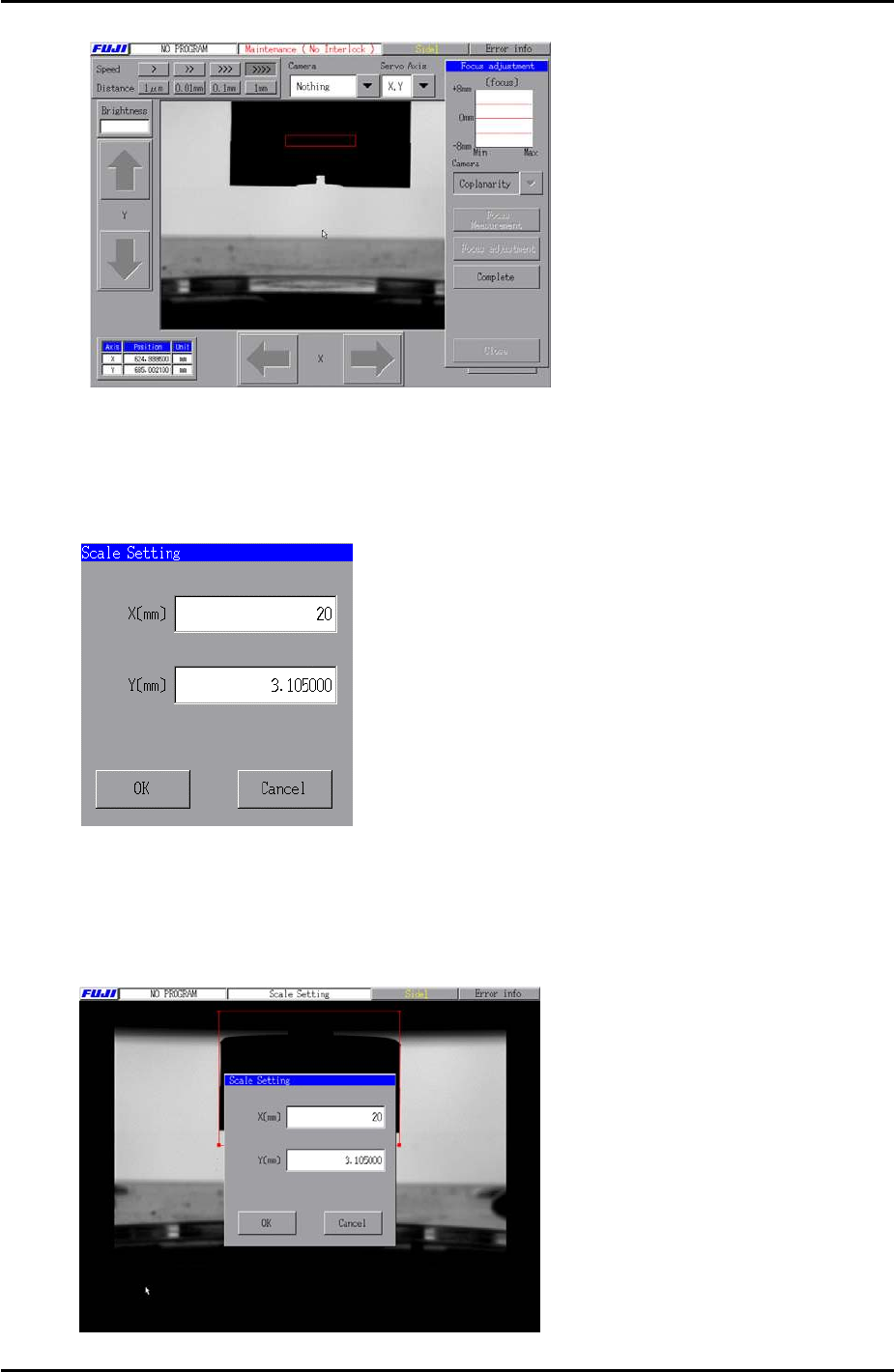
8. Return to the [Main] screen and select [Maintenance A] – [Scale Setting] – and select
[Coplanarity] from the camera drop down list.
9. Select [Manual Scale Setting] and the following text box displays:
10. Input a value of “20” in the X field. There is no need to edit the value in the Y field.
11. Use the mouse to align the X caliper lines with the coplanarity jig as shown in the
following image:
Fuji Machine Mfg. Co., Ltd. Okazaki
SMT Equipment Quality Assurance Dept.
9 – 10 CS Section
FK-9F98-34 XP Type II Series Training Text for Service Engineers
Edition 2.0 XP242E – Chapter 9 Options Page 11 of 12
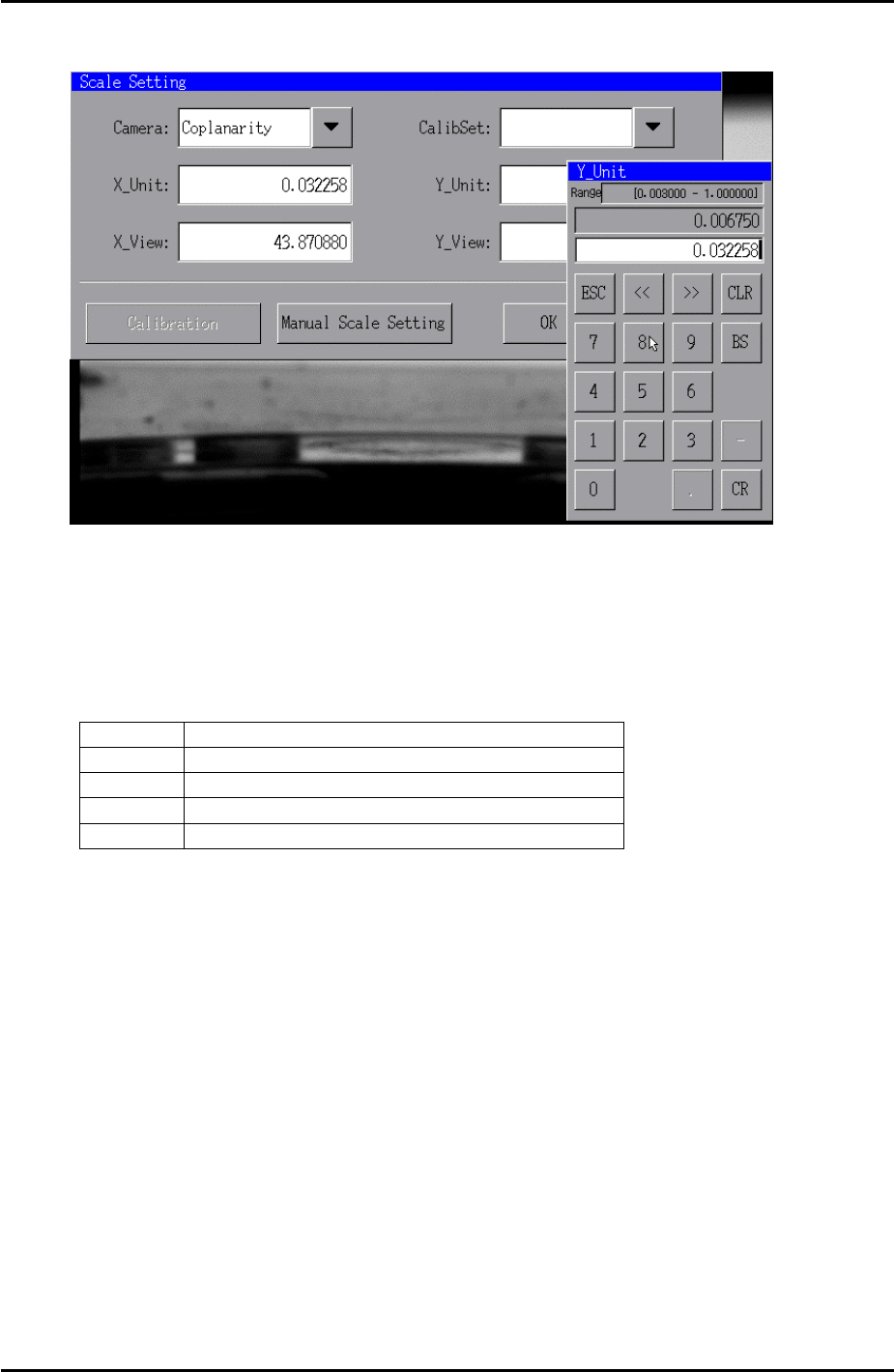
12. Press [OK] to display the following window:
13. Now input the X_Unit value in the Y_Unit field as shown in the image above.
14. Once the Y-unit value has been input the Y_View field is set automatically.
15. Check that the coplanarity resolution is within the following tolerance:
Coplanarity camera resolution tolerance
X_Unit 0.03145 ~ 0.03339
X_View 42.8 ~ 45.4
Y_Unit 0.03145 ~ 0.03339
Y_View 32.6 ~ 34.6
16. Press [OK] to finish and then remove the coplanarity jig from the machine.
Fuji Machine Mfg. Co., Ltd. Okazaki
SMT Equipment Quality Assurance Dept.
9 – 11 CS Section

FK-9F98-34 XP Type II Series Training Text for Service Engineers
Edition 2.0 XP242E – Chapter 9 Options Page 12 of 12
NOTES:
Fuji Machine Mfg. Co., Ltd. Okazaki
SMT Equipment Quality Assurance Dept.
9 – 12 CS Section