XP Type II 工程师培训手册 (2.0).pdf.pdf - 第176页
FK-9F98-34 XP T ype II Series T raining T ext for Service Engineers Edition 2.0 XP242E – Chapter 6 Proper Data Mea surement s Page 21 of 30 6.12 Nozzle Size Check 1. Make sure the configuration in the nozzle change st at…
FK-9F98-34 XP Type II Series Training Text for Service Engineers
Edition 2.0 XP242E – Chapter 6 Proper Data Measurements Page 20 of 30
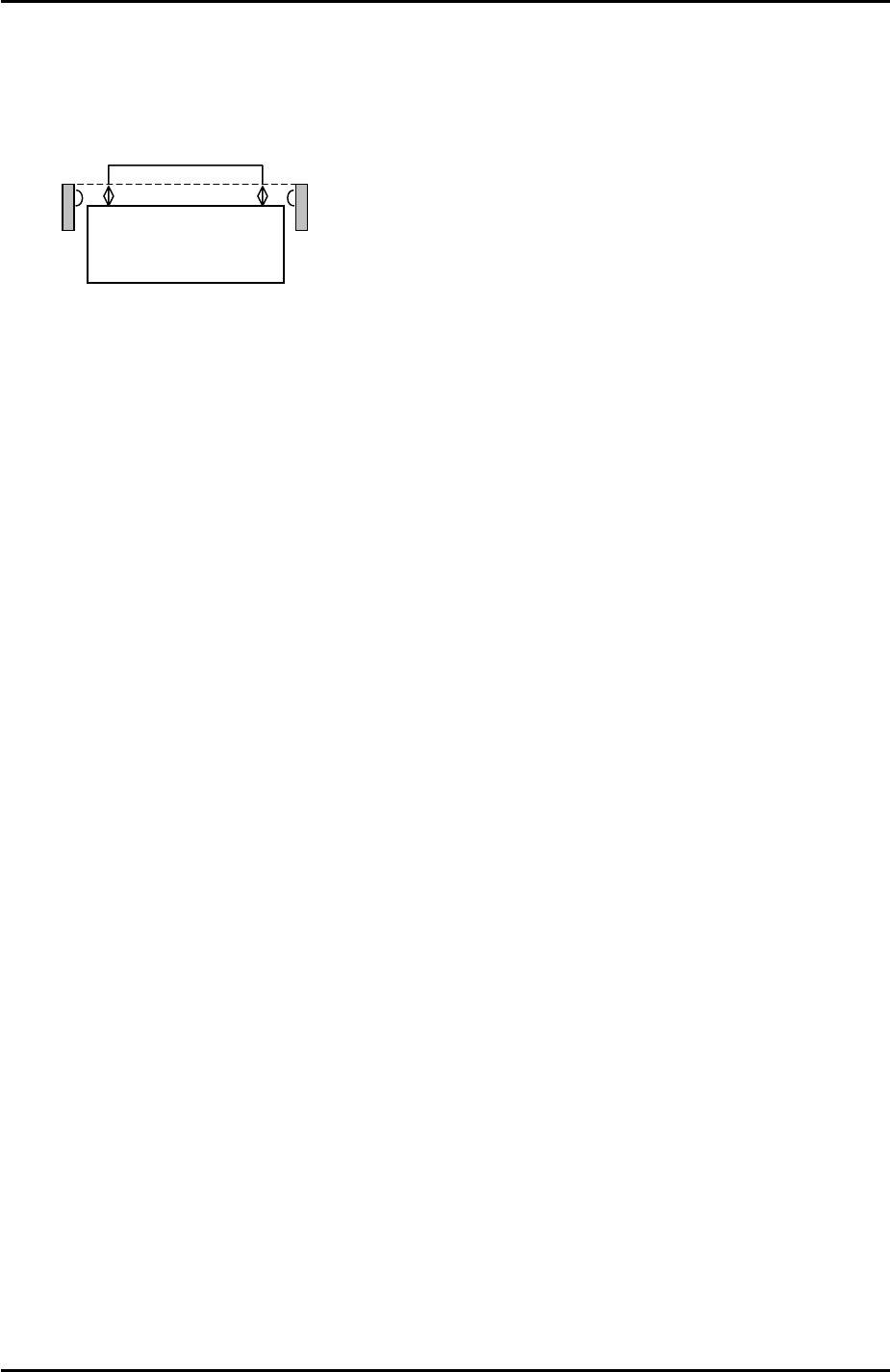
Nozzle change station set check sensors
1. The position of the sensors should be adjusted so that they are between 3.5mm to
4.0mm above the nozzle change station surface:
Nozzle Station
3.5mm~4.0mm
2. To monitor the I/O signal select [Maintenance A] – [I/O Check] – [X023: NzlSetChk].
3. Adjust the position of the sensors so that the I/O is OFF when the nozzles are set
correctly in the station and ON when a 1mm feeler gage is placed on top of the
nozzles.
6.11 Nozzle Place Measurement
1. From the Production screen select [Nozzle Editor] and set nozzle entry 1 to 1.8mm.
2. Place a 1.8mm nozzle in the nozzle change station pocket 1.
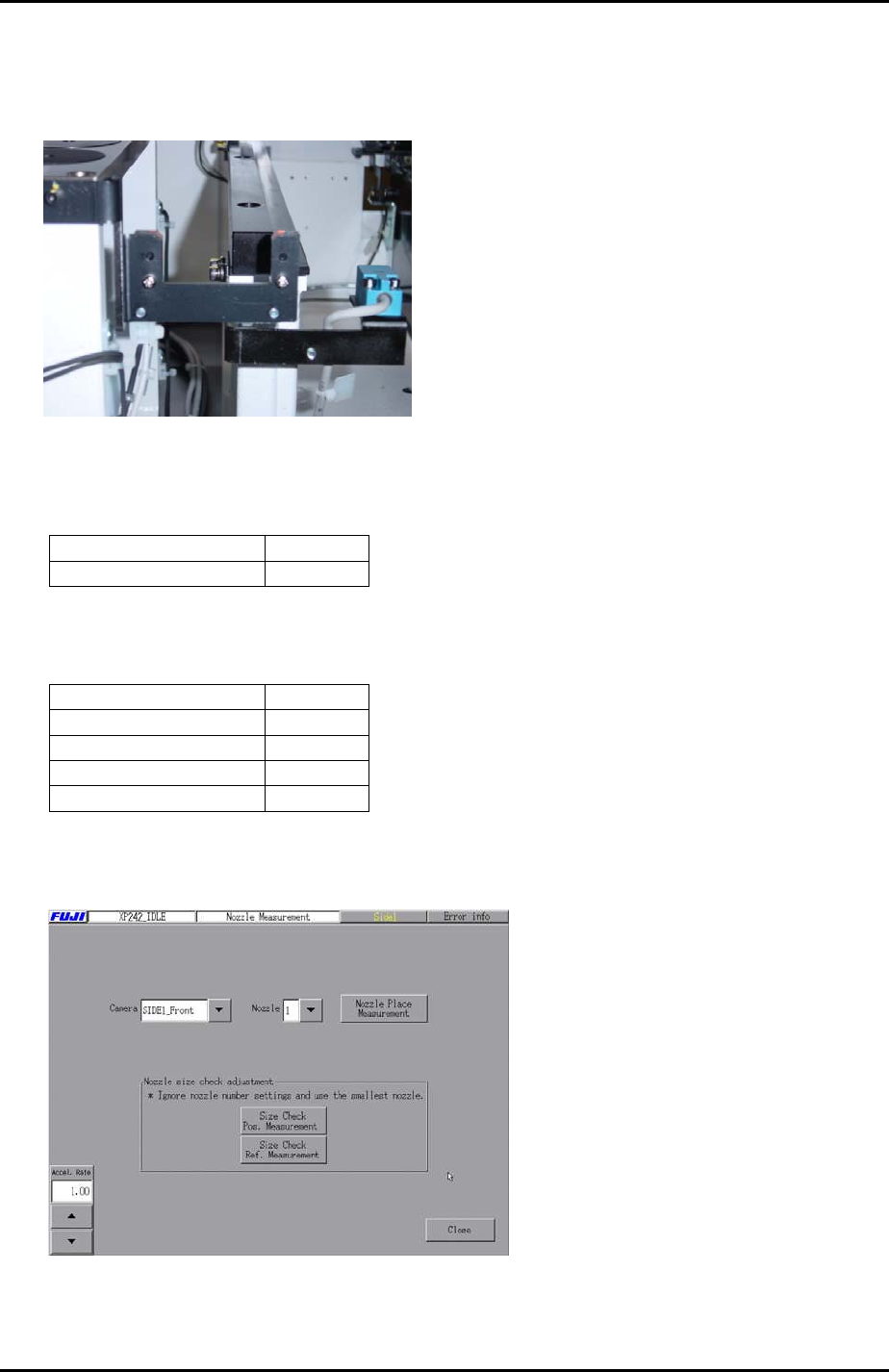
3. Select [Maintenance C] – [Nozzle Measurement] to enter the nozzle place
measurement screen.
4. Select the [Side1_Front] camera and set the acceleration rate to 1.0.
5. Select nozzle 1 and press [Nozzle Place Measurement] – [START] to execute
nozzle place measurement. Here the placement head picks up nozzle 1 and vision
processing is carried out.
6. This measurement makes a small offset to the [X_NzlPosX1/Y_NzlPosY1] proper
data measured in 6.10. Using the vision processing system the machine can
determine the nozzle position more accurately than with the manual measurement
alone.
Fuji Machine Mfg. Co., Ltd. Okazaki.
SMT Equipment Quality Assurance Dept.
6 – 20 CS Section
FK-9F98-34 XP Type II Series Training Text for Service Engineers
Edition 2.0 XP242E – Chapter 6 Proper Data Measurements Page 21 of 30
6.12 Nozzle Size Check
1. Make sure the configuration in the nozzle change station matches the setting in the
nozzle editor.
Nozzle Size Check
2. Select [Maintenance C] – [Proper Data Editor] – [OPERATION_2] and set the
following proper data:
Proper Data Name Setting
_NzSizeChkFlag 1
3. Select [Maintenance C] – [Proper Data Editor] – [OTHERS] and set the following
proper data:
Proper Data Name Setting
NzSizeChkSpeed 50.0
NzSizeChkLength 5.0
NzSizeChkHeight 20.0
NzSizeChkDepth 0.6
4. Select [Maintenance C] – [Nozzle Measurement] – [Size Check Pos. Measurement]
– [START] to carry out the measurement.
5. Once the measurement is completed, select [Maintenance C] – [Proper Data Editor]
– [OTHERS] – and check that the results of the measurement have been recorded
in “_NzSizeChkPosY” and “_NzSizeChkPosZ”.
Fuji Machine Mfg. Co., Ltd. Okazaki.
SMT Equipment Quality Assurance Dept.
6 – 21 CS Section
FK-9F98-34 XP Type II Series Training Text for Service Engineers
Edition 2.0 XP242E – Chapter 6 Proper Data Measurements Page 22 of 30
6. Select [Maintenance C] – [Nozzle Measurement] – [Size Check Ref. Measurement]
– [START] to carry out the measurement.
7. The results of the [Size Check Ref. Measurement] are saved in the hard drive: /sdo
– System – NzlSizeRange.csv.
6.13 Nozzle Station Operation
1. From the production screen select [Nozzle Editor] and configure the nozzle entries
as described in the following table:
Nozzle Number Nozzle diameter (mm)
1 0.7
2 1.0
3 1.3
4 1.8
5 2.5
6 3.7
7 10
8 15
9 20
2. Arrange the nozzles in the nozzle station so that they match the nozzle editor
configuration.
3. Select [Manual Operation] – [Nozzle operation] – [1] – [Execute] – [START] to pick
up nozzle 1. Check that the placing head picks up the nozzle smoothly and then
select [Place] – [Execute] – [START] to return the nozzle to the nozzle station.
4. Repeat this procedure for all the remaining nozzles.
6.14 Parts Reject Positions
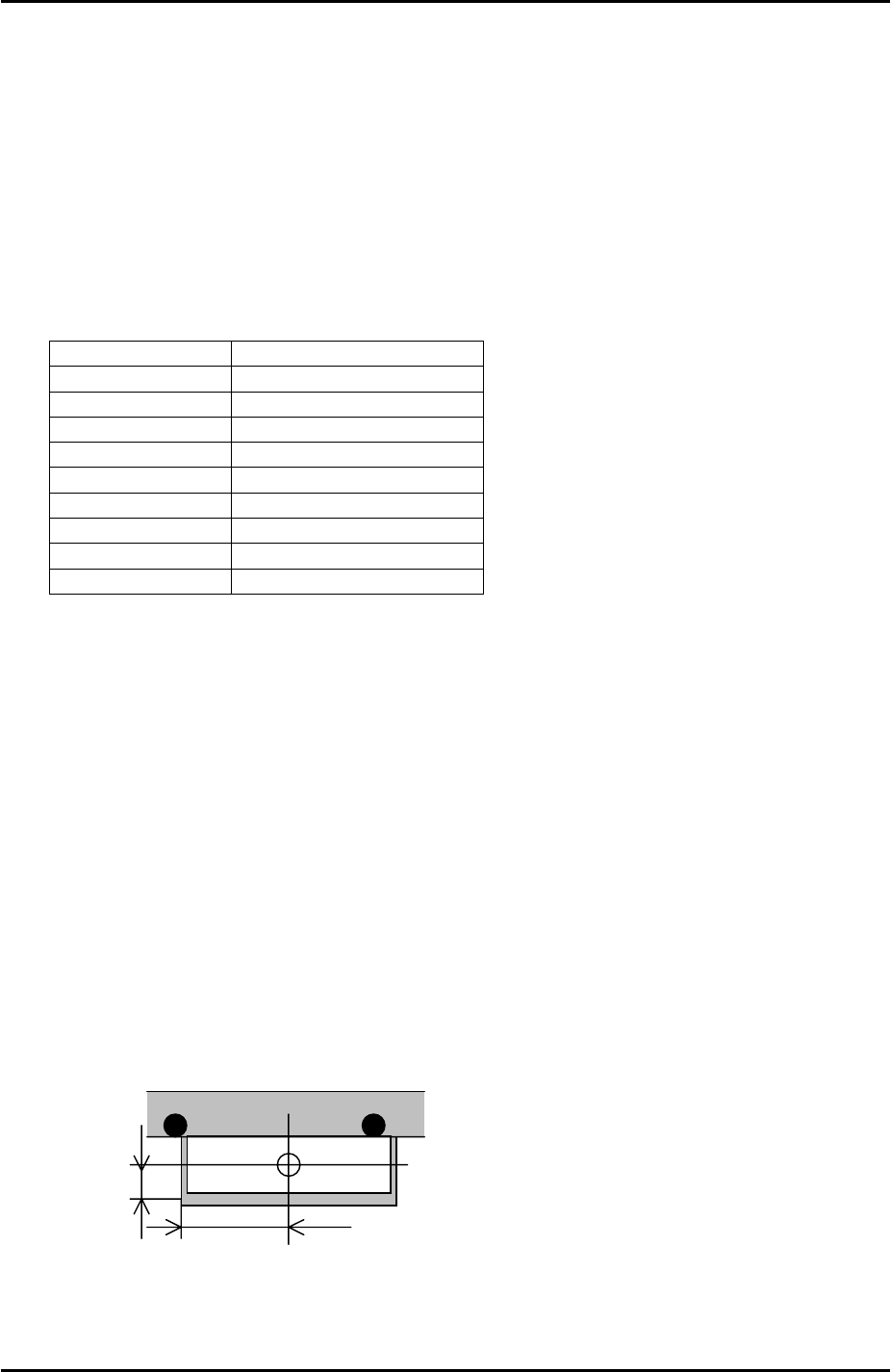
Small Parts Reject Position
1. Select [Maintenance A] – [Jog] – [Fiducial] and display the cross hairs on the
screen.
Small parts reject pos.
12.5mm
35mm
2. Jog the fiducial camera until it is in the centre of the small parts reject box on the
fixed rail. Refer to the diagram above for the dimensions of the box.
Fuji Machine Mfg. Co., Ltd. Okazaki.
SMT Equipment Quality Assurance Dept.
6 – 22 CS Section