XP Type II 工程师培训手册 (2.0).pdf.pdf - 第49页
FK-9F98-34 XP T ype II Series T raining T ext for Service Engineers Edition 2.0 XP142E – Chapter 5 Peripheral Adjustm ents Page 5 of 14 7. T urn the dial to select F1 or F2 depending on which of the two a mplifiers are b…
FK-9F98-34 XP Type II Series Training Text for Service Engineers
Edition 2.0 XP142E – Chapter 5 Peripheral Adjustments Page 4 of 14
5.3 Tape Leaf Sensors
Initial Setting
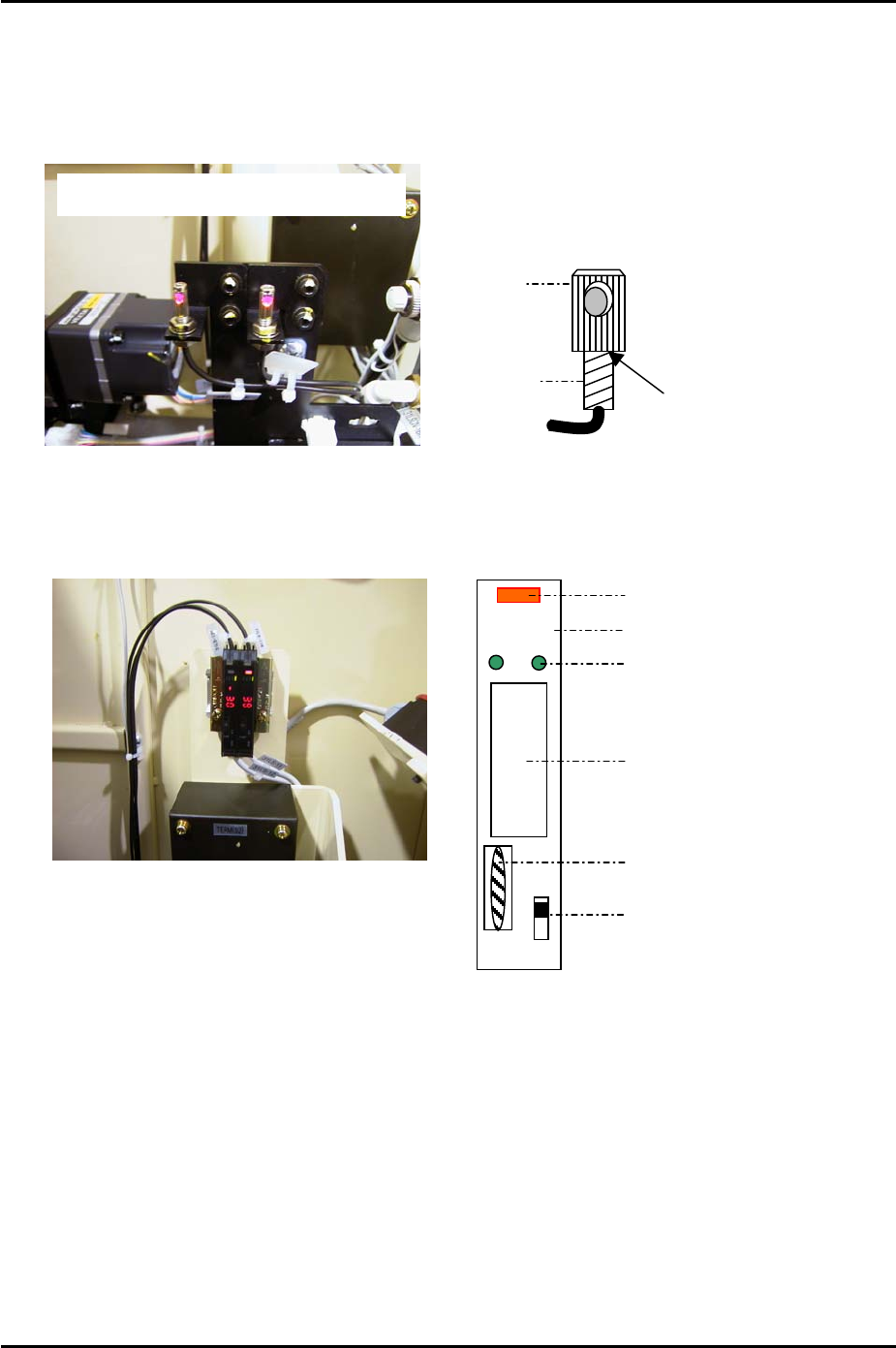
1. Fix the attachment to the fiber sensor using Loctite 222 adhesive.
Double detection type tape leaf sensors
A
pply Loctite 222 here
Fiber sensor
A
ttachment
Amplifier Frequency Setting
DOLO
RUN
SET
TMR
ADJ
Digital Display
Operation Light
Mode Lights
Mode Display
Dial Switch
L-ON/D-ON Changeover Switch
1. Set the L-ON/D-ON changeover switch to L_ON.
2. Press the dial switch once (the RUN light in the Mode Display flashes and “AA” is
displayed on the digital display).
3. Turn the dial switch until SET flashes on the “Mode Display”.
4. Press and hold the dial switch for 3 seconds (SET stops flashing and the Mode Lights
come ON).
5. Turn the dial switch until “– –“ is displayed on the digital display.
6. Press and hold the dial switch for 8 seconds.
Fuji Machine Mfg. Co., Ltd. Okazaki
SMT Equipment Quality Assurance Dept.
5 – 4 CS Section
FK-9F98-34 XP Type II Series Training Text for Service Engineers
Edition 2.0 XP142E – Chapter 5 Peripheral Adjustments Page 5 of 14
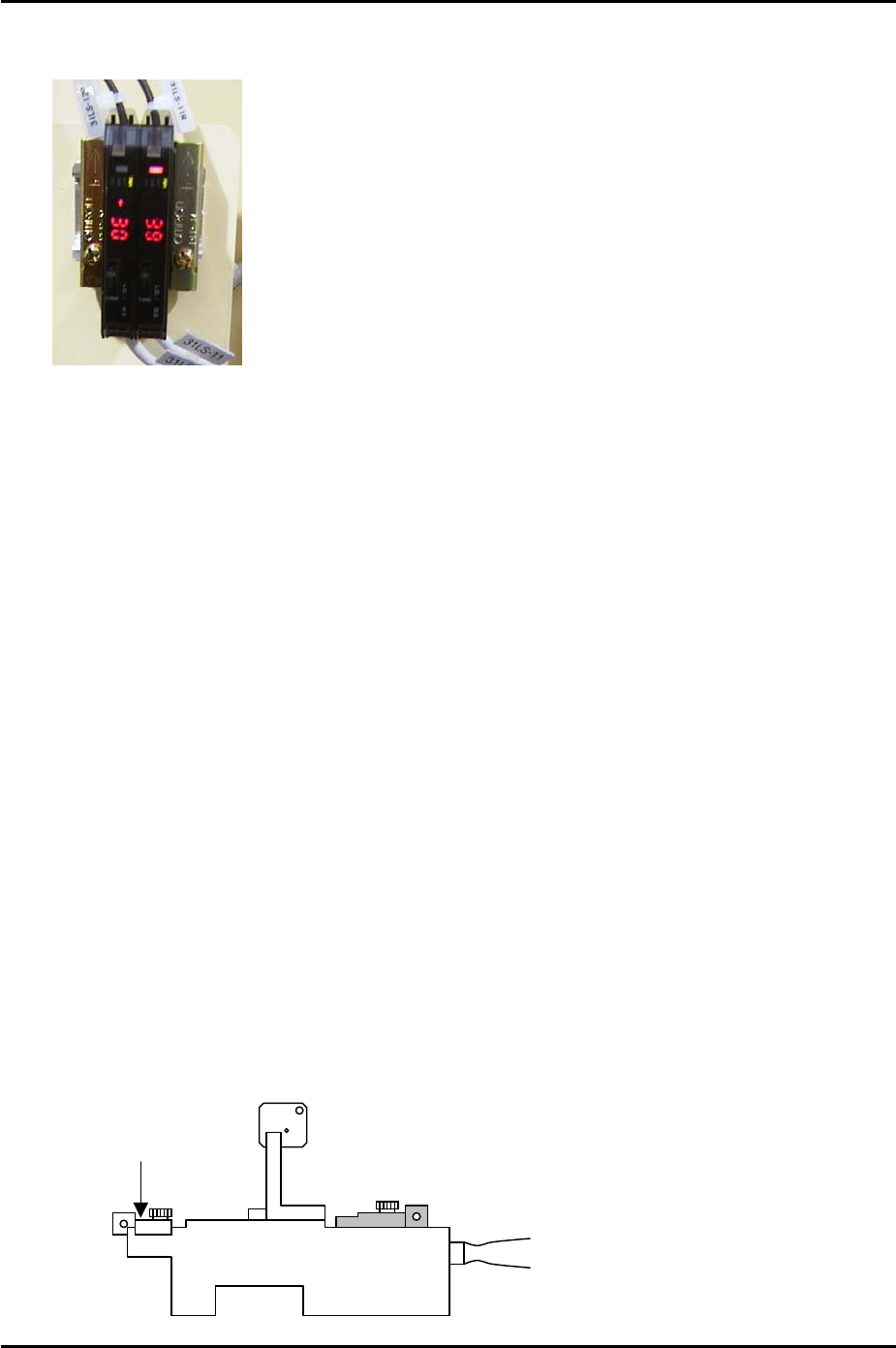
7. Turn the dial to select F1 or F2 depending on which of the two amplifiers are being
adjusted (refer to the photo of the amplifiers below).
Side 1
F1
F2
8. Press the dial switch once so that SET in the Mode Display flashes.
9. Turn the dial until RUN in the mode display flashes.
10. Press the dial switch once (RUN stops flashing and a number 1~100 displays in the
digital display).
11. Repeat the procedure for the other amp.
HP Mode and Sensor Position Setting
1. Press the dial switch once (the RUN light in the Mode Display flashes and “AA” is
displayed on the digital display).
2. Turn the dial switch until SET flashes on the “Mode Display”.
3. Press and hold the dial switch for 3 seconds (SET stops flashing and the Mode Lights
come ON).
4. Turn the dial switch until “HP” is displayed on the digital display.
5. Press the dial switch once (SET in the mode display flashes).
6. Press the dial switch once so that “2P” flashes on the digital display.
7. Turn the dial until a number 1~100 displays on the digital display.
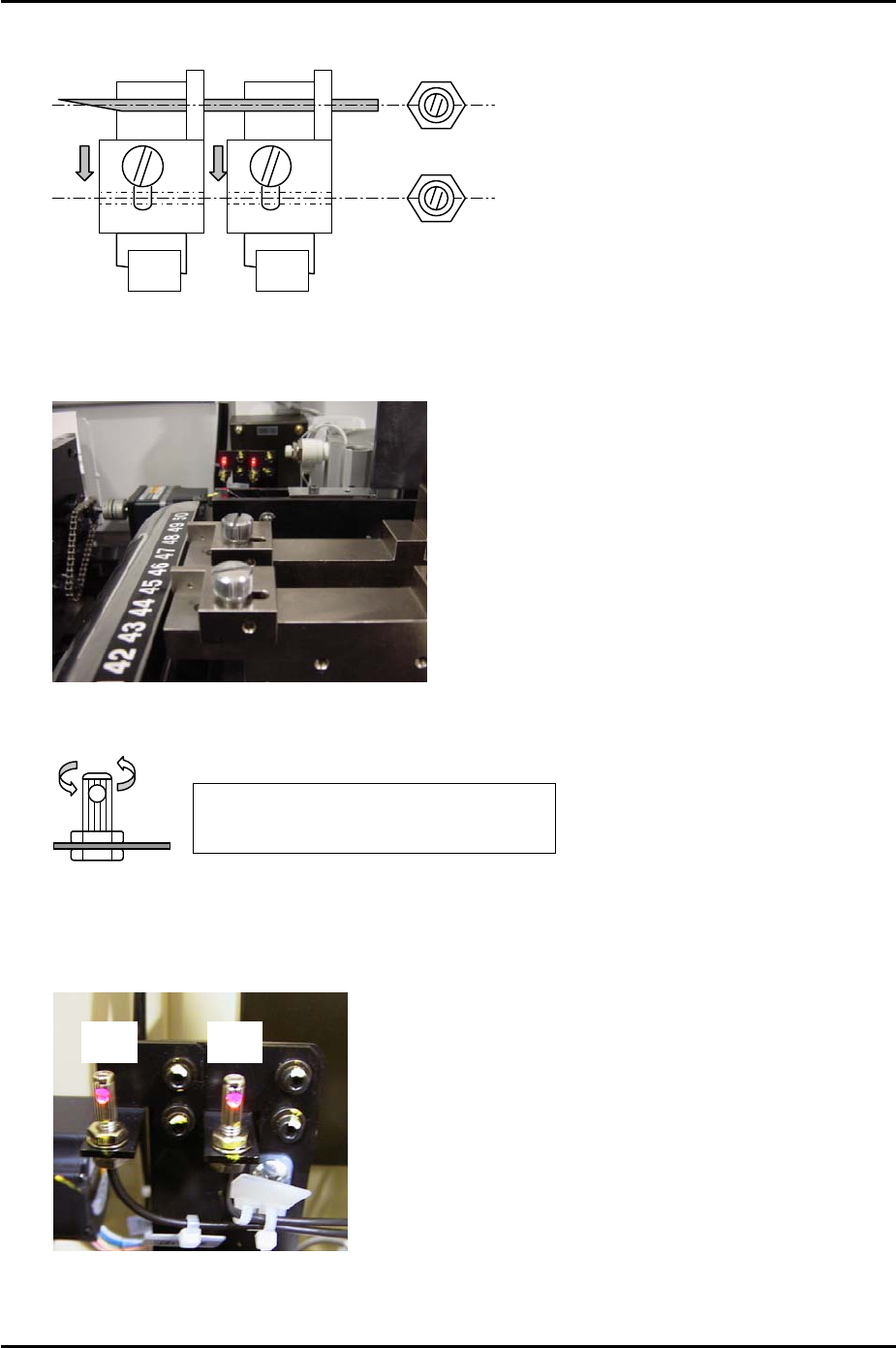
8. Clamp the MFU and set two sensor adjustment jigs (Z9731ADEPJ8070) in slots D47 and
D49.
Front Attachment
Z9631ADEPJ8070
Fuji Machine Mfg. Co., Ltd. Okazaki
SMT Equipment Quality Assurance Dept.
5 – 5 CS Section
FK-9F98-34 XP Type II Series Training Text for Service Engineers
Edition 2.0 XP142E – Chapter 5 Peripheral Adjustments Page 6 of 14
9. Make sure the front sliding attachments on the jig are pulled to the rear of the jig (away
from the machine interior).
Side 1
F1
F2
D47 D49
10. Insert a 1.8mm diameter wire jig through both holes in the sliding attachments and adjust
the position of the sensor so that the point where the sensor beam is emitted is aligned
with the center of the wire jig.
11. Confirm that the fiber sensor attachment is securely fixed to the fiber sensor.
Make sure that it is not possible to turn
the fiber sensor attachment by hand
12. Now fine adjust the position of the sensors to find the position where the number on the
digital display is maximised. This maximum value should be greater than 3. If the value
is 3 or less check the fiber wiring and clean the sensor lens.
Side 1
F2 F1
13. After the sensors have been set at the optimum position turn the dial switch on the
sensor amplifier until “2P” flashes in the digital display.
Fuji Machine Mfg. Co., Ltd. Okazaki
SMT Equipment Quality Assurance Dept.
5 – 6 CS Section