XP Type II 工程师培训手册 (2.0).pdf.pdf - 第93页
FK-9F98-34 XP T ype II Series T raining T ext for Service Engineers Edition 2.0 XP142E – Chapter 7 Operation and Accuracy Page 3 of 8 7. Load the glass part s in the front half of the pickup plat form jig as shown in the…
FK-9F98-34 XP Type II Series Training Text for Service Engineers
Edition 2.0 XP142E – Chapter 7 Operation and Accuracy Page 2 of 8
7.2 Glass Parts PAM
Side 1
1. Equipment: glass board (Z9731DNPJ002*), glass parts (Z9731DNPJ364*), Pick up
platform jig (Z9734DNPJ123*).
2. Select [Production] – [Nozzle Center Measurement] – [Side1] – acceleration rate [1.0] –
[Rotate Center Measurement] to carry out rotate center measurement. Carry this out at
least three times prior to PAM measurement.
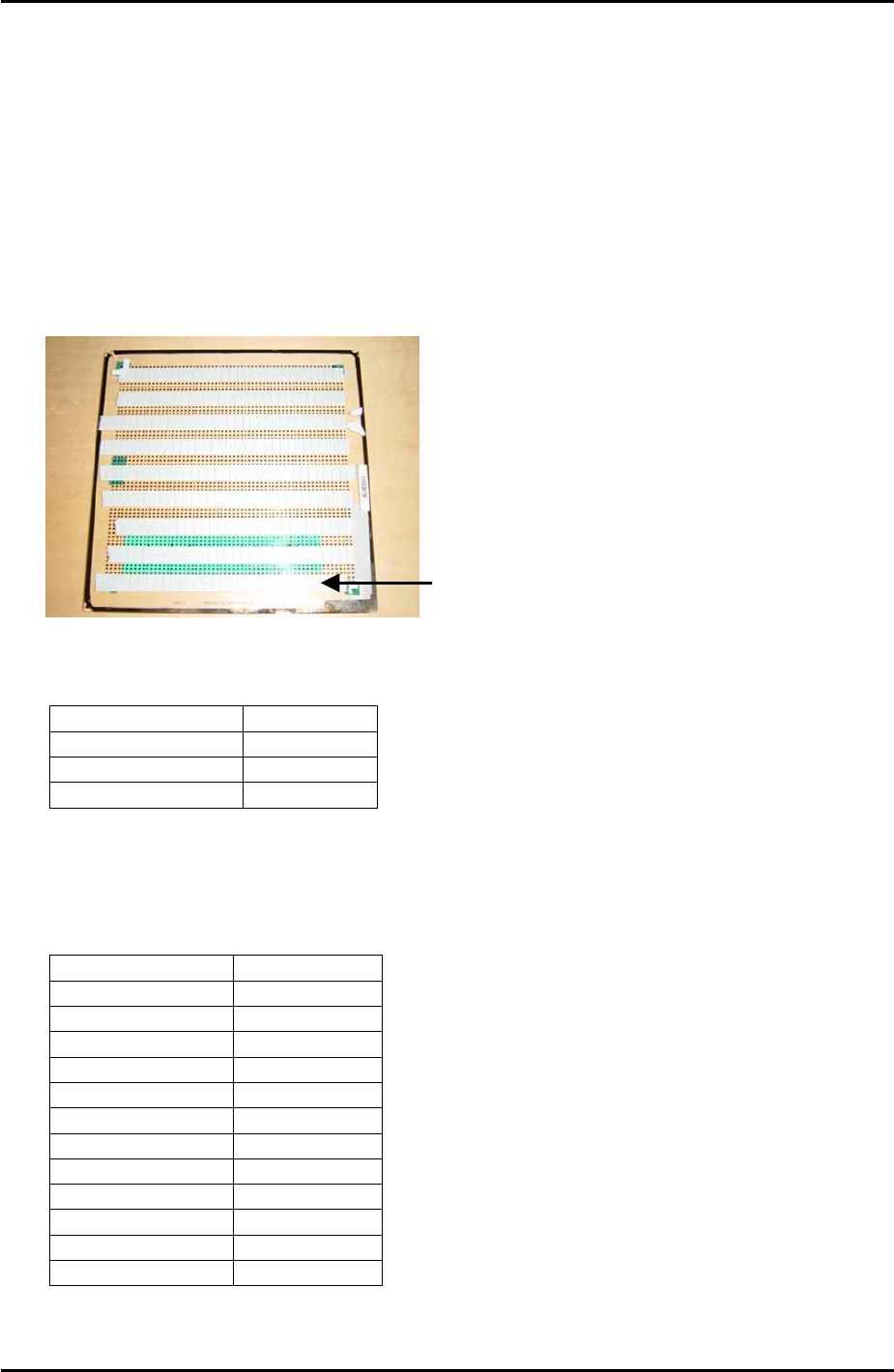
3. Put double sided tape on the board as shown in the photo below:
The tape should cover the first 4
rows of dots at the bottom of the
board, then there is a gap of 3
rows of dots before the next strip
of tape covers 4 rows of dots and
so on.
4. Select [Maintenance A] – [Operation Settings] – and make the following settings:
Operation Mode Production
Production Mode Automatic
Error handling Error Stop
Accel. Rate 1.00
5. Set the conveyor width to 178mm.
6. Set the following nozzles in the revolver and in the nozzle editor:
Nozzle number Nozzle Size
1 5mm
2 Empty
3 Empty
4 5mm
5 Empty
6 Empty
7 5mm
8 Empty
9 Empty
10 5mm
11 Empty
12 Empty
Fuji Machine Mfg. Co., Ltd. Okazaki
SMT Equipment Quality Assurance Dept.
7 – 2 CS Section
FK-9F98-34 XP Type II Series Training Text for Service Engineers
Edition 2.0 XP142E – Chapter 7 Operation and Accuracy Page 3 of 8
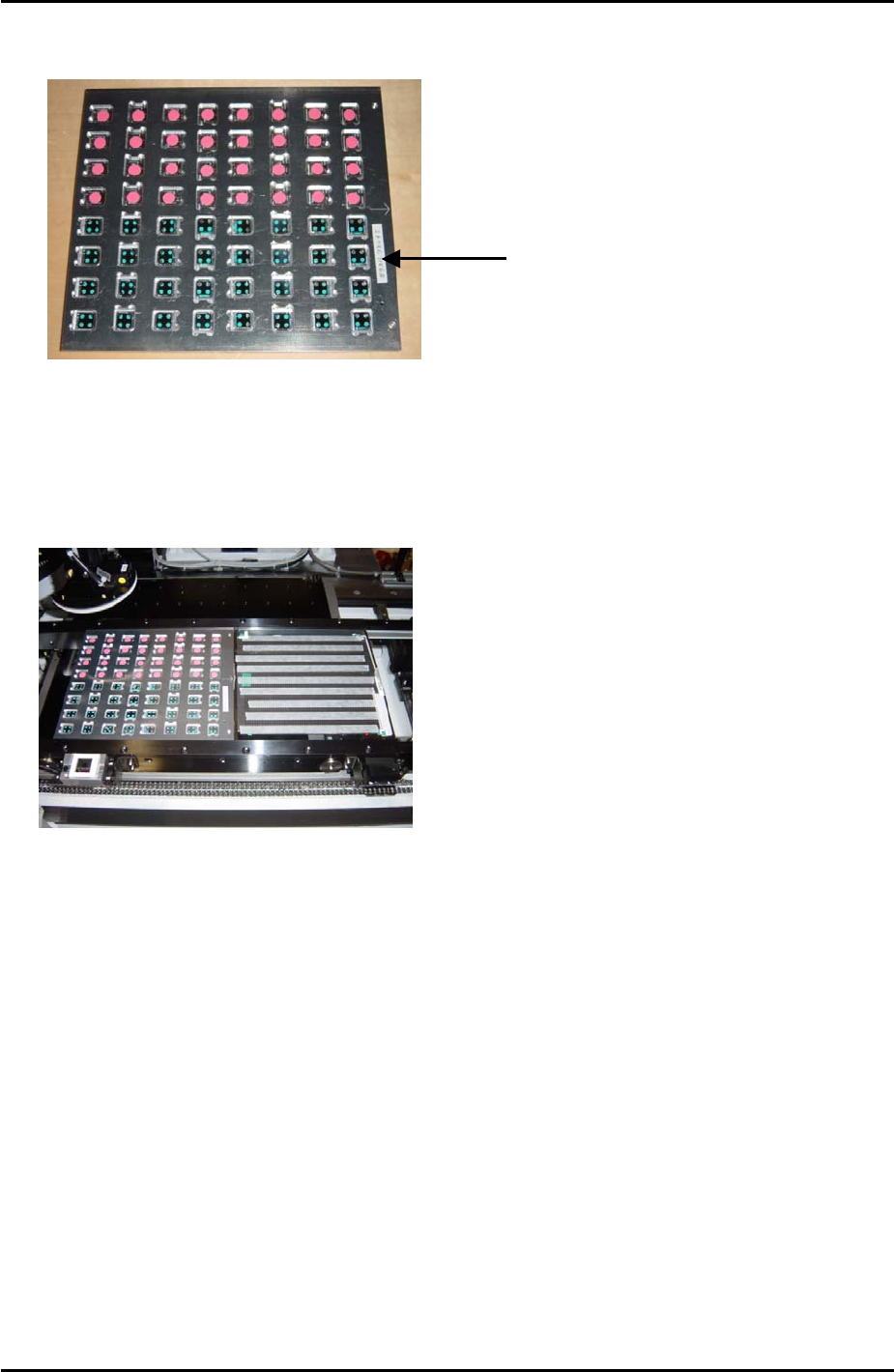
7. Load the glass parts in the front half of the pickup platform jig as shown in the photo
below:
Glass parts are picked
up from the front hal
f
of the pick up jig
8. Load the pick up platform jig and the glass board in the main conveyor.
9. Check for interference and then select [Maintenance C] – [Glass Gauge Measurement] –
[READY ON] – [Stopper Up] to raise the main stopper. Put the glass board and pick up
platform jig against the stopper as shown in the photo below, then select [Clamp] –
[START] to clamp the main conveyor:
10. Select [Side1] – [Start] – [START] and the machine picks up the parts and places them on
the glass board.
11. When parts placement is completed and a message appears press [START] to carry out
measurement.
Fuji Machine Mfg. Co., Ltd. Okazaki
SMT Equipment Quality Assurance Dept.
7 – 3 CS Section
FK-9F98-34 XP Type II Series Training Text for Service Engineers
Edition 2.0 XP142E – Chapter 7 Operation and Accuracy Page 4 of 8
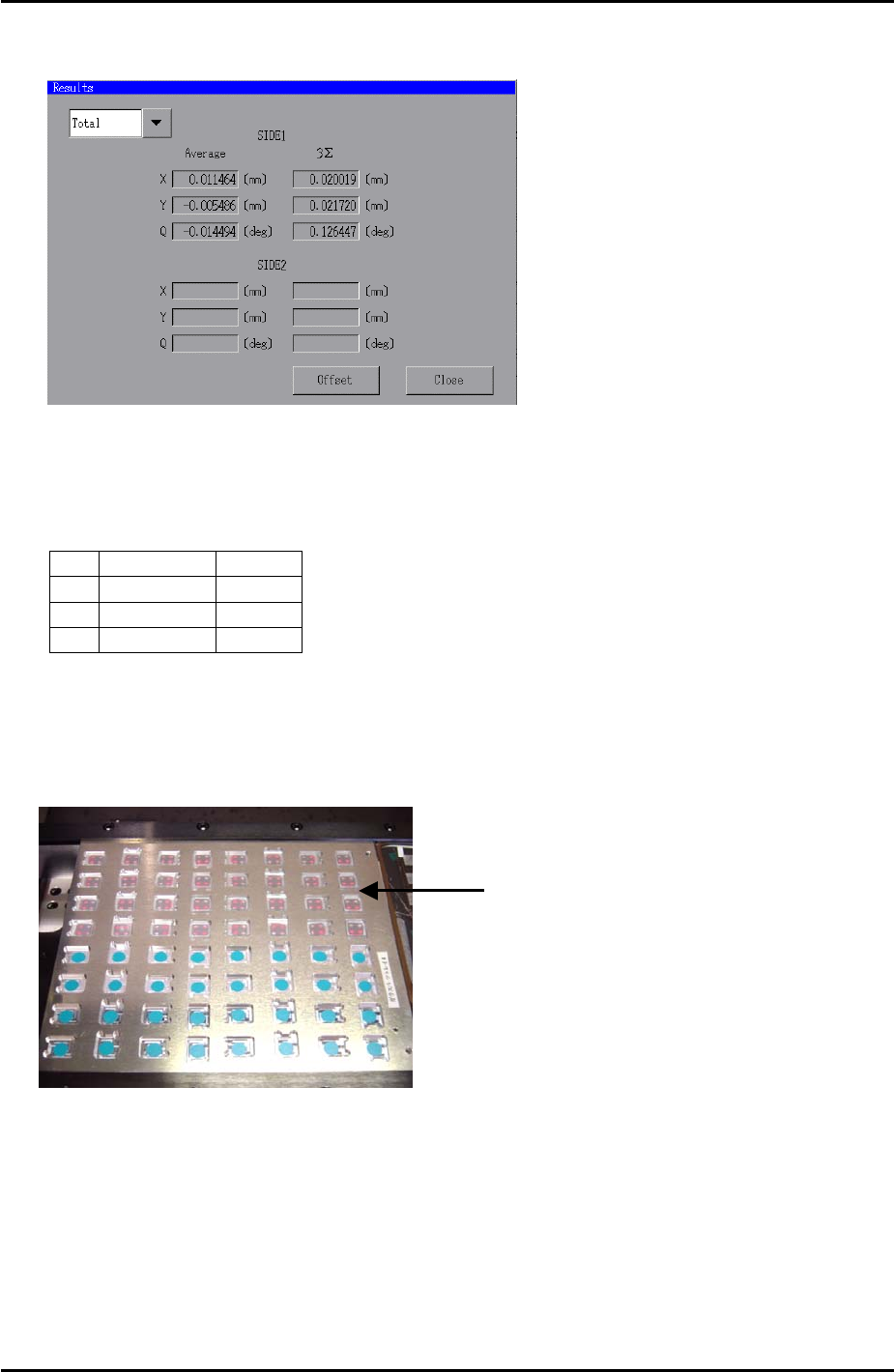
12. When measurement is completed press [OK] and select [Results] to display the results of
the measurement. The following window displays:
13. Select [Offset] – [OK] to save the placement offset.
14. Repeat steps 7 to 13 until the results are within the following tolerance:
Average 3∑
X
+/- 0.010 0.030
Y
+/- 0.010 0.030
Q
+/- 0.200 0.200
Side 2
1. Repeat for the side 2 camera, (select side 2 at step 10) and move the parts to the rear
half of the pickup jig as indicated in the photo below:
Glass parts are picked
up from the rear half o
f
the pick up jig
Fuji Machine Mfg. Co., Ltd. Okazaki
SMT Equipment Quality Assurance Dept.
7 – 4 CS Section