XP Type II 工程师培训手册 (2.0).pdf.pdf - 第190页
FK-9F98-34 XP T ype II Series T raining T ext for Service Engineers Edition 2.0 XP242E – Chapter 7 Checking Operation and Accuracy Page 4 of 6 Side 2 1. Repeat for the side 2 camera, (select side 2 at step 10) and move t…
FK-9F98-34 XP Type II Series Training Text for Service Engineers
Edition 2.0 XP242E – Chapter 7 Checking Operation and Accuracy Page 3 of 6
8. Load the pick up platform jig and the glass board in the main conveyor.
9. Check for interference and then select [Maintenance C] – [Glass Guage measurement] –
[READY ON] – [Stopper Up] to raise the main stopper. Put the glass board and pick up
platform jig against the stopper as shown in the photo below, then select [Clamp] –
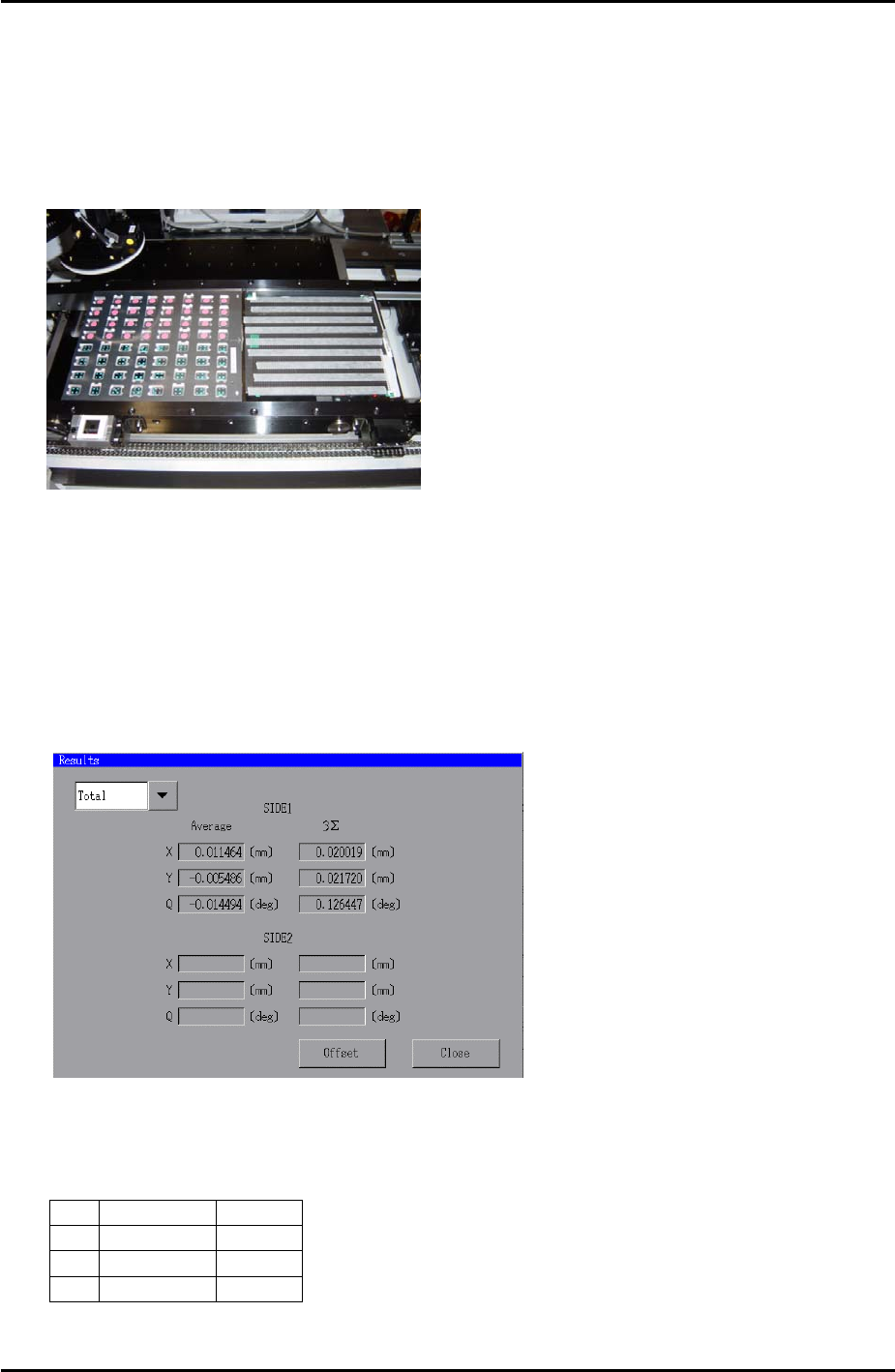
[START] to clamp the main conveyor:
10. Select [Side1] – [Start] – [START] and the machine picks up the parts and places them on
the glass board.
11. When parts placement is completed and a message appears press [START] to carry out
measurement.
12. When measurement is completed press [OK] and select [Results] to display the results of
the measurement. The following window displays:
13. Select [Offset] – [OK] to save the placement offset.
14. Repeat steps 7 to 13 until the results are within the following tolerance:
Average 3∑
X
+/- 0.010 0.030
Y
+/- 0.010 0.030
Q
+/- 0.200 0.100
Fuji Machine Mfg. Co., Ltd. Okazaki
SMT Equipment Quality Assurance Dept.
7–3 CS Section
FK-9F98-34 XP Type II Series Training Text for Service Engineers
Edition 2.0 XP242E – Chapter 7 Checking Operation and Accuracy Page 4 of 6
Side 2
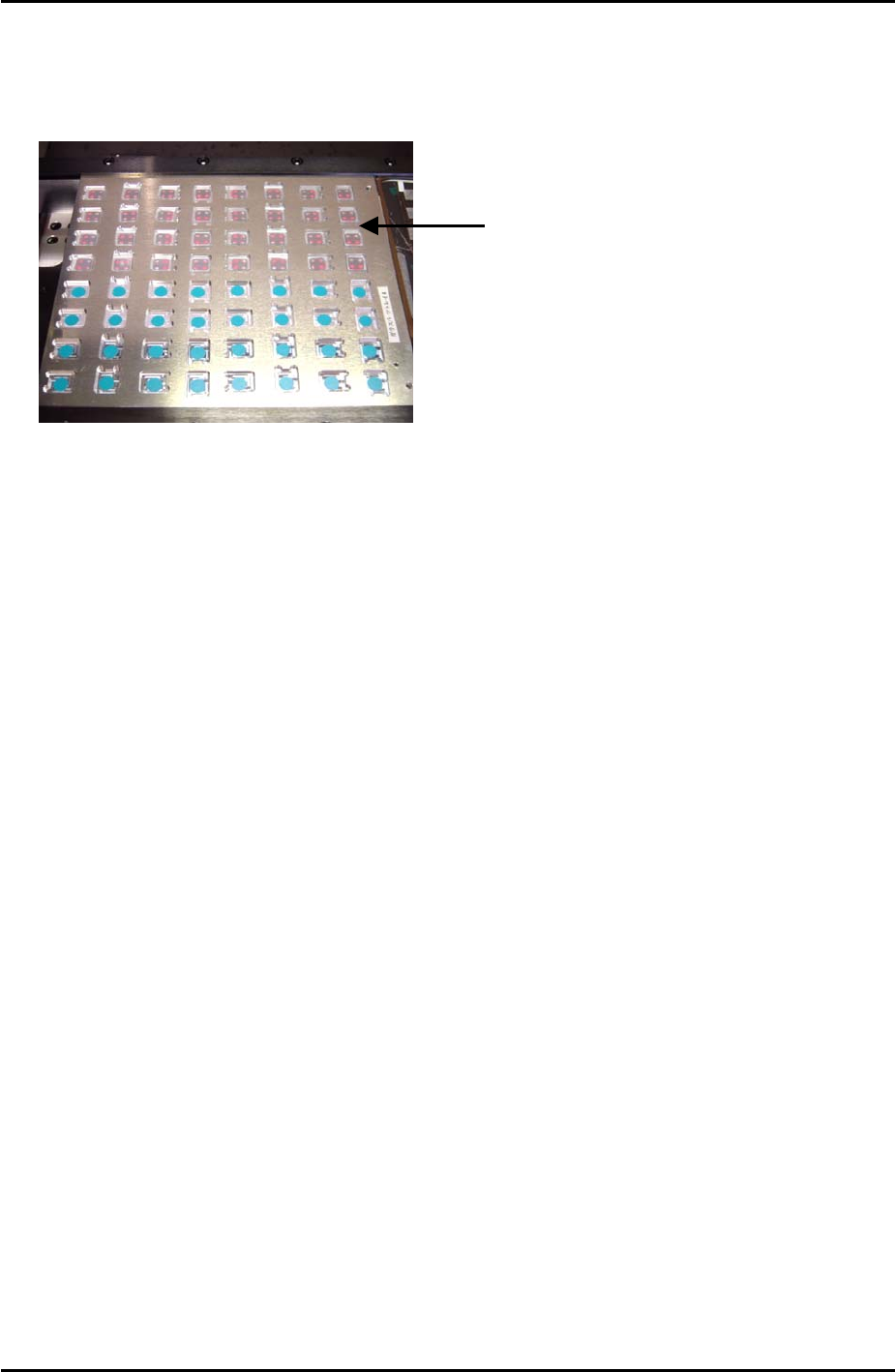
1. Repeat for the side 2 camera, (select side 2 at step 10) and move the parts to the rear
half of the pickup jig as indicated in the photo below:
Glass parts are picked
up from the rear half o
f
the pick up jig
Fuji Machine Mfg. Co., Ltd. Okazaki
SMT Equipment Quality Assurance Dept.
7–4 CS Section
FK-9F98-34 XP Type II Series Training Text for Service Engineers
Edition 2.0 XP242E – Chapter 7 Checking Operation and Accuracy Page 5 of 6
7.3 Reverse PAM
Side 1
1. Equipment: glass board (Z9731DNPJ002*), reverse measurement holder.
2. Select [Production] – [Select Program] – “ReverseAM-F-192-S1.PGO” – [Download].
3. Set a 0.7mm nozzle in the nozzle station and in the nozzle editor.
4. Put a feeder loaded with 1005R components in slot 25 of the MFU.
5. Select [Maintenance A] – [Operation Settings] and make the following settings:
Operation Mode Production
Production Mode Automatic
Error handling Error Pass
Accel. Rate 1.00
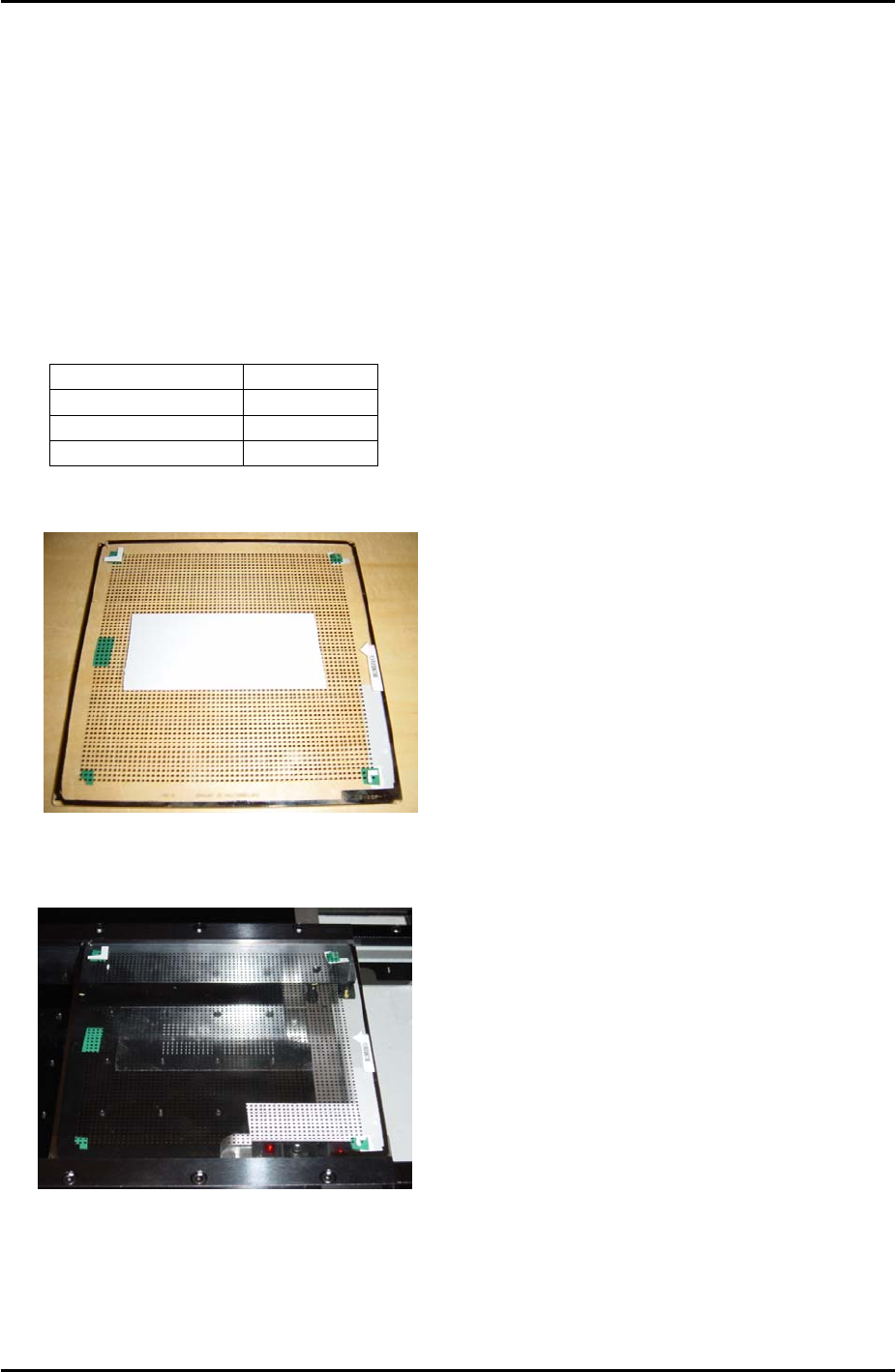
6. Put double sided tape on the center of the glass board as shown in the photo below:
7. Load the board in the conveyor and select [Production] – [Automatic] – [START] and
placement proceeds.
8. Once placement is completed press [CYCLE STOP] – [Close].
Fuji Machine Mfg. Co., Ltd. Okazaki
SMT Equipment Quality Assurance Dept.
7–5 CS Section