XP Type II 工程师培训手册 (2.0).pdf.pdf - 第175页
FK-9F98-34 XP T ype II Series T raining T ext for Service Engineers Edition 2.0 XP242E – Chapter 6 Proper Data Mea surement s Page 20 of 30 Nozzle change st ation set check sensors 1. The position of the sensors should b…
FK-9F98-34 XP Type II Series Training Text for Service Engineers
Edition 2.0 XP242E – Chapter 6 Proper Data Measurements Page 19 of 30
6.10 Nozzle Pickup Position
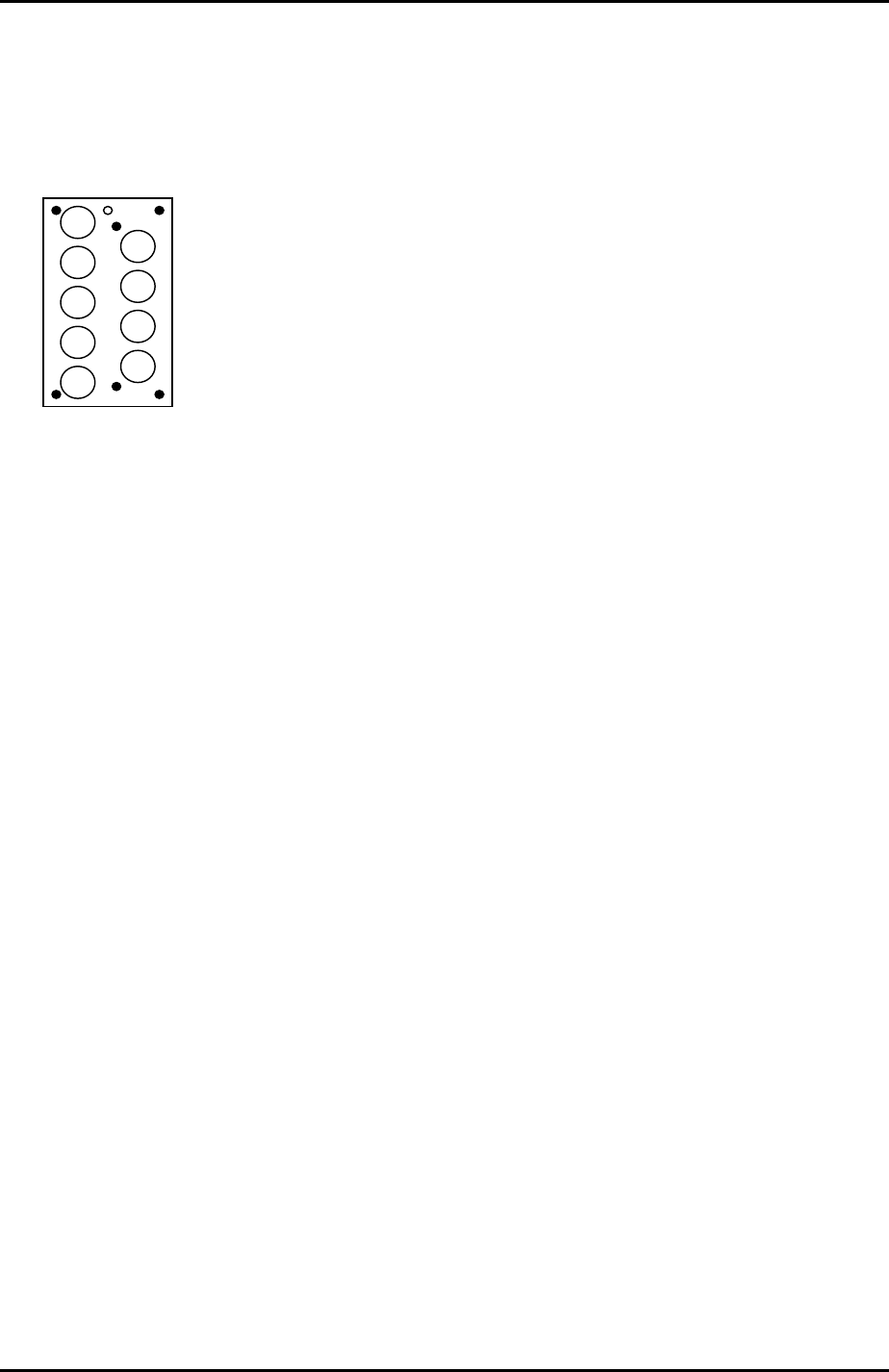
1. Equipment: Nozzle jig (Z9731DEPJ0070). Ring jig (Z9531DEPJ0020).
2. Set the ring jig in the nozzle station number 1 pocket and the nozzle jig on the
placing head.
9
8
7
6
5
4
3
1
2
3. Select [Maintenance A] – [Jog] – and carefully inch the placing head above the
nozzle station number 1 pocket.
4. Press the emergency stop button to cut the 200 volt power supply to the servos and
then manually move the X, Y and Z axes until the nozzle jig can fit smoothly into the
ring jig.
5. Select [Maintenance C] – [Proper data editor] – [Nozzle position] –
[X_NzlPosX1/Y_NzlPosY1] – [Direct Servo Input] to save the current X-axis and Y-
axis servo counts to proper data.
6. Remove the nozzle jig from the placing head.
7. Confirm that the emergency stop button is pressed so that the 200 volt power
supply to the servos is OFF, and then manually move the Z axis until the placing
head just contacts the ring jig. Record the Z-axis counter value at this position.
8. Repeat this procedure for all nine of the nozzle station pockets and calculate the
average Z-axis counter value.
9. Select [Maintenance A] – [Jog] and manually move the Z-axis to the average
counter value.
10. Use inching to raise the Z-axis a further 0.1mm, and select [Maintenance C] –
[Proper data editor] – [Nozzle position] – [Z_NzlPosZ1] – [Direct Servo Input] to
save the current Z-axis position in proper data.
11. To calculate the maximum nozzle height add 51.5mm to the “Z_NzlPosZ1” value.
12. Bring the Z-axis to the new value and select [Z_NzlPosZH] – [Direct Servo Input] to
save the maximum nozzle height in proper data.
Fuji Machine Mfg. Co., Ltd. Okazaki.
SMT Equipment Quality Assurance Dept.
6 – 19 CS Section
FK-9F98-34 XP Type II Series Training Text for Service Engineers
Edition 2.0 XP242E – Chapter 6 Proper Data Measurements Page 20 of 30
Nozzle change station set check sensors
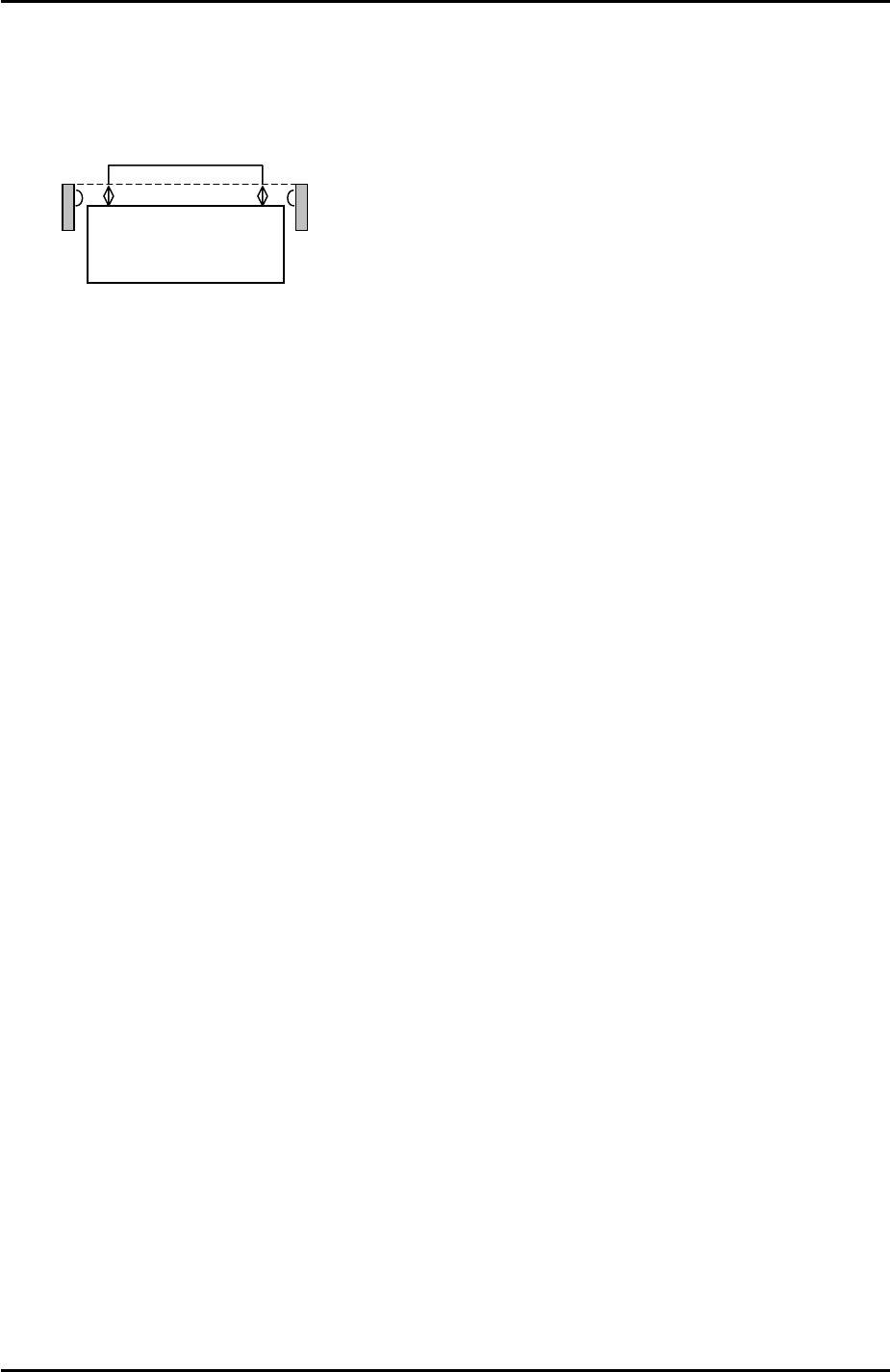
1. The position of the sensors should be adjusted so that they are between 3.5mm to
4.0mm above the nozzle change station surface:
Nozzle Station
3.5mm~4.0mm
2. To monitor the I/O signal select [Maintenance A] – [I/O Check] – [X023: NzlSetChk].
3. Adjust the position of the sensors so that the I/O is OFF when the nozzles are set
correctly in the station and ON when a 1mm feeler gage is placed on top of the
nozzles.
6.11 Nozzle Place Measurement
1. From the Production screen select [Nozzle Editor] and set nozzle entry 1 to 1.8mm.
2. Place a 1.8mm nozzle in the nozzle change station pocket 1.
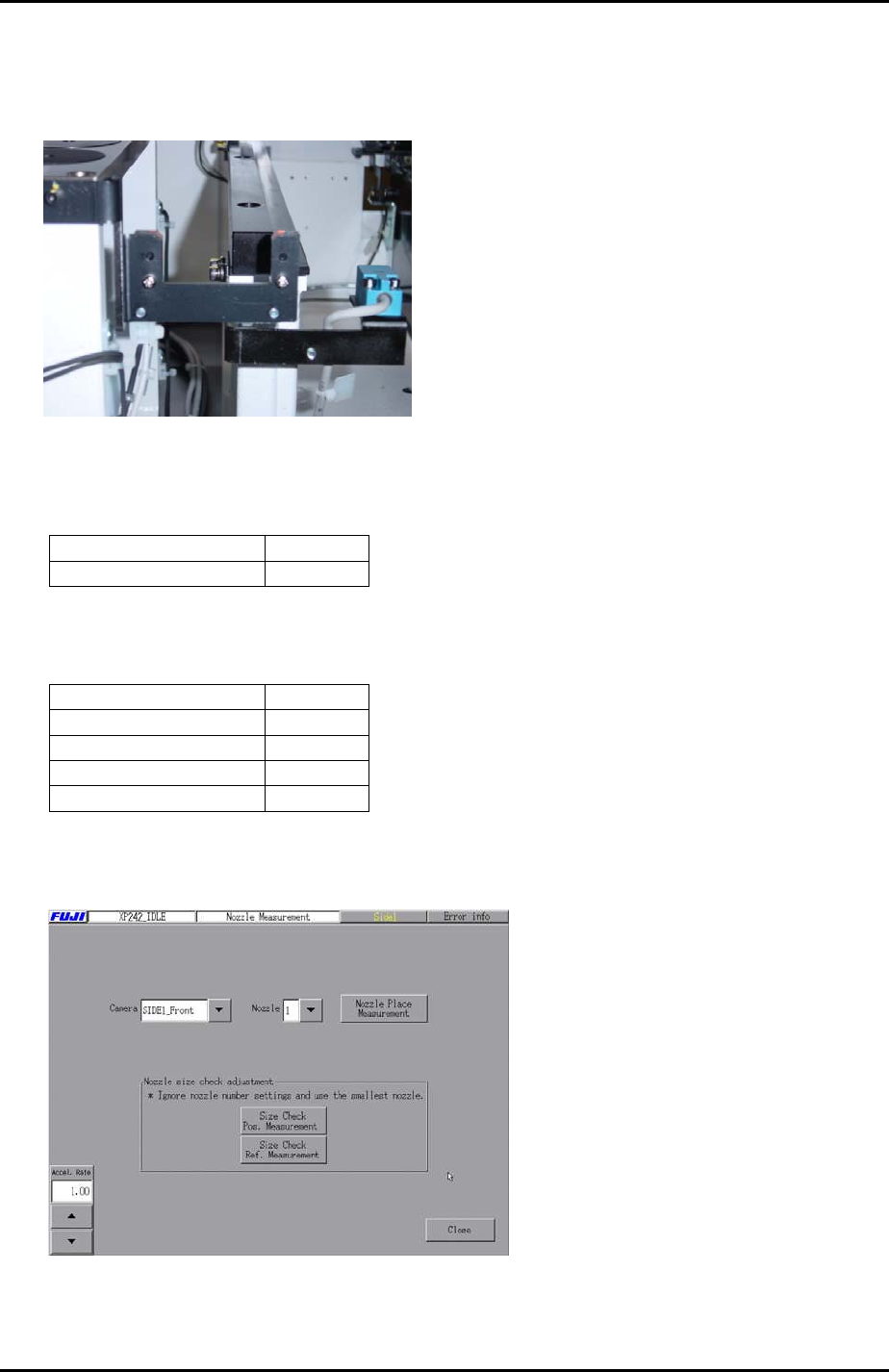
3. Select [Maintenance C] – [Nozzle Measurement] to enter the nozzle place
measurement screen.
4. Select the [Side1_Front] camera and set the acceleration rate to 1.0.
5. Select nozzle 1 and press [Nozzle Place Measurement] – [START] to execute
nozzle place measurement. Here the placement head picks up nozzle 1 and vision
processing is carried out.
6. This measurement makes a small offset to the [X_NzlPosX1/Y_NzlPosY1] proper
data measured in 6.10. Using the vision processing system the machine can
determine the nozzle position more accurately than with the manual measurement
alone.
Fuji Machine Mfg. Co., Ltd. Okazaki.
SMT Equipment Quality Assurance Dept.
6 – 20 CS Section
FK-9F98-34 XP Type II Series Training Text for Service Engineers
Edition 2.0 XP242E – Chapter 6 Proper Data Measurements Page 21 of 30
6.12 Nozzle Size Check
1. Make sure the configuration in the nozzle change station matches the setting in the
nozzle editor.
Nozzle Size Check
2. Select [Maintenance C] – [Proper Data Editor] – [OPERATION_2] and set the
following proper data:
Proper Data Name Setting
_NzSizeChkFlag 1
3. Select [Maintenance C] – [Proper Data Editor] – [OTHERS] and set the following
proper data:
Proper Data Name Setting
NzSizeChkSpeed 50.0
NzSizeChkLength 5.0
NzSizeChkHeight 20.0
NzSizeChkDepth 0.6
4. Select [Maintenance C] – [Nozzle Measurement] – [Size Check Pos. Measurement]
– [START] to carry out the measurement.
5. Once the measurement is completed, select [Maintenance C] – [Proper Data Editor]
– [OTHERS] – and check that the results of the measurement have been recorded
in “_NzSizeChkPosY” and “_NzSizeChkPosZ”.
Fuji Machine Mfg. Co., Ltd. Okazaki.
SMT Equipment Quality Assurance Dept.
6 – 21 CS Section