XP Type II 工程师培训手册 (2.0).pdf.pdf - 第31页
C C h h a a p p t t e e r r 4 4 L L o o a a d d e e r r A A d d j j u u s s t t m m e e n n t t

FK-9F98-34 XP Type II Series Training Text for Service Engineers
Edition 2.0 XP142E – Chapter 3 Static Accuracy Measurement Page 4 of 4
Fuji Machine Mfg. Co., Ltd. Okazaki
NOTES:
SMT Equipment Quality Assurance Dept.
3 – 4 CS Section

C
C
h
h
a
a
p
p
t
t
e
e
r
r
4
4
L
L
o
o
a
a
d
d
e
e
r
r
A
A
d
d
j
j
u
u
s
s
t
t
m
m
e
e
n
n
t
t
FK-9F98-34 XP Type II Series Training Text for Service Engineers
Edition 2.0 XP142E – Chapter 4 Loader Adjustment Page 1 of 12
Chapter 4: Loader Adjustment
4.1 Lifter Plate Flatness
1. Adjust the conveyor to its maximum width (356mm).
2. Select [Maintenance A] – [I/O Check] – [Y028 MainStLifterUp] to raise the main lifter.
3. Make sure that there is some clearance between the clamper plate and the conveyor rail.
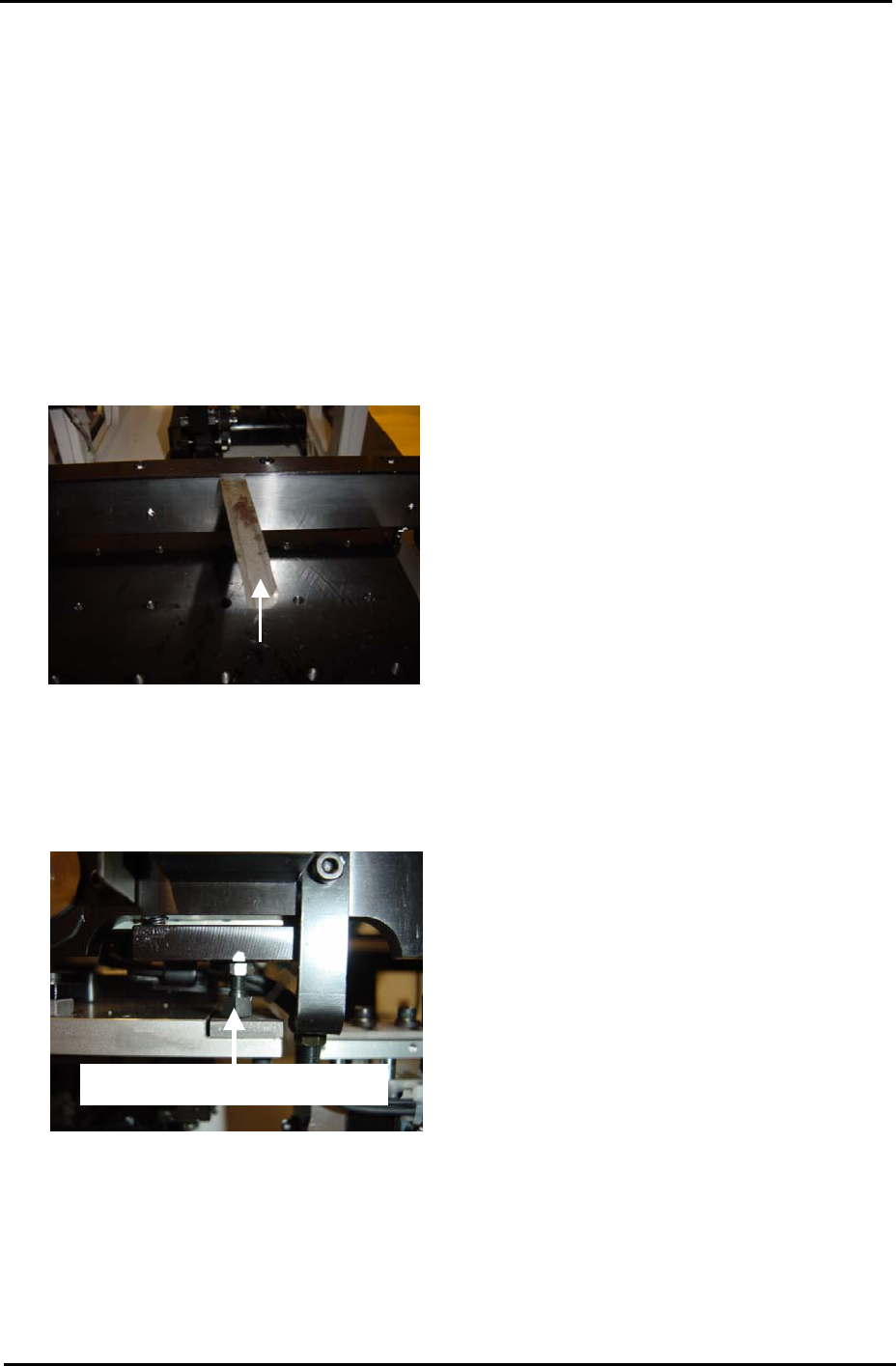
Use a 0.03mm feeler gage as shown in the photo below:
0.03mm feeler gage
Conveyor Rail
Clamper Plate
4. If there is no clearance unlock and screw in the clamper height adjustment bolts:
Clamper height adjustment bolt
5. Attach a dial gage to the placing head (an extension bar is necessary). Measure the four
corners of the table (points: A, C, G and I). Each value should be 0 indicating that the
table is flat.
Fuji Machine Mfg. Co., Ltd. Okazaki.
SMT Equipment Quality Assurance Dept.
4 – 1 CS Section