XP Type II 工程师培训手册 (2.0).pdf.pdf - 第212页
C C h h a a p p t t e e r r 9 9 O O p p t t i i o o n n s s

FK-9F98-34 XP Series Type II Training Text for Service Engineers
Edition 2.0 XP242E – Chapter 8 Type II MTU Adjustment Page 18 of 18
NOTES:
Fuji Machine Mfg. Co., Ltd. Okazaki
SMT Equipment Quality Assurance Dept.
8 – 18 CS Section

C
C
h
h
a
a
p
p
t
t
e
e
r
r
9
9
O
O
p
p
t
t
i
i
o
o
n
n
s
s
FK-9F98-34 XP Type II Series Training Text for Service Engineers
Edition 2.0 XP242E – Chapter 9 Options Page 1 of 12
9.1 Panel Vacuum Back Up
The optional panel vacuum backup system can be used to prevent upward warping of
panels, and can also be used to detect panel-clamping errors. A vacuum pressure sensor is
used to establish whether the panel has been vacuumed or not. The procedure described
below is the default procedure used in the Fuji inspection process. The threshold of the
pressure sensor and other configurations in this adjustment may need to be set manually
according to the individual requirements of the user.
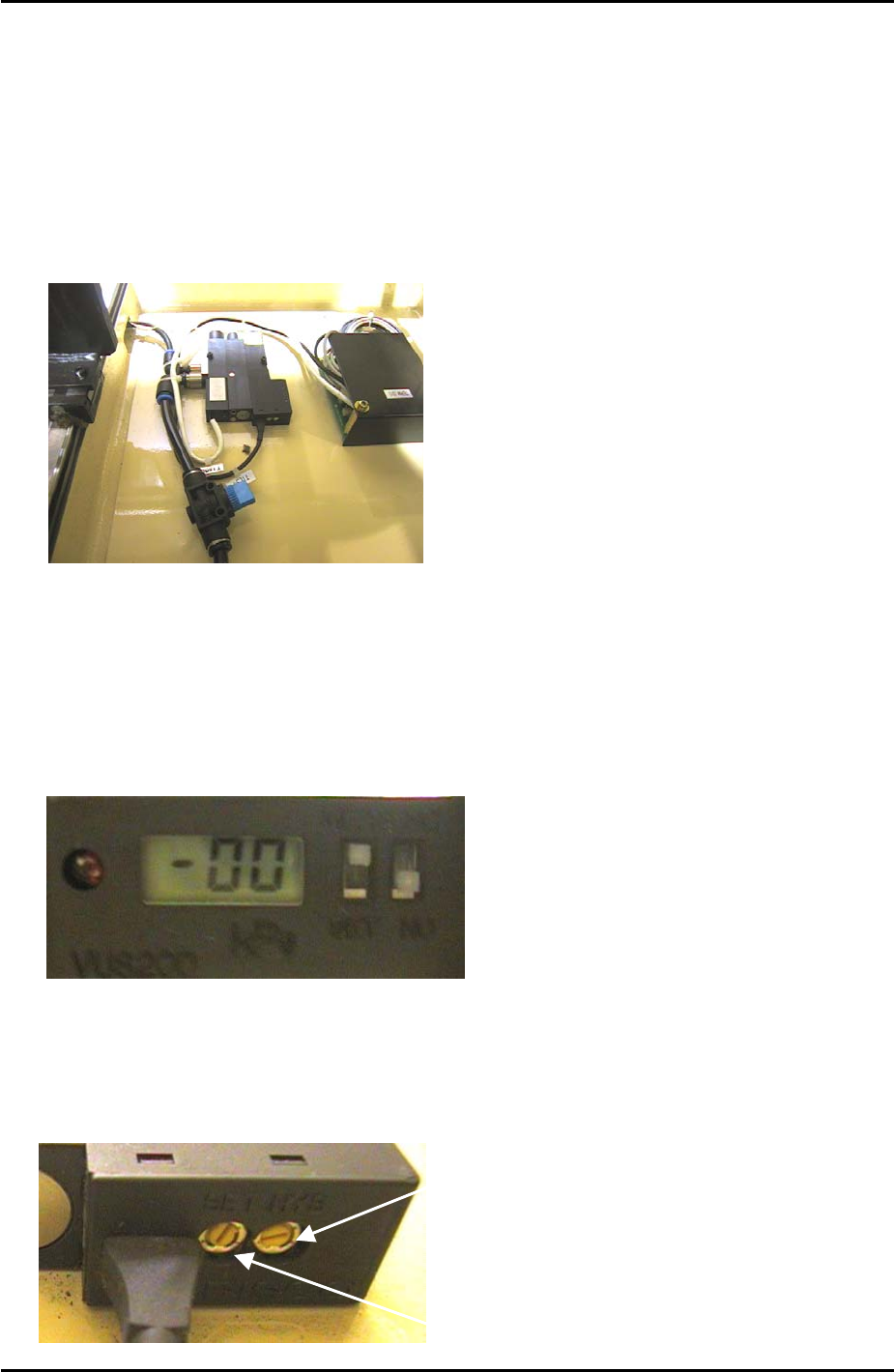
Dip Switch Setting
1. Set the N.C/N.O switch to “N.O” (Normally Open).
2. After the adjustment is finished set the pressure display switch to “MEAS”. During the
adjustment this should be set to “SET”.
N.O
N.C
SET
MEAS
Trimmer Setting
1. Set the Hysteresis Trimmer (HYS) to minimum by turning it fully counterclockwise.
SET
Pressure Trimmer
Hysteresis Trimmer
HYS
Fuji Machine Mfg. Co., Ltd. Okazaki
SMT Equipment Quality Assurance Dept.
9 – 1 CS Section