00197498-03_UM_SiplaceCA-Serie_EN.pdf - 第202页
4 SIPLACE Wafer System (SWS) User Manual SIPLACE CA- Series 4.1 Functions From software version SC.708.0 Edition 12/2014 202 4.1.3.1 Flip Chip Process The flip chip process is the standard method for SWS. This involves r…
User Manual SIPLACE CA-Series 4 SIPLACE Wafer System (SWS)
From software version SC.708.0 Edition 12/2014 4.1 Functions
201
The following options are available to support the whole spectrum of process-oriented functions:
– Wafer map system
– Linear Dipping Unit
– Die attach unit
– Small die kit (on request)
– Barcode Scanner
– Wafer stretcher
– Inspection camera
4.1.3 Basic Die Presentation Process
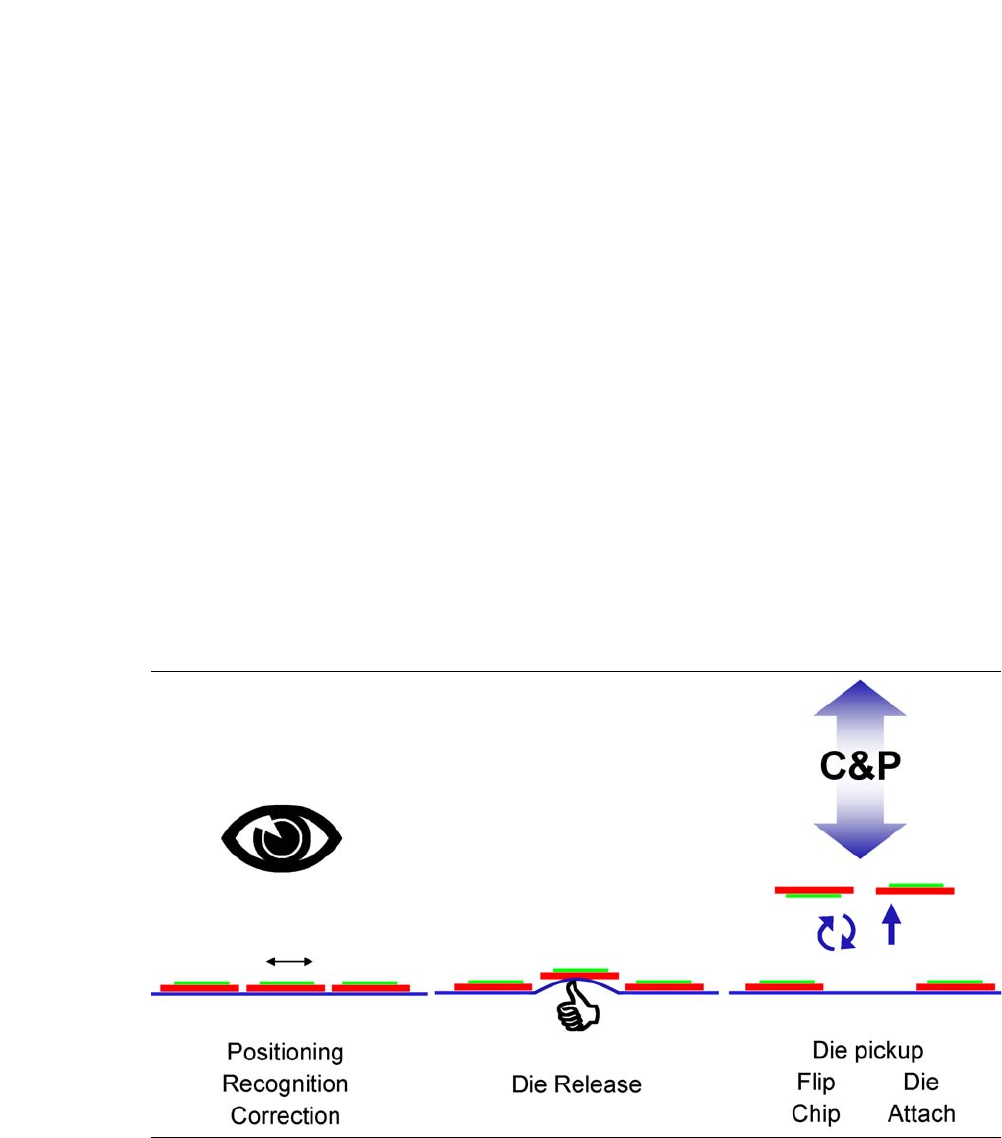
The basic die presentation process supported by the SWS can be divided into 3 main steps:
– Die recognition and positioning for ejection (inc. inkspot recognition or wafer map)
– Ejection Process
– Pickup for die attach or flip chip processing.
Fig. 4.1 - 1 Basic die presentation process
There are two main placement variants - flip chip and die attach.
4 SIPLACE Wafer System (SWS) User Manual SIPLACE CA-Series
4.1 Functions From software version SC.708.0 Edition 12/2014
202
4.1.3.1 Flip Chip Process
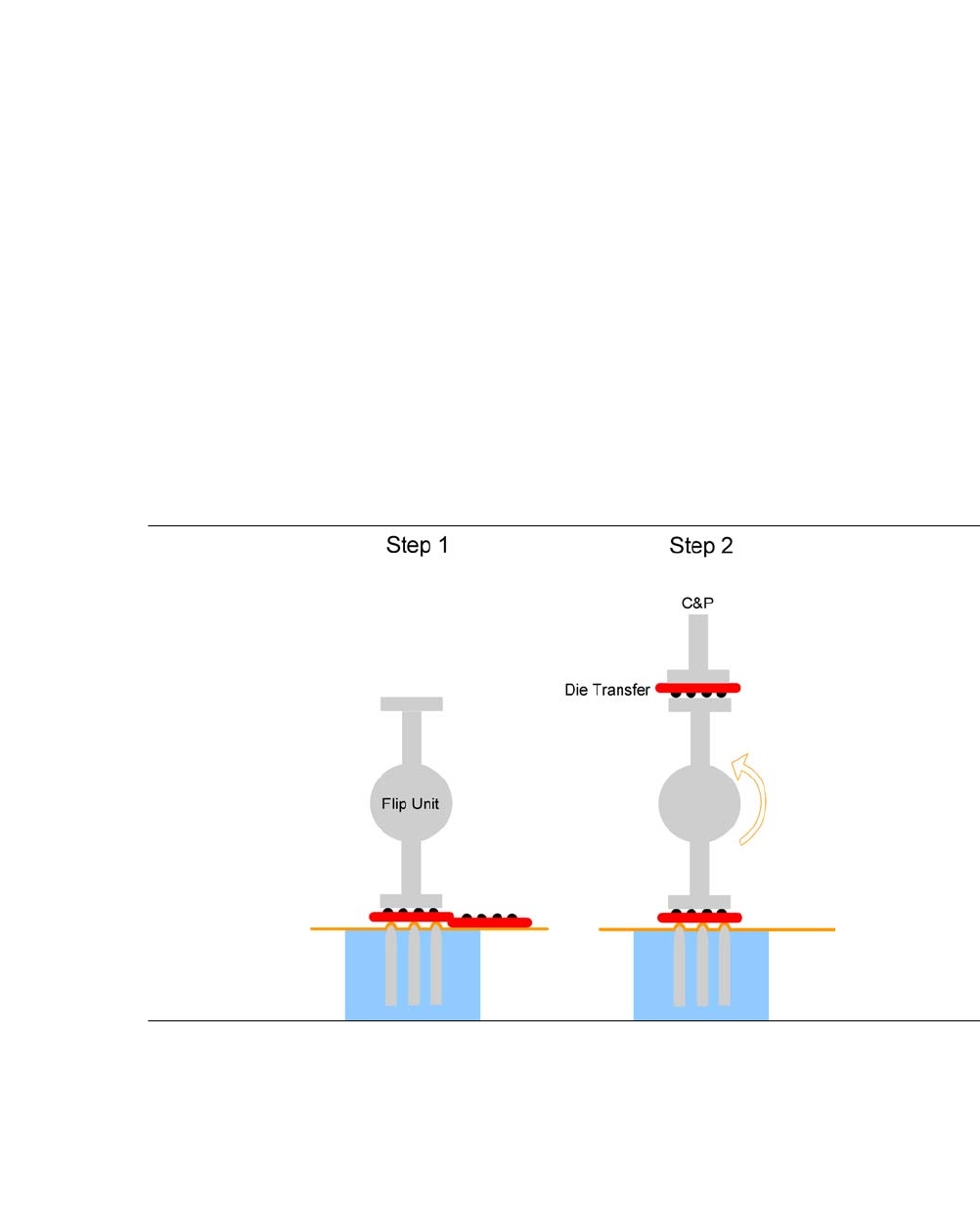
The flip chip process is the standard method for SWS. This involves rotating the die by 180° before
it is placed on the board (face down placement).
The flip chip process is a method which is rapidly gaining in popularity. This process is primarily
used for consumer electronics assemblies (e.g. processors, graphics processors, memory).
The inputs/outputs (I/A) of the dies are directly connected to the PCB which results in several ben-
efits compared to the classical die attach process:
Less space required
Faster signal transfer
Higher I/O density per component
Fig. 4.1 - 2 Flip Chip Process
The flip chip process steps are:
– Step 1: Die release
– Step 2: The die is rotated by 180° and is passed on to the placement head. Parallel to this,
the next die is taken up by the second nozzle of the flip unit.
User Manual SIPLACE CA-Series 4 SIPLACE Wafer System (SWS)
From software version SC.708.0 Edition 12/2014 4.1 Functions
203
4.1.3.2 Die Attach Process
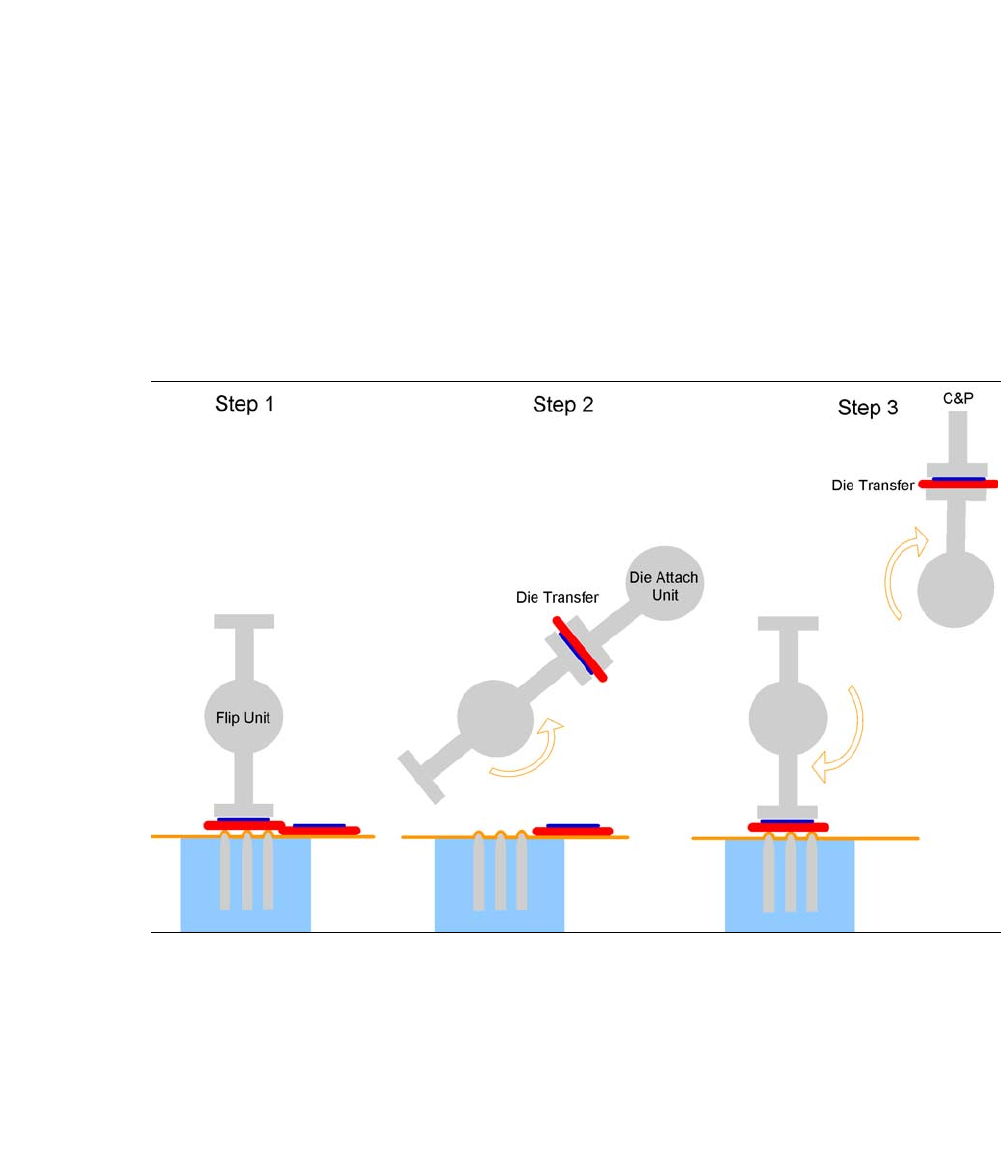
The optional die attach unit is needed for the die attach process.
In this method, the die is placed in the same bottom/top orientation as it was on the wafer foil
("face-up" placement).
Die attach is the conventional die placement procedure. It requires an additional step in order to
establish the connection from the die to the board (wire connections).
Fig. 4.1 - 3 The die attach process steps
The die attach process steps are:
– Step 1: Die release
– Step 2: The die is rotated by approx. 130°and transferred to the die attach unit.
– Step 3: The die attach unit rotates the die into the pickup position and transfers it to the place-
ment head. Parallel to this, the next die is picked up by the flip unit.