00197498-03_UM_SiplaceCA-Serie_EN.pdf - 第356页
6 Working with the Machine User Manual SIPLACE CA-Series 6.4 SWS Tasks From software version SC.708.0 Edition 12/2014 EN -DRAFT 356 6.4 SWS T asks 6.4.1 Switching on the SIPLACE CA First switch on all SWSs of the SIPLA…

User Manual SIPLACE CA-Series 6 Working with the Machine
From software version SC.708.0 Edition 12/2014 EN -DRAFT 6.3 Alert Information and Online Help
355
6.3 Alert Information and Online Help
6.3.1 Error Messages
Each error message identified by a 5-digit number. This error number helps you to locate individ-
ual error messages in the lost of contents for the help system.
To access this, open the context-sensitive help tool in the user interface by clicking on the icon for
Information in the Help System for the station computer. The help text for the current error
message will be shown.
The text highlighted in green contains suggestions for solving the problem.
However, if the error message is based on a chain of faults, you will need to take the error mes-
sages in the whole chain in order to limit the number of possible causes.
6.3.2 Context-Sensitive Online Help
To see information about the current view, click on the icon to start the help system for the
station computer. Use the list of contents, index and the search function to view the contents of
the Online Help.

6 Working with the Machine User Manual SIPLACE CA-Series
6.4 SWS Tasks From software version SC.708.0 Edition 12/2014 EN -DRAFT
356
6.4 SWS Tasks
6.4.1 Switching on the SIPLACE CA
First switch on all SWSs of the SIPLACE CA.
The modules are starting up. As long as the placement machine is not yet switched on, an error
message will be displayed on the screen of the SWS module, which points out that the safety cir-
cuit is not closed.
Switch the placement machine on.
Station computer and machine controller are starting up.
As soon as the placement machine has been started up and the start button has been pressed,
the error message regarding the not-closed safety circuit vanishes from the SWS monitors. Initial-
ize the SWS module.
When the initializing process is completed, the SWSs are ready to operate and in standby.
6.4.2 Switching off the SIPLACE CA
Switching off the SWS
Complete all processes running at the SWS modules.
In the SWS computer GUI switch over to the Production -> Other view and click on the red
switch-off button there.
SWS GUI and Linux are shut down properly. 6
Switch off the SWS at the main switch.
Repeat this, if necessary, for each other SWS module.
Switching off the Placement Machine
Close all current processes in the placement machine.
Shut down the station computer.
Switch the placement machine off at the main power switch.
6.4.3 Filling the Magazine
Refill the magazine with the wafer frames.The centering notches of the wafers frames must
point to the opening of the magazine.
6
PLEASE NOTE
When using frame adapters for 5, 6 or 7 inch wafers, make sure that you only use
every second slot.
User Manual SIPLACE CA-Series 6 Working with the Machine
From software version SC.708.0 Edition 12/2014 EN -DRAFT 6.4 SWS Tasks
357
6.4.4 Inserting the Magazine into the Magazine Lift
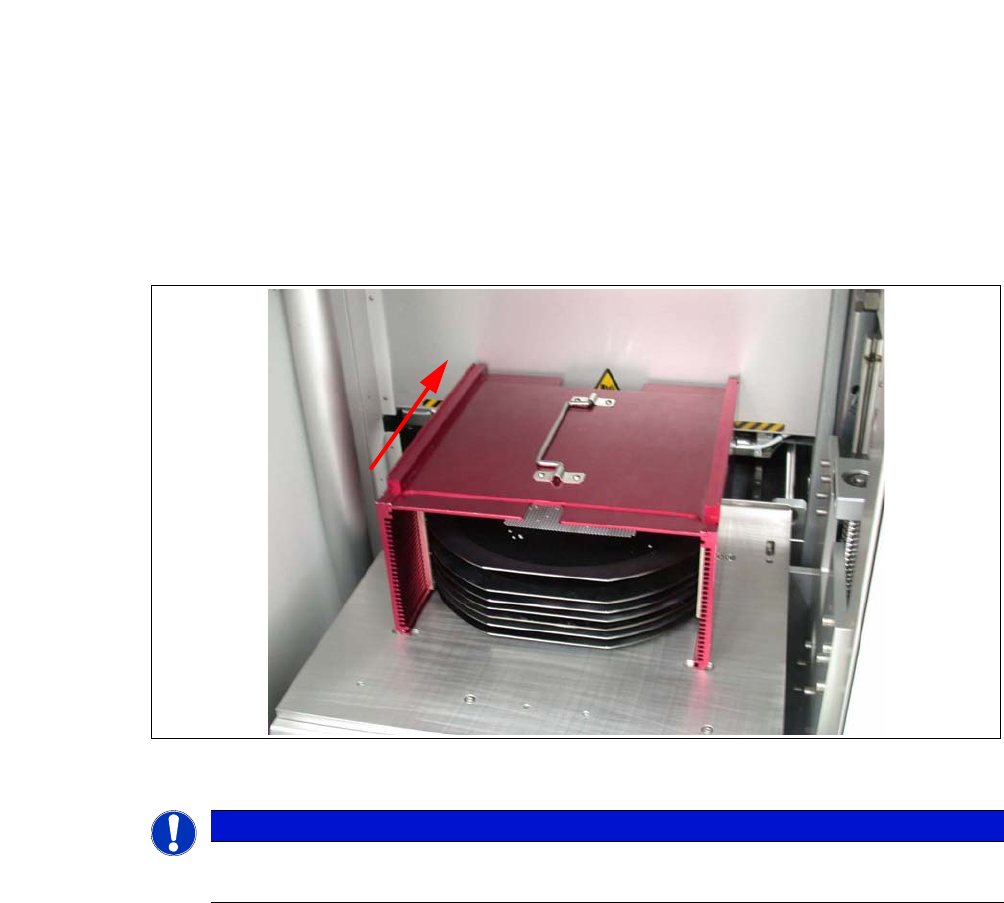
Open the sliding door of the magazine lift and place the magazine onto the plate. The center-
ing notches of the wafers must face the machine. Make sure that the magazine latches prop-
erly.
Fig. 6.4 - 1 Inserting the magazine
6
PLEASE NOTE
When inserting the wafer frame, the recesses in the wafer frame must point in the feed-
in direction.