00197498-03_UM_SiplaceCA-Serie_EN.pdf - 第239页
User Manual SIPLACE CA-Series 4 SIPLACE Wafer System (SWS) From software version SC.708.0 Edition 12/20 14 4.5 SIPLACE SWS Wafer Stretcher 239 4.5.5 Mechanically Setti ng the S tretching Factor The stretching fa ctor can…
4 SIPLACE Wafer System (SWS) User Manual SIPLACE CA-Series
4.5 SIPLACE SWS Wafer Stretcher From software version SC.708.0 Edition 12/2014
238
4.5.4 Description
While picking dies from a wafer, there is a danger that the die could begin to tilt. This can be
caused by an irregular adhesion of the die on the foil or an eccentric positioning of the needle. In
the case of dies which are positioned closely to one another, the neighboring die could be touched
and mutual damage can not be ruled out.
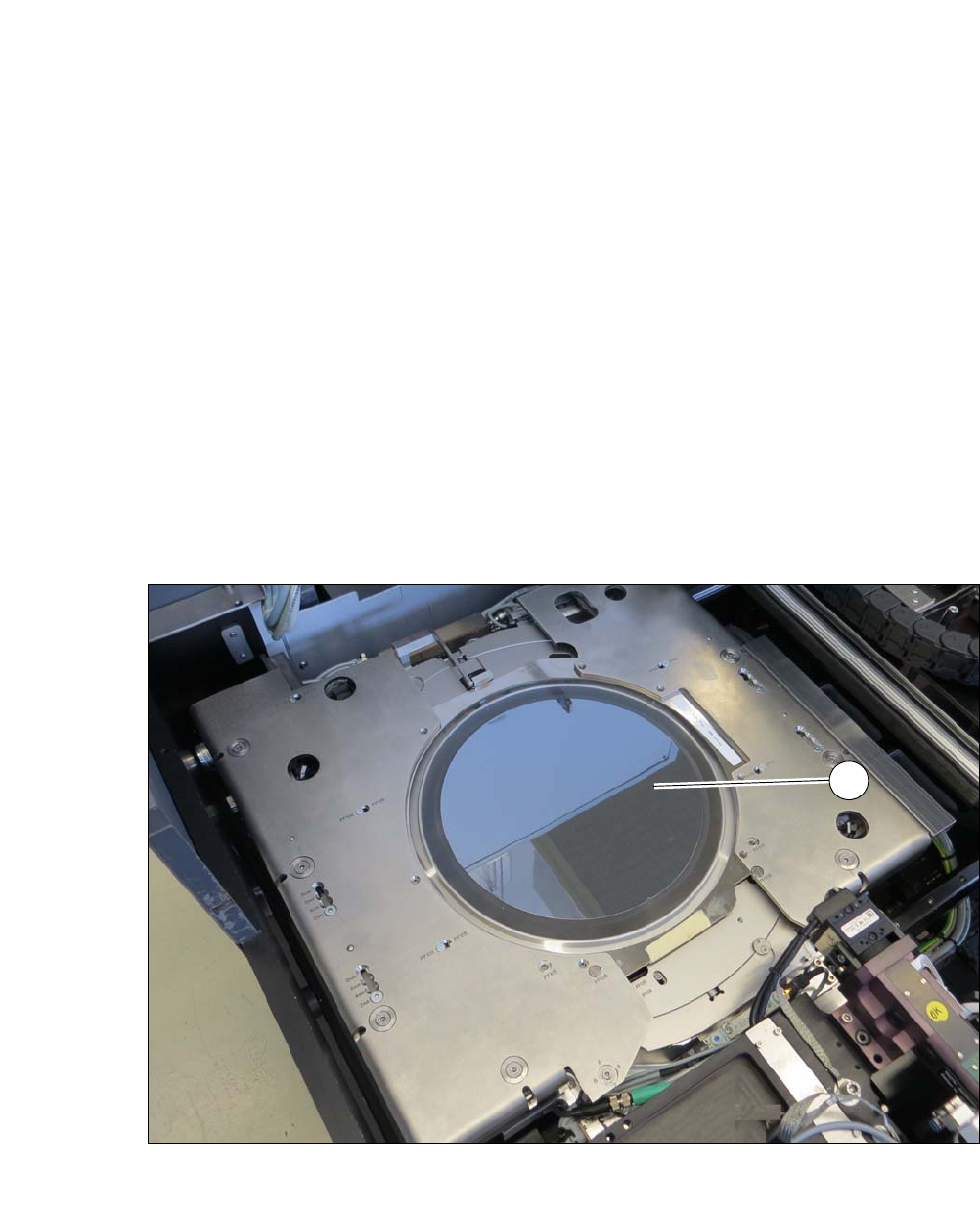
To prevent this, the wafer foil is stretched before the die is picked.This increases the distances
between the dies on the foil and makes it possible to pick dies without risks. The larger distances
between the dies also makes it easier for the Vision system to recognize them.
After the downholder plate has moved up and the clamp has been opened, the wafer foil sags. A
wafer with a sagging foil can not be moved back into the magazine.
Once the clamp and the downholder plate have been opened, the stretched wafer foil is warmed
up by the heater module. This shrinks the wafer foil (sag less than 9 mm) so that it can be moved
back into the magazine.
4
Fig. 4.5 - 3 SIPLACE SWS Wafer Stretcher with stretched wafer foil
(1) Stretched wafer foil in the SIPLACE SWS Wafer Stretcher
1
User Manual SIPLACE CA-Series 4 SIPLACE Wafer System (SWS)
From software version SC.708.0 Edition 12/2014 4.5 SIPLACE SWS Wafer Stretcher
239
4.5.5 Mechanically Setting the Stretching Factor
The stretching factor can be mechanically set at the SIPLACE SWS Wafer Stretcher in four steps.
The relevant settings must be performed at six different points.
4.5.5.1 Preparations
Close all current processes on the SWS module.
Move the wafer table into the changeover position.
In the view, select Manual operations -> Wafer handling systems -> Go to change
position.
Open the clamp.
In the view, select Manual operations -> Wafer handling systems ->Open wafer
clamp.
– The clamp will open and the expansion ring will move downwards.
Open the expander
In the view, select Manual operations -> Wafer handling systems ->Release
stretcher.
– The downholder plate will move upwards.
In the view, select Production -> Other and click on the red "off" button there.
SWS GUI and Linux are shut down properly. 4
Switch off the SWS at the main switch.
CAUTION
Avoid damage to the gripper
The gripper could be damaged while you are working on the wafer support.
Push the gripper in the direction of the wafer lift and out of the wafer support working
area.
4 SIPLACE Wafer System (SWS) User Manual SIPLACE CA-Series
4.5 SIPLACE SWS Wafer Stretcher From software version SC.708.0 Edition 12/2014
240
4.5.5.2 Settings
4
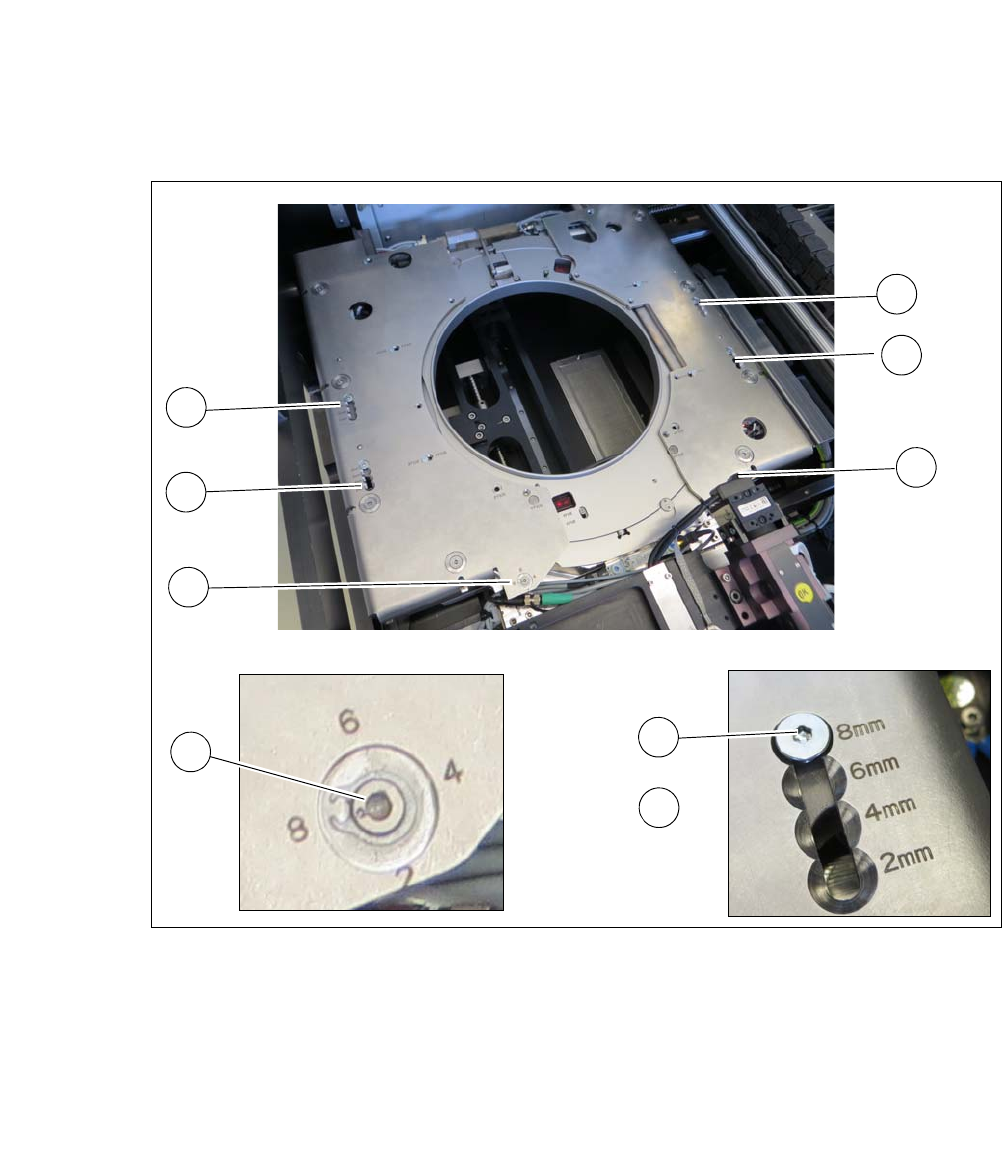
Fig. 4.5 - 4 SIPLACE SWS Wafer Stretcher - setting the stretching factor
Loosen the screw (2) at all four points (1).
Push the screw (2) to the position for the required stretching factor (2, 4, 6, or 8 mm).
Tighten the screw (2).
At both points (3), turn the screw to the position for the required stretching factor (2, 4, 6, or
8 mm).
1
1
1
1
3
3
1
2
3