00197498-03_UM_SiplaceCA-Serie_EN.pdf - 第248页
4 SIPLACE Wafer System (SWS) User Manual SIPLACE CA- Series 4.5 SIPLACE SWS Wafer Stretcher From software version SC.708.0 Edition 12/2014 248 Removing the stroke ring 4 Y ou need to replace the stroke ring for the rele …
User Manual SIPLACE CA-Series 4 SIPLACE Wafer System (SWS)
From software version SC.708.0 Edition 12/2014 4.5 SIPLACE SWS Wafer Stretcher
247
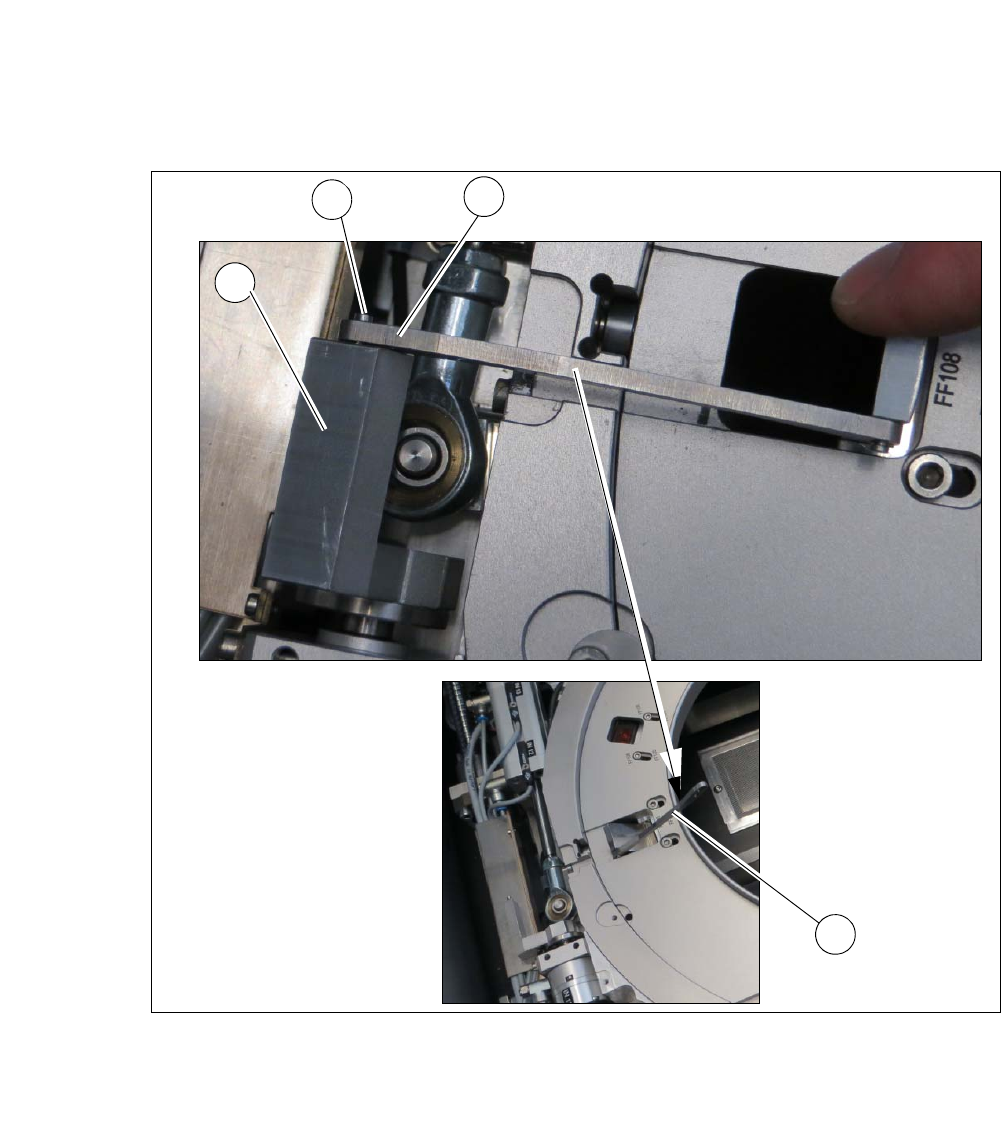
Loosening the clamp 4
Fig. 4.5 - 8 Wafer support - loosening the clamp
Remove the circlip on the shaft (2) of the clamp (1).
Unhook the clamp so that the clamping lever (3) is free (4).
1
2
4
3
4 SIPLACE Wafer System (SWS) User Manual SIPLACE CA-Series
4.5 SIPLACE SWS Wafer Stretcher From software version SC.708.0 Edition 12/2014
248
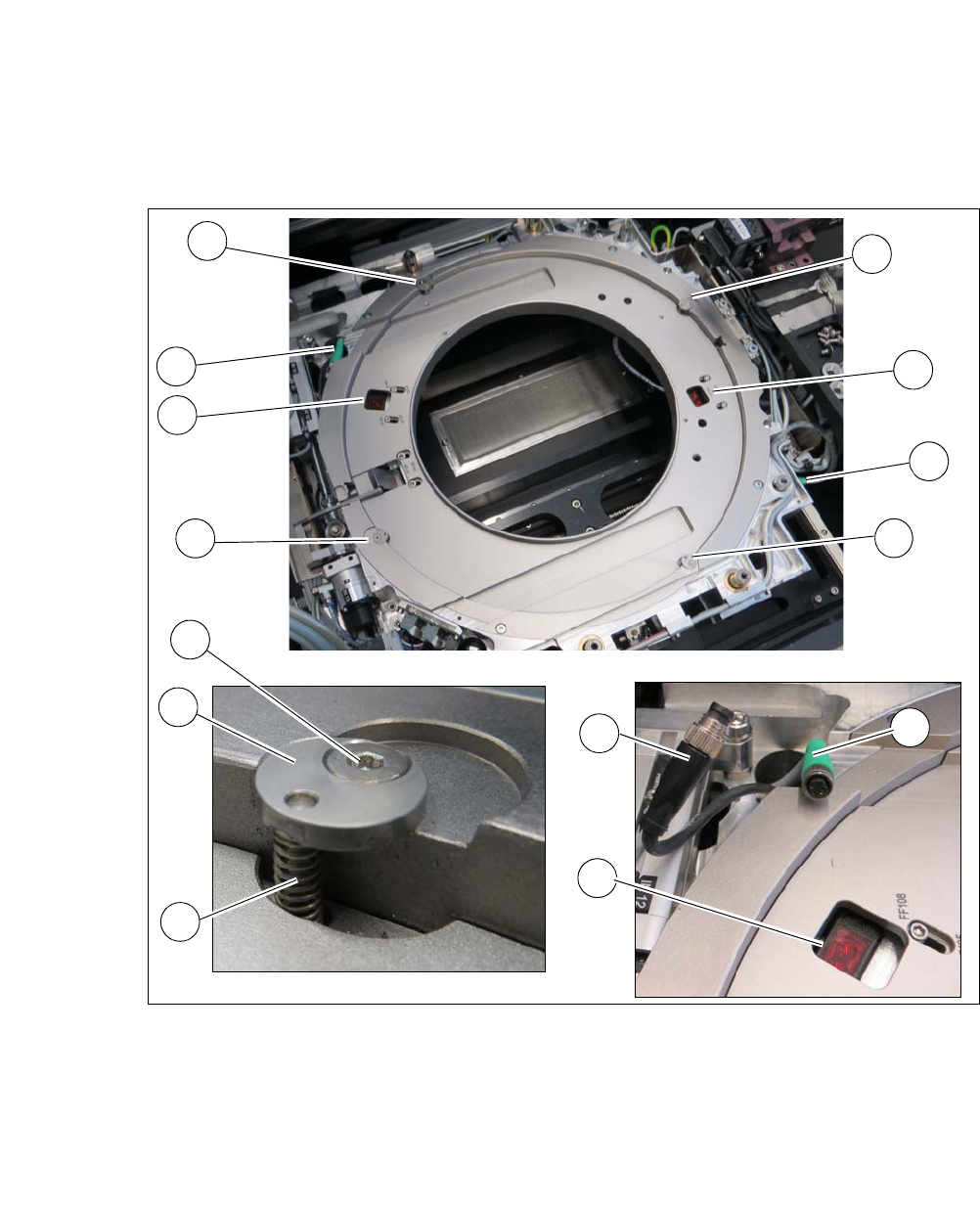
Removing the stroke ring 4
You need to replace the stroke ring for the relevant wafer support.
Fig. 4.5 - 9 Wafer support - removing the stroke ring
Loosen the 4 screws (1) fixing the stroke ring.
Remove th fixing disc (2) and the spring (3). Make sure that the fixing disc (2) and the spring
(3) are kept safe for refitting later on.
Unplug the two sensors (4) from the connector (5) of the cable extension (6).
Remove the stroke ring.
1
1
1
2
3
1
4
4
5
4
5
1
5
6
User Manual SIPLACE CA-Series 4 SIPLACE Wafer System (SWS)
From software version SC.708.0 Edition 12/2014 4.5 SIPLACE SWS Wafer Stretcher
249
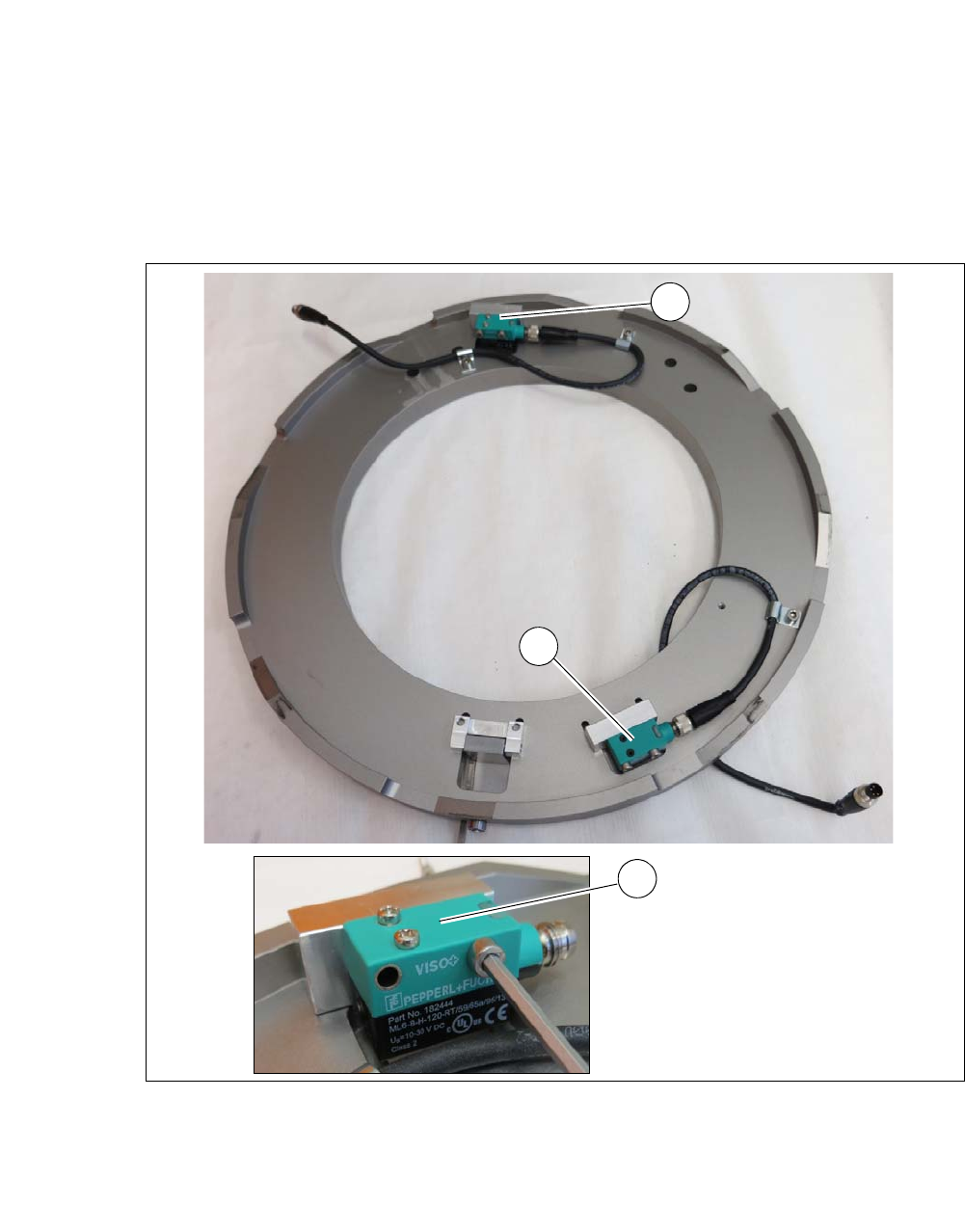
Dismantling the sensors for the 8" stroke ring 4
The two sensors are fixed to the stroke ring in the 8" wafer support. These sensors need to be
dismantled for later refitting of the 8" stroke ring. In the case of the 12" wafer support, both sensors
are fitted to the wafer support in the SWS, using the brackets supplied.
4
Fig. 4.5 - 10 Wafer support - 8" stroke ring removed
Dismantle the heat protection plates fitted over the sensors.
Dismantle the two sensors (1) from the assembly brackets of the stroke ring.
Remove the two sensors and fit these on the two assembly brackets from the 12" retrofit kit.
1
1
1