YRM20_Ope_E.pdf - 第188页
1. Flow from starting up machine to production 3-8 Chapter 3 Flow from starting up machine to production 3 Start w arming up th e machin e. Press the [Start] button to star t warm-up. The elapsed warm-up progress time an…
1. Flow from starting up machine to production
3-7
Chapter 3 Flow from starting up machine to production
1.4 Warming up the machine
After starting up the machine, we recommend warming it up for about 10 minutes in most cases. If less than
two hours has elapsed after the machine was last used, no warm-up is necessary.
1
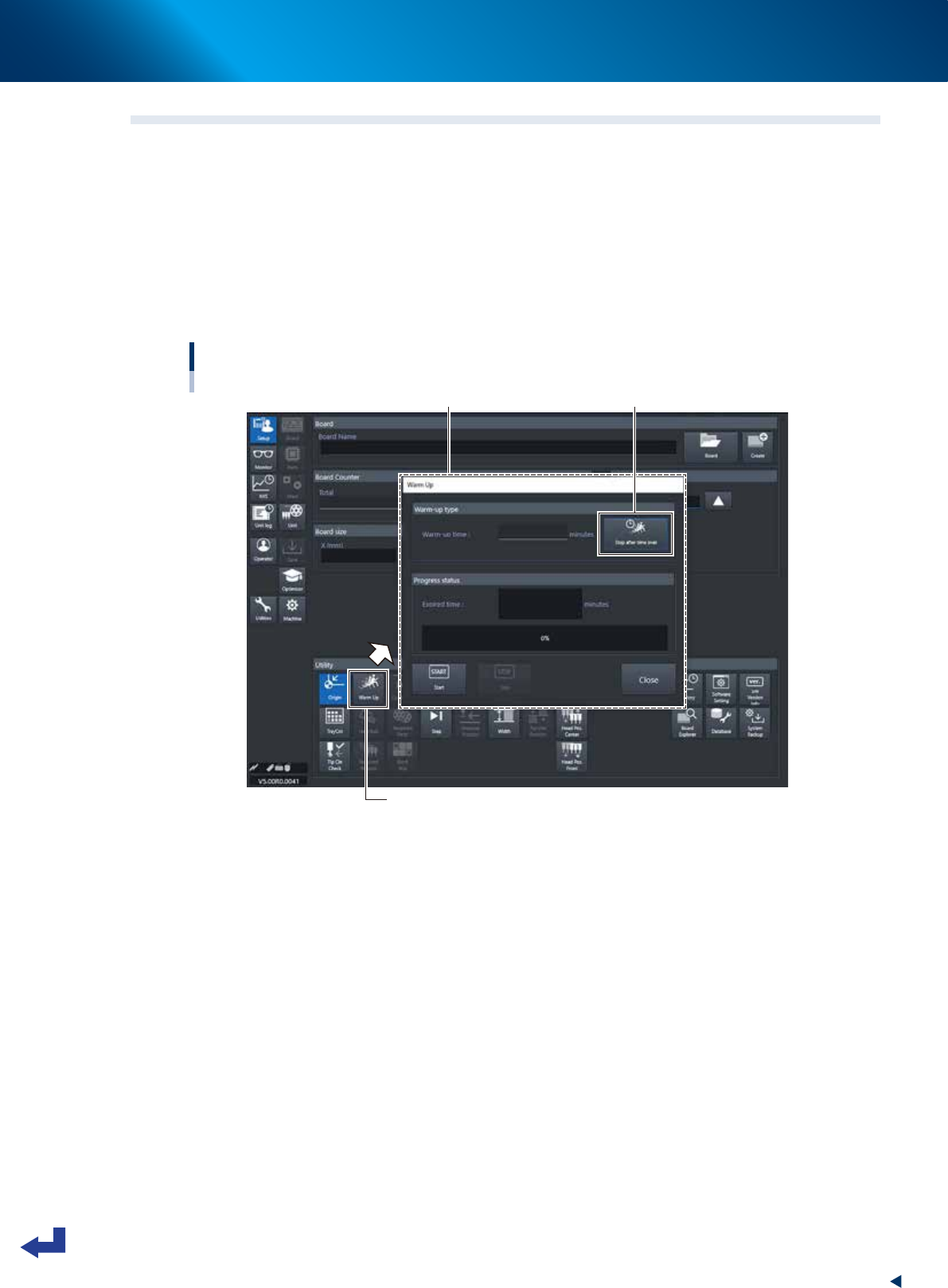
Press the [Warm Up] button on the Setup screen.
The Warm-up screen then appears.
2
Enter a warm-up time.
Press the [Stop after time over] button and enter the warm-up time. Warm-up will automatically stop
when the warm-up time you set has elapsed. Normally, about a 10-minute warm-up is sufficient.
Warm-up time setting
[Setup] screen
[Stop after time over] button“Warm up” screen
[Warm Up] button
24303-KMX-00
1. Flow from starting up machine to production
3-8
Chapter 3 Flow from starting up machine to production
3
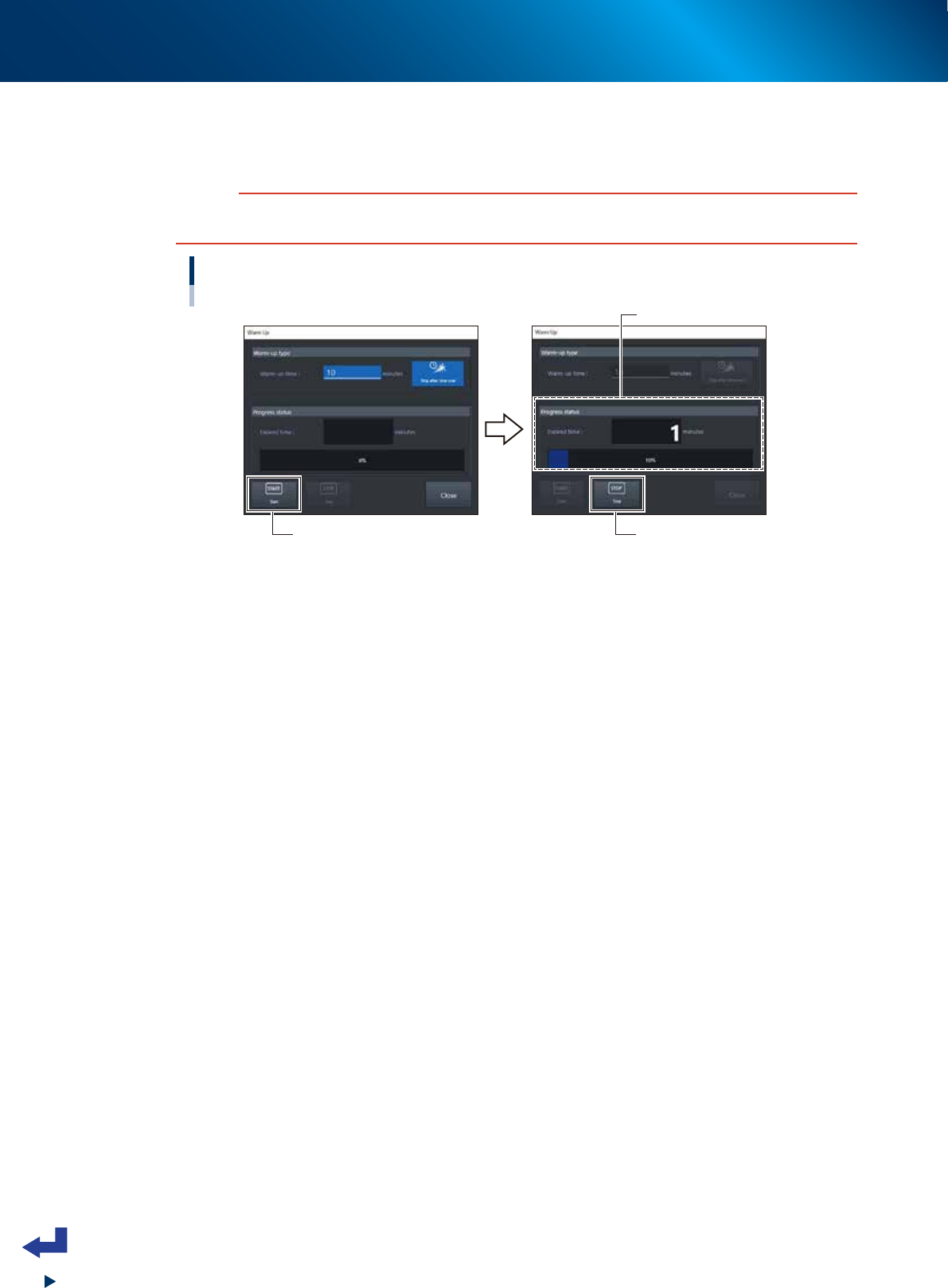
Start warming up the machine.
Press the [Start] button to start warm-up. The elapsed warm-up progress time and status appear in the
"Progress status" column.
c
CAUTION
If an abnormality occurs during warm-up, press the [Stop] button to stop operation immediately, check the cause of the
problem and eliminate it.
Warm-up time setting 2
Indicates progress.
[Start] button
[Stop] button
24304-KMX-00
4
Finish the warm-up.
Warm-up will automatically stop when the warm-up time you set is reached. Press the [Close] button,
and return to the previous screen.
1. Flow from starting up machine to production
3-9
Chapter 3 Flow from starting up machine to production
1.5 Selecting the board data
Select the board data used for production from those registered.
1
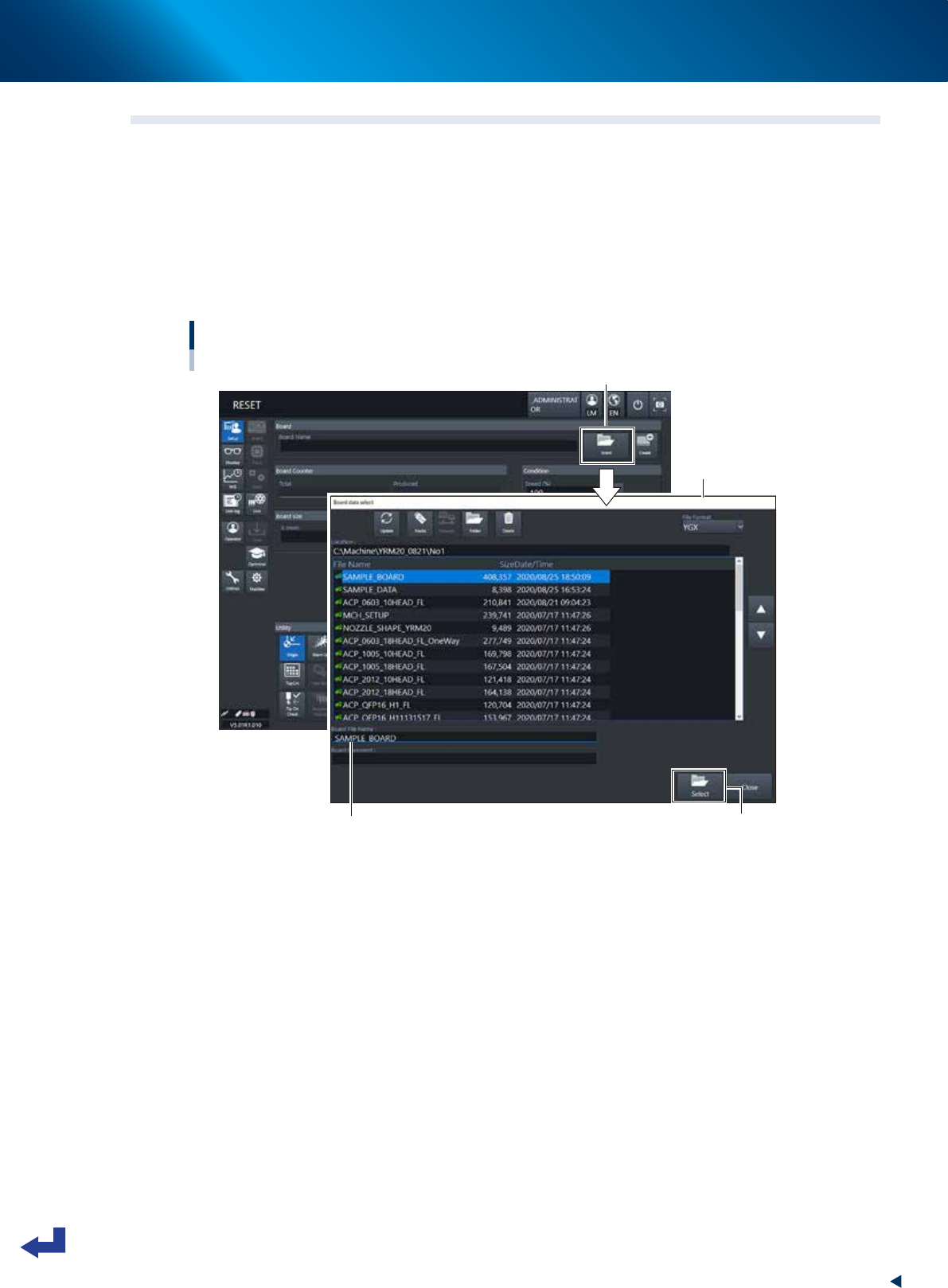
Call up the “Board Data Select” screen.
Press the [Board] button on the “Setup” screen to call up the “Board Data Select” screen.
2
Select the board data.
Select the board data used for the production from the list on the “Board Data Select” screen. Press
the [Select] button. The machine reads out the selected board data.
Selecting the board data
[Setup] screen
Press [Board] button.
Selected from registered board data list.
“Board data select” screen
Selected board name is displayed. [Select] button
24305-KMX-00