YRM20_Ope_E.pdf - 第214页
1. Flow from starting up machine to production 3-34 Chapter 3 Flow from starting up machine to production 3 Start mo unting op er ation . 1. Press the [ST ART] button. 2. (Only for the first time after setting block skip…
1. Flow from starting up machine to production
3-33
Chapter 3 Flow from starting up machine to production
2
Select the block to be skipped.
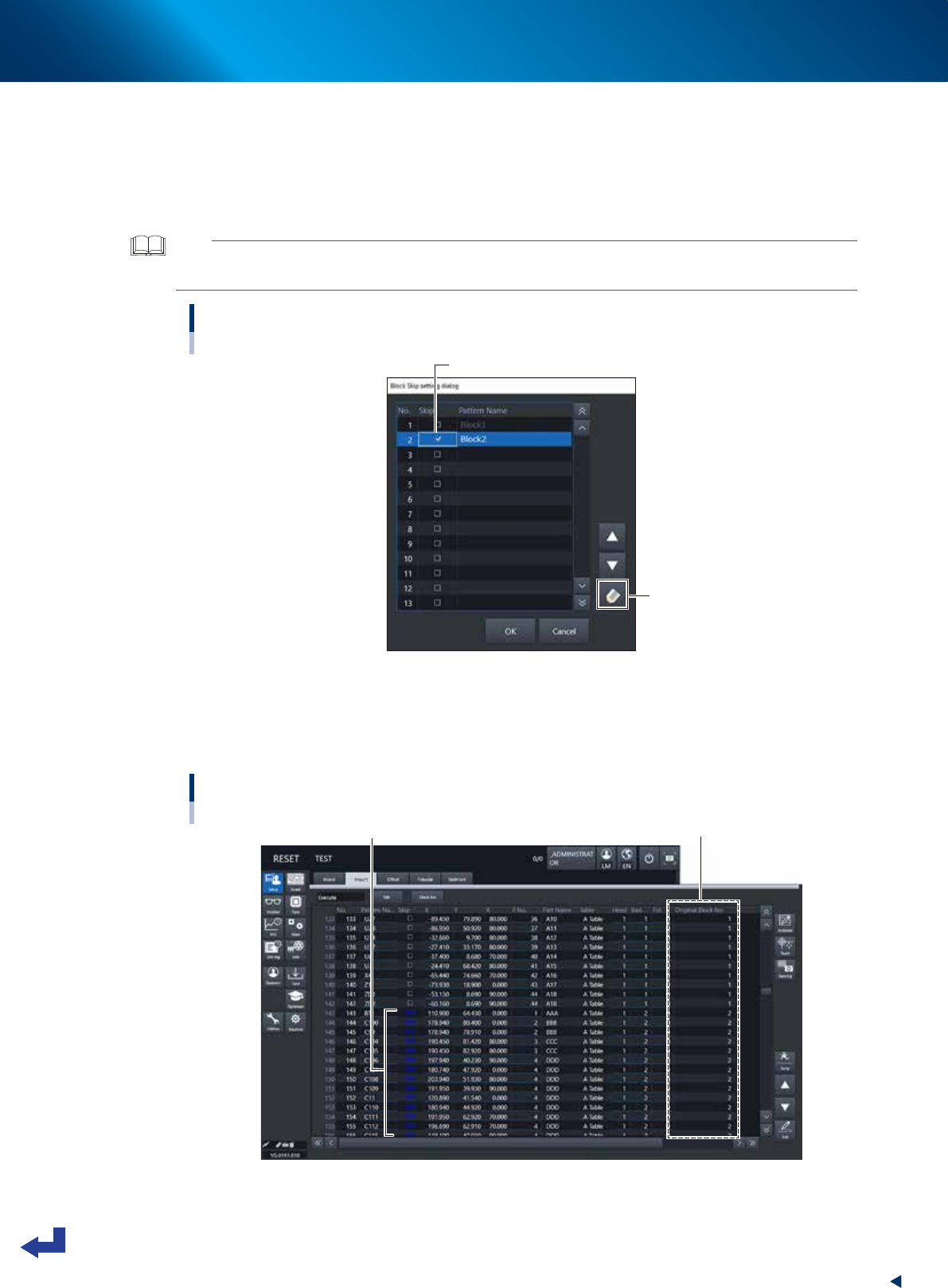
Each block with a check box appears on the “Block Skip setting dialog".
1. Either tick the check box of the block to be skipped or select the block and press the [Check]
button to check the block.
2. Press the [OK] button to exit the “Block Skip setting dialog".
TIP
When exiting the “Block Skip setting dialog" after setting the block skip, the [Block Skip] button on the “Setup” screen is
held pressed.
Selecting the blocks to be skipped
“Block Skip setting dialog ”
Tick the checkbox of block to be skipped.
[Check] button
24323-KMX-00
The block data designated to be skipped can be checked on the “Board” – “Mount” screen.
A message “Skip” appears on each mounting point to be block-skipped and it is unable to edit on
this screen. However, the block number in the “Original Block No.” column which the mounting point
belongs to can be checked.
Checking block skip
[Board] - [Mount] screen
Message "Skip" is displayed.
Original Block No
24324-KMX-00
1. Flow from starting up machine to production
3-34
Chapter 3 Flow from starting up machine to production
3
Start mounting operation.
1. Press the [START] button.
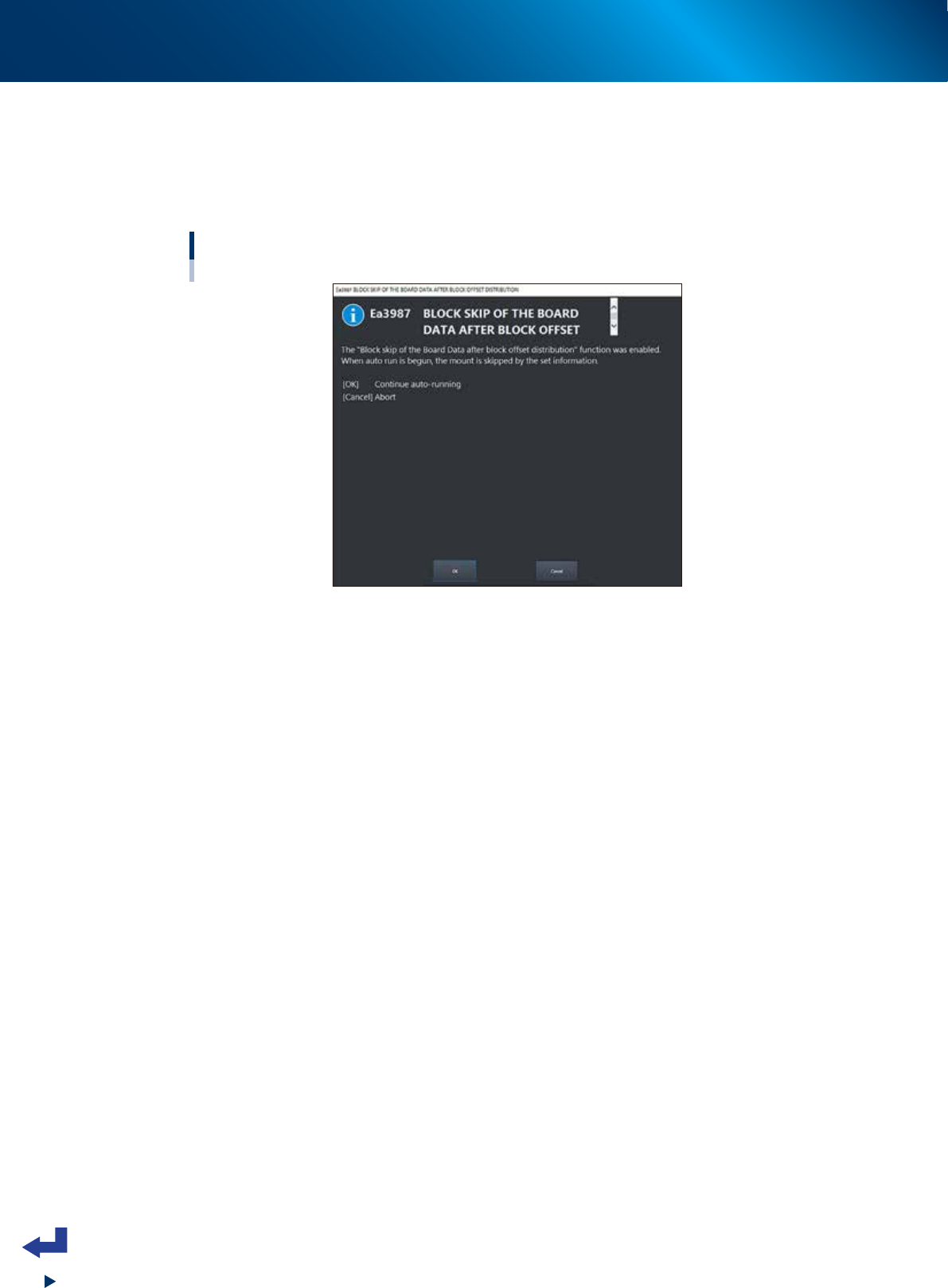
2. (Only for the first time after setting block skip) The block skip confirmation message appears.
Check the descriptions and press the [OK] button.
3. Press the [START] button once again to start up the automatic operation.
Block skip confirmation message
24325-KMX-00