YRM20_Ope_E.pdf - 第55页
3. Head unit 1-24 Chapter 1 Unit names and functions 3 Specify the n ozzles y ou wan t to clea n b y nozzle s haft blo w . The "Nozzle Se tting" screen w ill appear . Selec t the t able where the nozz le shaft …
3. Head unit
1-23
Chapter 1 Unit names and functions
3.4.2 Manual nozzle shaft blow procedure
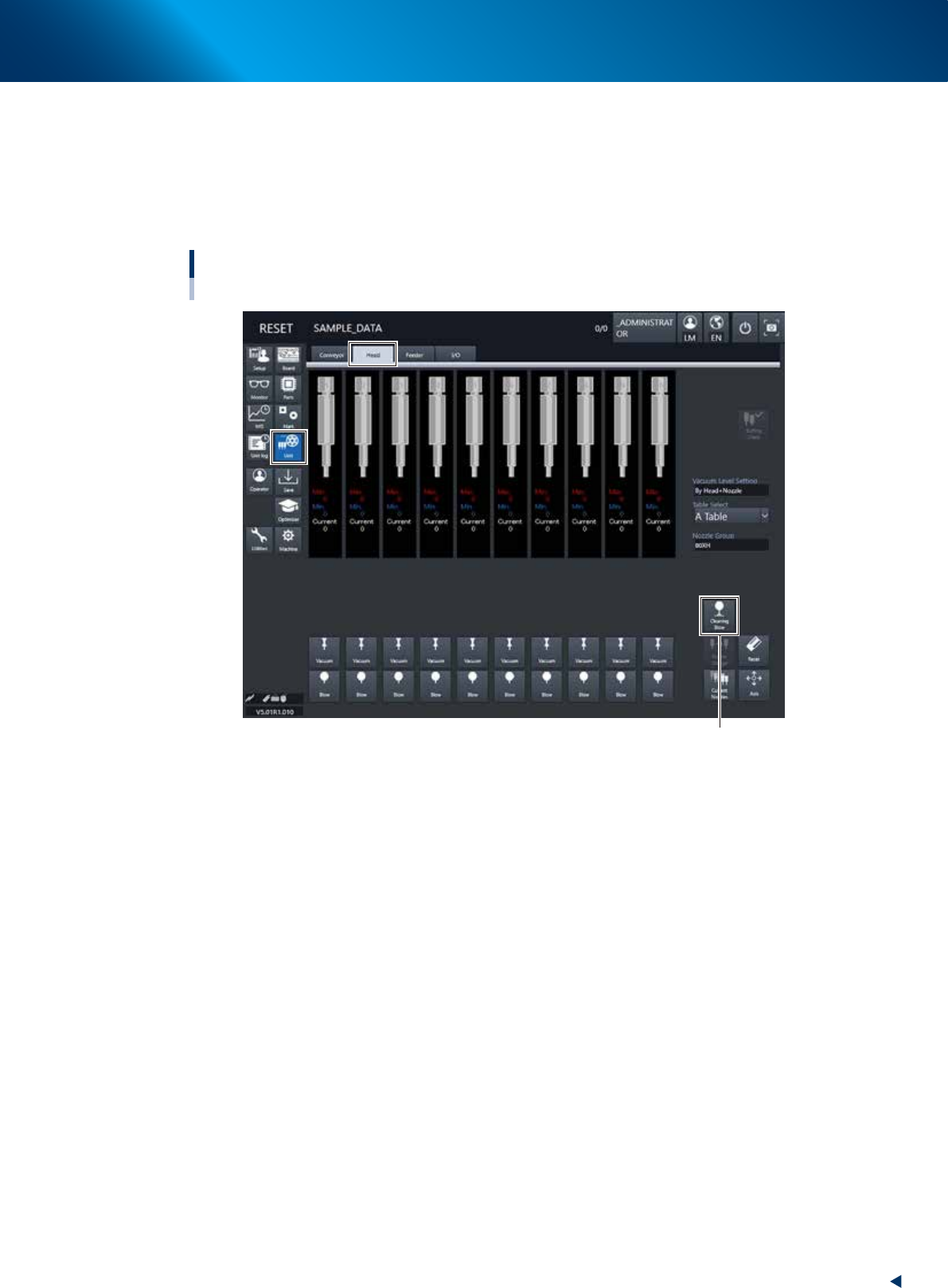
This section explains how to manually perform a nozzle shaft blow at any desired timing.
1
Open the [Unit] – [Head] screen.
2
Press the [Cleaning Blow] button.
Nozzle shaft blow
HM head unit
[Cleaning Blow] button
24100-KMX-00
3. Head unit
1-24
Chapter 1 Unit names and functions
3
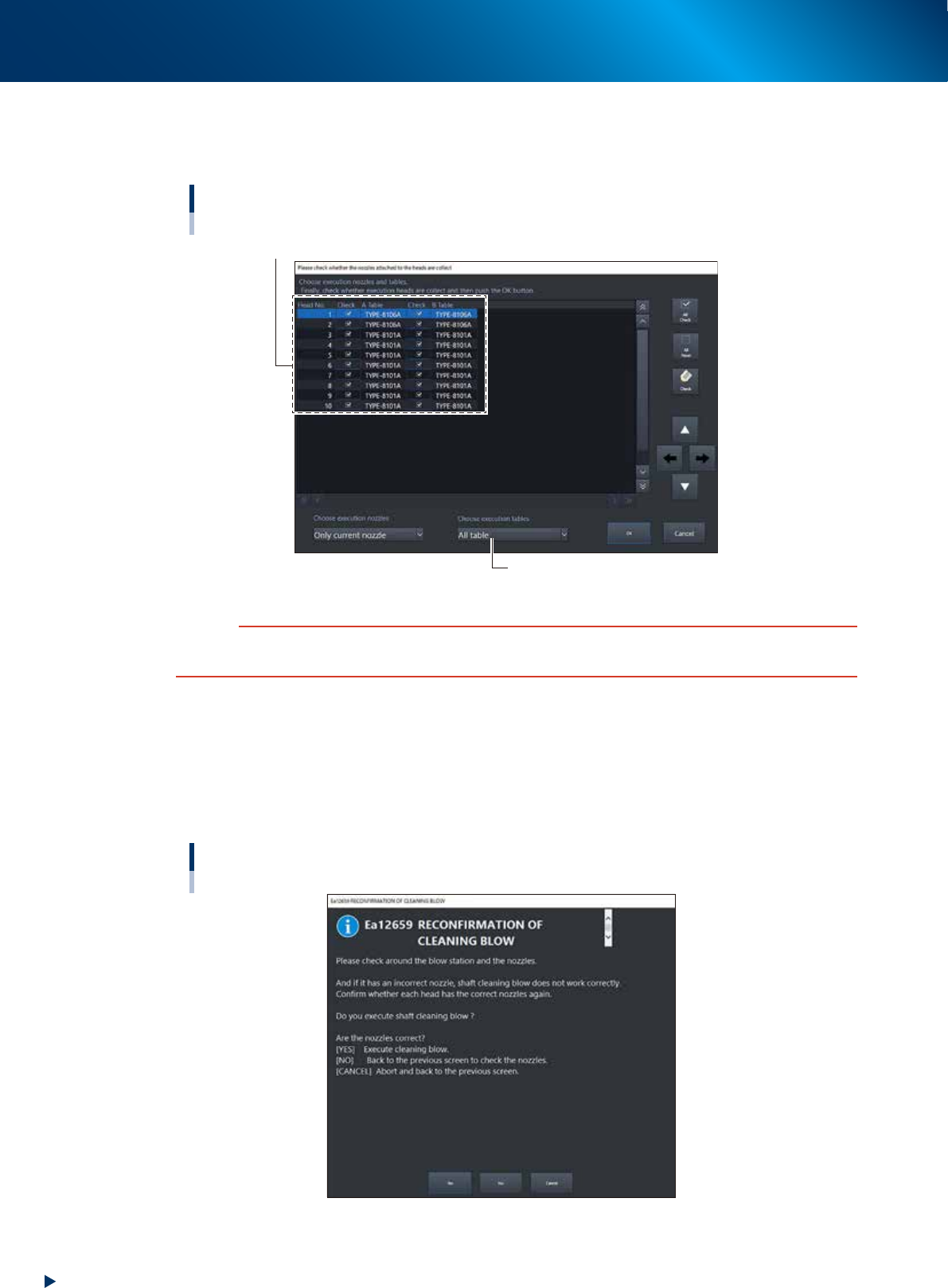
Specify the nozzles you want to clean by nozzle shaft blow.
The "Nozzle Setting" screen will appear. Select the table where the nozzle shaft cleaning blow is
performed, put a check mark on the nozzles, and then press the [OK] button.
Nozzle Setting screen
Select the check boxes for the nozzles you want to clean by nozzle shaft blow.
Select the table.
24101-KMX-00
c
CAUTION
When the nozzle is not subject to the nozzle shaft blow, the nozzle may collide with the air-blow station, causing
breakage. Before starting the nozzle shaft blow, be sure to check that the set nozzles meet the installed nozzles.
4
A confirmation screen appears asking you to make a final check.
Check the contents of the screen and press the corresponding button.
[YES] : Performs nozzle shaft blow of the selected nozzles.
[NO] : Returns to the "Nozzle Setting" screen.
[CANCEL] :
Closes the dialog box and returns to the [Unit]-[Head] screen without performing
nozzle shaft blow.
“RECONFIRMATION OF CLEANING BLOW” screen
24102-KMX-00
3. Head unit
1-25
Chapter 1 Unit names and functions
█
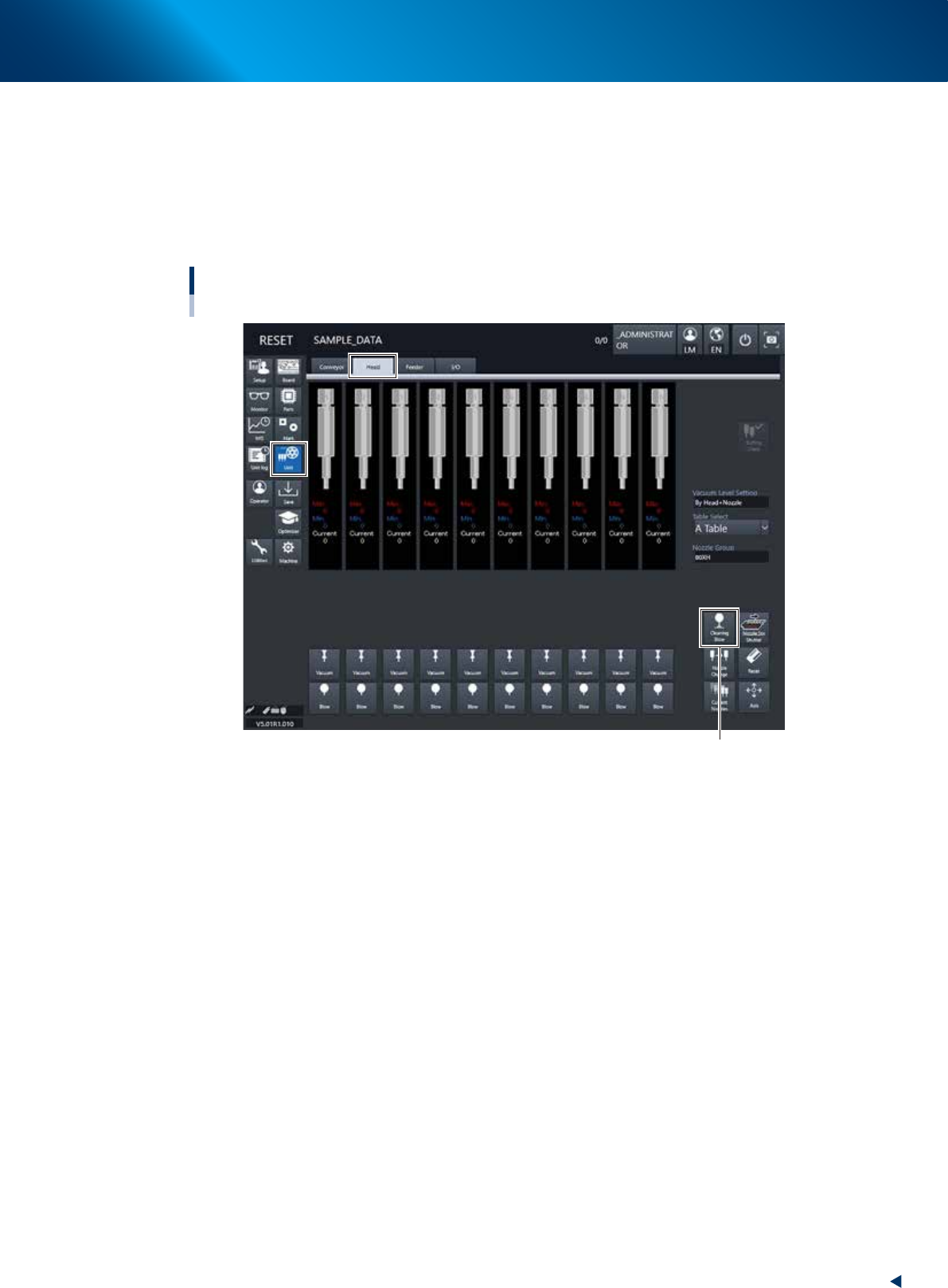
When the machine has a nozzle station (option)
When the settings are made so that all nozzles can be changed using a nozzle station (option), follow
these steps.
1
Open the [Unit] – [Head] screen.
2
Press the [Cleaning Blow] button.
[Cleaning Blow] button
Nozzle shaft blow
When using nozzle station (option)
24103-KMX-00