YRM20_Ope_E.pdf - 第91页
6. Recognition unit 1-60 Chapter 1 Unit names and functions 6.2 Side-view function (Scan camera / Side-view camera) T he functions below can be used b y Side-view camera and Scan camera to recognize components and nozzle…

6. Recognition unit
1-59
Chapter 1 Unit names and functions
■
Fiducial cameras
RM head unit and HM head unit are equipped with this camera at side. This is used to recognize
fiducial marks and to perform teaching for components mounting position. The head unit has two
fiducial cameras at both sides in order to extend the sight.
■
Scan camera
HM head unit is equipped with this camera at bottom. After components are picked up, this camera
moves left and right to recognize the picked component while the head unit moves to the mounting
position. This has also the side-view function as standard.
■
Side-view camera
RM head unit is equipped with this camera at bottom. This camera takes from side the images of
component being picked-up by nozzle. RM head unit is equipped 4 side-view cameras and the rotary
rotates after picked-up component to move the nozzle picking-up component in front of the nearest
camera and then component recognition is performed.

6. Recognition unit
1-60
Chapter 1 Unit names and functions
6.2 Side-view function (Scan camera / Side-view camera)
The functions below can be used by Side-view camera and Scan camera to recognize components and
nozzles horizontally.
█
Pickup error detection function
• Simple mode
Detects component pickup errors, thus preventing missed mountings.
Operation can continue without interruption even when nozzles are changed due to nozzle washing,
etc.
• Detailed mode
Detects component pickup errors, thus preventing missed mountings.
Vertical, horizontal, slanting, etc., pickup error judgments are made based on the user-specified
component thickness tolerance.
• Soiled nozzle detection function
If a component is recognized as "present" at component recognition, but as "absent" by the side-
view function, this is judged a "soiled nozzle" condition, and a warning message displays.
This enables the user to better identify the best time to wash a nozzle.
█
Component discard operation skip function
A discard operation skip occurs if the side-view function makes a "component absent" judgment.
This reduces wasted operation when a component has not been picked up, resulting in a lower tact.
█
Component return detection function
Detects a component which is still on the nozzle tip after it should have been mounted or discarded.
█
Upside down check function
Checks (at recognition processing) for components which have been picked up in an upside down
posture. This function also checks to see if the picked-up component size can be contained within
side-view camera's field of view.
An error message displays if the component is recognized as being upside down, or if its size cannot
be contained within side-view camera's field of view.
This function does not apply to components which have upper-half leads or for components which have
no side-face leads.
n
NOTE
For details regarding the side-view function's parameters, refer to the Programming Manual.
6. Recognition unit
1-61
Chapter 1 Unit names and functions
6.3 Multi-view cameras
Recognition unit
Multi-view camera
Multi-view camera
23136-KMX-00
■
Multi-view cameras
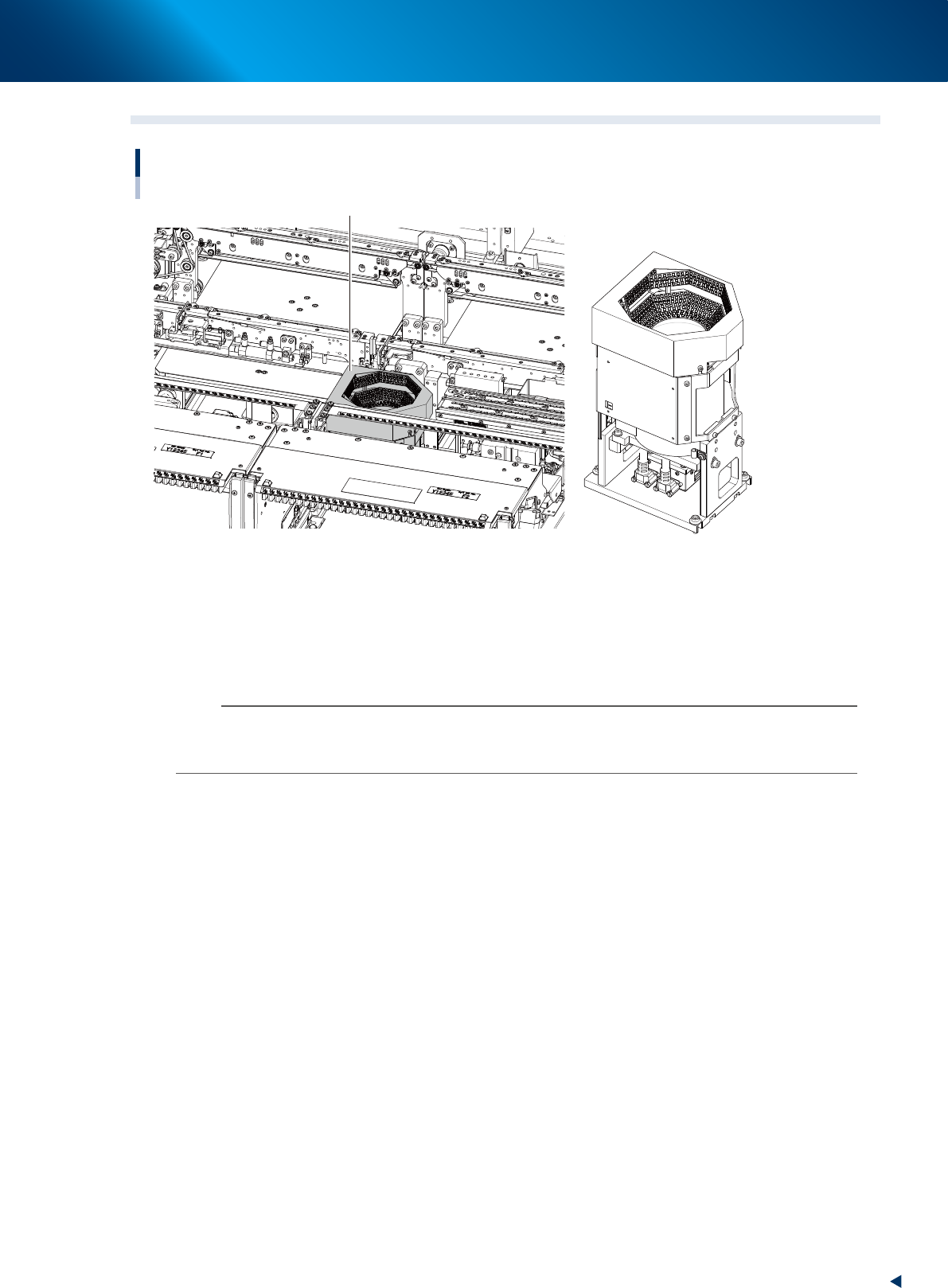
The multi-camera recognizes components when the components are mounted with RM head unit or when
the components, which are too big for a scan camera of HM head unit to recognize.
This is installed on either or both of front and rear depending on the head unit selection or its
specification.
n
NOTE
The maximum sizes of components that scan camera equipped to HM head unit can recognize are as below. When the
components size is bigger than this, a multi-view camera is required to recognize the components.
12 mm square, 6.5 mm heigh