YRM20_Ope_E.pdf - 第82页
4. Component supply section 1-51 Chapter 1 Unit names and functions 4 Enter F eeder Set No . for the copie d compone nt. 1. Press the [Assistant] button again to return to the "Pick" tab. 2. Enter the desired n…
4. Component supply section
1-50
Chapter 1 Unit names and functions
Feeder removing conditions : 3. Setting alternative component function
1
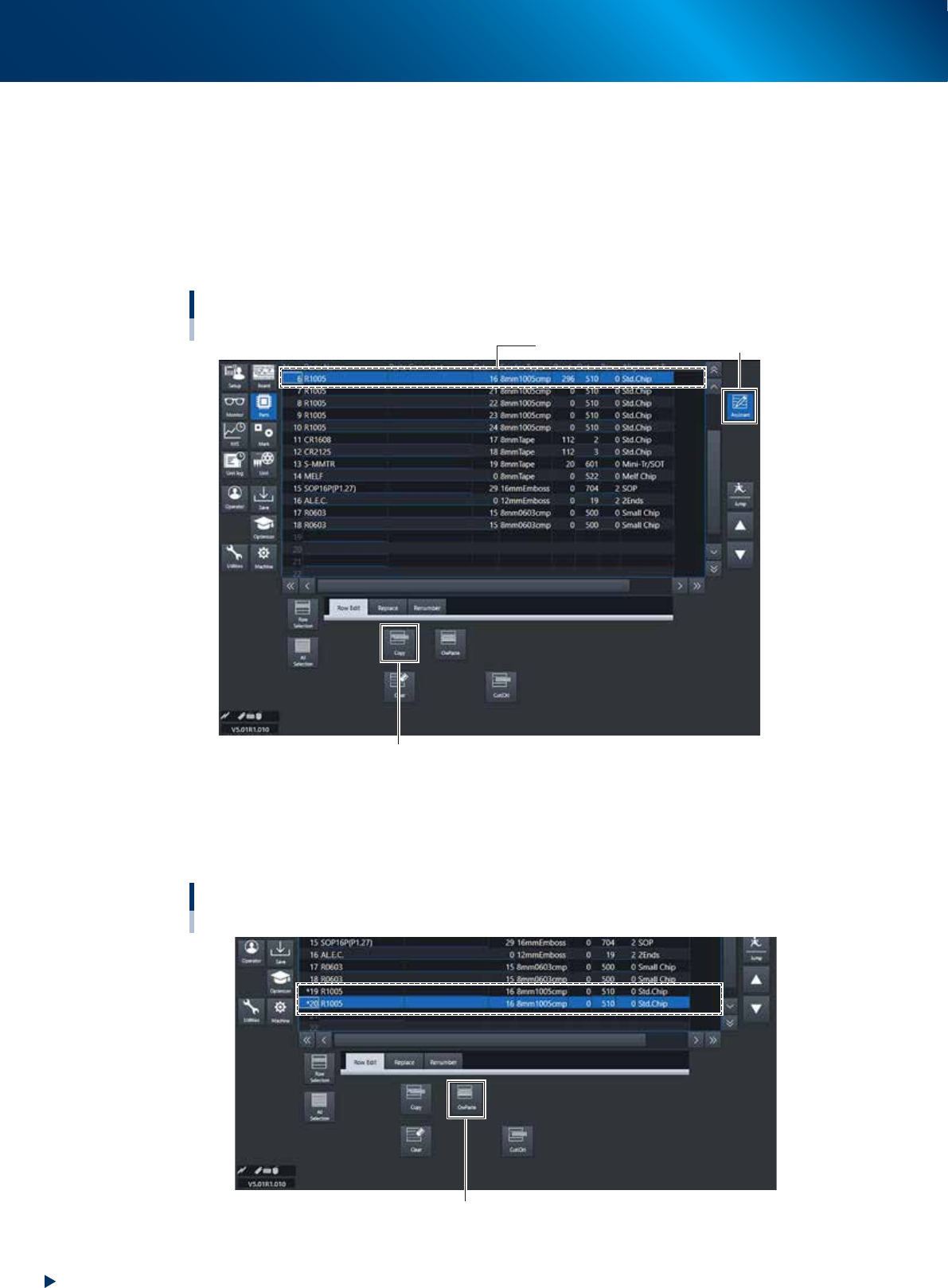
Select the source component.
1. Press the [Assistant] button to display the edit panel on the lower area of the screen.
2. Select the source component from the component data list in the upper grid and press the [Row
Selection] button.
2
Press the [Copy] button.
Selecting alternative component
Copy here.
[Assistant] button
[Copy] button
24114-KMX-00
3
Copy and paste the component data.
Select an empty row in the component data list and press the [OwPaste] button. For example, paste
the data onto data rows No. 19 and No. 20 to use 2 feeders as alternative components.
Copy and paste the component data
[OwPaste] button
24115-KMX-00
4. Component supply section
1-51
Chapter 1 Unit names and functions
4
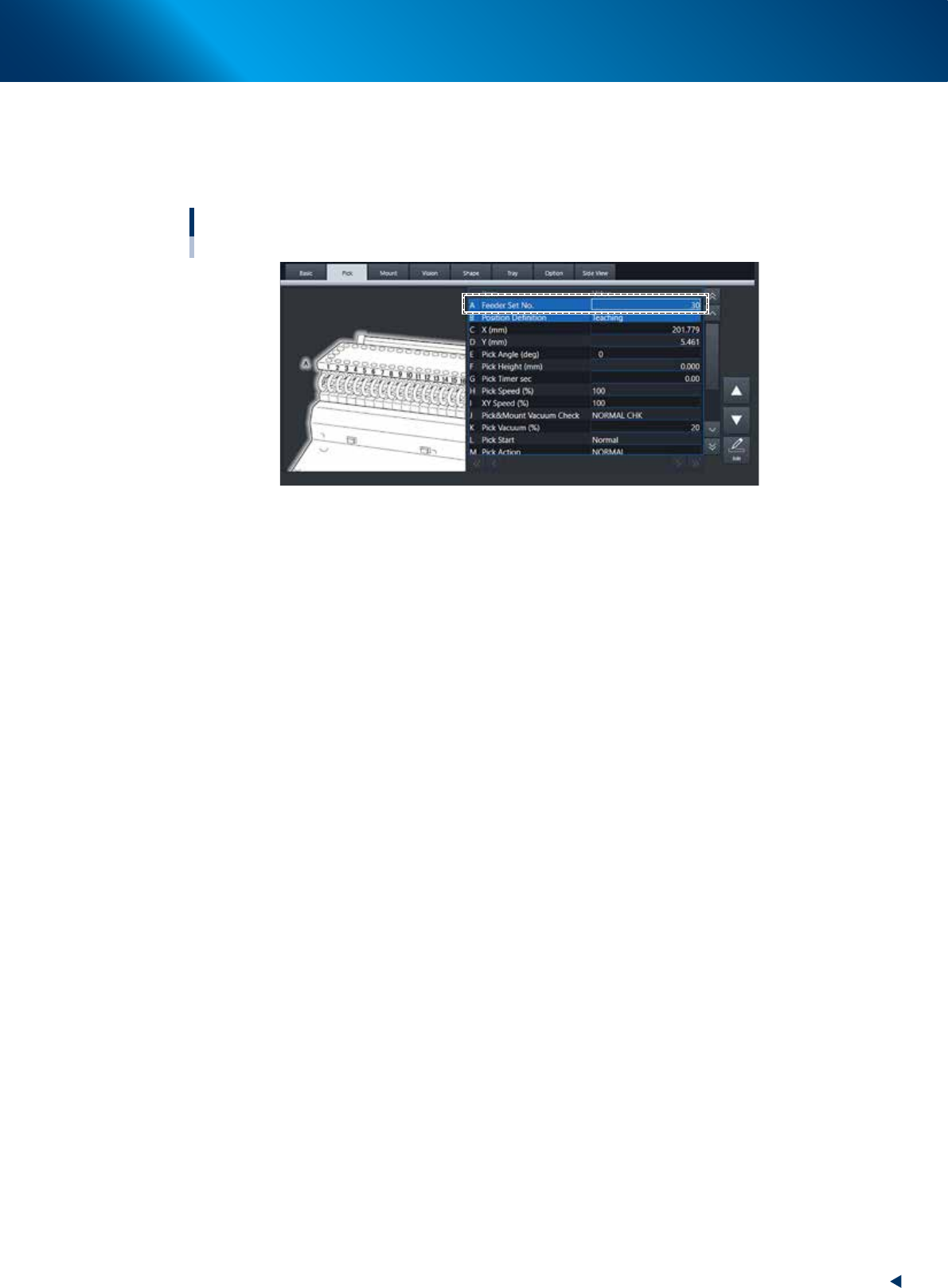
Enter Feeder Set No. for the copied component.
1. Press the [Assistant] button again to return to the "Pick" tab.
2. Enter the desired number to "Feeder Set No." of the component copied in Step 3. The desired
number must not overlap the other feeder set position.
Entering Feeder Set No.
[Parts] - [Pick] tab
24116-KMX-00
4. Component supply section
1-52
Chapter 1 Unit names and functions
5
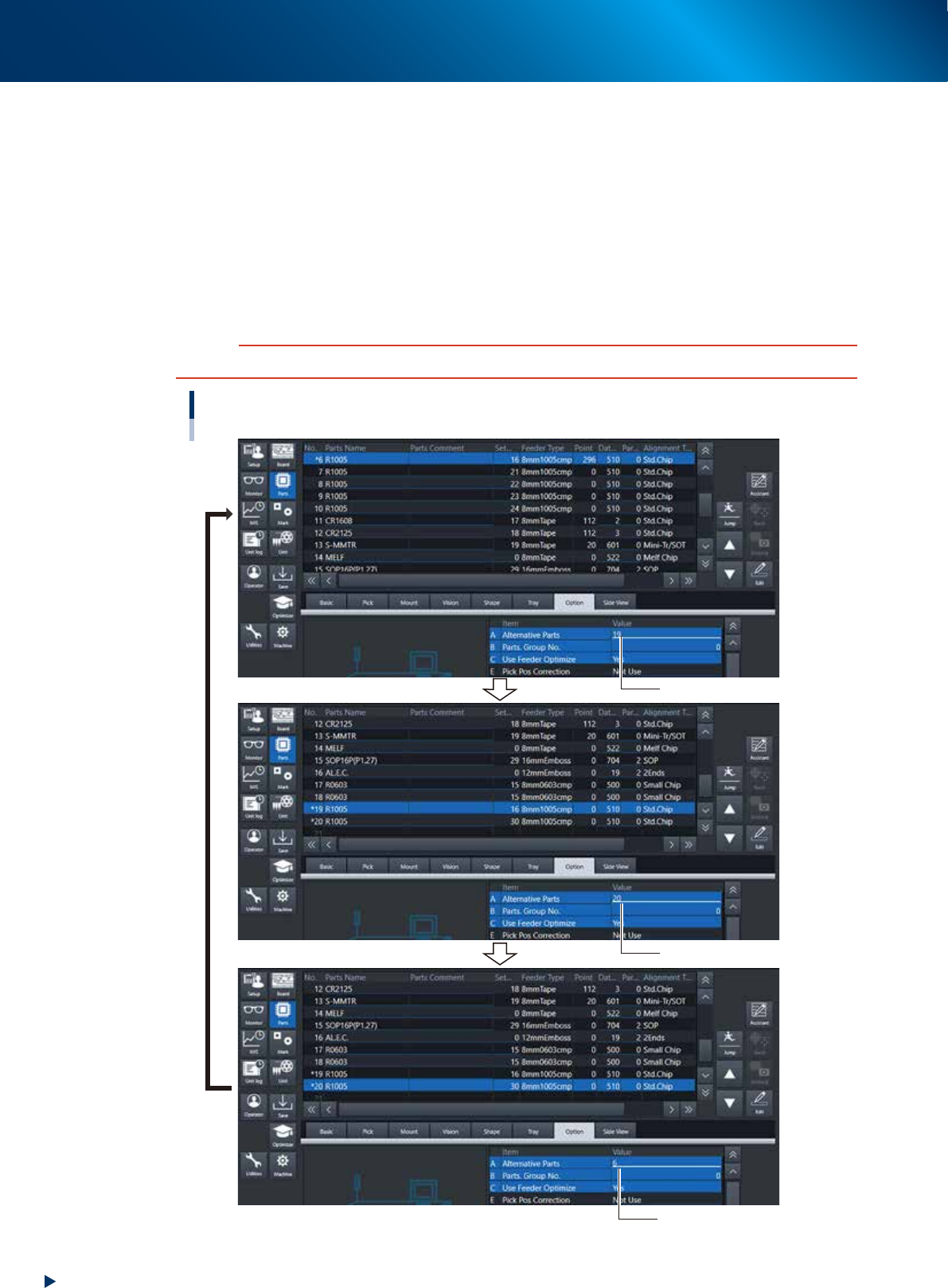
Specify the alternative component numbers.
1. Select the "Option" tab.
2. Select data No. 6 and enter "19" for the "A Alternative Parts" of Option tab.
3. Select data No.19 and enter "20"for the "A Alternative Parts" of Option tab.
4. Select data No. 20 and enter "6" for the "A Alternative Parts" of Option tab.
The settings above mean that the alternative component for No. 6 is No.19, that for No.19 is No.
20 and that for No. 20 is No. 6, just like making a loop as an alternative component group.
Detach No. 6 feeder from machine while it is substituted by No. 19, set new components and attach
again the reloaded feeder to No. 6 position of machine. When the reloaded feeder is set to No. 6,
components are supplied from feeder No. 6 automatically.
c
CAUTION
Data No. for alternative components must make a loop.
Alternative component number settings
Enter “19”.
Enter “20”.
Enter “6”.
24117-KMX-00