YSP_Users_E.pdf - 第118页
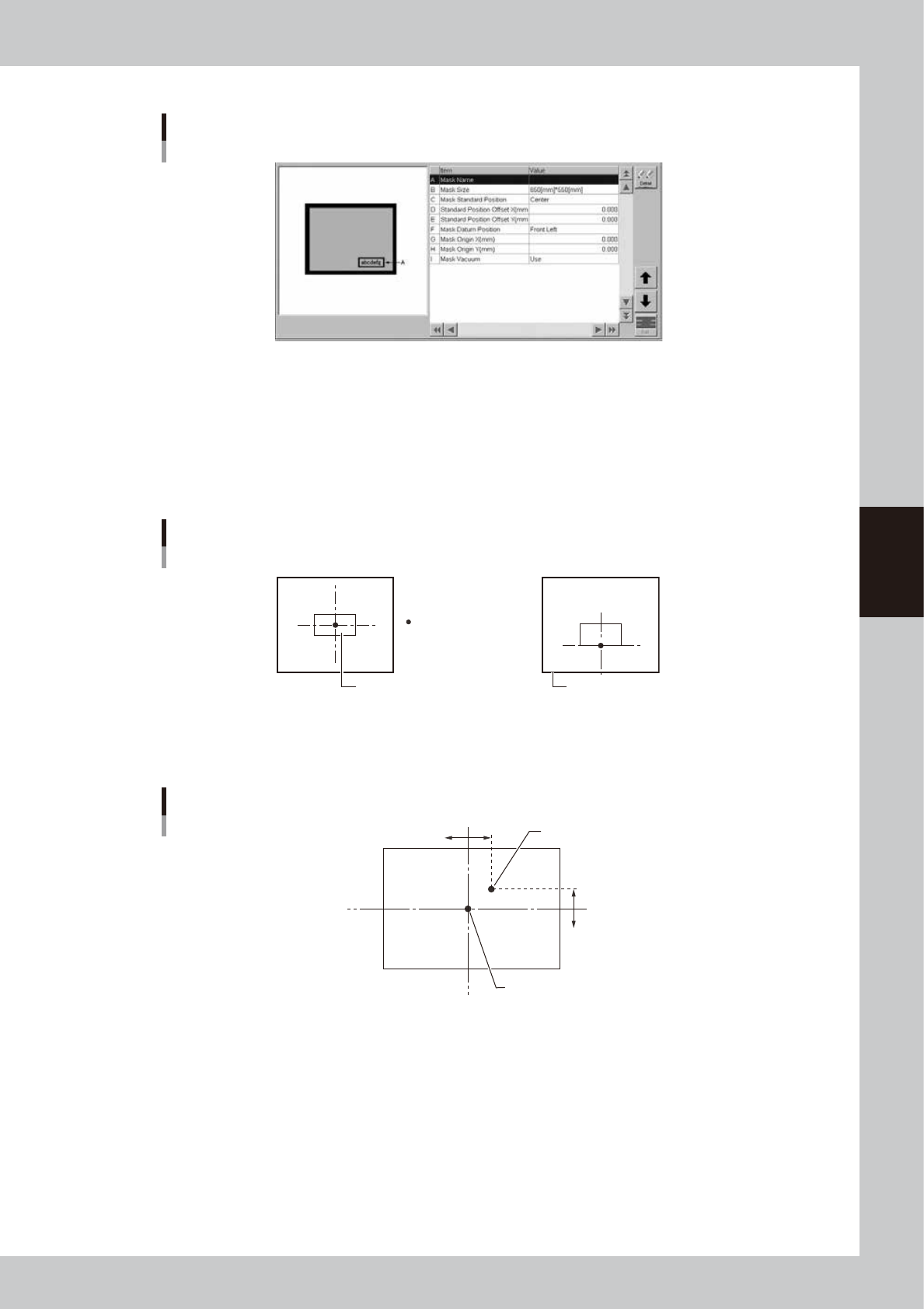
4-15 4 Creating and setting the data 7: Mask parameters Mask parameters 64418-L3-00 A: Mask Name Enter a mask name. B: Mask Size Enter the mask frame size (L x W) in millimeters. C: Mask Standard Position Specify the ref…
4-14
4
Creating and setting the data
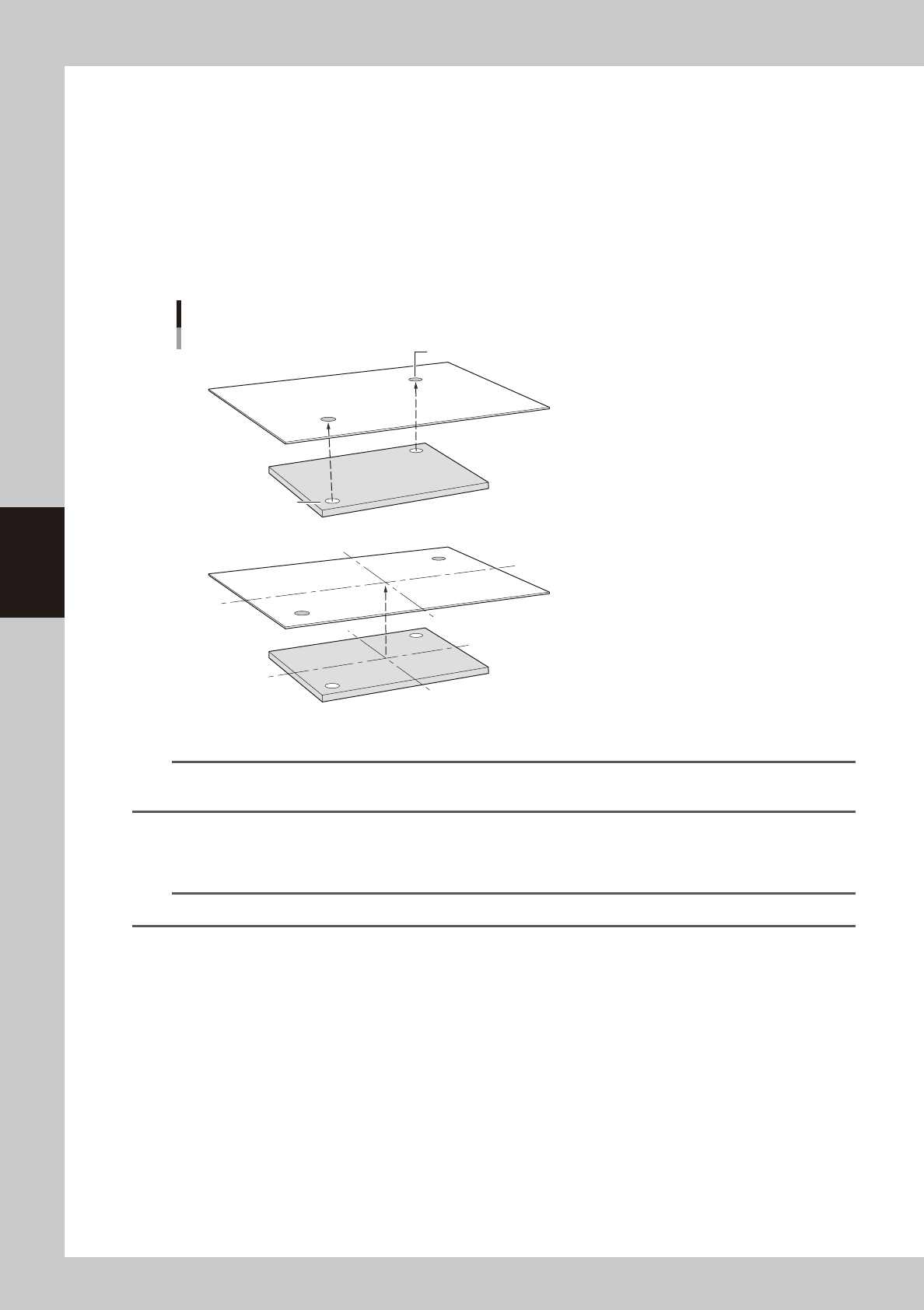
3: Fiducial Position
This parameter sets whether to share the fiducial mark position with the board and the mask. Pressing the [Edit] button at
the upper right displays the dialog box shown above. Select "Board&Mask Individual" or "Board&Mask Common" from
the Fiducial Position drop-down list.
When "Board&Mask Individual" is selected, the Fiducial Position, Fiducial Type and Standard Position parameters can be
set individually on the board and mask.
When "Board&Mask Common" is selected, the Fiducial Position, Fiducial Type and Standard Position parameters are
shared with the board and the mask.
A confirmation message box appears when you select "Board&Mask Common". Pressing the [OK] button in the message
box copies the fiducial mark setting (Fiducial Position, Fiducial Type and Standard Position parameters) into the board
fiducial mark setting.
Mask mark
■ Board and mask mark positions are on the same coordinates
■ Board and mask mark positions are on different coordinates
Board mark
Positioning marks on board and mask
Image processing is first performed to detect
the amount of position shift with reference to
the theoretical mark positions on the board and mask.
Based on this, the board and mask positions
are determined so that their marks are exactly aligned.
Image processing is first performed to detect the
amount of position shift with reference to the
theoretical mark positions on the board and mask.
Based on this, the board and mask positions are
determined so that their centers are exactly aligned.
Then, angular positioning of the board and mask is
corrected respectively, so that a line connecting
the two marks is aligned with the line connecting
the theoretical positions of the marks.
63405-L3-00
n
NOTE
When the Fiducial Position, Fiducial Type and/or Standard Position parameter are changed by either the board
fiducial setting or mask fiducial setting or teaching, then that change is automatically reflected in the other.
4: X, Y (mm)
Enter the XY coordinates of each fiducial mark relative to the mask origin in millimeters. You can perform teaching with
the [Teach] button.
TIP
For details on teaching, see "1. Teach and trace" in Chapter 6.
5: Mark No.
Enter the mark No. of each fiducial mark. (Mark No. should be registered in advance on the Mark screen.)
6: Name
When the mark No. is entered, the corresponding name is automatically displayed here. (Mark name should be registered
in advance on the Mark screen.)
4-15
4
Creating and setting the data
7: Mask parameters
Mask parameters
64418-L3-00
A: Mask Name
Enter a mask name.
B: Mask Size
Enter the mask frame size (L x W) in millimeters.
C: Mask Standard Position
Specify the reference position used to fabricate the mask.
For this machine, select "Center" or "Front" mask standard position.
Mask Standard Position (Mask reference position)
Mask Standard Position
Mask Standard Position: Center Front
Board Mask frame
63409-L3-00
D, E: Standard Position Offset X, Y
If the mask standard position deviates greatly from the "Center" or "Front" and the mark cannot be recognized, set the
positional offset values (millimeters) here.
Standard Position Offset X, Y (when Mask Standard Position is "Center")
Mask center
X-
X+
-Y
+Y
Mask Standard Position
63410-L3-00
4-16
4
Creating and setting the data
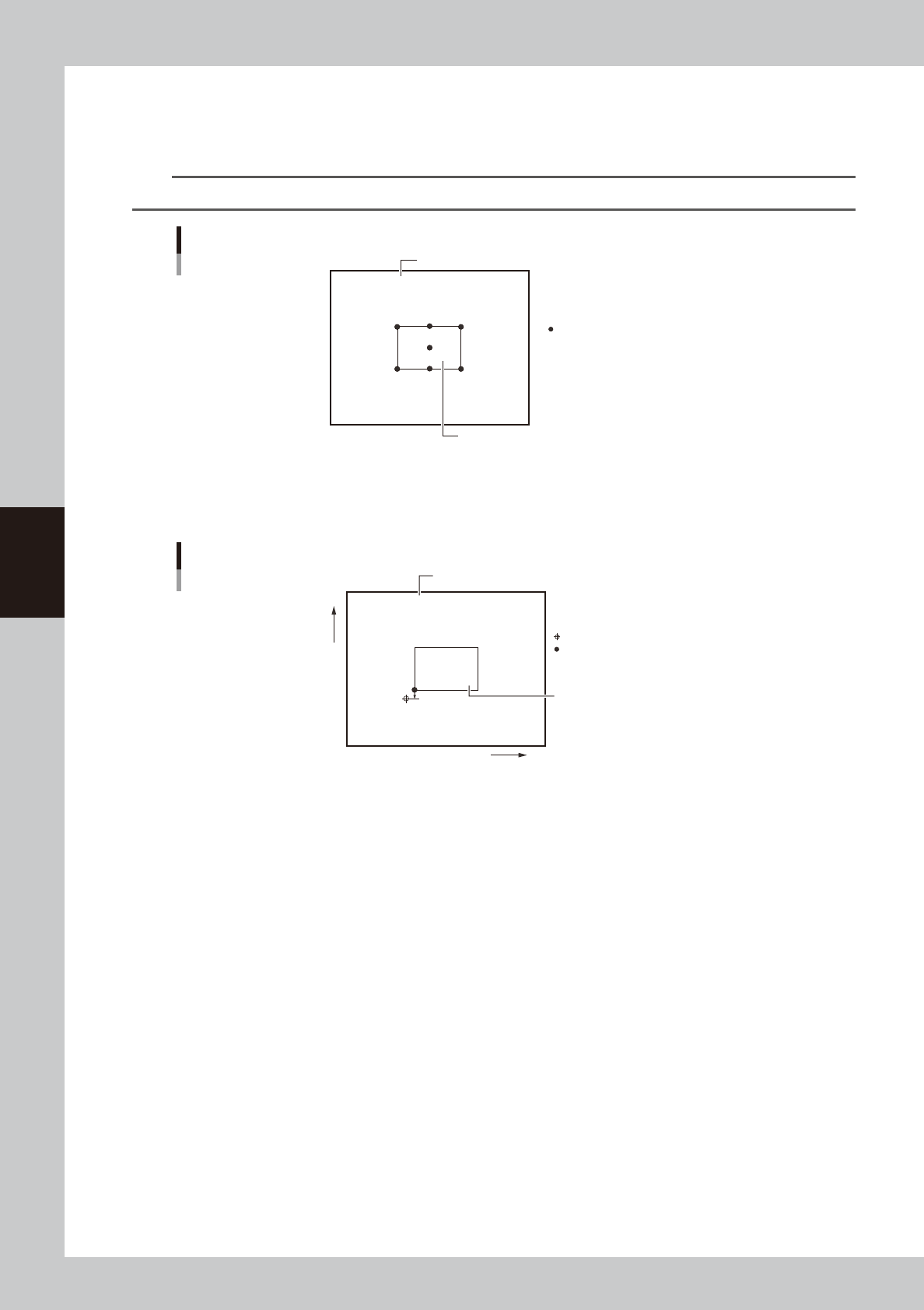
F: Mask Datum Position
Based on the Mask Standard Position and Standard Position Offset settings, select the position used as the reference
position on the mask from among "Center", "Front Center", Rear Center, "Front Left", "Front Right", "Rear Left" and "Rear
Right" as shown below. The defaut setting is "Front Left".
TIP
The mask has "Mask Origin", "Mask Fiducial (Mark)" and "Mask Inspection Position" parameters as its setting positions.
Mask Datum Position
Mask Datum Position
Board
Mask frame
63411-L3-00
G, H: Mask Origin X, Y (mm)
If the fiducial mark on a mask has an origin different from the Mask Datum Position, set the positional offset (mm) here
as the Mask Origin.
Mask Origin
Mask origin
Mask Datum Position
When Mask Datum Position is set to "Front Left":
Board
Mask frame
+Y
-Y
X+
X-
63412-L3-00
I: Mask Vacuum
Set this parameter to "Use" when you want to vacuum-grip the mask on the conveyor rails during solder printing. Set to
"NotUse" when not using this function.
Mask vacuum has the following functions:
• Prevents a positional shift in the Y direction between back and forth printing operations.
• Improves the surface contact between the board and the mask.