YSP_Users_E.pdf - 第176页
5-20 5 Managing the data 3.1.2 Operation log (Unit Log) T he operation logs of various units used in the mac hine are recorded. T o chec k these operation logs, press the [Unit log] button on the main menu button area. T…
5-19
5
Managing the data
n
Items displayed on the "MIS" screen
[Error Log], [Board Log] and [Program Log] tabs
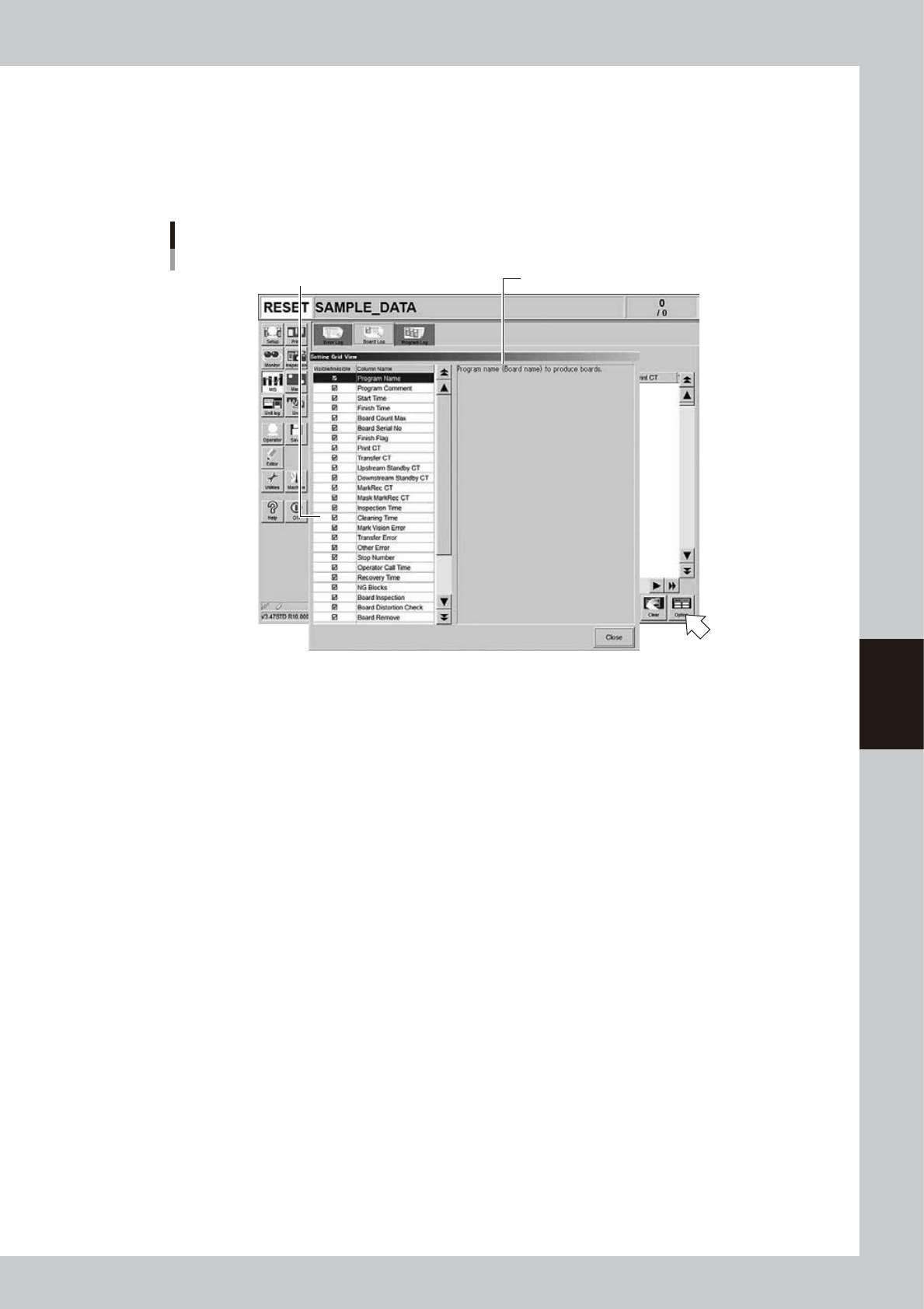
Items to be displayed on these tabs can be viewed by pressing the [Option] button on the lower right of the "MIS" screen.
Pressing the [Option] button opens the "Setting Grid View" screen as shown below. Selecting each item in the left-hand
list shows the contents of that item on the right side.
“Setting Grid View” screen
[MIS] - [Board Log] tab
Select item.
Description of the selected item is displayed.
64551-L3-00
5-20
5
Managing the data
3.1.2 Operation log (Unit Log)
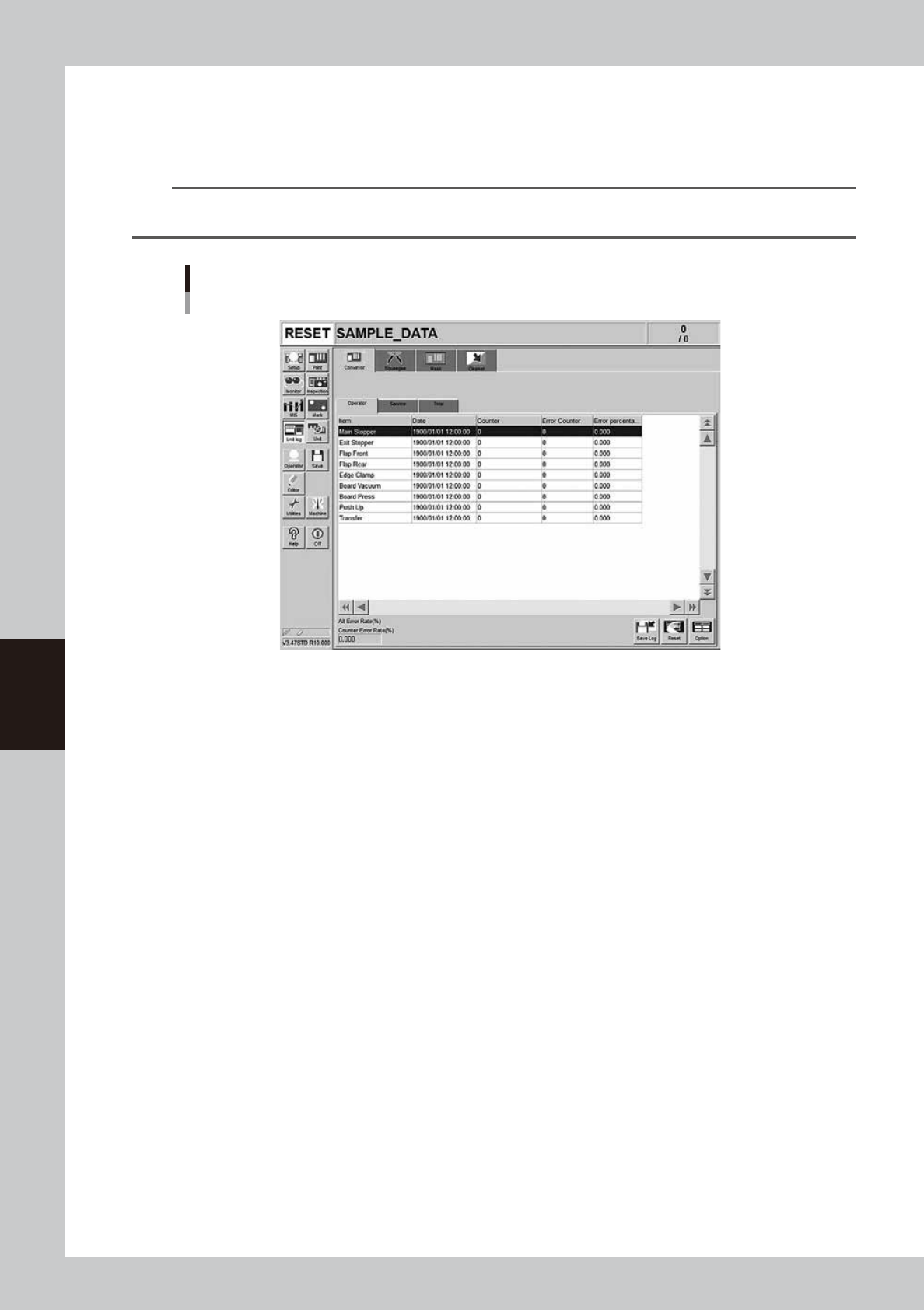
The operation logs of various units used in the machine are recorded. To check these operation logs, press the
[Unit log] button on the main menu button area. The operation logs relating to the conveyor, squeegee, mask
and cleaning unit are displayed by selecting the corresponding tab.
TIP
Three kinds of data, data that can be arbitrarily reset by the user, maintenance data, and total data, are displayed
on each tab screen.
Operation log (“Unit Log” screen)
[Conveyor] - [Operator] tab
64552-L3-00
Conveyor
The operation log of each conveyor unit, such as exit stopper, flap, board pickup, and push-up is displayed.
The operation log is separated by the [Operator], [Service], and [Total] tabs to display it according to the purpose that is
used. The log data on the [Operator] and [Service] tab screens can be reset, but the log data on the [Total] tab screen
cannot be reset.
Error percent
Number of operation errors divided by number of operations
×
100 (%).
Counter error rate
The "Counter error rate" box shows the total number of operation errors recorded on the tab divided by the total number
of operations
×
100 (%).
Squeegee
The operation status of the metal squeegee or urethane squeegee is displayed. The log is counted by double squeegee
type and it can be selected from the drop-down list at the upper left portion.
Contents of each item to be displayed and button functions are the same as the [Conveyor] tab screen.
Mask
The operation log of the mask clamp or mask vacuum and the mask operation counts are displayed. The mask operation
counts are displayed by the mask name. When the board is produced with the same mask name, one mask name is
counted even when the different board data is used.
Contents of each item to be displayed and button functions are the same as the [Conveyor] tab screen.
Cleaner
The operation log of the blower motor is displayed.
Contents of each item to be displayed and button functions are the same as the [Conveyor] tab screen.
5-21
5
Managing the data
n
Items displayed on the "Unit Log" screen
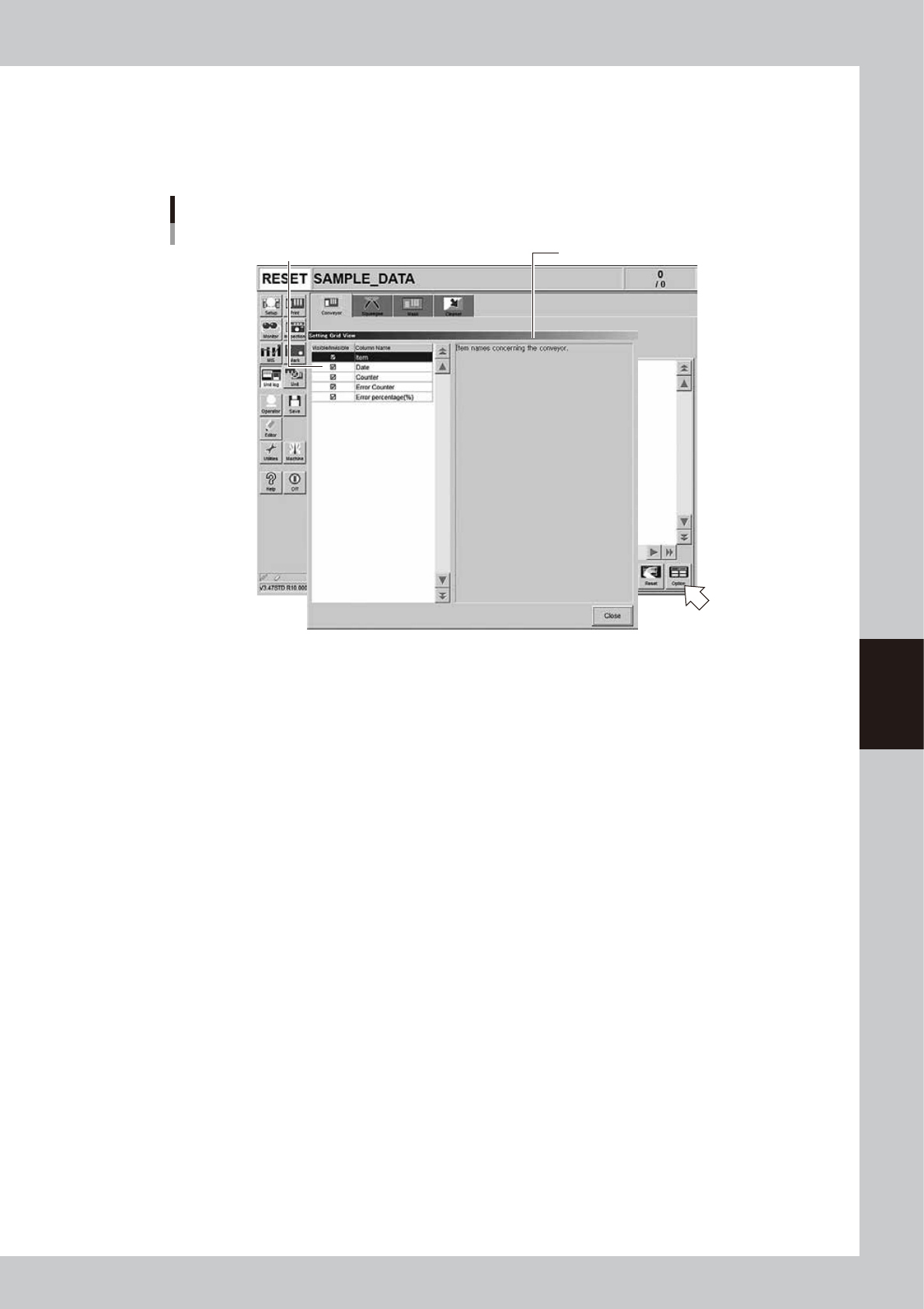
Items to be displayed on each tab of the "Unit Log" screen can be viewed by pressing the [Option] button on the lower
right of the "Unit Log" screen. Pressing the [Option] button opens the "Setting Grid View" screen as shown below.
Selecting each item in the left-hand list shows the contents of that item on the right side.
“Setting Grid View” screen
[Unit Log] - [Squeegee] tab
Select item. Description of the selected item is displayed.
64553-L3-00