YSP_Users_E.pdf - 第174页
5-18 5 Managing the data 3. Production log management It is possible to collect, store, and display log data such as various types of production information and errors that occurred during automatic operation. This usefu…
5-17
5
Managing the data
5
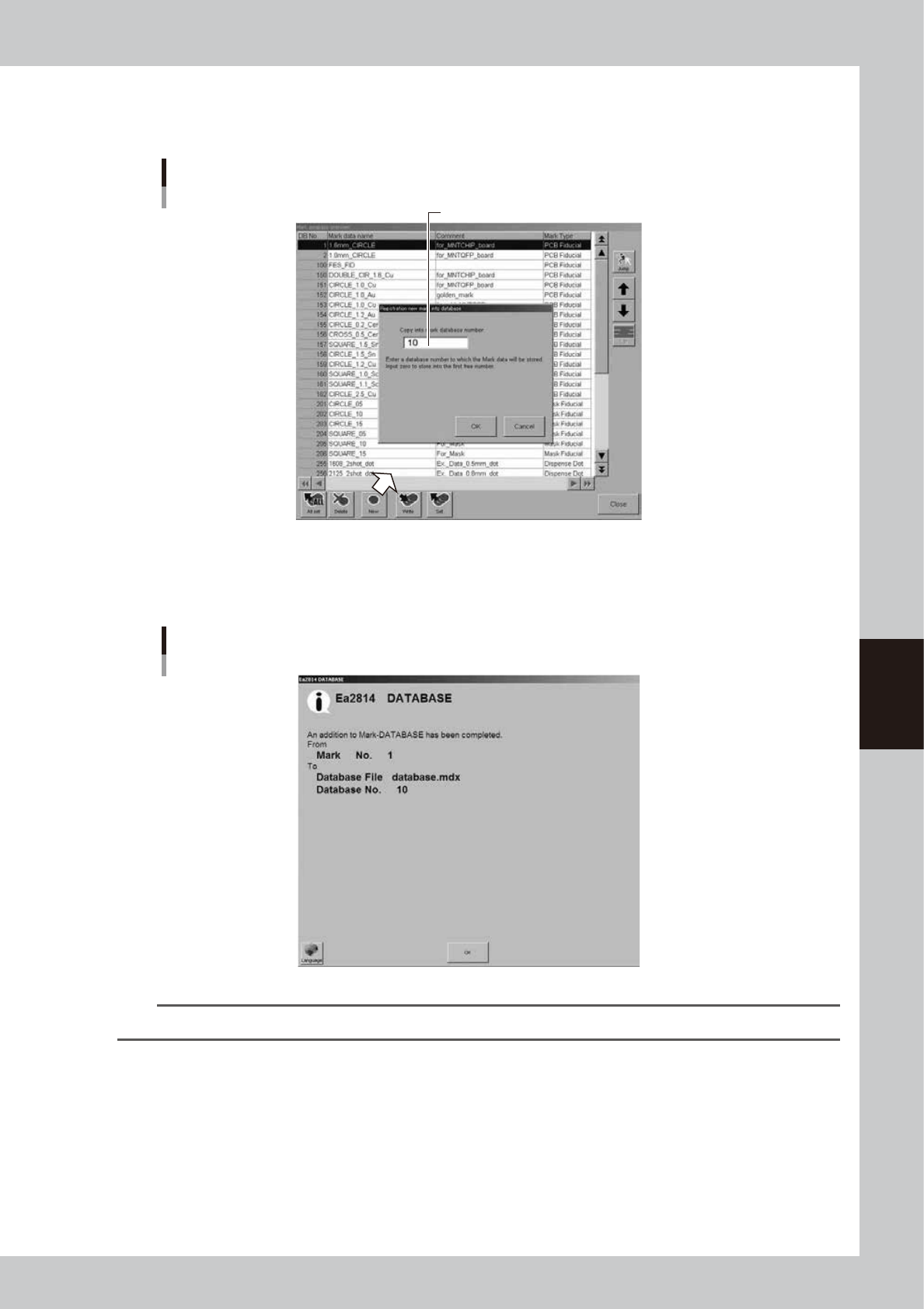
Press the [New] button and designate the database number.
The database number input dialog box appears. Enter the database number under which the data will
be stored. Leave blank to store the data in the first free number.
Database number input dialog box
Enter the database number where data should be copied.
64506-L3-10
6
Press the [OK] button to copy the data into the database.
All items of the selected data including the data name and comment will be copied. Press the [Clear]
button to return to the database list.
Database registration message
64507-L3-00
TIP
Repeat the above procedure when you want to copy other data into the database.
7
Press the [Close] button to close the database list.
5-18
5
Managing the data
3. Production log management
It is possible to collect, store, and display log data such as various types of production information and
errors that occurred during automatic operation.
This useful function allows you to collect daily operation conditions and production logs, and also supports
an automatic log data collection system through the network.
3.1 Production log types
This machine stores production logs per machine and per board data.
The production logs are broadly grouped into 2 types. One is a log history and the other is a machine operation
data count log.
3.1.1 Production log (MIS)
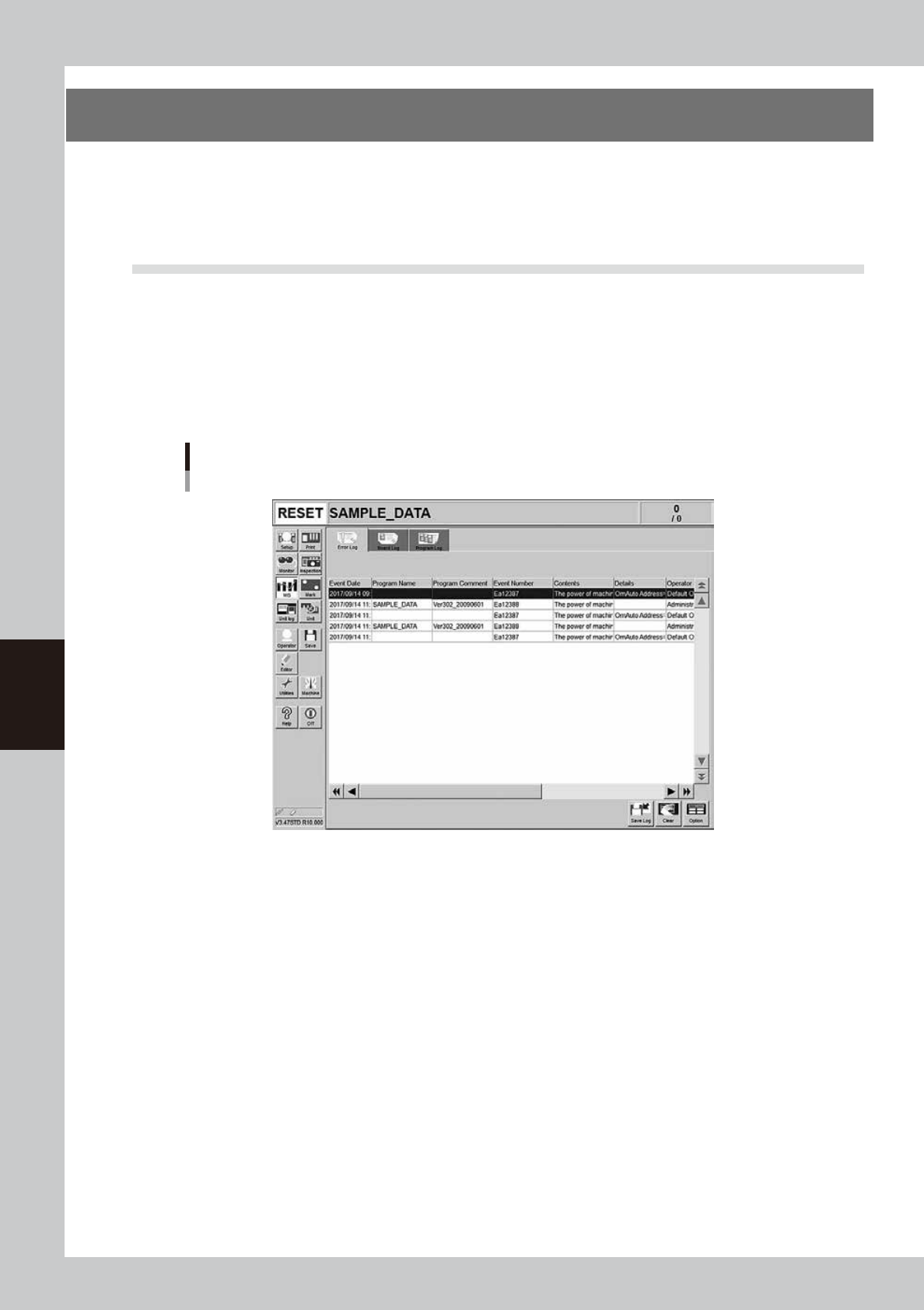
When pressing the [MIS] button, the production log screen appears that is separated by the [Error], [Board],
and [Program] tabs, allowing you to easily check the production log.
Production log ("MIS" screen)
[Error Log] tab
64550-L3-00
Error Log
Displays error and operation logs.
One error or one operation is listed in one data row. Up to 1000 rows can be displayed.
Board Log
Displays production logs per board.
One data row is used to record one board. Up to 1000 rows can be displayed.
Program Log
Displays production results per lot, with one lot treaded as the interval from the loading of a program (board data) until
switching over to the next program.
One data row is used to record one lot. Up to 1000 rows can be displayed.
5-19
5
Managing the data
n
Items displayed on the "MIS" screen
[Error Log], [Board Log] and [Program Log] tabs
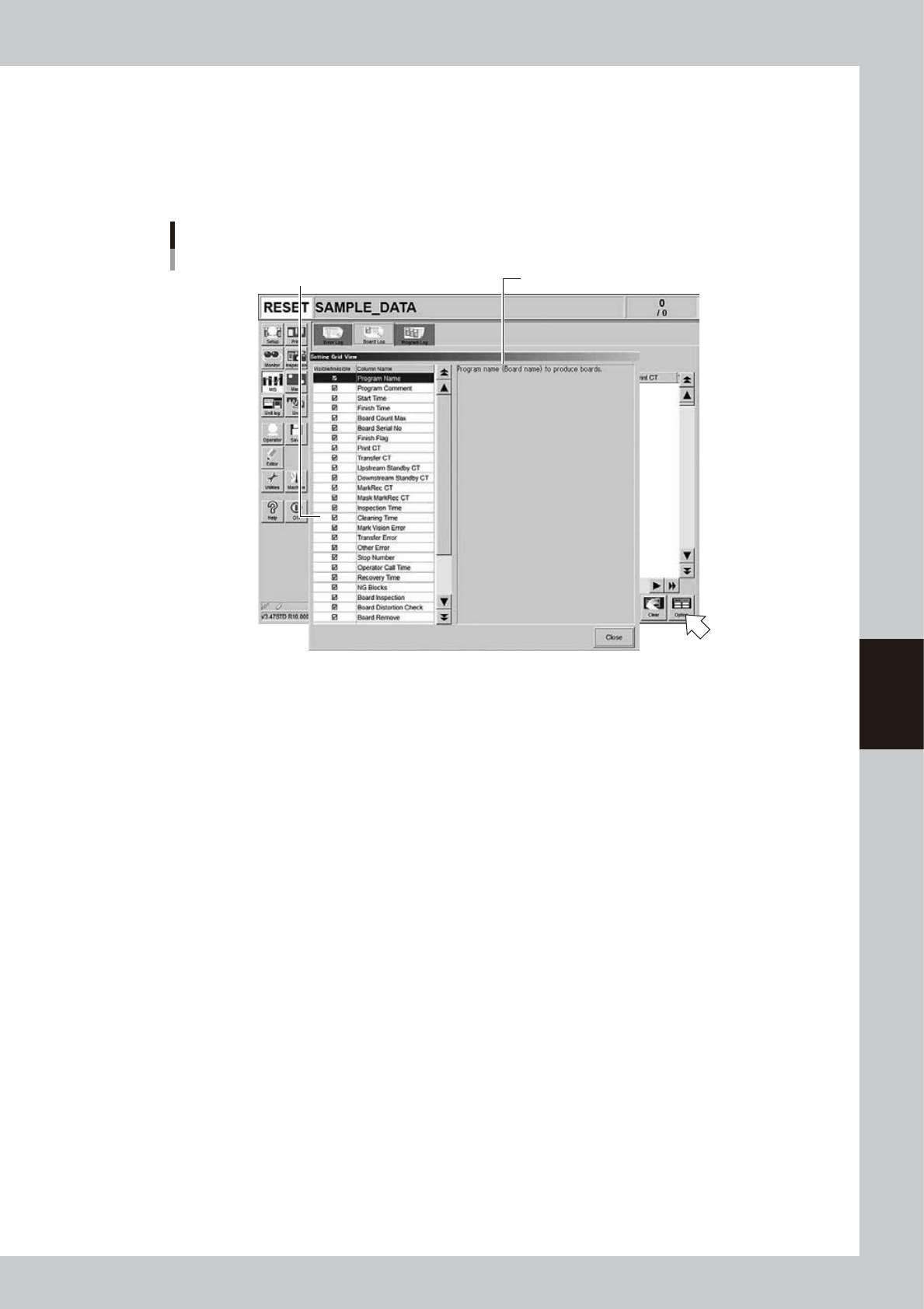
Items to be displayed on these tabs can be viewed by pressing the [Option] button on the lower right of the "MIS" screen.
Pressing the [Option] button opens the "Setting Grid View" screen as shown below. Selecting each item in the left-hand
list shows the contents of that item on the right side.
“Setting Grid View” screen
[MIS] - [Board Log] tab
Select item.
Description of the selected item is displayed.
64551-L3-00