YSP_Users_E.pdf - 第59页
1-17 1 Part names and functions 4.4.2 AUTO mode If no visual chec k is needed, set the A UT O/ MANUAL switch to "A UTO". T he AUT O mode permits automatic operation that continuously transports boards to the do…
1-16
1
Part names and functions
4.4.1 MANUAL mode
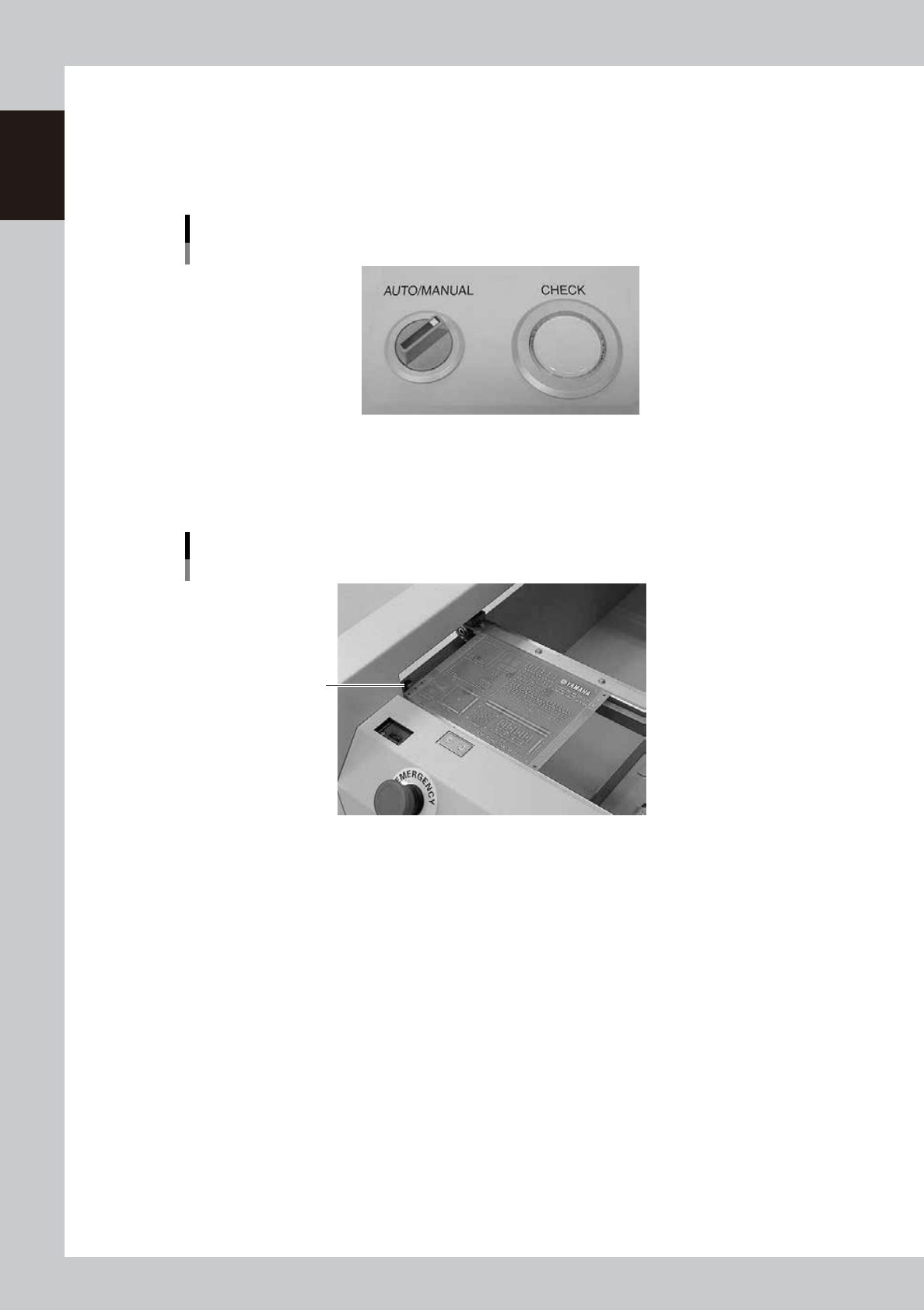
When you want to visually inspect solder paste printed on a board, set the AUTO/MANUAL switch to
"MANUAL". When MANUAL mode is selected, the board transferred from the board clamp table temporarily
stops at the exit on the extended conveyor. You can inspect the printed solder paste visually with the procedure
described below.
AUTO/MANUAL switch
MANUAL mode
63118-L3-00
1
Make sure that a board has stopped on the extended exit conveyor.
The CHECK button lamp lights up when a board stops in the exit position (exit stopper position) on the
extended exit conveyor.
Temporary board stop position
Exit stopper
63119-L3-00
2
Inspect the board.
You can pick up a board from the extended exit conveyor and inspect how accurately the solder paste
is printed on the board.
3
Return the board to the extended exit conveyor after inspecting it.
4
Press the CHECK button.
The CHECK button lamp turns off and the board is then transferred to the downstream machine.
1-17
1
Part names and functions
4.4.2 AUTO mode
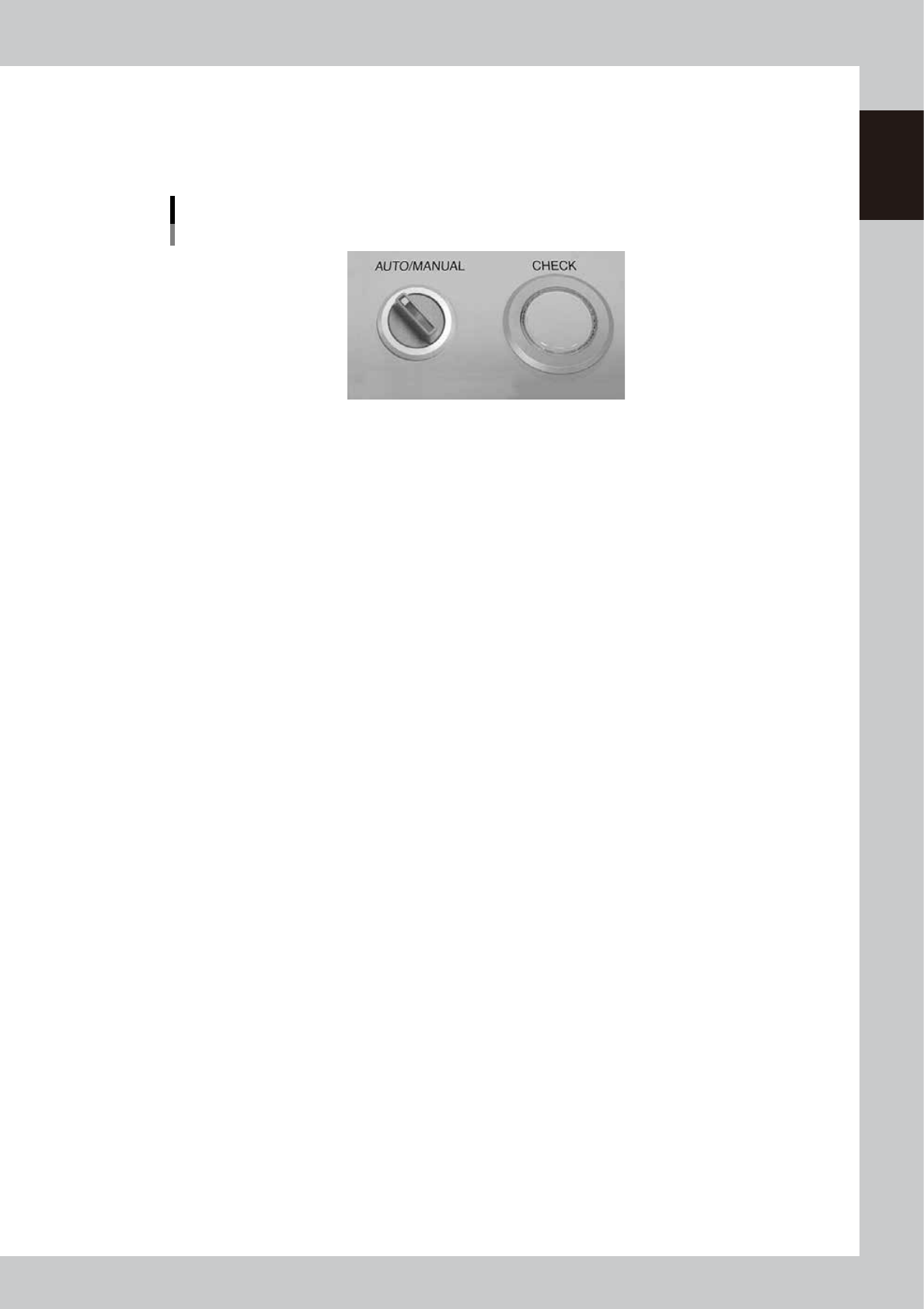
If no visual check is needed, set the AUTO/ MANUAL switch to "AUTO". The AUTO mode permits automatic
operation that continuously transports boards to the downstream machine. (The CHECK button is disabled
during AUTO mode.)
AUTO/MANUAL switch
AUTO mode
63120-L3-00
1-18
1
Part names and functions
5. Cleaning unit
5.1 Cleaning unit
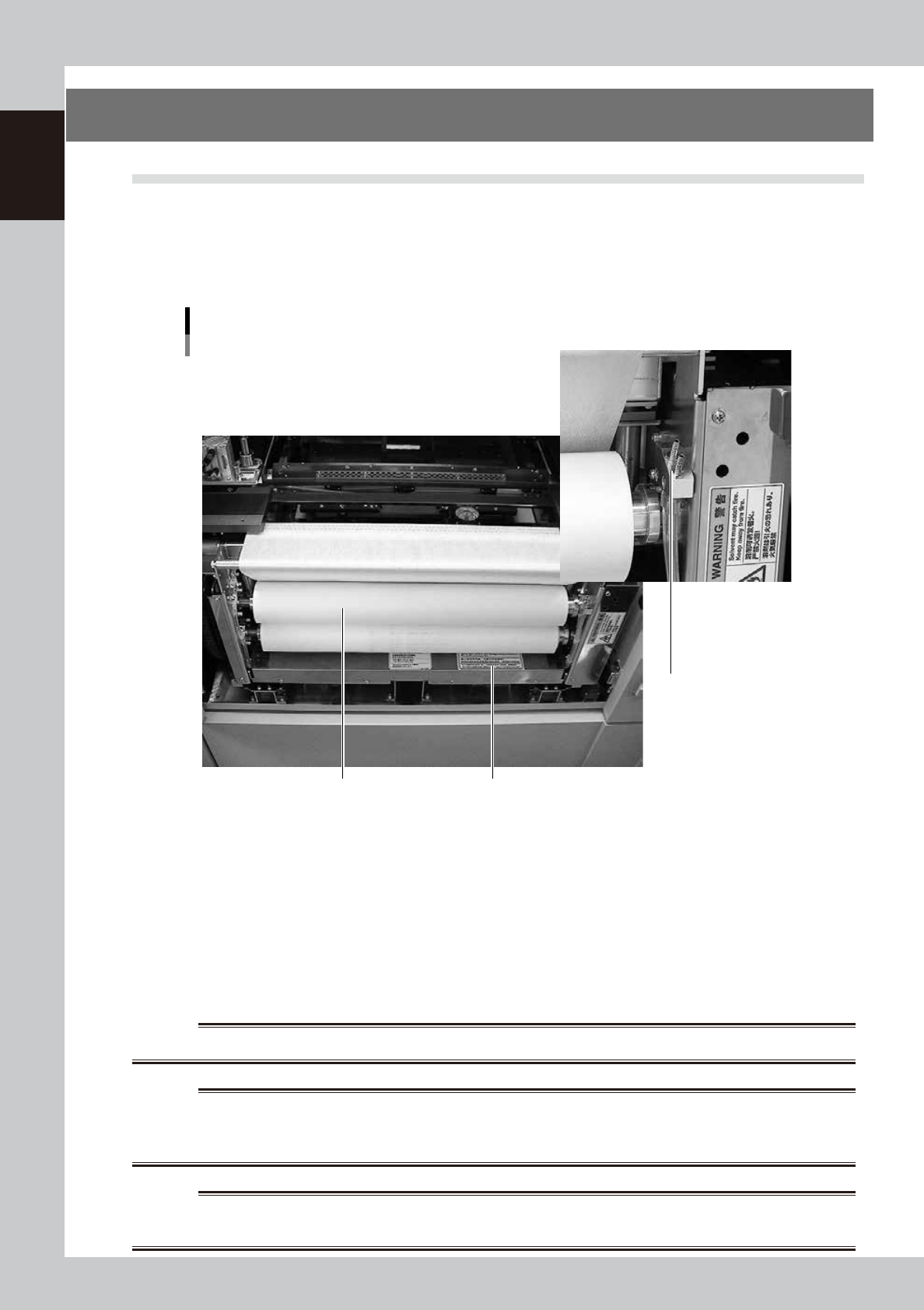
When you open the machine front panel, you will see the cleaning unit installed under the printing table. The
cleaning unit uses a gauze roll to wipe away solder adhering to the mask apertures and solder coming out of
the backside of the mask while vacuuming. Cleaning can be performed in AUTO mode or MANUAL mode. In
AUTO mode, you can further select wet mode using a solvent (alcohol) or dry mode using the cleaning gauze
only.
Cleaning unit and solvent tank
1 2
3
63121-L3-00
1. Gauze roll
Wipes away solder and flux coming out of the backside of the mask. To replace the used gauze roll see "3. Replacing the
cleaning gauze roll" in Chapter 7.
2. Solvent tank
Lets solvent soak into the cleaning gauze to liquefy remaining solder during the mask cleaning. Insert the nozzle of the
special solvent supply bottle into the solvent refilling joint to refill the tank with solvent.
3. Solvent refilling joint
Insert the nozzle of the special solvent supply bottle into this port.
w
WARNING
TO REFILL THE SOLVENT BOTTLE, ALWAYS USE ISOPROPYL OR ETHYL ALCOHOL. OTHER SOLVENTS MAY CAUSE FIRES.
w
WARNING
NEVER USE ACETONE FOR CLEANING. ACETONE MAY DAMAGE SOLVENT TUBES OR THE CLEANING UNIT, CAUSING
CLEANING FLUID TO LEAK THROUGH DAMAGED PARTS. ALSO BE SURE TO USE FRESH CLEANING FLUID. DO NOT USE OLD
(USED) CLEANING FLUID.
w
WARNING
BE CAREFUL WHEN USING ISOPROPYL ALCOHOL, SINCE INHALING ALCOHOL FUMES OVER EXTENDED PERIODS CAN BE
HAZARDOUS TO HEALTH.