YSP_Users_E.pdf - 第91页
3-11 3 Daily operation 6. Rolling operation In rolling operation, the squeegee head moves back and forth repeatedly in order to roll and agitate solder on the mask until it becomes suitable for printing. Rolling operatio…
3-10
3
Daily operation
5
Raise the clamp plate.
Raise the clamp plate of the mask adaptor to attach it to the mask clamp on the machine side.
The clamp plate is kept raised by the magnet on the adapter.
6
Install the L side (X direction) stopper.
Install the mask stopper pin at the specified position of the left mask plate while referring to the label
stating “Mask sizes and stopper positions” attached to the machine.
7
Set the mask.
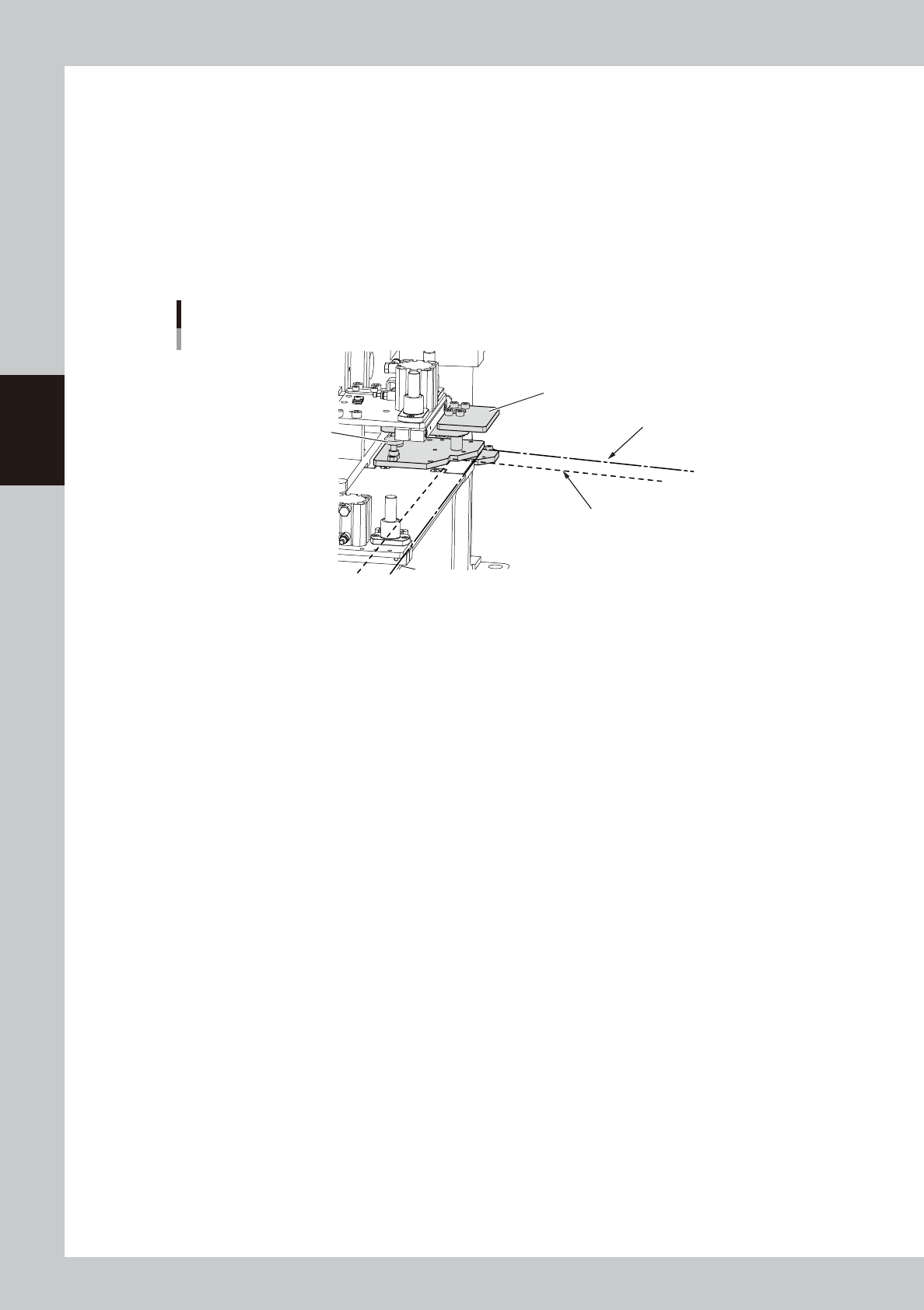
Set the mask while referring to the mask installation position shown in the figure below and turn on the
mask clamp switch to secure the mask.
Mask adaptor
Mask installation position
"600x550" mask position
"550x650" mask position
Mount knob
Clamp plate
63310-L3-00
3-11
3
Daily operation
6. Rolling operation
In rolling operation, the squeegee head moves back and forth repeatedly in order to roll and agitate solder
on the mask until it becomes suitable for printing. Rolling operation is recommended in cases where you first
print after supplying solder on the mask or when solder has been left on the mask for a long time while not in
operation.
n
NOTE
The board surface becomes soiled during rolling operation, so we recommend covering the board surface with a
transparent sheet (available as option). After rolling operation, clean the backside of the mask by automatic or
manual cleaning.
1
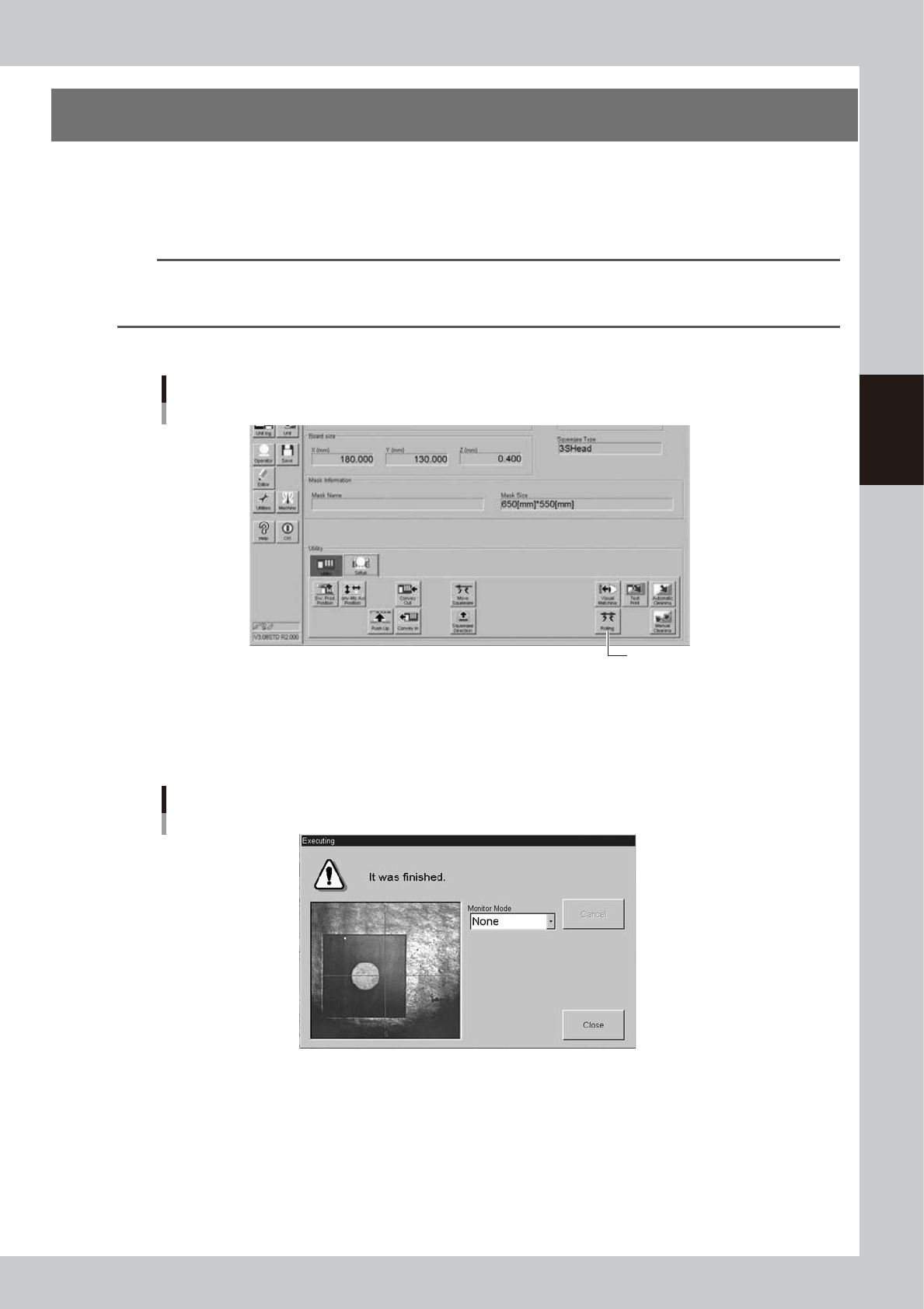
Press the [Rolling] button on the [Setup] tab of the Setup screen.
[Rolling] button
[Rolling] button
64310-L3-00
2
Follow the message on the screen to load a board on the conveyor.
This step is skipped when a board has already been clamped on the conveyor.
After the board is clamped, the board fiducial mark will be automatically recognized with the vision
camera. (This mark recognition will be skipped if not using the fiducial mark function.)
Fiducial mark recognition screen
64311-L3-00
3-12
3
Daily operation
3
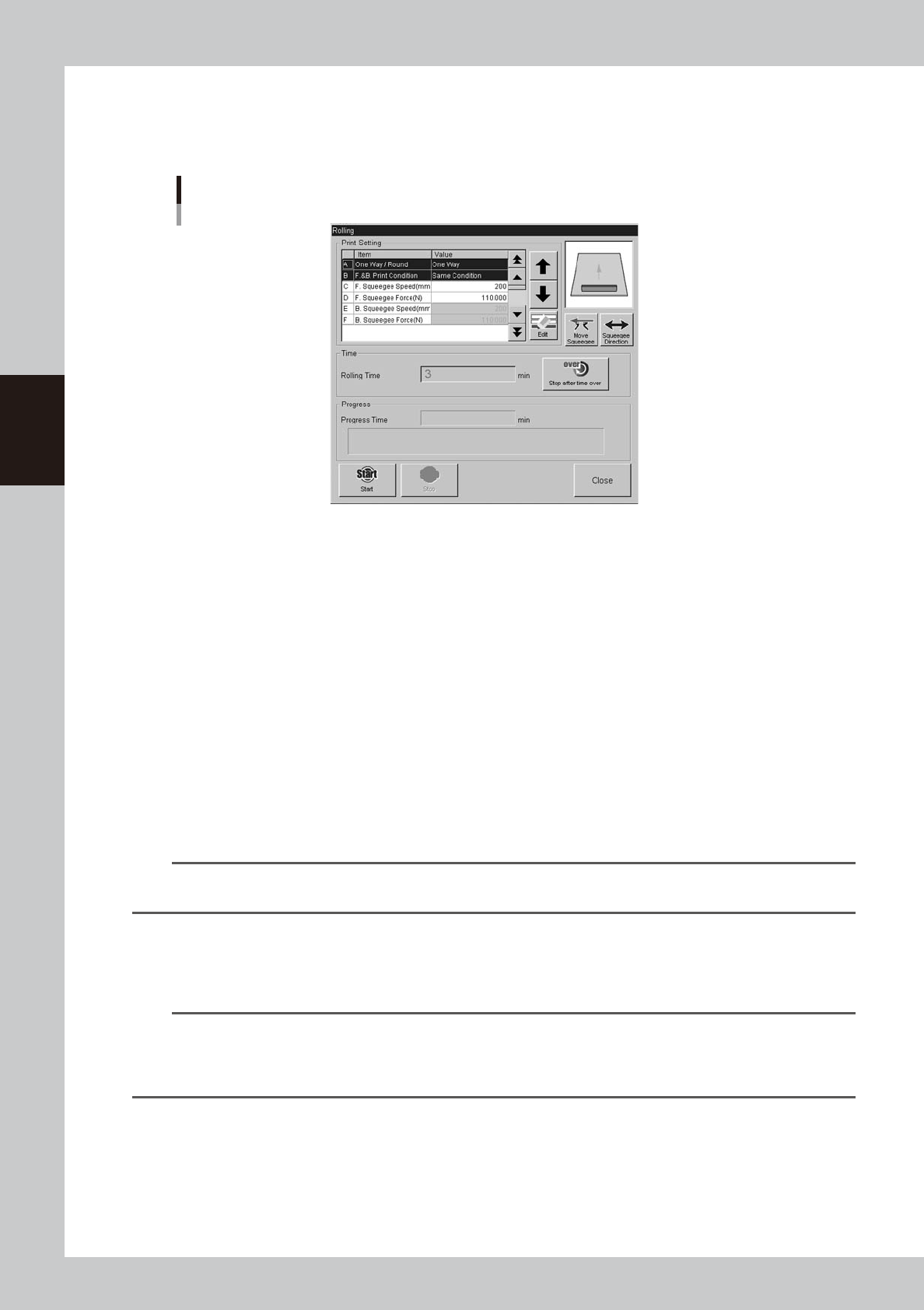
Check that the Rolling dialog box appears.
After mark recognition is complete, the mark recognition screen automatically closes. The conveyor
table then moves to the printing position and is fixed, and the Rolling dialog box appears as shown
below.
Rolling dialog box
64312-L3-00
4
Move the squeegee head to the escape position.
When the squeegee head is at the front position, press the [Move Squeegee] button to move the
squeegee head to the escape position (inward position). Use the [Squeegee Direction] button if needed
to change the movement direction.
e
5
Supply solder on the mask.
After pressing the emergency stop button, open the upper door and supply solder on the mask.
6
Cancel emergency stop.
Close the upper door, cancel the emergency button and press the [READY] button on the operation
panel.
7
Start rolling operation.
1. Press the [Stop after time over] button and enter the rolling time.
2. Press the [Start] button.
Rolling operation starts and will automatically stop when the time you set is reached.
n
NOTE
Check the scraped state of the solder on the mask during rolling operation, and if necessary, adjust the settings as in
the next step.
8
Adjust the settings by checking the rolling state.
Press the [Stop] button in the Rolling dialog box to temporarily stop the rolling operation, and enter the
optimum values in the Squeegee Pressure and Squeegee Speed parameters.
n
NOTE
Set the Squeegee Speed and Squeegee Pressure parameters by checking how solder on the mask is scraped during
rolling operation. If the solder is not sufficiently scraped, increase the squeegee pressure and reduce the squeegee
speed. But, note that an excessive squeegee pressure level will cause the solder to spread beyond the required area
or will scrape away the solder too much.