YSP_Users_E.pdf - 第131页
4-28 4 Creating and setting the data 6. Cleaner data setting The following parameter items can be checked and edited on the [Print]-[Cleaner] tab. [Print] - [Cleaner] tab 64426-L3-00 l Board count control Set the followi…
4-27
4
Creating and setting the data
l
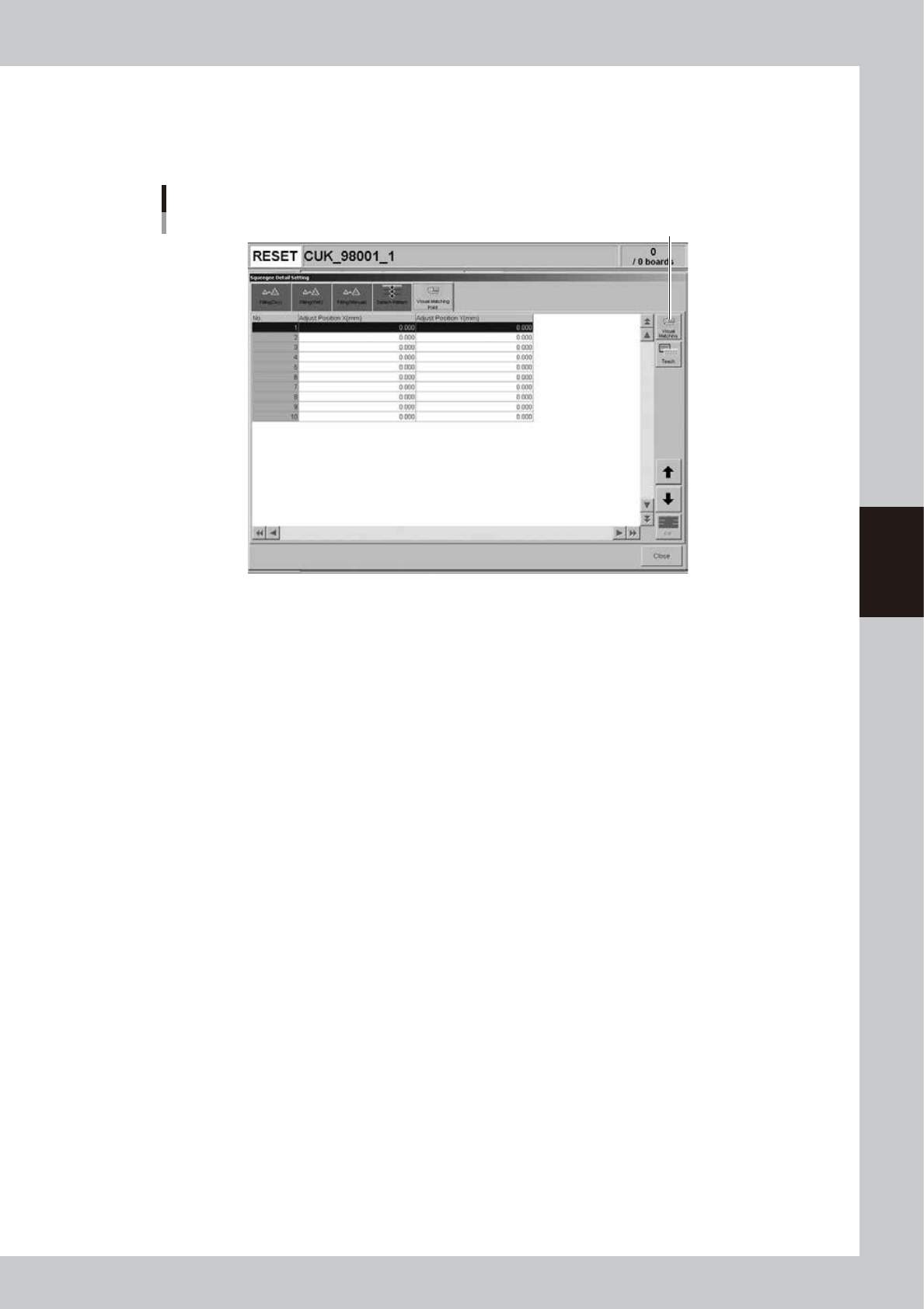
Visual Matching Point
Enter the positions where you want to make a graphic alignment. After setting the alignment positions, you can check an
overlapped image of the board and mask alignment on the "Visual matching" screen that appears by pressing the [Visual
Matching] button. See "8. Graphic alignment" later on in this chapter for more details.
[Visual Matching Point] tab
[Visual Matching] button
64425-L3-00
4-28
4
Creating and setting the data
6. Cleaner data setting
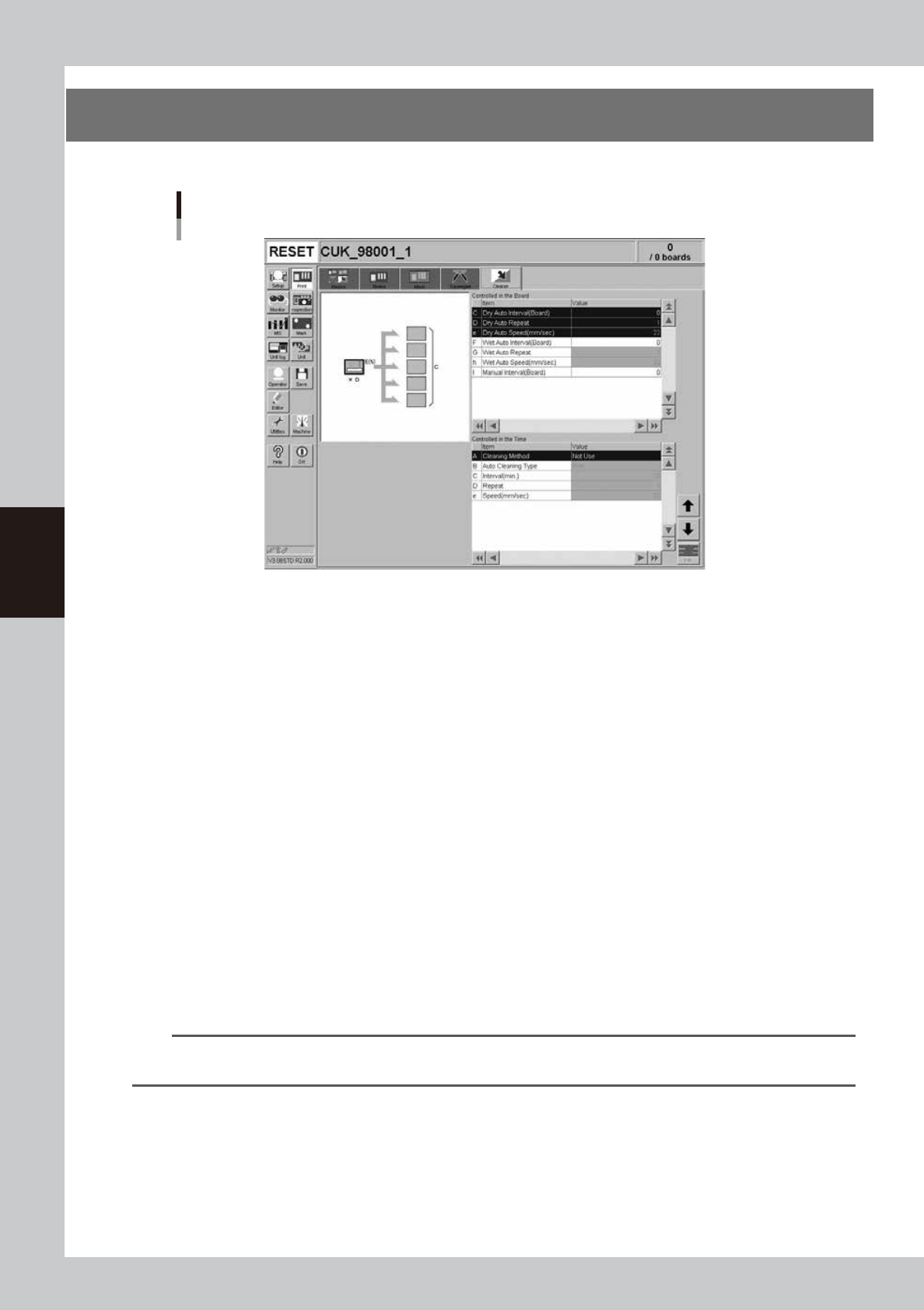
The following parameter items can be checked and edited on the [Print]-[Cleaner] tab.
[Print] - [Cleaner] tab
64426-L3-00
l
Board count control
Set the following parameters to control mask cleaning by board count (number of boards produced).
C: Dry Auto Interval (Board)
Set the interval (board count) to perform automatic mask cleaning without using the solvent.
D: Dry Auto Repeat
Specify the desired count at which to repeatedly move the cleaning unit back and forth during dry automatic cleaning.
e: Dry Auto Speed (mm/sec)
Set the speed at which the cleaning unit moves under the mask during dry automatic cleaning.
F: Wet Auto Interval (Board)
Set the interval (board count) to perform automatic mask cleaning using the solvent.
G: Wet Auto Repeat
Specify the desired count to repeatedly move the cleaning unit back and forth during wet automatic cleaning.
h: Wet Auto Speed (mm/sec)
Set the speed at which the cleaning unit moves under the mask during wet automatic cleaning.
I: Manual Interval (Board)
Set the interval (board count) to perform manual mask cleaning. When this parameter is specified at the same board
count as "Dry Auto Interval" or "Wet Auto Internal", manual cleaning is given priority.
n
NOTE
If two or more cleaning methods are designated at the same timing, the order of priority will be "Manual", "Wet Auto"
and "Dry Auto.
4-29
4
Creating and setting the data
l
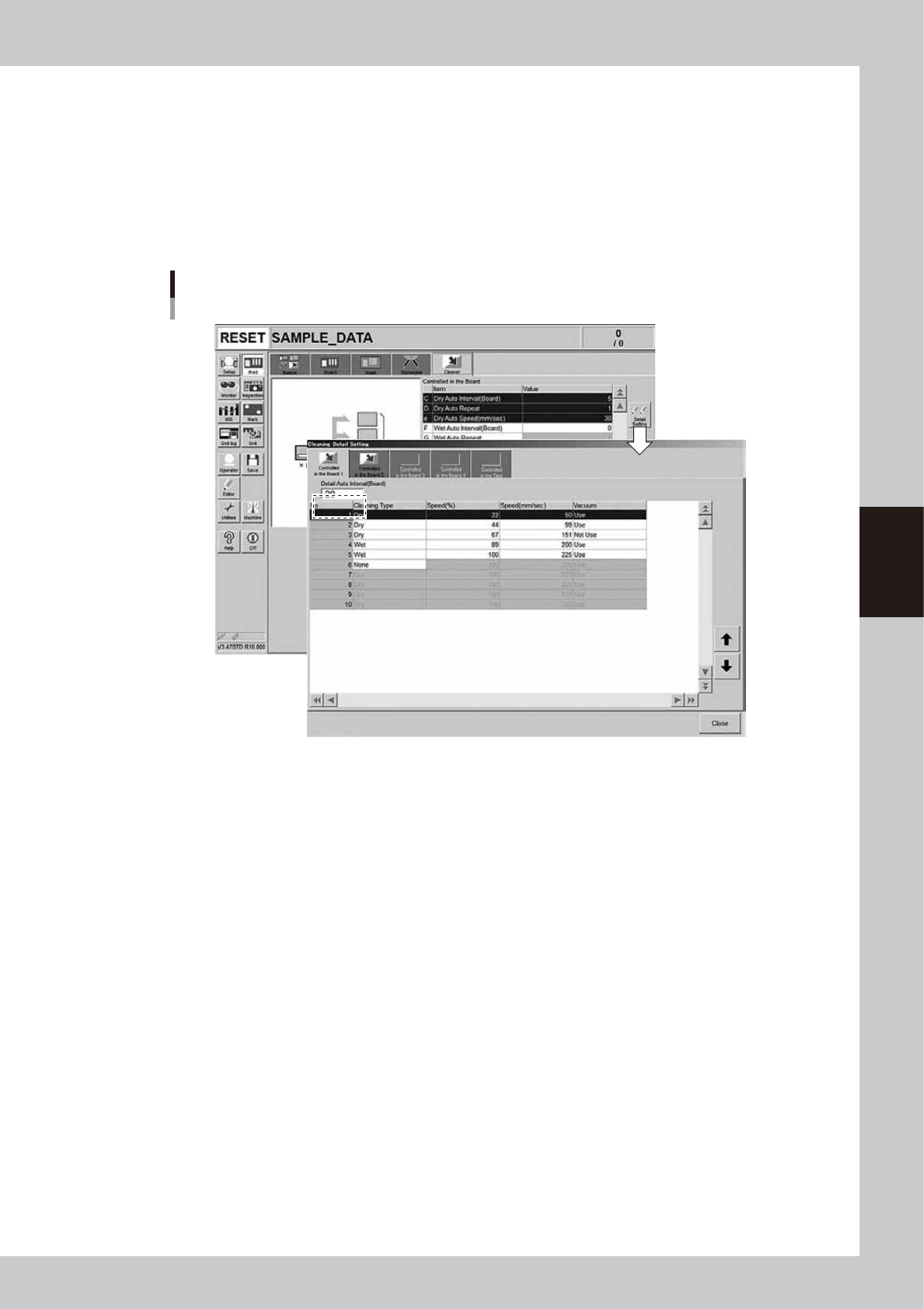
Detailed setting for board count control
On the “Cleaning Detail Setting” screen that opens with the [Detail Setting] button, a maximum of 10 cleaning operations
(5 forward/return operations) at specified board count intervals (up to 4 cleaning types set on the [Controlled …1] tab to
[Controlled …4] tab) can be specified.
In the “Detail Auto Interval” box, enter the interval (board count) to perform cleaning. Then, set the cleaning type,
speeds, and vacuum suction for each operation.
If the cleaning type is set to “None”, no cleaning will be performed from that point onward.
If the “Detail Auto Interval” is set to “0”, the settings on all other board count control tabs will be disabled.
[Print] - [Cleaner] tab
[Detail Setting] button
64453-L3-00