YSP_Users_E.pdf - 第119页
4-16 4 Creating and setting the data F: Mask Datum Position Based on the Mask Standard P osition and Standard Position Offset settings, select the position used as the reference position on the mask from among "Cent…
4-15
4
Creating and setting the data
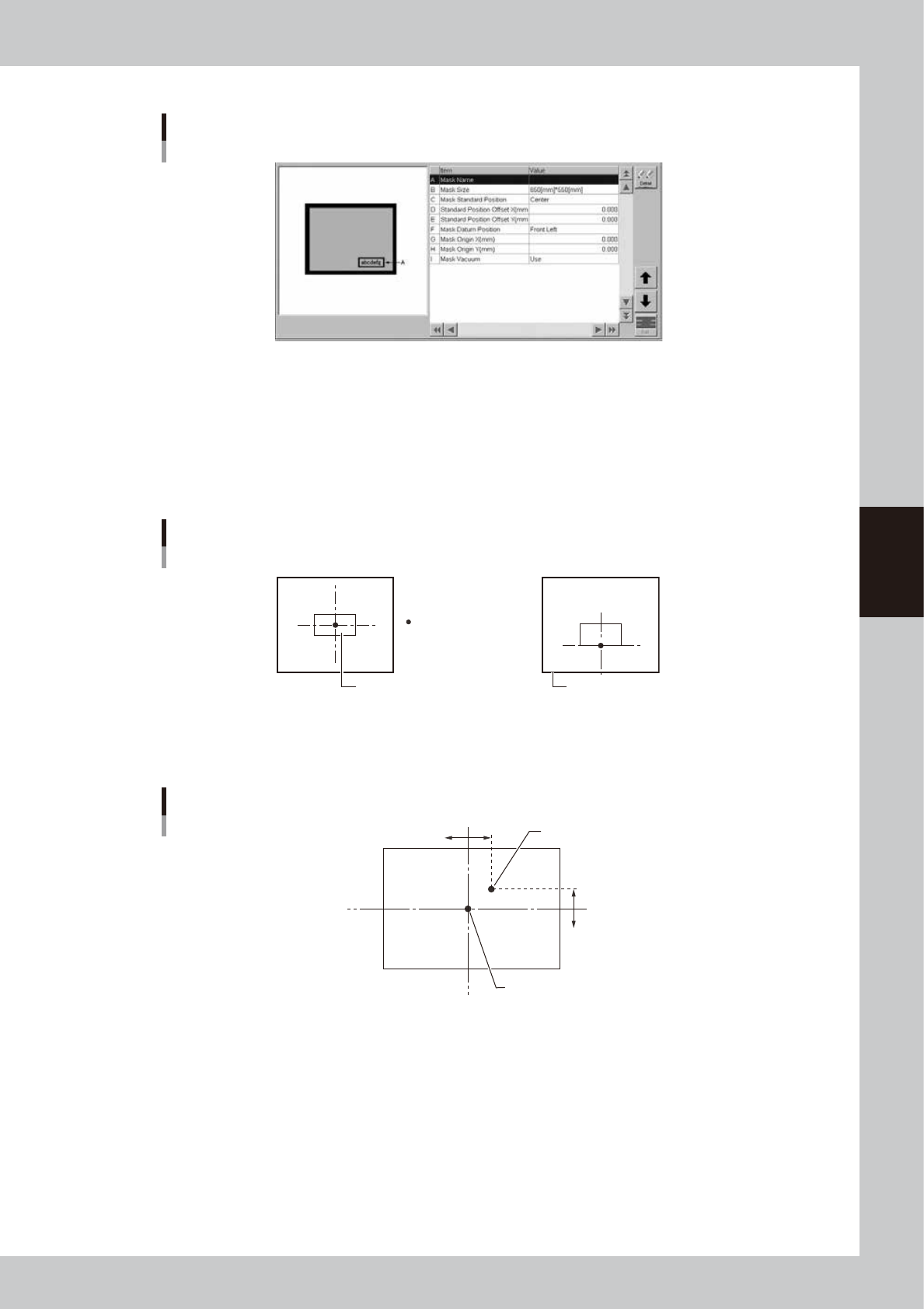
7: Mask parameters
Mask parameters
64418-L3-00
A: Mask Name
Enter a mask name.
B: Mask Size
Enter the mask frame size (L x W) in millimeters.
C: Mask Standard Position
Specify the reference position used to fabricate the mask.
For this machine, select "Center" or "Front" mask standard position.
Mask Standard Position (Mask reference position)
Mask Standard Position
Mask Standard Position: Center Front
Board Mask frame
63409-L3-00
D, E: Standard Position Offset X, Y
If the mask standard position deviates greatly from the "Center" or "Front" and the mark cannot be recognized, set the
positional offset values (millimeters) here.
Standard Position Offset X, Y (when Mask Standard Position is "Center")
Mask center
X-
X+
-Y
+Y
Mask Standard Position
63410-L3-00
4-16
4
Creating and setting the data
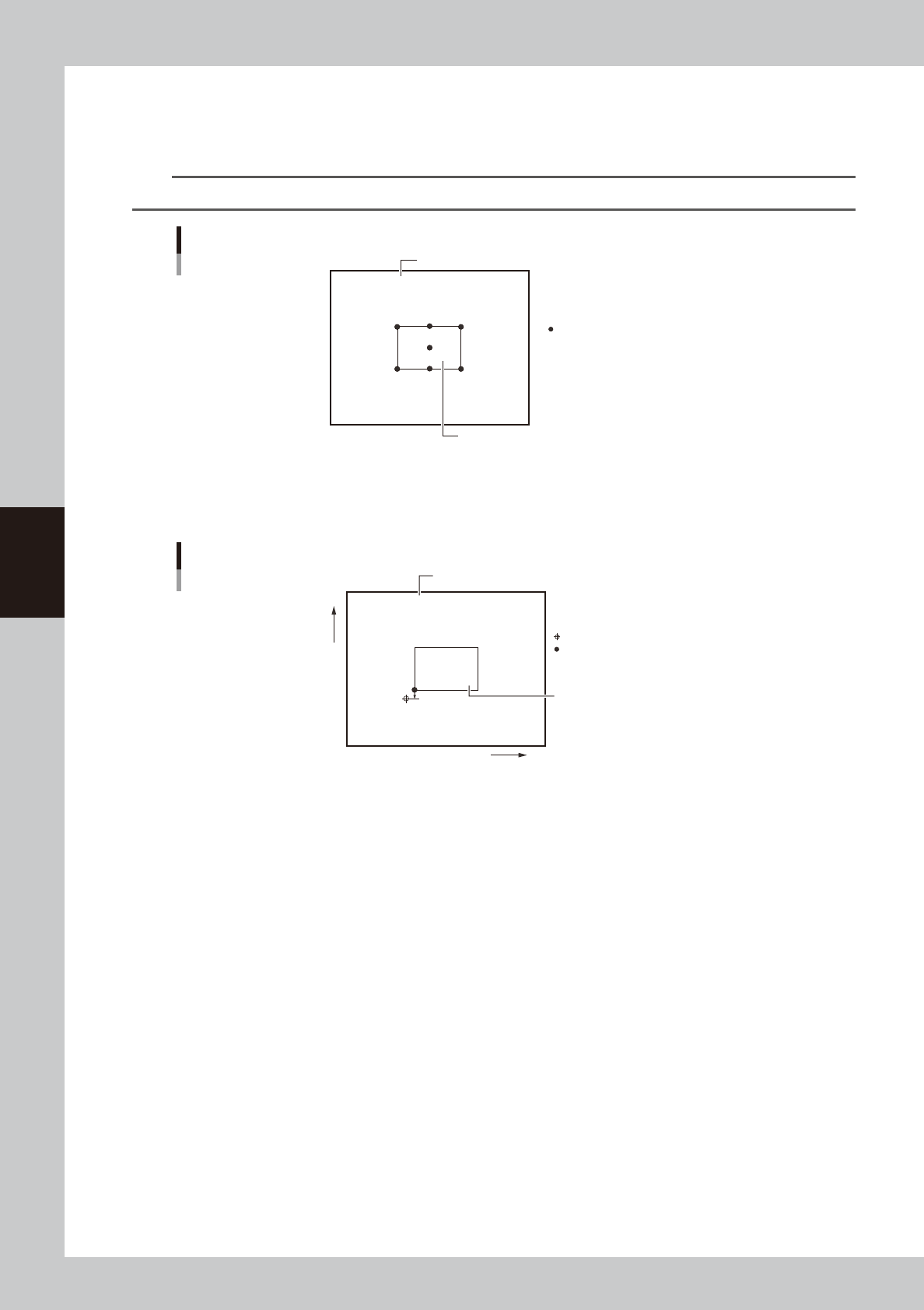
F: Mask Datum Position
Based on the Mask Standard Position and Standard Position Offset settings, select the position used as the reference
position on the mask from among "Center", "Front Center", Rear Center, "Front Left", "Front Right", "Rear Left" and "Rear
Right" as shown below. The defaut setting is "Front Left".
TIP
The mask has "Mask Origin", "Mask Fiducial (Mark)" and "Mask Inspection Position" parameters as its setting positions.
Mask Datum Position
Mask Datum Position
Board
Mask frame
63411-L3-00
G, H: Mask Origin X, Y (mm)
If the fiducial mark on a mask has an origin different from the Mask Datum Position, set the positional offset (mm) here
as the Mask Origin.
Mask Origin
Mask origin
Mask Datum Position
When Mask Datum Position is set to "Front Left":
Board
Mask frame
+Y
-Y
X+
X-
63412-L3-00
I: Mask Vacuum
Set this parameter to "Use" when you want to vacuum-grip the mask on the conveyor rails during solder printing. Set to
"NotUse" when not using this function.
Mask vacuum has the following functions:
• Prevents a positional shift in the Y direction between back and forth printing operations.
• Improves the surface contact between the board and the mask.
4-17
4
Creating and setting the data
4.2 Mask data detail setting
l
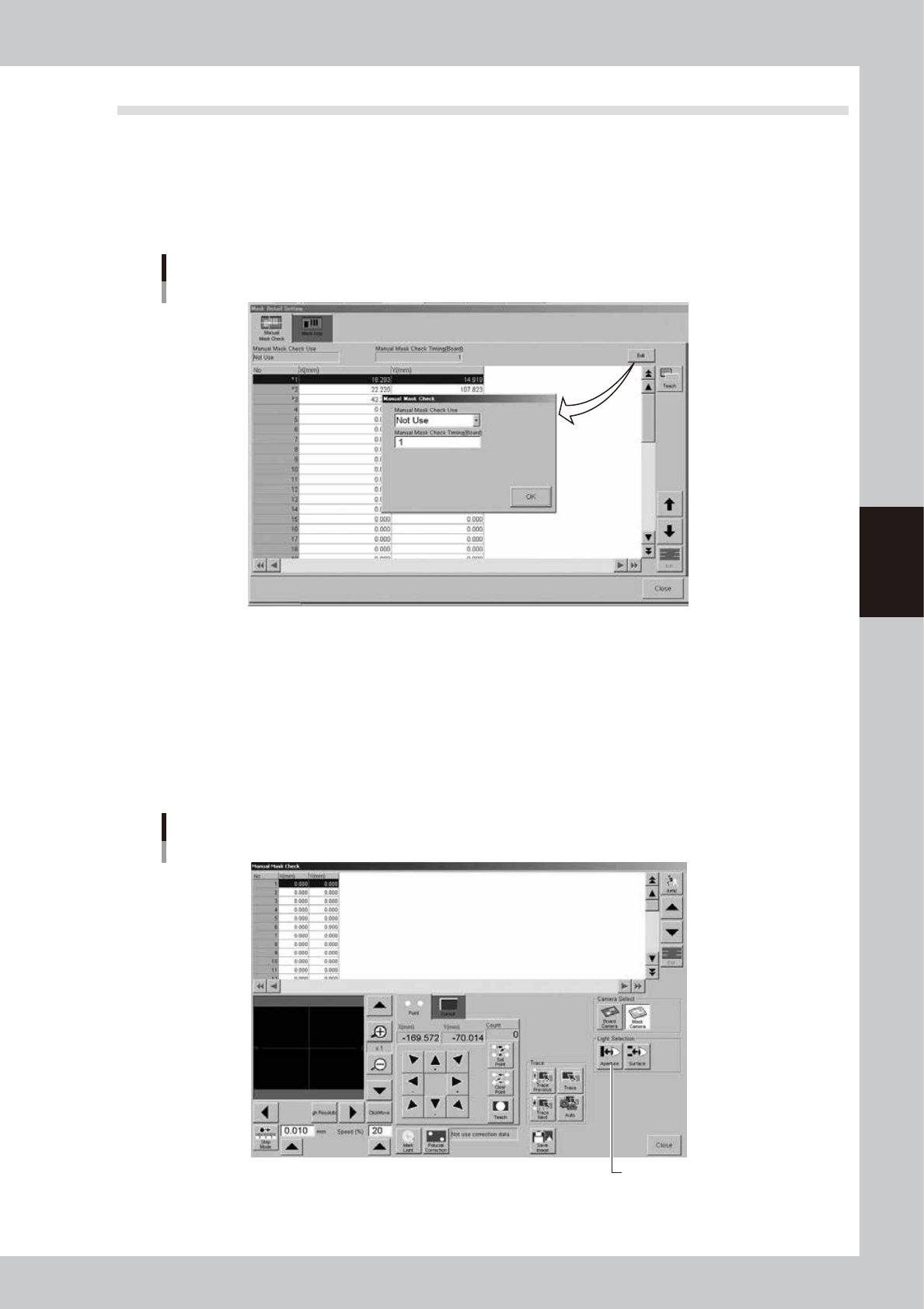
Mask check positions
When you press the [Detail] button on the [Print]-[Mask] tab, the following dialog box appears for setting the mask check
positions. You can specify positions on the mask where you want make a visual check after solder printing. Pressing the
[Edit] button at the upper right opens the "Manual Mask Check" dialog box. Set whether to use this function or not. Also
set the board interval (number of boards) at which to make the visual check.
[Manual Mask Check] tab
64419-L3-20
l
Lighting setup for visual mask check
The lighting settings needed when making the mask aperture inspection (clogging inspection) and mask backside
inspection (inspection of excess solder spreading to backside) can be now separately set for each inspection and stored
as board data.
Pressing the [Teach] button after entering the mask inspection coordinates makes the following "Teach/Trace" window
appear. To set the lighting for the mask aperture clogging inspection, press the [Light] button while the [Aperture] button
is depressed. The lighting setup window then opens so you can change to a lighting level where you can easily check for
mask aperture clogging.
"Teach/Trace" window for visual mask check
[Aperture] button
[Aperture] button
64420-L3-00