YSP_Users_E.pdf - 第46页
1-4 1 Part names and functions 2. Operation panels and data input units Standard machines are equipped with an operation display , operation panel buttons, keyboard and mouse to operate the machine and make data settings…
1-3
1
Part names and functions
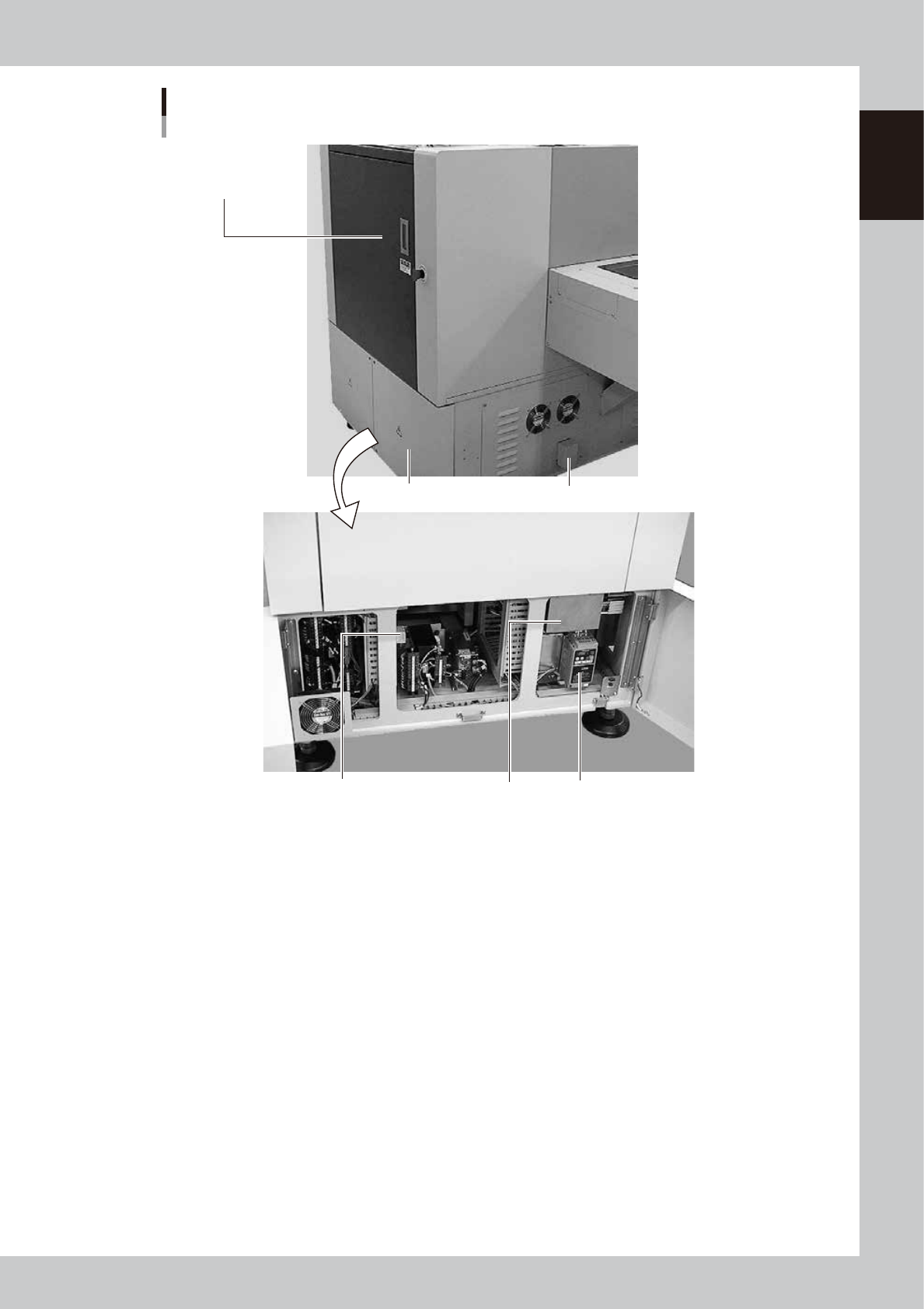
YSP main unit
Rear view
Upper door for
maintenance work
(safety cover)
Rear lower panel
Suction unit
Suction unit exhaust vent
Breaker for each unit Inverter
63102-L3-00
Upper door for maintenance work (safety cover)
This cover must be kept closed during operation. If opened, emergency stop is triggered.
Rear lower panel
The circuit breaker and power connection terminal for each unit are located at the center behind this panel. The inverter
and suction unit are located on the right.
Suction unit (behind rear lower panel)
This unit sucks up solder adhering to the backside of the mask (stencil). See "5.2 Suction unit" later in this chapter for
more details.
1-4
1
Part names and functions
2. Operation panels and data input units
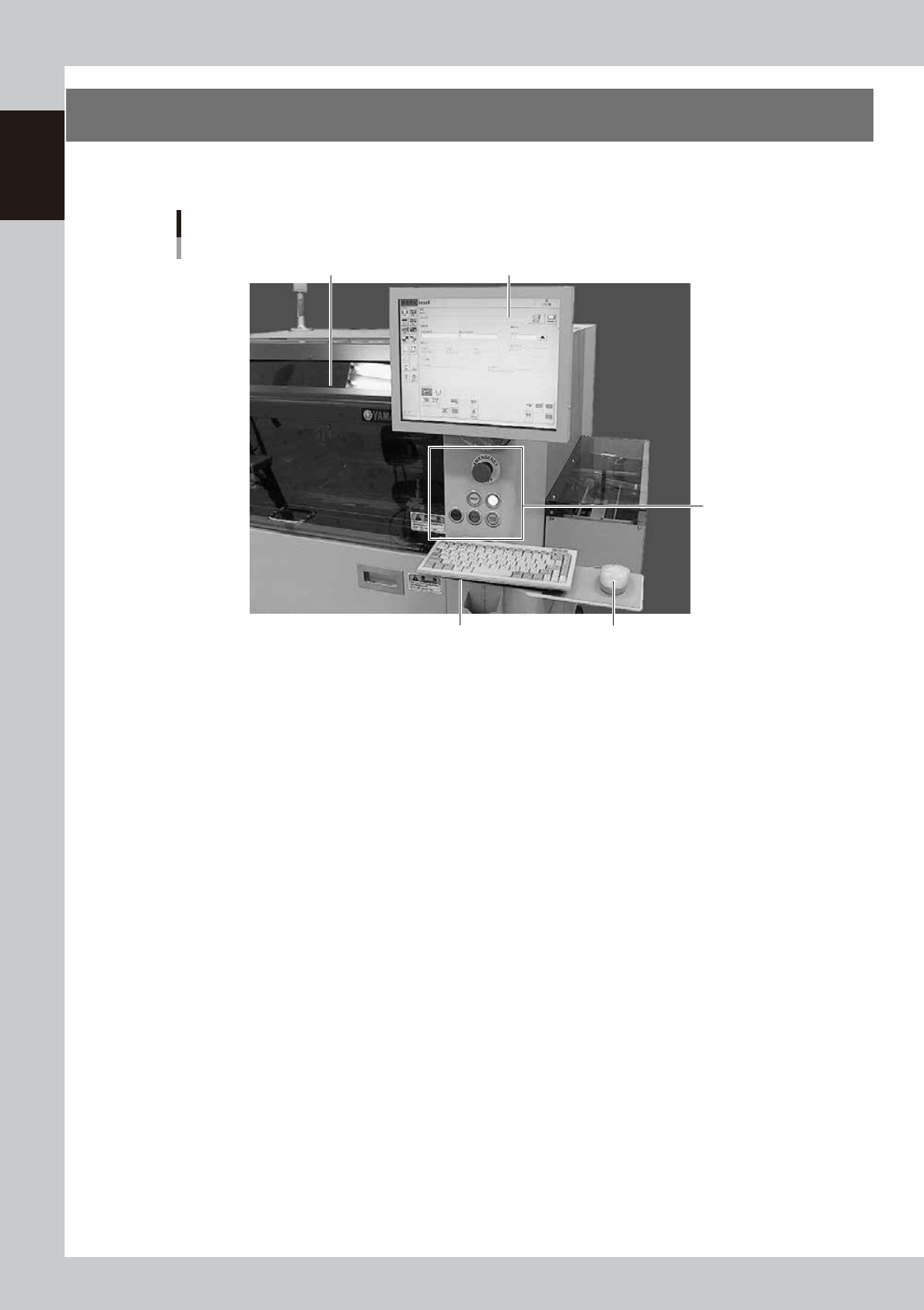
Standard machines are equipped with an operation display, operation panel buttons, keyboard and mouse
to operate the machine and make data settings.
Front operation panel and keyboard
Upper door (safety cover)
MouseKeyboard
Operation display
Operation panel
buttons
63103-L3-00
1-5
1
Part names and functions
2.1 Operation panel buttons
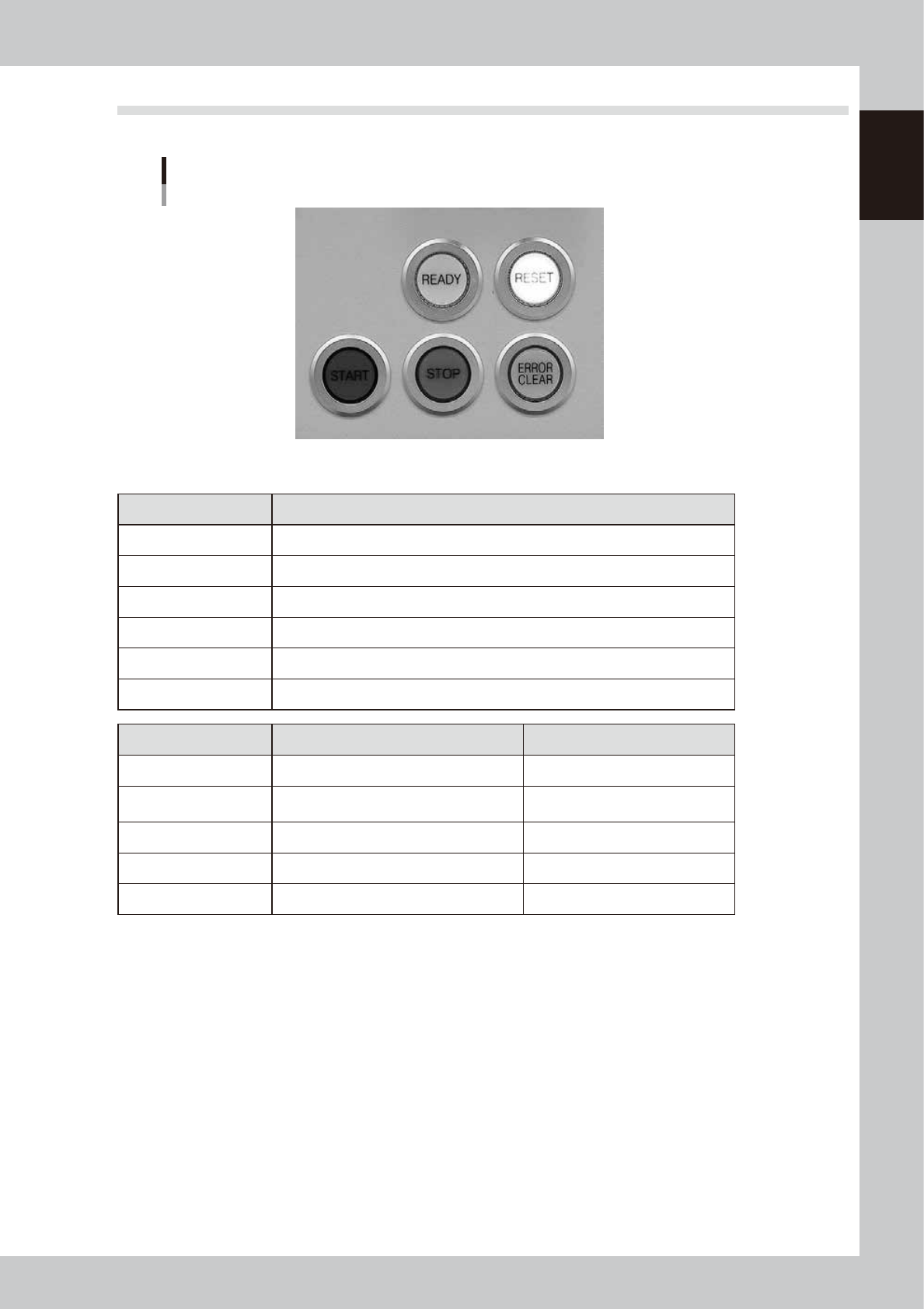
The following describes the operation panel buttons.
Operation panel buttons
63105-L3-00
n
Operation panel button functions and status
Button name Function
READY Releases emergency stop and turns the servo on.
RESET Stops automatic operation and returns to standby for board production.
START Starts automatic operation according to board data.
STOP Interrupts automatic operation. (Press the [START] button to resume operation.)
ERROR CLEAR Stops buzzer sound and clears error screen.
EMERGENCY STOP Triggers emergency stop. Turn to the right to release it.
Button name When button is OFF When button is ON
READY • SERVO OFF (Motor power OFF) • SERVO ON (Motor power ON)
RESET
• Machine is in normal operation or
stopped.
• Machine has been reset.
START • Machine is stopped. • Machine is in normal operation.
STOP • Machine is in normal operation. • Error occurred.
ERROR CLEAR • Machine is in normal operation. • Error occurred.