YSP_Users_E.pdf - 第80页
Chapter 3 Daily operation T his chapter explains typical operation for board production using the board data already created. Before reading this c hapter , make sure that you understand the basic procedures and key poin…
2-15
2
Basic operations
3.2 Various buttons and parameter input grids
Various types of buttons, selection tabs and parameter input grids are used on the operation screen.
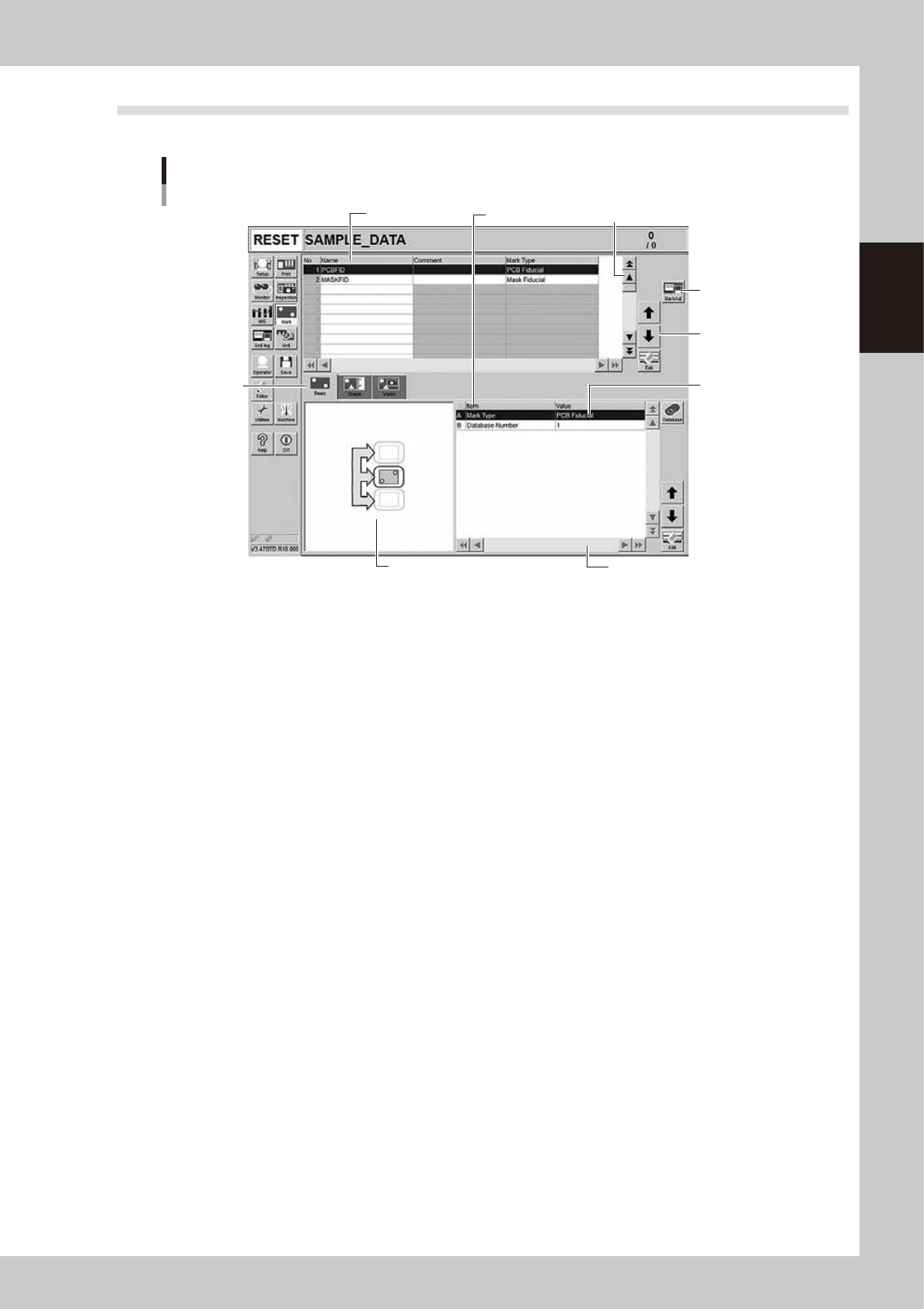
Operation screen basic elements
Mark screen
Data No. list
1
1
2
3
4
5
6
Parameter list
64209-L3-20
1. Scroll bar and button (up/down, left/right)
Use the scroll bars or arrow buttons to see hidden items in the data No. list or parameter list.
2. Operation button
Press these buttons to open the next operation screen or dialog box.
3. Line up/down button
Use these buttons to move the cursor up or down through the data No. list or parameter list.
4. Parameter input box
Select, enter or edit parameters here. When the keyboard is used, double-click on a parameter input box to enter or edit
the data.
When a touch screen (option) is used, press the [Edit] button on the lower right of the parameter list. The edit box then
pops up for data input and editing.
5. Selection tab
Select this tab to switch the parameter input screen.
6. Assistant screen
Shows an illustration or information useful for parameter input or editing.
Alphabet characters shown in the parameter list and in the illustration on this screen correspond to each other.

Chapter 3 Daily operation
This chapter explains typical operation for board production using the board data already created. Before reading this chapter,
make sure that you understand the basic procedures and key points explained in Chapter 2, "Basic operation".
To create new board data or edit the existing data, refer to Chapter 4, "Creating and setting the data".
Contents
1. Overview 3-1
2. Starting and warming up the machine 3-2
3. Selecting the board data 3-4
4. Changing the conveyor unit setup 3-5
5. Setting up the mask and squeegee 3-7
5.1 Using the mask adaptor 3-9
6. Rolling operation 3-11
7. Starting board production 3-14
8. Finishing board production 3-21
3-1
3
Daily operation
1. Overview
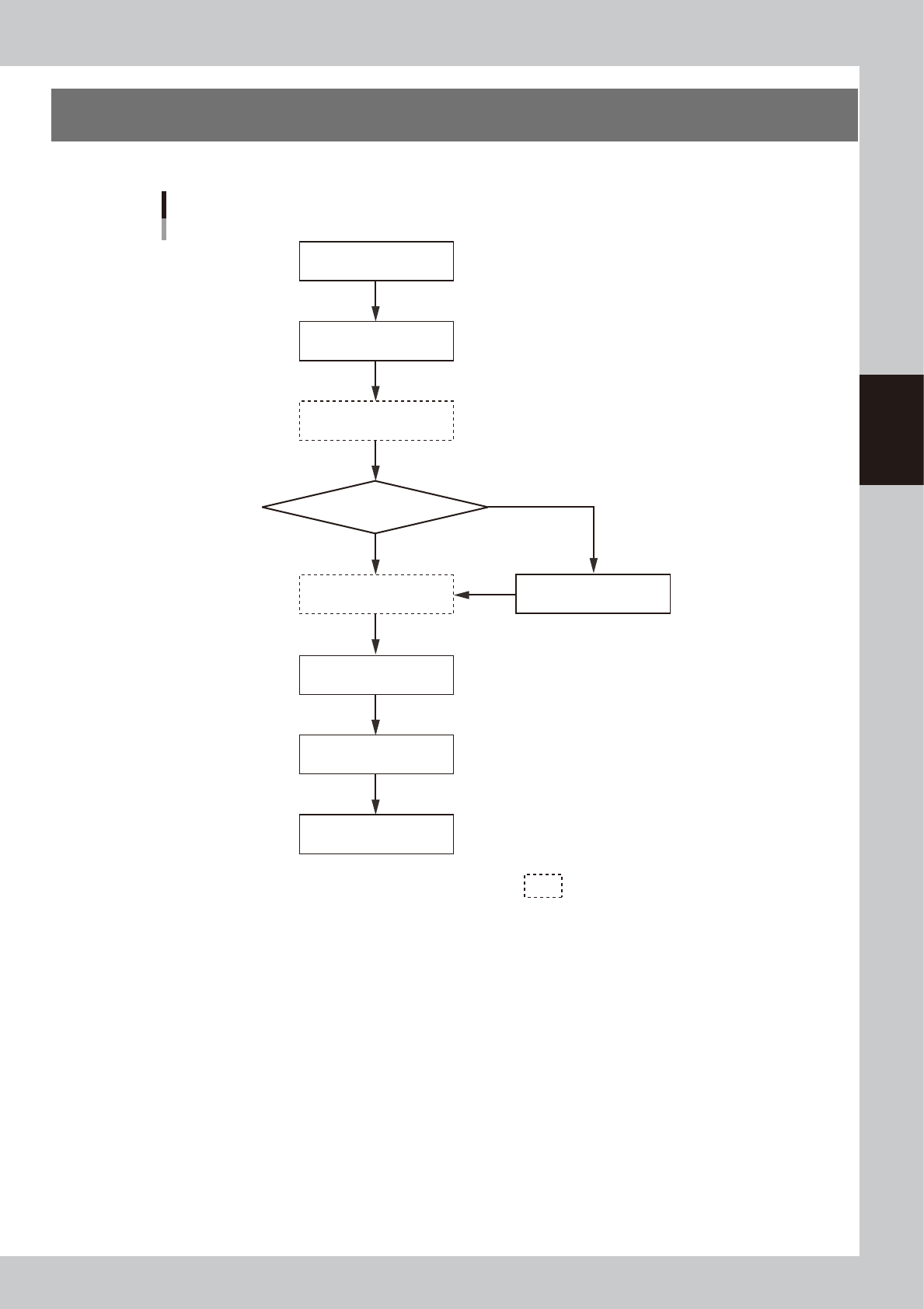
This chapter explains typical daily operation per the flow chart shown below.
Start machine
Check before operation
Warm-up operation
Change setups
Do you change board model?
Perform rolling operation
Finish production
Start production
Turn power off
Select board
Daily operation flow
NO
YES
Execute as needed.
63301-L3-00