YSP_Users_E.pdf - 第130页
4-27 4 Creating and setting the data l Visual Matching Point Enter the positions where y ou want to make a graphic alignment. After setting the alignment positions, you can chec k an overlapped image of the board and mas…
4-26
4
Creating and setting the data
l
Detach Pattern
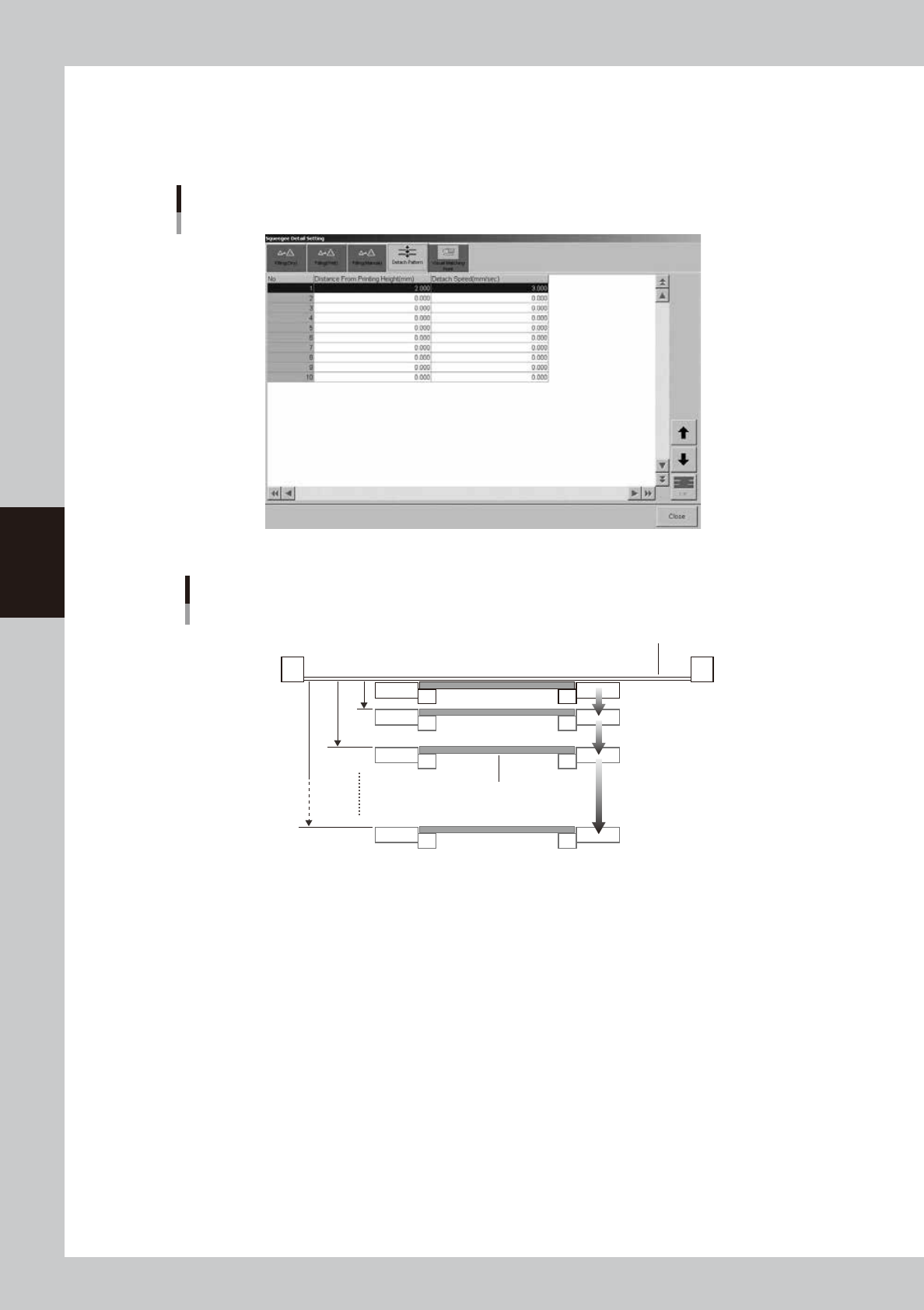
When you want to adjust the timing that the board separates from the backside of the mask after solder printing, up to 10
timing steps can be set as needed. Taking the solder, mask and board materials into account, determine the optimum
separation timing by specifying the distances (mm) and speeds (mm/sec).
[Detach Pattern] tab
64424-L3-00
Board separation setting
Board
Mask
No.1
No.2
Distance from
printing height
(0.01mm steps)
[0.001 to 7.000mm]
Board separation speed
(0.01mm/s steps)
[0.001 to 20.000mm/s]
No.10
63417-L3-10
l
If using sticky boards or jigs
If the surface (such as preflux board surface) that contacts the mask is sticking to it, then that board might stick to the
mask. If that happens the machine cannot see the board and triggers an error.
To deal with this problem, increase the board separation distance (from mask after printing) so that the board completely
separates from the mask. Change the default setting (2.00mm) for "Distance from printing height" in the above drawing,
to 3.00 to 4.00 mm or more.
4-27
4
Creating and setting the data
l
Visual Matching Point
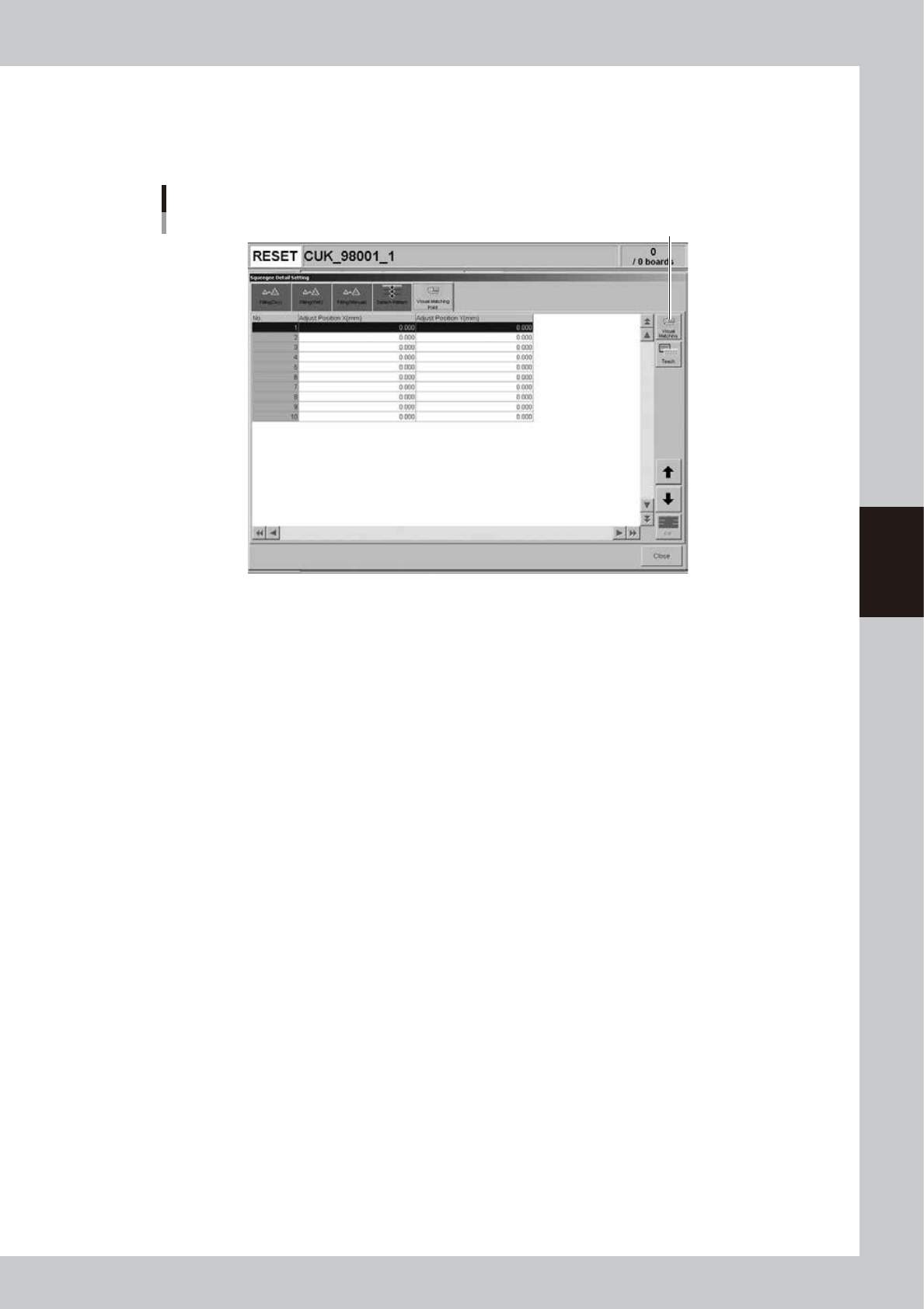
Enter the positions where you want to make a graphic alignment. After setting the alignment positions, you can check an
overlapped image of the board and mask alignment on the "Visual matching" screen that appears by pressing the [Visual
Matching] button. See "8. Graphic alignment" later on in this chapter for more details.
[Visual Matching Point] tab
[Visual Matching] button
64425-L3-00
4-28
4
Creating and setting the data
6. Cleaner data setting
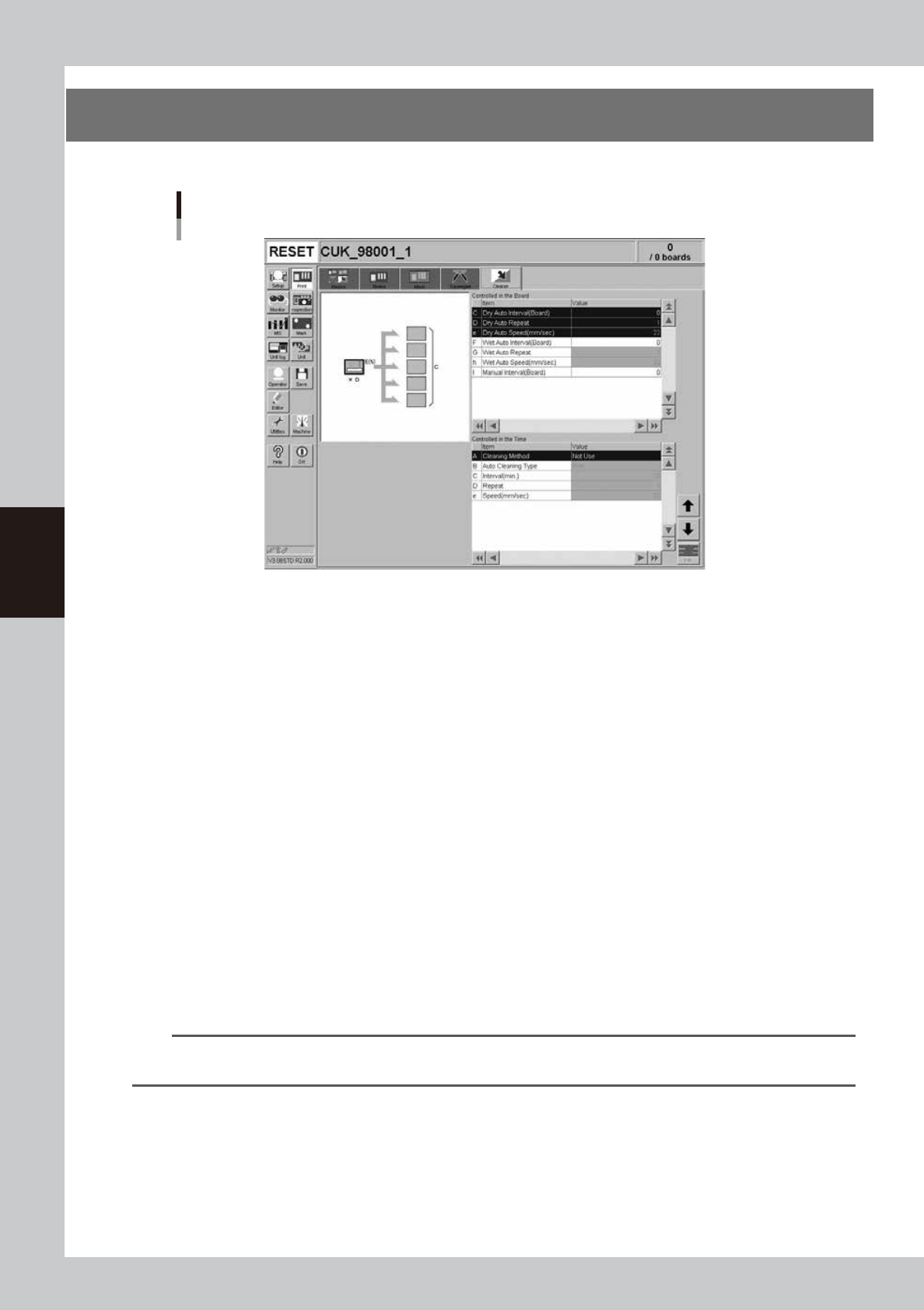
The following parameter items can be checked and edited on the [Print]-[Cleaner] tab.
[Print] - [Cleaner] tab
64426-L3-00
l
Board count control
Set the following parameters to control mask cleaning by board count (number of boards produced).
C: Dry Auto Interval (Board)
Set the interval (board count) to perform automatic mask cleaning without using the solvent.
D: Dry Auto Repeat
Specify the desired count at which to repeatedly move the cleaning unit back and forth during dry automatic cleaning.
e: Dry Auto Speed (mm/sec)
Set the speed at which the cleaning unit moves under the mask during dry automatic cleaning.
F: Wet Auto Interval (Board)
Set the interval (board count) to perform automatic mask cleaning using the solvent.
G: Wet Auto Repeat
Specify the desired count to repeatedly move the cleaning unit back and forth during wet automatic cleaning.
h: Wet Auto Speed (mm/sec)
Set the speed at which the cleaning unit moves under the mask during wet automatic cleaning.
I: Manual Interval (Board)
Set the interval (board count) to perform manual mask cleaning. When this parameter is specified at the same board
count as "Dry Auto Interval" or "Wet Auto Internal", manual cleaning is given priority.
n
NOTE
If two or more cleaning methods are designated at the same timing, the order of priority will be "Manual", "Wet Auto"
and "Dry Auto.