YSP_Users_E.pdf - 第65页
2-1 2 Basic operations 1. Canceling emergency stop and clearing an error The following explains how to cancel emergency stop and clear errors. 1.1 Canceling emergency stop When the machine is in emergenc y stop, the red …

Chapter 2 Basic operations
This chapter explains how to start up the machine and turn it off, as well as basic menus displayed on the operation screen.
We recommend you read this chapter while actually operating the machine as instructed.
Contents
1.
Canceling emergency stop and clearing an error
2-1
1.1 Canceling emergency stop 2-1
1.2 Clearing an error 2-2
1.3 Typical errors and troubleshooting 2-3
2. Starting and stopping the machine 2-8
2.1 Inspecting before operation 2-9
2.2 Starting the machine 2-10
2.3 Turning off the machine 2-12
3. Operation screen description 2-14
3.1 Basic configuration of operation screen 2-14
3.2 Various buttons and parameter input grids 2-15
2-1
2
Basic operations
1. Canceling emergency stop and clearing an error
The following explains how to cancel emergency stop and clear errors.
1.1 Canceling emergency stop
When the machine is in emergency stop, the red signal lamp on the top of the machine is lit and the red
"EMERGENCY STOP" sign is displayed in the status area of the operation screen. Follow these steps to cancel
emergency stop.
1
Release the emergency stop button.
When the emergency stop button is pressed (turned on), turn it clockwise to release it. There are two
emergency stop buttons on the YSP main unit: One is on the operation panel (front upper right) and the
other is at the upper right on the rear panel.
TIP
When emergency stop was triggered by a safety interlock switch, first eliminate the cause of emergency stop and
then cancel it.
2
Check safety.
Before continuing the procedure, check the surrounding area for safety.
3
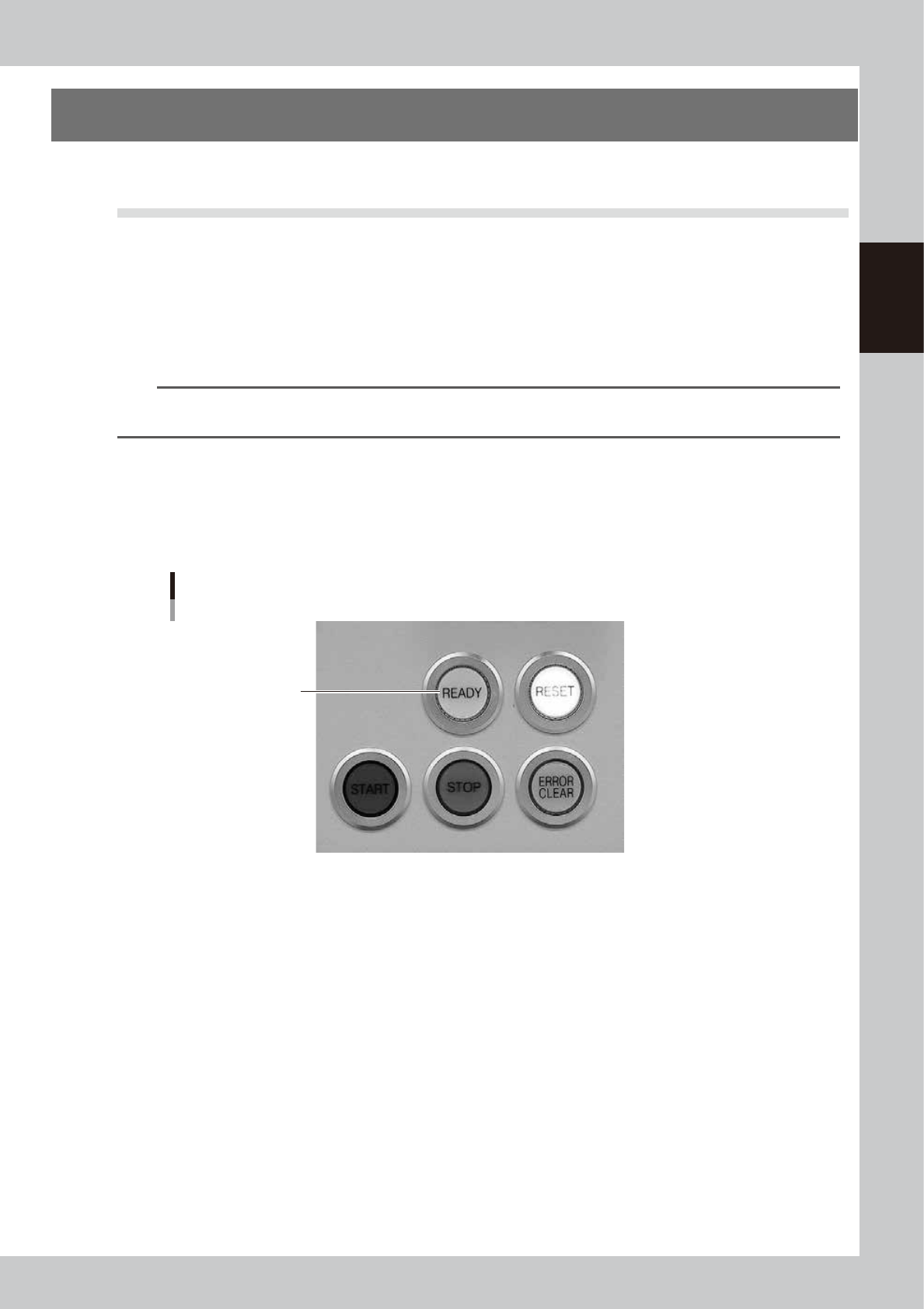
Press the [READY] button on the operation panel.
Pressing the [READY] button turns on the servomotors.
[READY] button
[READY] button
63201-L3-00
4
Check the signal light and screen display.
Check that the red signal lamp is off and the emergency stop sign in the upper left (status area) of the
operation screen is now off.
2-2
2
Basic operations
1.2 Clearing an error
If an error occurs, a buzzer sounds, the yellow signal lamp on the top of the machine lights up, and a yellow
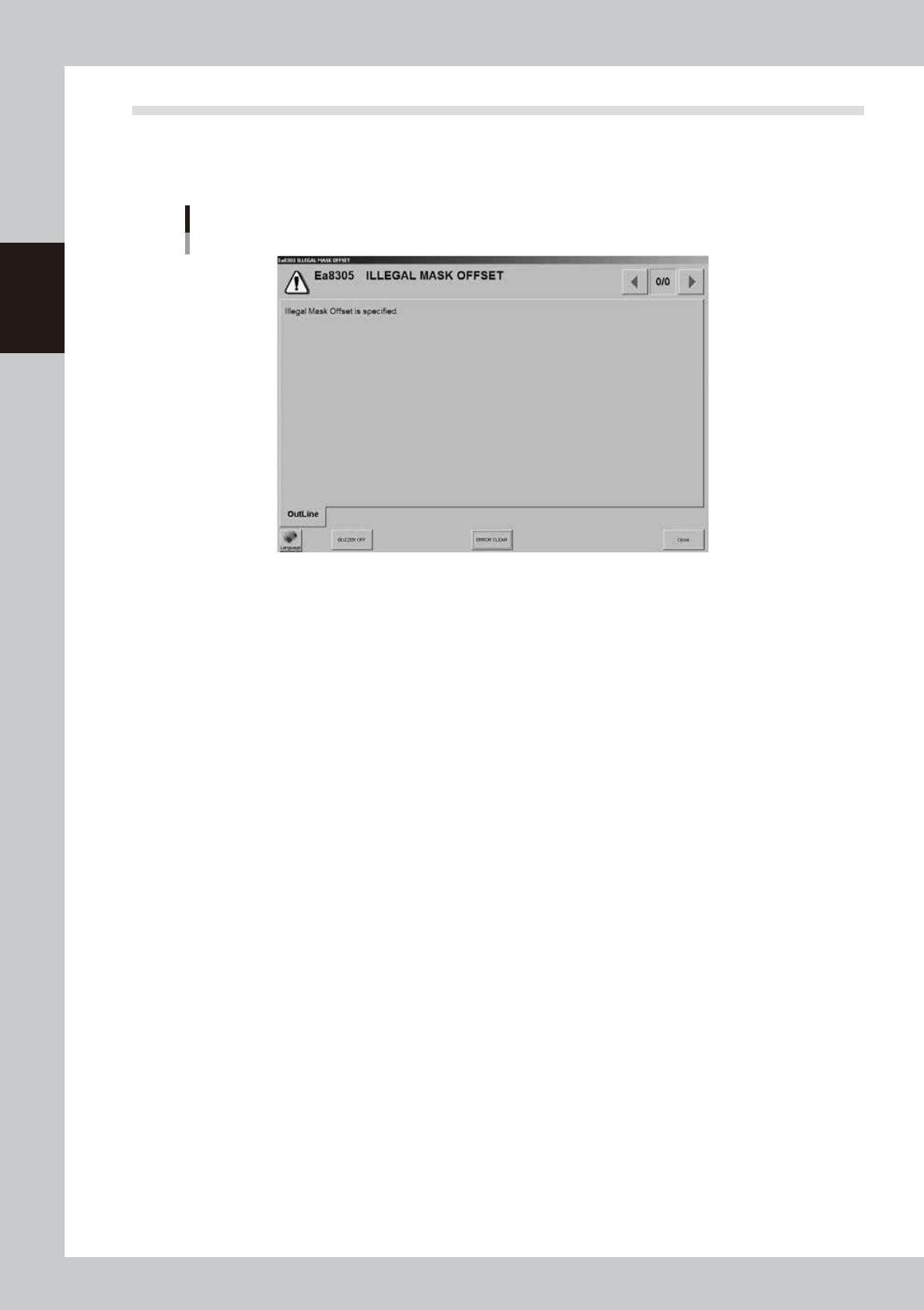
"ERROR" sign appears in the status area of the operation screen. At the same time, an error message appears,
so check the message. To clear the error, follow these steps.
Error message screen
64201-L3-00
1
Turn off the buzzer.
Press the [ERROR CLEAR] button on the operation panel or the [BUZZER OFF] button on the error message
screen.
2
Check the cause of the error.
Possible causes are displayed on the error screen so eliminate the cause of the error.
Always press the emergency stop button if you need to put your hand in the machine.
3
Clear the error screen.
Press the [ERROR CLEAR] button again or the [ERROR CLEAR] button on the error screen.
4
Check the signal light and screen display.
Check that the yellow signal lamp on the top of the machine is off and the "ERROR" sign in the upper
left status area on the operation screen is now off.