YSP_Users_E.pdf - 第82页
3-2 3 Daily operation 2. Star ting and war ming up the machine After starting up the machine, we recommend letting war m up for about 10 minutes. No warm-up is necessar y if less than two hours have elapsed after the mac…
3-1
3
Daily operation
1. Overview
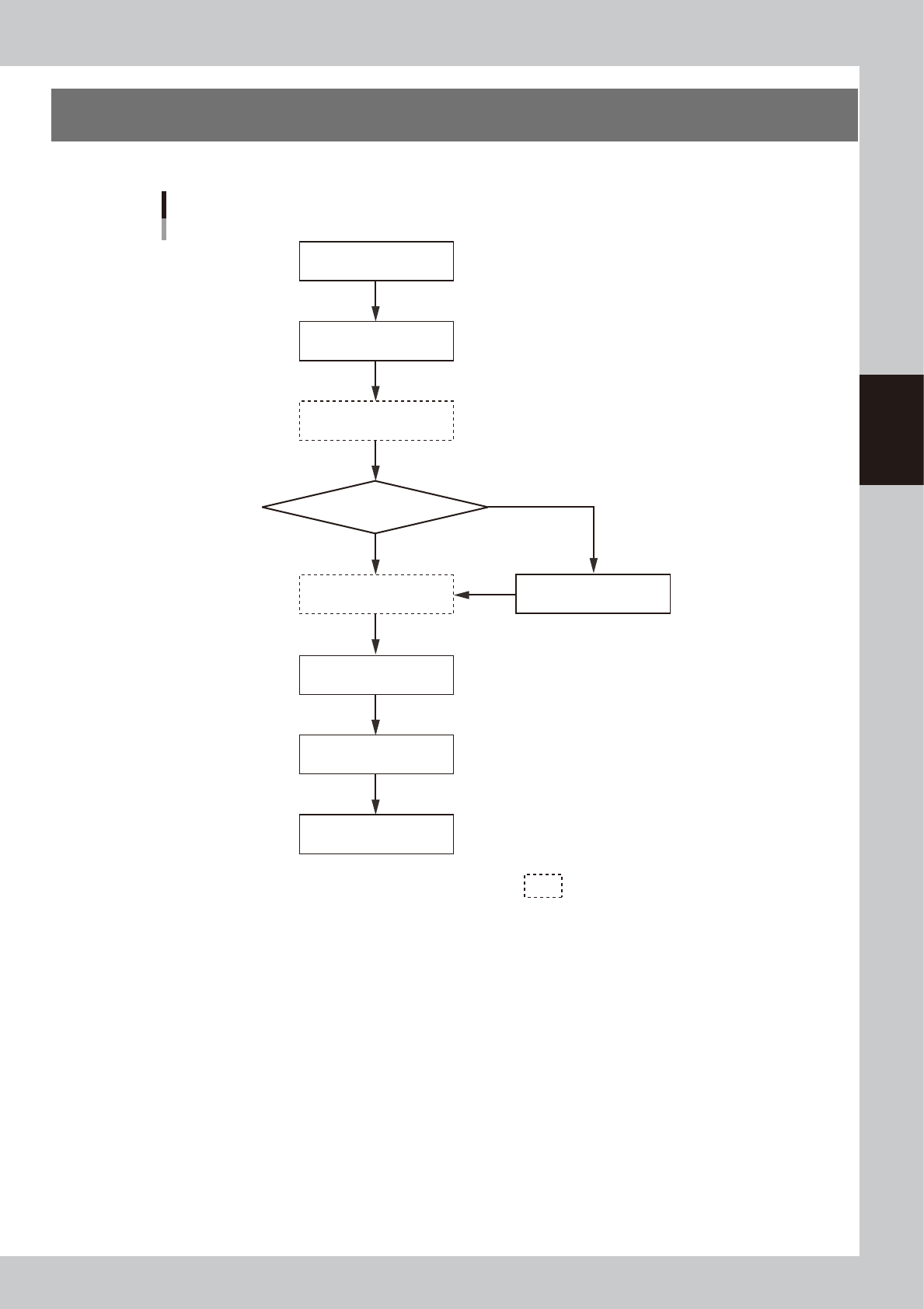
This chapter explains typical daily operation per the flow chart shown below.
Start machine
Check before operation
Warm-up operation
Change setups
Do you change board model?
Perform rolling operation
Finish production
Start production
Turn power off
Select board
Daily operation flow
NO
YES
Execute as needed.
63301-L3-00
3-2
3
Daily operation
2. Starting and warming up the machine
After starting up the machine, we recommend letting warm up for about 10 minutes. No warm-up is
necessary if less than two hours have elapsed after the machine was last used.
1
Make pre-operation checks and then start up the machine.
For pre-operation checks and starting up the machine, see Chapter 2, "Basic operation".
2
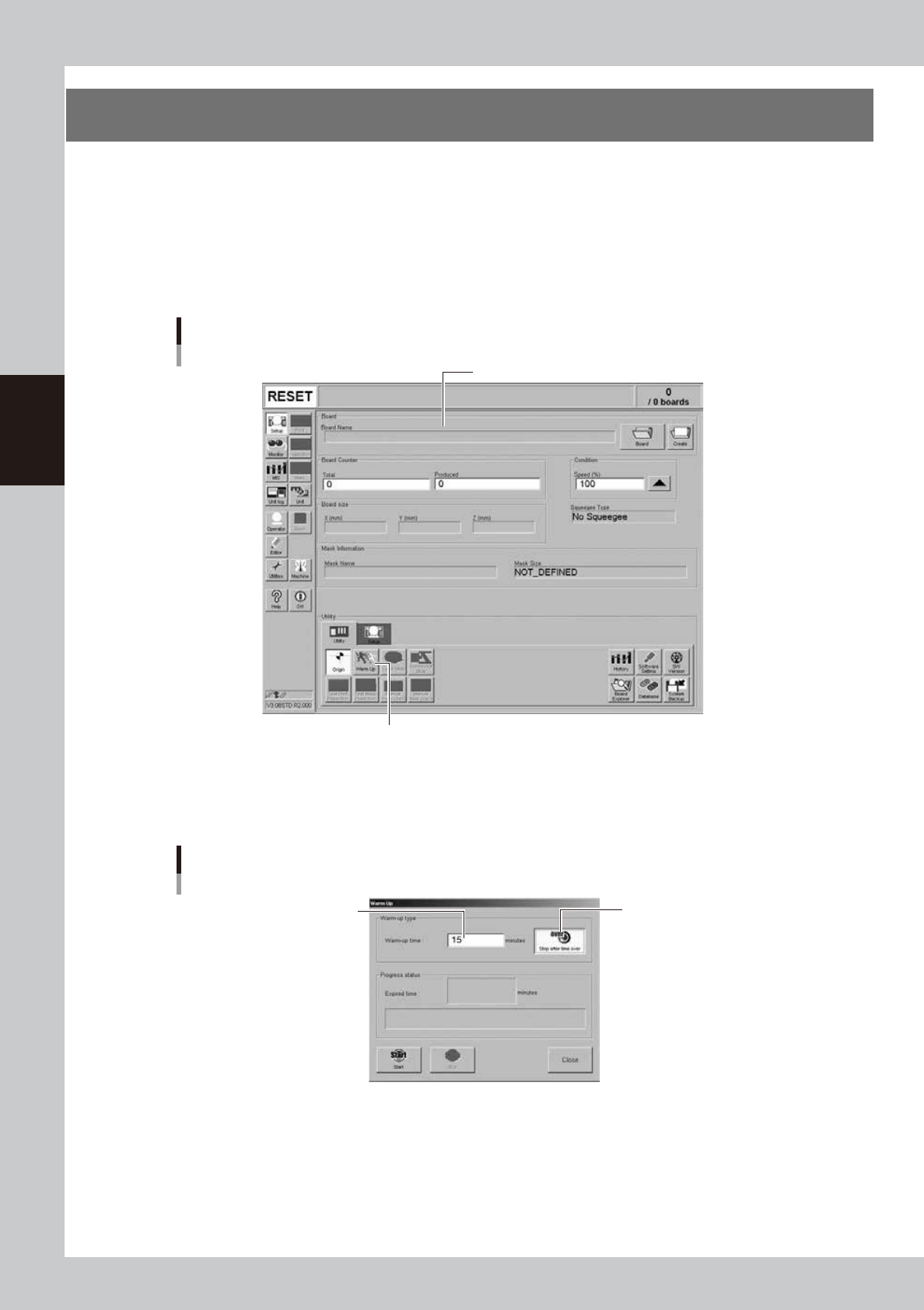
Press the [Warm Up] button on the Setup screen.
The Warm-up screen then appears.
Setup screen
Pressing this button will open the Warm-up dialog box.
Setup screen
64301-L3-00
3
Enter a warm-up time.
Press the [Stop after time over] button and enter the warm-up time. Warm-up will automatically stop
when the warm-up time you set has elapsed. Normally, about a 10-minute warm-up is recommended.
Warm-up time setting
Press this button to set the
warm-up time.
Enter a period of the
warm-up time.
64302-L3-00
3-3
3
Daily operation
4
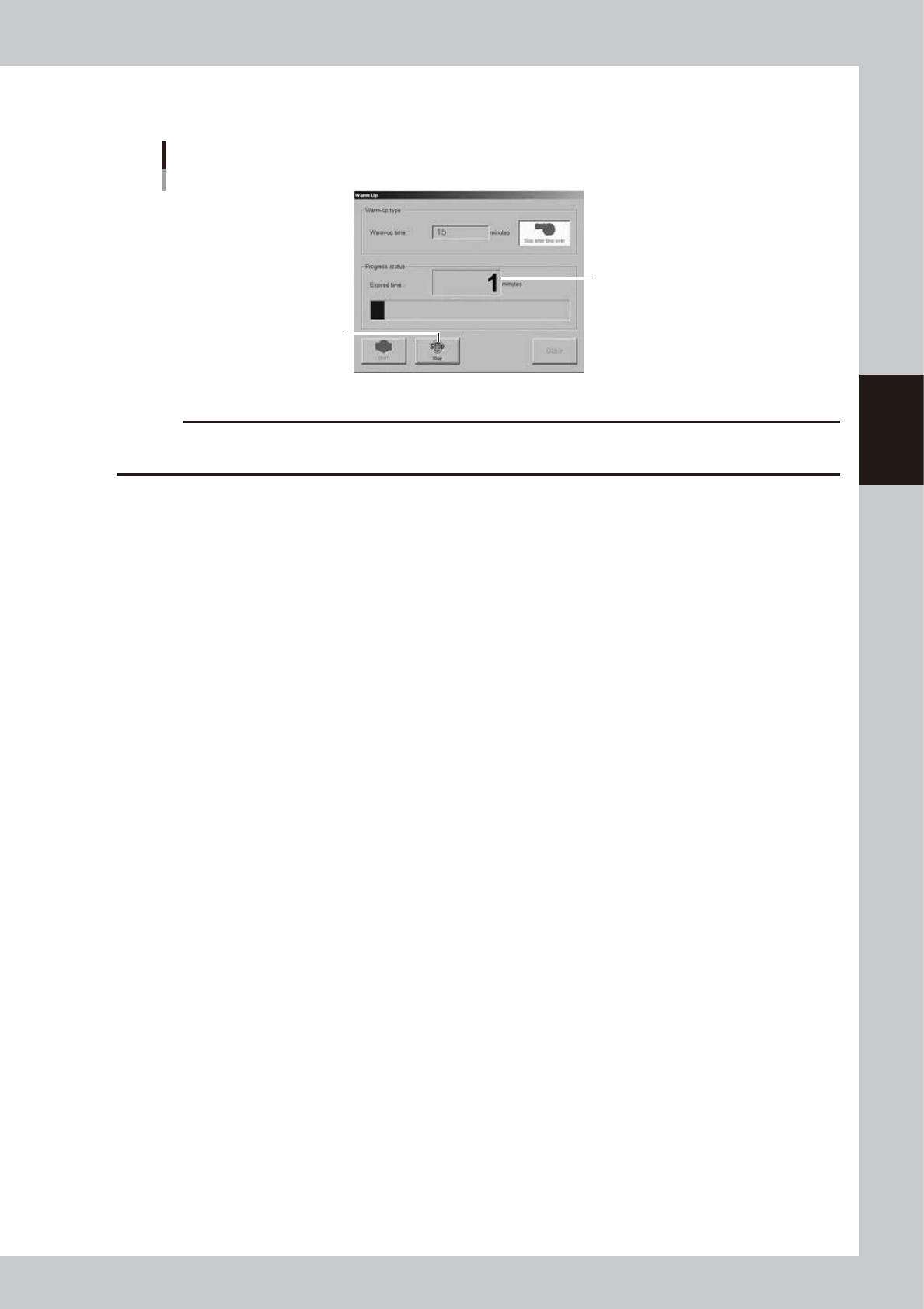
Press the [Start] button to start warm-up.
The warm-up progress time and status will appear in the Warm-up dialog box.
Warm-up screen
Warm-up elapsed time
Pressing this button will stop the
warm-up operation.
64303-L3-00
c
CAUTION
If problem occurs during warm-up, press the [Stop] button to stop operation immediately, check the cause of the
problem and eliminate it.
5
End the warm-up.
Warm-up will automatically stop when the time you set is reached. Press the [Close] button, and return
to the previous screen.