JANETS_INM.pdf - 第109页
J aN et s Inst r ucti on Manual 4. User Manage ment 4-1 4. U ser Manage ment Wh at is the User M an agemen t? Put each us er i n a gr oup and def ine the op erat ion author ity and di sp lay setti ng coll ecti v ely f or…
JaNets Instruction Manual 3. Launcher
3-13
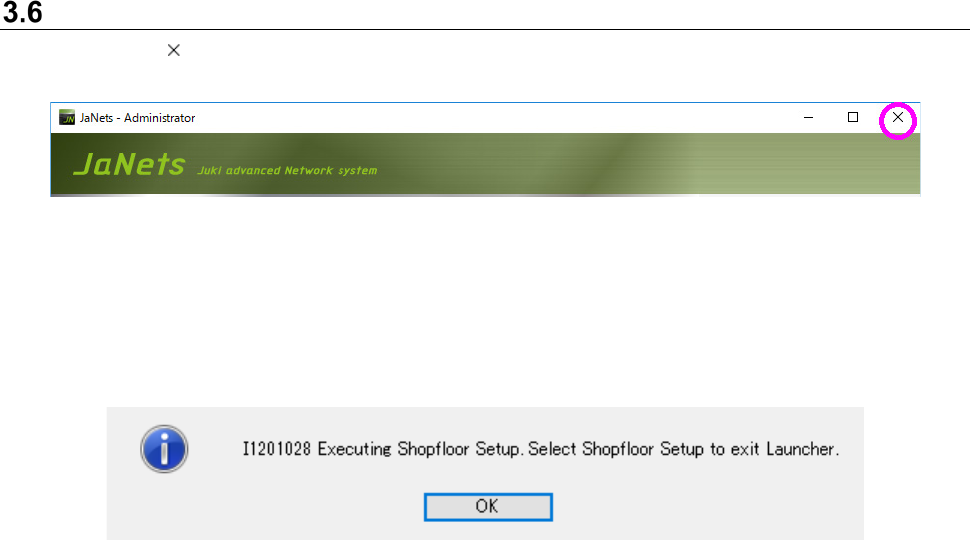
Quitting the Launcher
Click the < > button provided on the upper right side of the launcher.
Figure 3.6-1 Exit button
The confirmation message appears. Click the <Yes> button.
If any JaNets application is running when you try to quit the JaNets Launcher, the following
message indicating that the application is running appears on the screen.
Figure 3.6-2 Message that some application is running
(Example: The Shopfloor Setup application is running.)
JaNets Instruction Manual 4. User Management
4-1
4. User Management
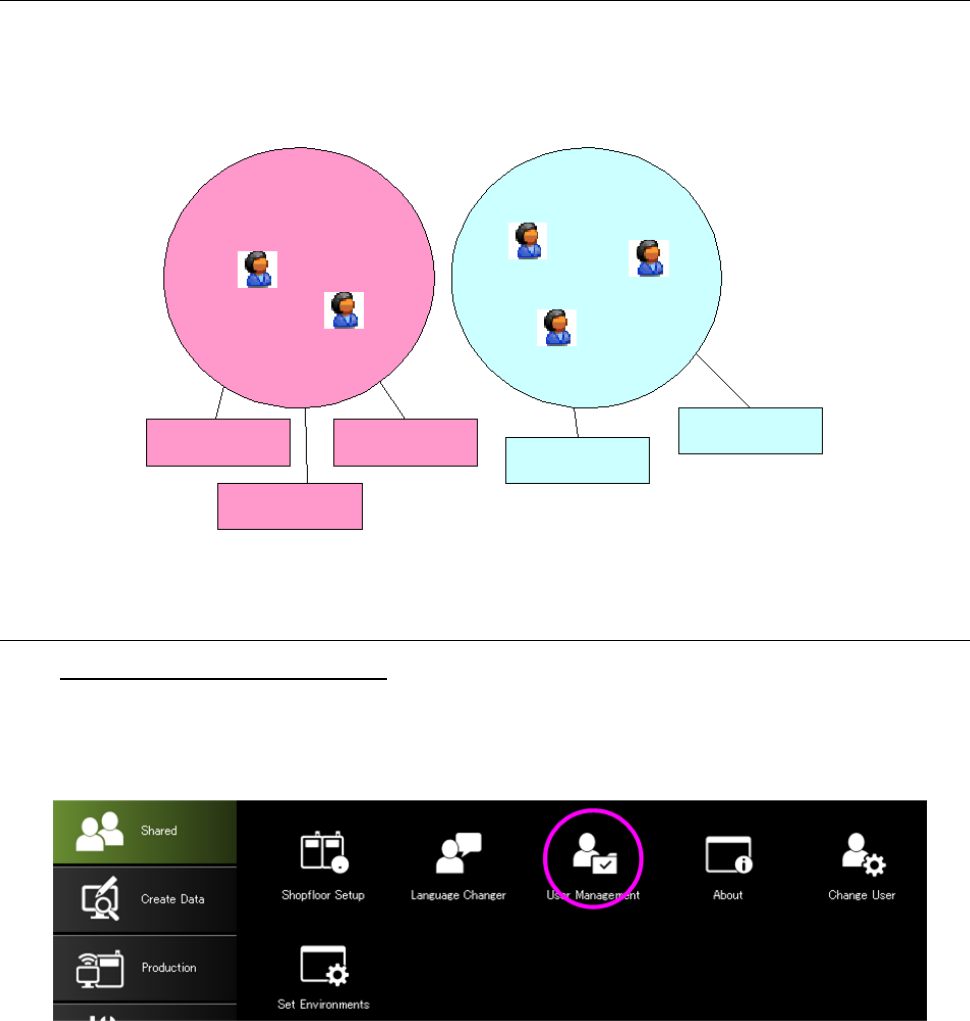
What is the User Management?
Put each user in a group and define the operation authority and display setting collectively for the
group.
Figure 4-1 Relation between a group and users
4.1 Starting Up the User Management
To start up the User Management:
Select the “Shared” tab of the Launcher, and then the “User Management” icon, or select the
[User Management] command from the toolbar, and then the [User Management] command on
the “User Management” menu.
Figure 4.1-1 Launcher screen
User group 1
User group 2
User 1
User2
User3
User5
User4
Operational
privilege 1
Operational
privilege 2
Operational
privilege 3
Operational
privilege 4
Operational
privilege 5
JaNets Instruction Manual 4. User Management
4-2
4.2 User Management
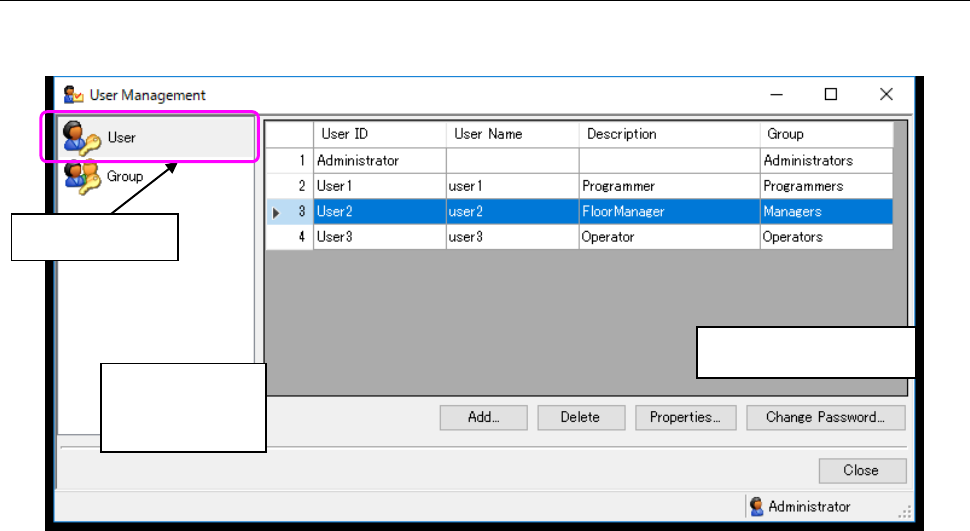
This function allows you to add a user or change the settings of the existing user.
Figure 4.2-1 “User Management” screen
* If there is not any group, you cannot add a user.
If you do not have the operational privilege, “Edit user/groups,” you cannot operate the screen
above. You can display the list only.
* The maximum number of users/groups you can register is 100 including the default user
“Administrator” and the default group “Administrators.”
Select this icon.
Setting item
display area
List display area