JANETS_INM.pdf - 第257页
JaNets In structio n Manual 7. Program Editor 7- 50 Placement conditions screen ( RX - 7 S eries ) Figure 7.4 - 68 Placem ent conditions scree n ( RX - 7 S eries ) Set the comp onent pic king up con ditions o f a high - …
JaNets Instruction Manual 7. Program Editor
7-49
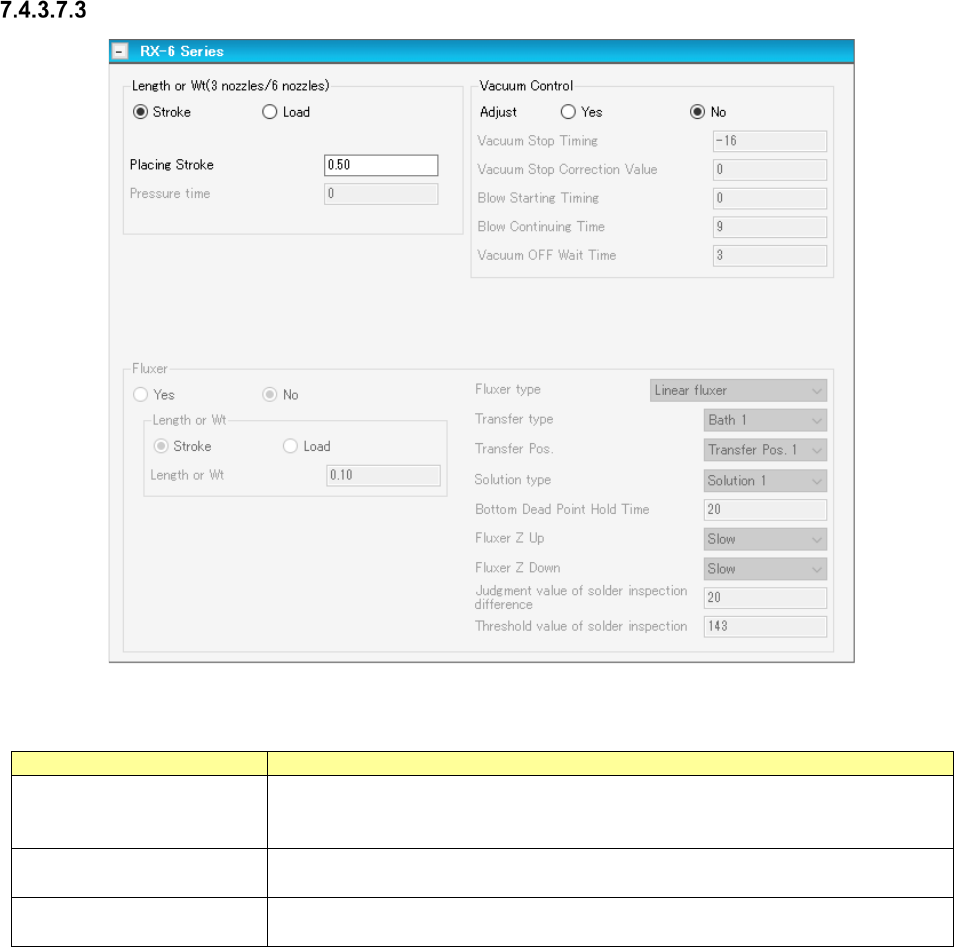
Placement conditions screen (RX-6 Series)
Figure 7.4-67 Placement conditions screen (RX-6 Series)
Table 7.4-32 Placement condition (RX-6 Series) screen items
Item
Description
Load
When the nozzle for low load is selected by centering, low-load control is exerted.
If the high-load nozzle is selected, high-load control is exerted.
When a load is selected, the control method is displayed.
Pressure time
Sets the load applying time in the unit of ms.
This is an effective data when high-load control is used.
Vacuum Control
Specifies whether to adjust the vacuum time when a component is picked up.
To adjust the vacuum time, enter the adjusting time in ms.
JaNets Instruction Manual 7. Program Editor
7-50
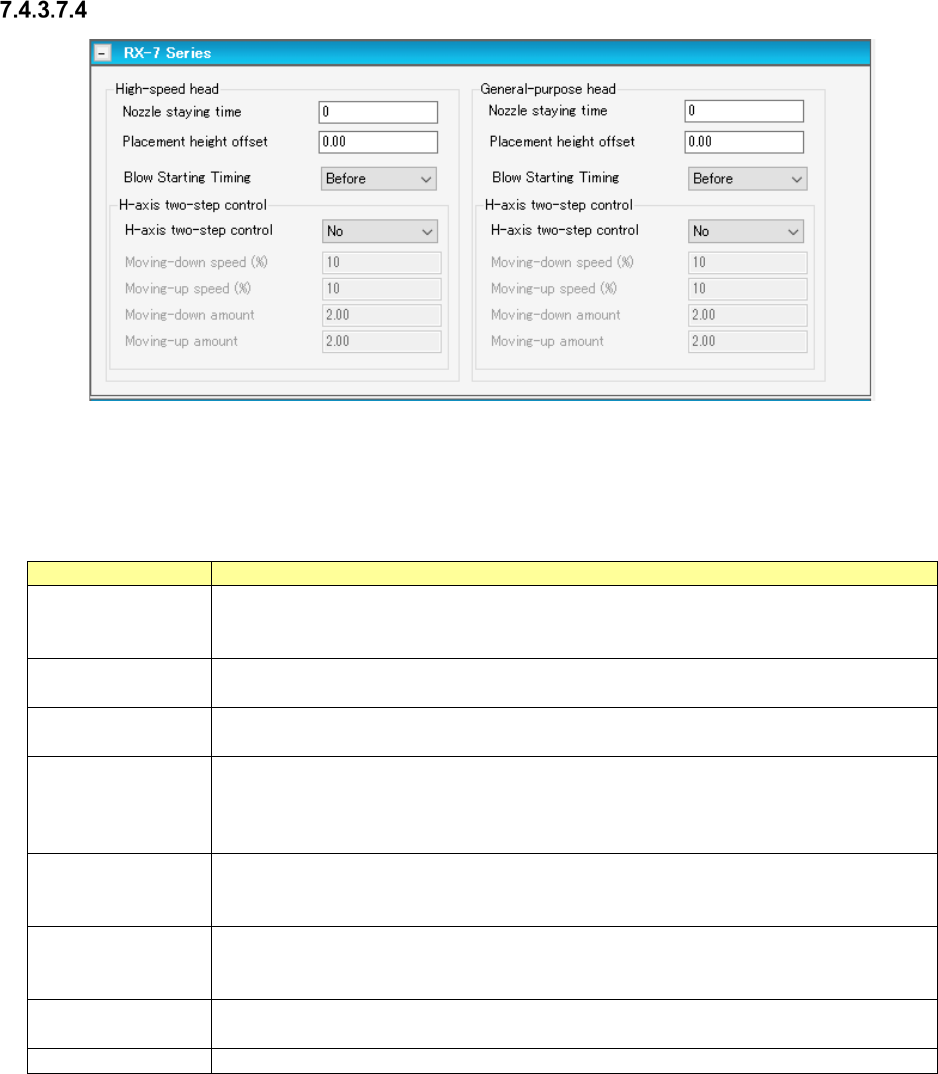
Placement conditions screen (RX-7 Series)
Figure 7.4-68 Placement conditions screen (RX-7 Series)
Set the component picking up conditions of a high-speed head and those of a general-purpose
head respectively.
Table 7.4-33 Placement condition (RX-7 Series) screen items
Item
Description
Nozzle staying time
Set the time period while the nozzle stops at the component placement position (moving
down position) in order to place the component on a board securely.
Input range: 0 to 9999+
Placement height
offset
Set offset in height direction at the component placement position.
Input range -999.99 to 999.99. (Default: 0.00)
Blow Starting Tim-
ing
Select whether to start blowing before the nozzle moves down or after it moves down.
“Before” is selected by default.
H-axis two-step
control
Specify whether to control the nozzle moving up/down speed to place a component on a
board in two steps.
To control the speed in two steps, enter the height and speed to be controlled in two
steps for moving up and moving down the nozzle respectively.
Moving-down speed
(%)
Enter the override of the speed for moving down the nozzle.
Enter the lower speed than the value set in the “H(Pick)” field of the menu item “Override”
on the vision centering screen (RX-7 series).
Moving-up speed
(%)
Enter the override of the speed for moving up the nozzle.
Enter the lower speed than the value set in the “H(Pick)” field of the menu item “Override”
on the vision centering screen (RX-7 series).
Moving-down
amount
Enter the height at which the speed is to be changed when the nozzle is moved down.
Moving-up amount
Enter the height at which the speed is to be changed when the nozzle is moved up.
JaNets Instruction Manual 7. Program Editor
7-51
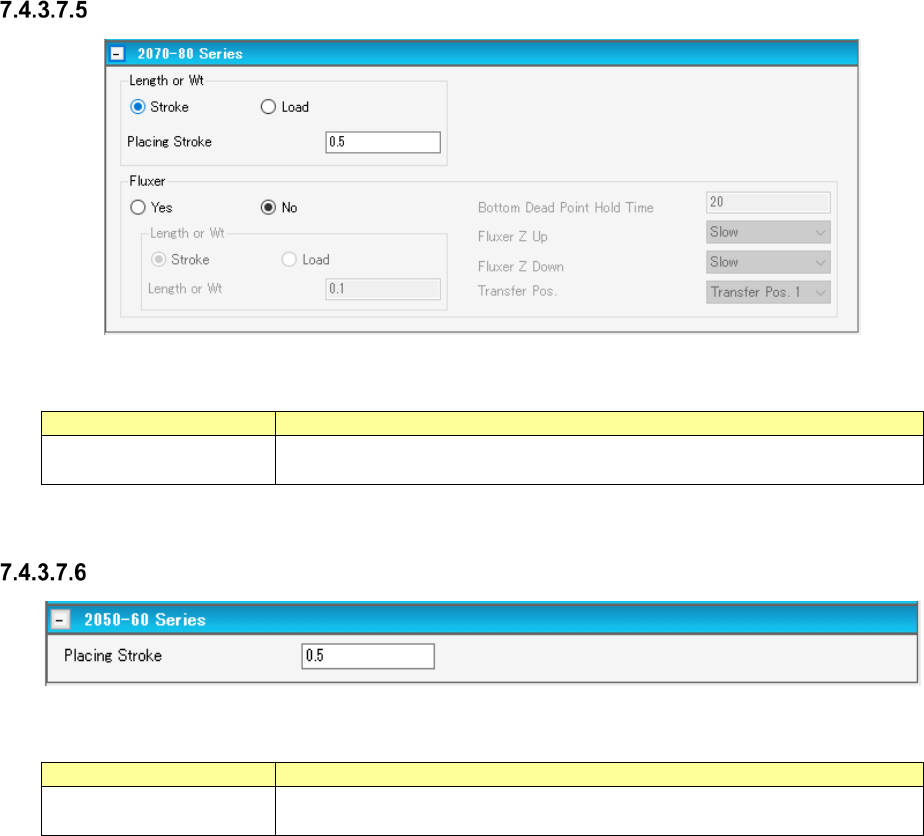
Placement conditions screen (2070-80 Series)
Figure 7.4-69 Placement conditions screen (2070-80 Series)
Table 7.4-34 Placement condition (2070-80 Series) screen items
Item
Description
Stroke
Sets how much stroke of the component for the top surface of the fluxer.
Select either “Stroke” or “Load” as the control method.
Placement conditions screen (2050-60 Series)
Figure 7.4-70 Placement conditions screen (2050-60 Series)
Table 7.4-35 Placement condition (2050-60 Series) screen items
Item
Description
Stroke
Sets how much stroke of the component for the top surface of the fluxer.
Select either “Stroke” or “Load” as the control method.