JANETS_INM.pdf - 第638页
JaNets In structio n Manual 16 Component D ataba se 16 - 38 S ynchron izing the I FS S erve r When the IS s ystem an d the IFS - NX system co exist on the floor , the m aster inf ormation o n component dat a serves as an…
JaNets Instruction Manual 16 Component Database
16-37
Print
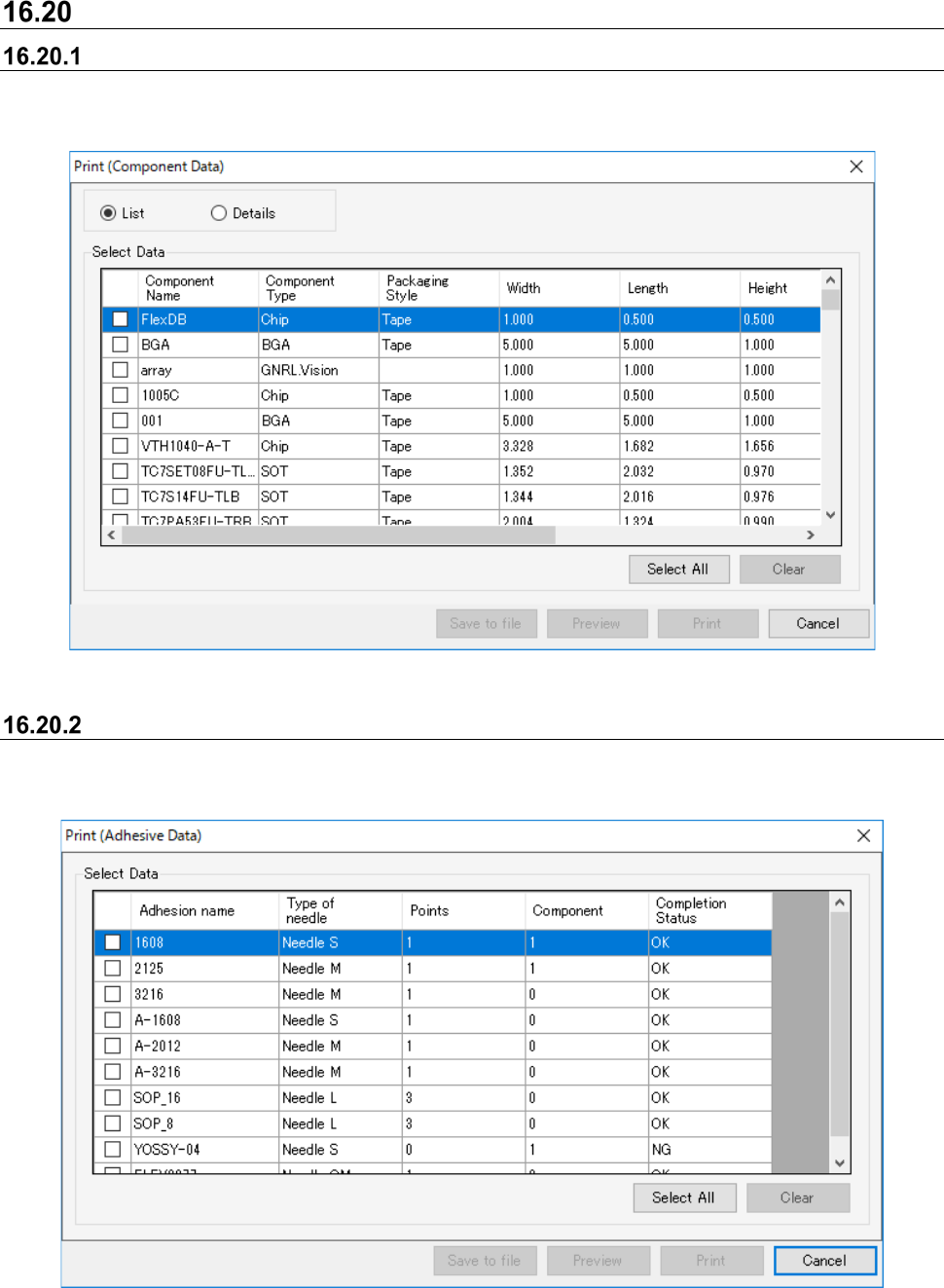
Printing component data
When the component data list is displayed, select the [File] - [Print & Save to file…] command and
the following dialog box appears.
Figure 16.20-1 Component data print dialog
Printing adhesion data
When the adhesion list is displayed, select the [File] - [Print & file output] command and the
following dialog box appears.
Figure 16.20-2 Adhesion data print dialog
JaNets Instruction Manual 16 Component Database
16-38
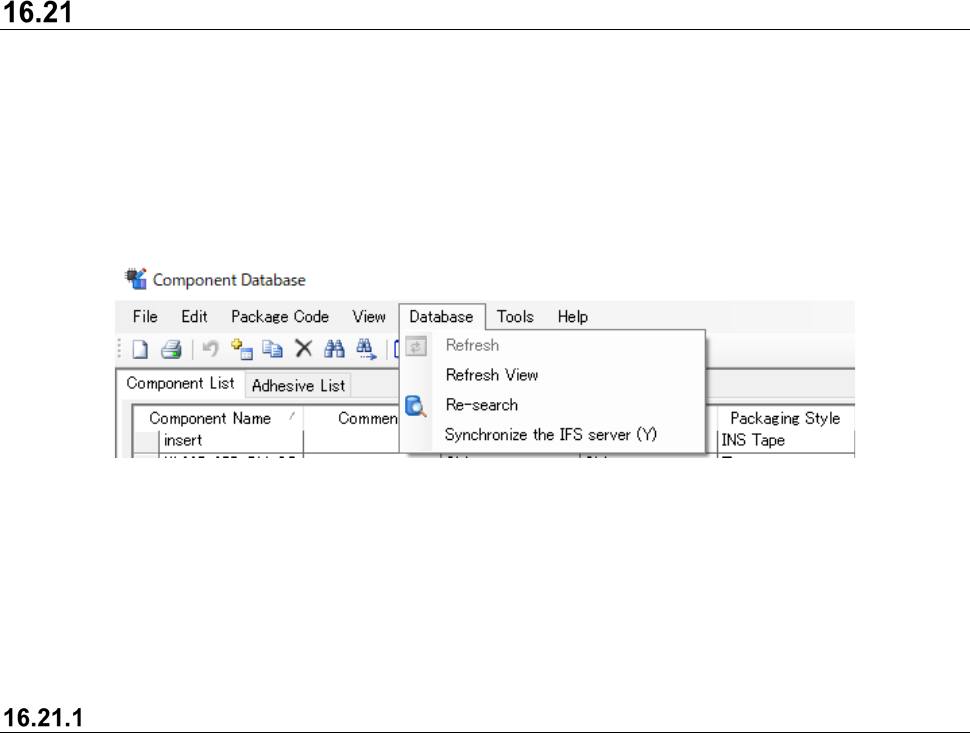
Synchronizing the IFS Server
When the IS system and the IFS-NX system coexist on the floor, the master information on
component data serves as another management.
It is possible to perform a batch registration of the information on the component data that is
registered into the IS server to the IFS server by using this function.
In that case, click [Database] and select [Synchtonize IFS Server] that makes the component
information the same between the IS server and the IFS server.
Figure 16.21-1 "Menu" - "Database" - “Synchronizing the IFS Server” menu
This menu displays only when you have set the "Use" of the IFS-NX in the environmental setting
of the JaNets launcher. And more, this menu does not implement the following conditions.
- You do not have “ Registration of data” privileges by login user.
- Component list of component data tab is not displayed.
Contents implemented by synchronizing process
The processes implemented by synchronizing component data are shown below.
- The registration of component data, which is not in the IFS server but in the JaNets server, in
the IFS server
- The update of component data which are in both the JaNets server and the IFS server (*2)
* When the packaging style in component data registrated is different, information on the
packaging is additionally registered in the IFS server.
JaNets Instruction Manual 16 Component Database
16-39
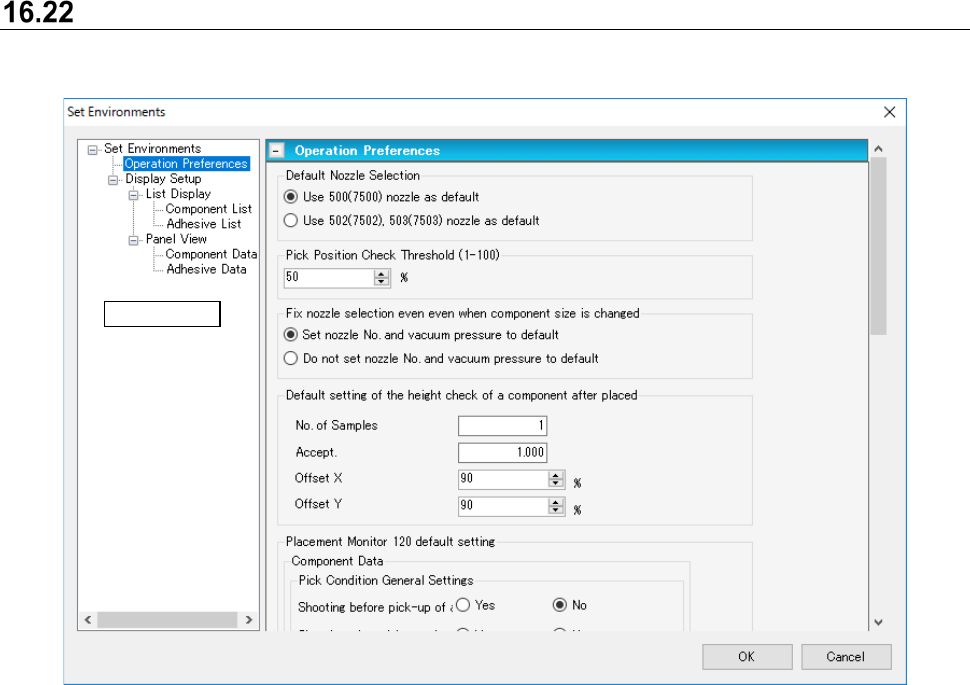
Environment settings
Select the [Tools] - [Set Environments ] command to display the environment window.
Figure 16.22-1 Set environment window
Tree view