JANETS_INM.pdf - 第539页
JaNets Instr ucti on Man ual 13 . Program D ownloa der 13 - 43 13.10.2.2 Reading a serial code Read a serial code t o be used for associ ation with a product ion progr am with a code reader . The read code is d isplayed …
JaNets Instruction Manual 13. Program Downloader
13-42
13.10.1.2 Code format that can be used as a serial code
All code formats supported with a code reader can be used.
13.10.1.3 Character types that can be used as a serial code
One-byte alphanumeric characters can be used as a serial code. None of double-byte
characters, binary data and control characters can be used.
Up to 250 characters can be used as a serial code.
13.10.2 Procedure for associating a serial code with a production program (local)
To associate a production program saved locally with a serial code, you have to select the “Local”
radio button for the menu item “Search” of the setting item “Management of production program”
on the “Set Environments” screen of the Program Downloader (see Section 13.14.2.7).
13.10.2.1 Calling the “Association of a serial code” screen
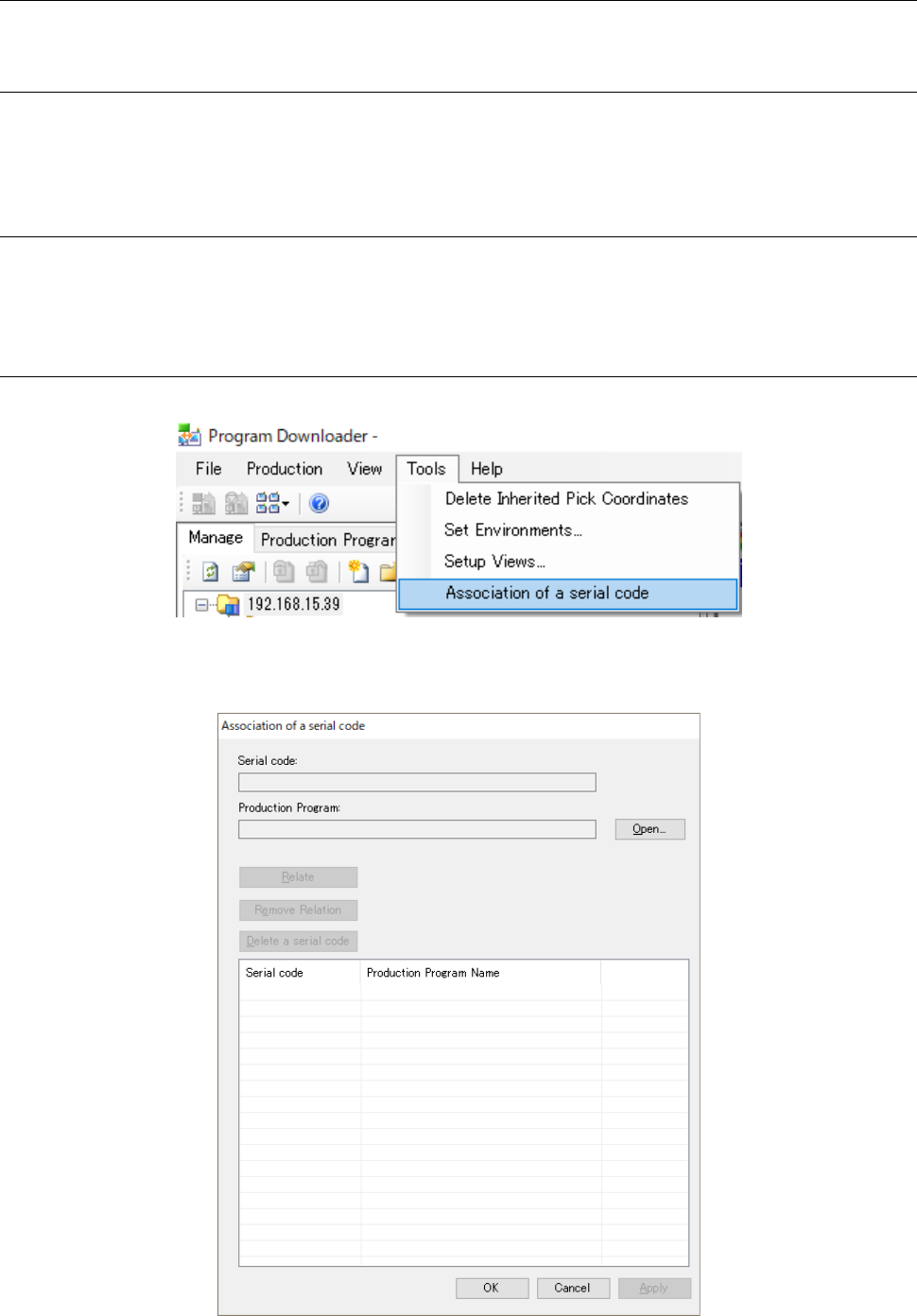
Select the menu commands: [Tools] – [Association of a serial code] from the menu bar.
Figure 13.10-1 [Association of a serial code] menu command
The “Association of a serial code” screen appears.
Figure 13.10-2 “Association of a serial code” screen (local)
JaNets Instruction Manual 13. Program Downloader
13-43
13.10.2.2 Reading a serial code
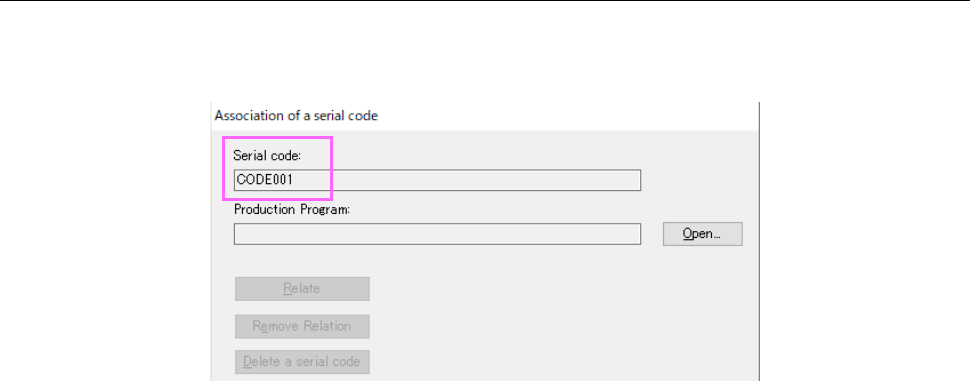
Read a serial code to be used for association with a production program with a code reader. The
read code is displayed on the “Association of a serial code” screen.
Figure 13.10-3 Screen displayed after a serial code is read
JaNets Instruction Manual 13. Program Downloader
13-44
13.10.2.3 Specifying a production program to be associated with a serial code
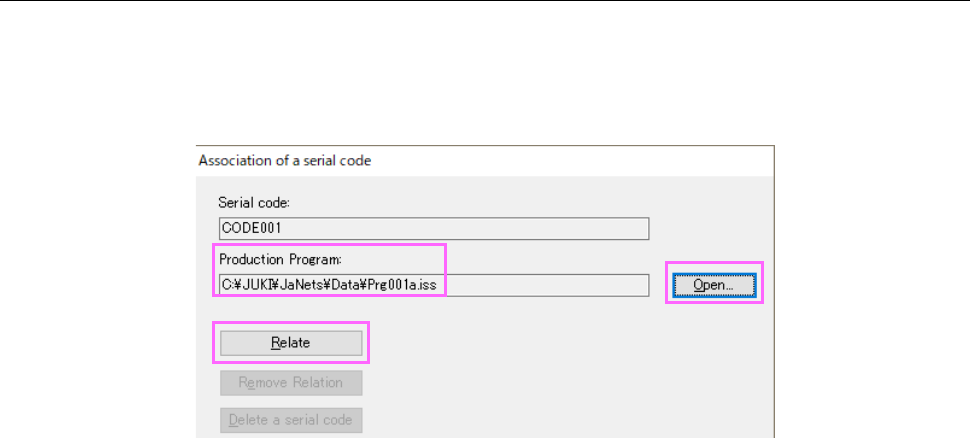
Click the <Open> button to specify a production program to be associated with a serial code.
The save destination of the production program is displayed on the “Association of a serial code”
screen. When the system finishes reading a serial code and you finish specifying a production
program, the <Relate> button is activated.
Figure 13.10-4 Screen displayed after a production program is specified