JANETS_INM.pdf - 第697页
JaNets In structio n Manual 18 . N ozzle Dat a V iewer 18 -5 Updating M aintenance Informati on The specif ied nozz le maintenanc e data ca n be regis tered or updat ed. Select a line of the V iewe r , and then display t…
JaNets Instruction Manual 18. Nozzle Data Viewer
18-4
18-2-2 Reflecting the extraction rule
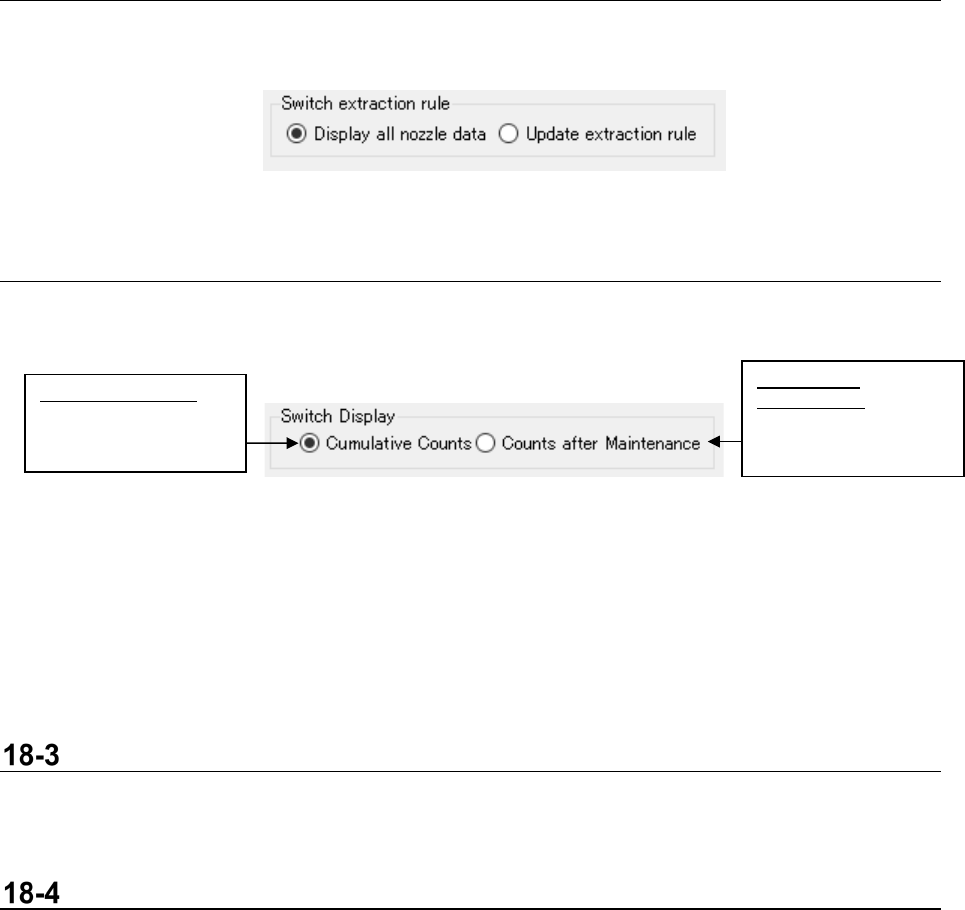
This menu item allows you to switch reflection of an extraction rule to be applied to the Viewer.
Figur 18-2-2 Reflection of an extraction rule
18-2-3 Normal counting/Counting after maintenance
This menu item switches the counting operation between the “Cumulative count” and the “Count after
maintenance” for nozzle data to be displayed with the Viewer.
Figur 18-2-3 Switching the counting operation between “normal counting”
and “counting after maintenance”
<<Counts after Maintenance>>
By registering maintenance data of nozzle data, the Viewer can subtract the number counted until
maintenance data was registered from the accumulated number to display the result. See Section
18-5 “Updating Maintenance Information” for how to register maintenance data.
Reacquiring Data
When you select the menu command [Reacquiring Data] from the “File” menu, the Viewer obtains
nozzle data again, and then updates the displayed contents.
Output a CSV File
When you select the menu command [Output a CSV File] form the “File” menu, the data displayed on
the Viewer is saved as a CSV file.
Counts after
Maintenance:
Number of times a
nozzle was used after
maintenance
Cumulative Counts:
Accumulated number
of times a nozzle was
used
JaNets Instruction Manual 18. Nozzle Data Viewer
18-5
Updating Maintenance Information
The specified nozzle maintenance data can be registered or updated.
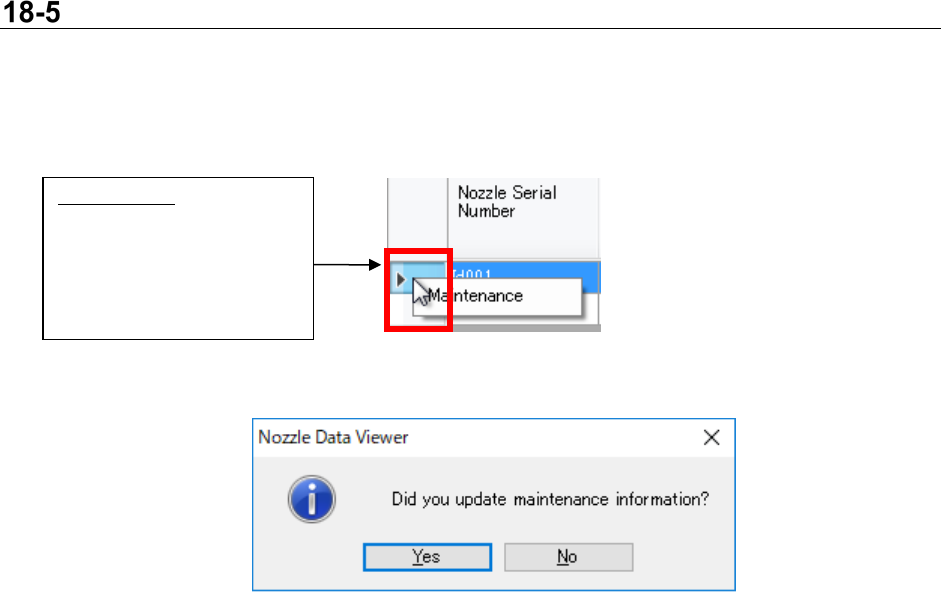
Select a line of the Viewer, and then display the maintenance information updating dialog box from
the context menu.
Figur 18-5-1 Maintenance
Figur 18-5-2 Updating maintenance information
Maintenance:
Select a nozzle whose
maintenance data you want
to update, and then click the
right button of the mouse.
The context menu appears
on the screen.
JaNets Instruction Manual 18. Nozzle Data Viewer
18-6
Extraction
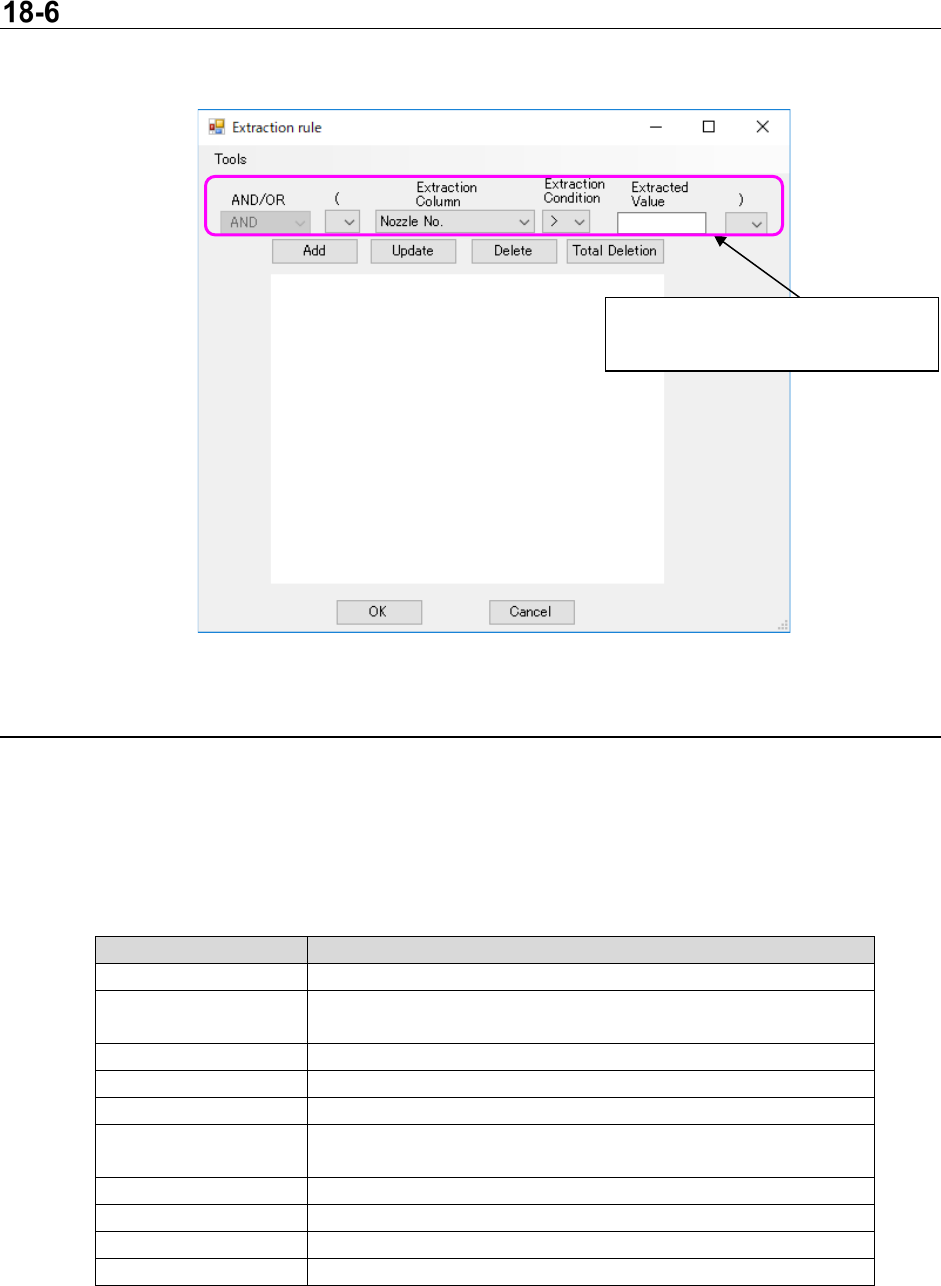
When you select the menu command [Extraction rule] from the “Tool s ” menu, the following screen
appears.
Figur 18-7-1 “Extraction rule” screen
18-6-1 Creating an extraction rule
You can create an extraction rule on the “Extraction rule” screen.
When you press the <OK> button, the Viewer can extract nozzle data according to the extraction rule
specified with the condition settings to display it.
The items you can specify as an extraction rule are shown in the table below.
Table 18-7-1 Extraction rule settings
Item
Description
AND/OR
Specify “AND” or “OR” for a previous condition.
(
Specify “(” for an extraction rule to set the priority processing
termination point.
Extraction Column
Specify what is to be extracted.
Extraction Condition
Specify the condition for the Extraction Column.
Extracted Value
Specify a threshold value to be extracted.
)
Specify “)” for an extraction rule to set the priority processing
termination point.
Add
Adds to an extraction rule according to your settings.
Update
Updates an extraction rule selected from the list.
Delete
Deletes an extraction rule selected from the list.
Total Deletion
Deletes all extraction rules.
Condition settings
Specify the extraction rule to be set.