JANETS_INM.pdf - 第69页
JaNets Instr ucti on Man ual 2. Install ation 2- 41 2.5.2 Proce dure for se tting up an RX -7 seri es T o set up an RX -7 series , click the [Machine Set up] menu comm and fr om the “ top menu” t o displa y the “Machine …
JaNets Instruction Manual 2. Installation
2-40
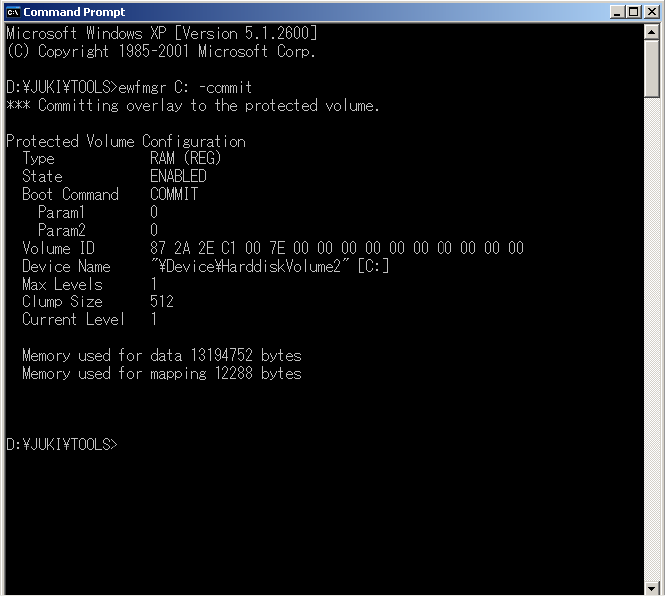
(3) The execution result appears on the screen. Quit the command prompt.
Figure 2.5-17 Result on the command prompt screen
(4) Restart the machine. You have finished updating the drive C at this point.
JaNets Instruction Manual 2. Installation
2-41
2.5.2 Procedure for setting up an RX-7 series
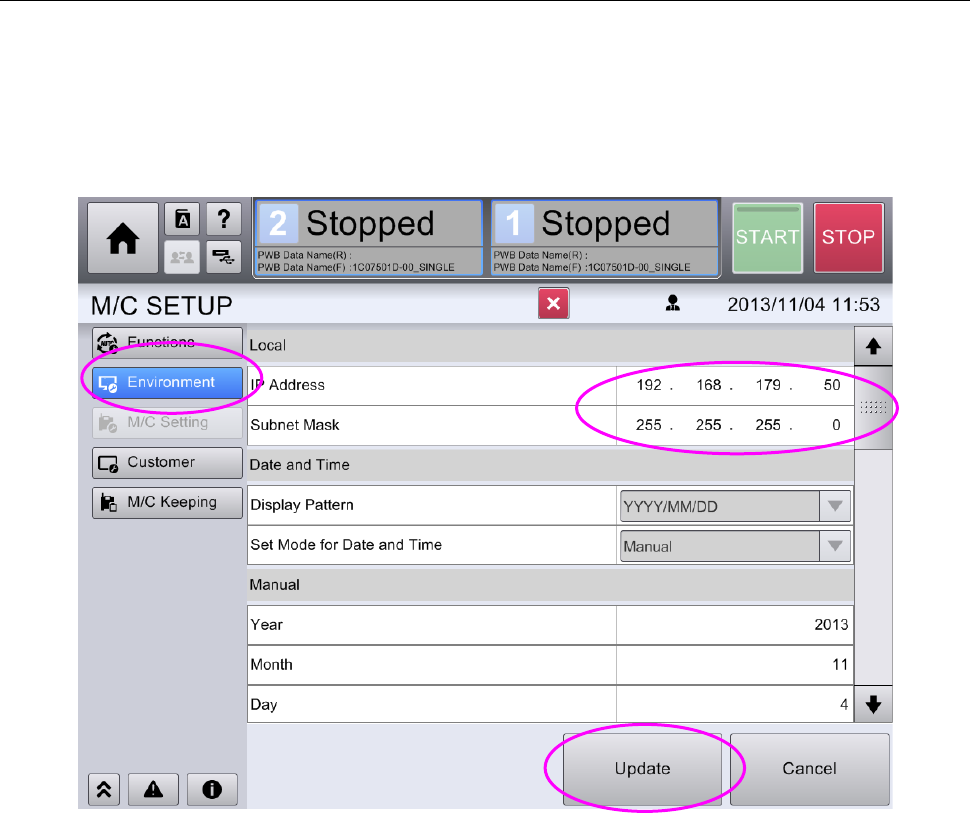
To set up an RX-7 series, click the [Machine Setup] menu command from the “top menu” to display
the “Machine Setup” screen.
Next, click the menu item “Environment Setting,” and then set the IP address and the sub net
mask according to your communication environment.
After setting the IP address and the sub net mask, click the <Update> button.
Figure 2.5-18 Screen for setting the machine environment
JaNets Instruction Manual 2. Installation
2-42
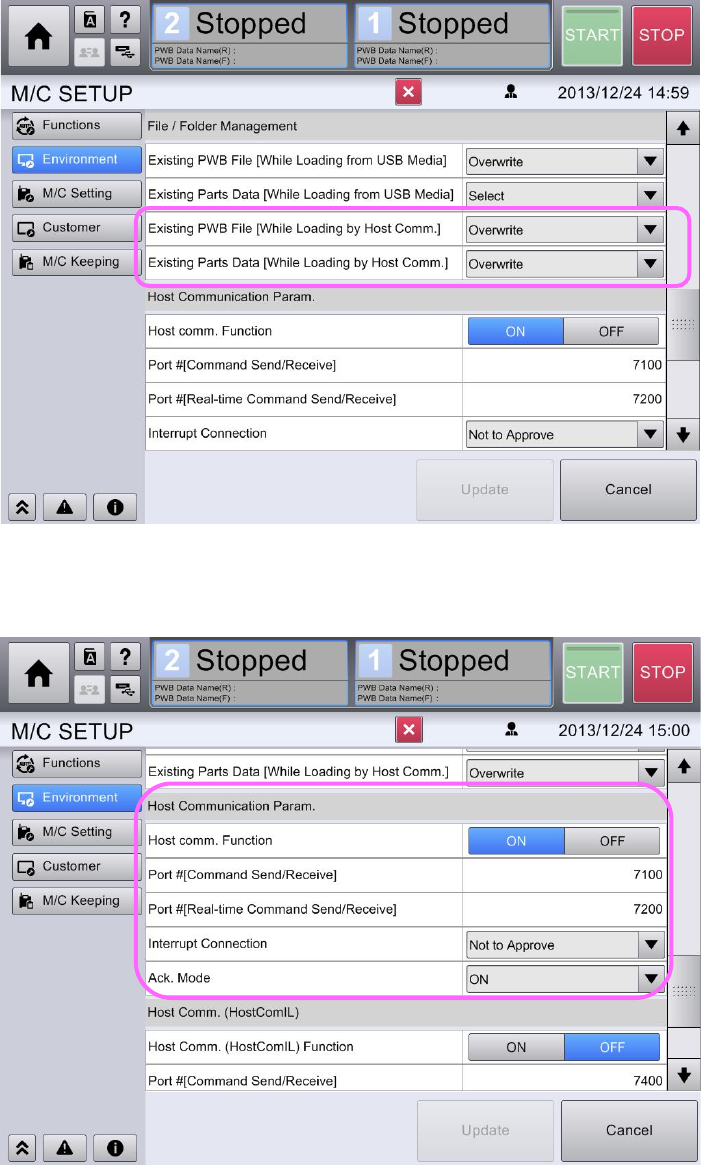
In order to perform on-line production, create the following setup.
Click the "Environment" button and set up the item of a file/folder management as follows.
Figure 2.5-19 Environment setting screen (File/Folder management)
Moreover, set up the item of host communication as follows.
Figure 2.5-20 Environment setting screen (Host communication)
Click the "Update" button when you compete the above-mentioned setup.
You have finished setting up communication of the RX-7 series at this point.